

Skin Shuffle
Modby IMB11
Choose and change your skin in-game!
Type
Mod
CurseForge Downloads
539,663
CurseForge ID
876386
Modrinth Downloads
3,676,493
Modrinth ID
3s19I5jr
Last Updated
Sep 7, 2026
Description
Server-Side Support
When SkinShuffle is installed on the server, you can change your skin in-game without having to relog. SkinShuffle will refresh your skin for you, and for other players instantly - even for players that do not have the mod on their client. **Got a Paper/Spigot/Bukkit server?** Consider using the [Skin Shuffle Bridge plugin](https://modrinth.com/plugin/skinshuffle-bridge) to allow players on your server to hot-swap skins! Alternatively, SkinShuffle is supported by [SkinRestorer (fabric+neoforge+forge)](https://modrinth.com/mod/skinrestorer) if your server has that installed, players using SkinShuffle will be able to quickly change their skins without needing to rejoin! We have massive plans to expand server-side support in the future: - Skin Changing Commands that allow vanilla clients to change their skins. - Skin Preset SharingClient-Side Support
SkinShuffle works right out the bat for clients! Browse, create and edit skin presets in the Carousel and Edit Preset screens that can be accessed via Mod Menu or through the widget on the pause screen and the title screen. When you start the game for the first time with SkinShuffle, it will automatically create a preset from your current skin and set it as the main preset! Your currently chosen preset will be shown on the widget.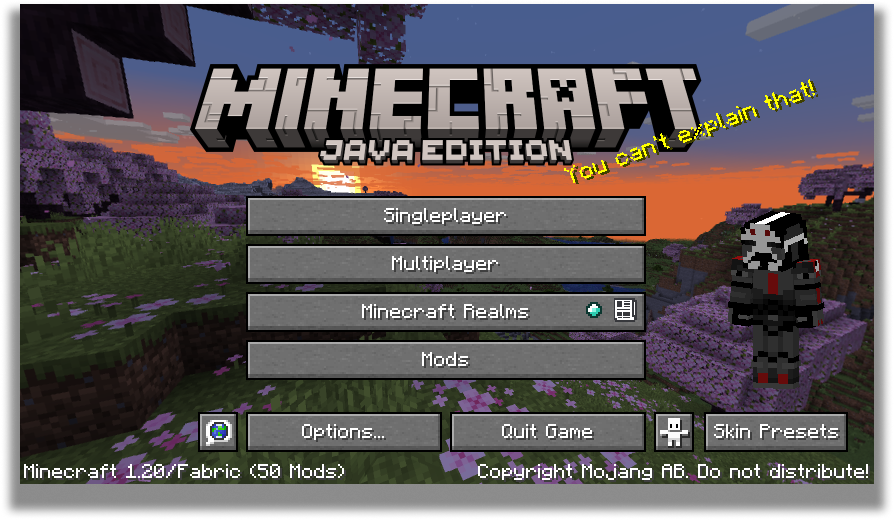
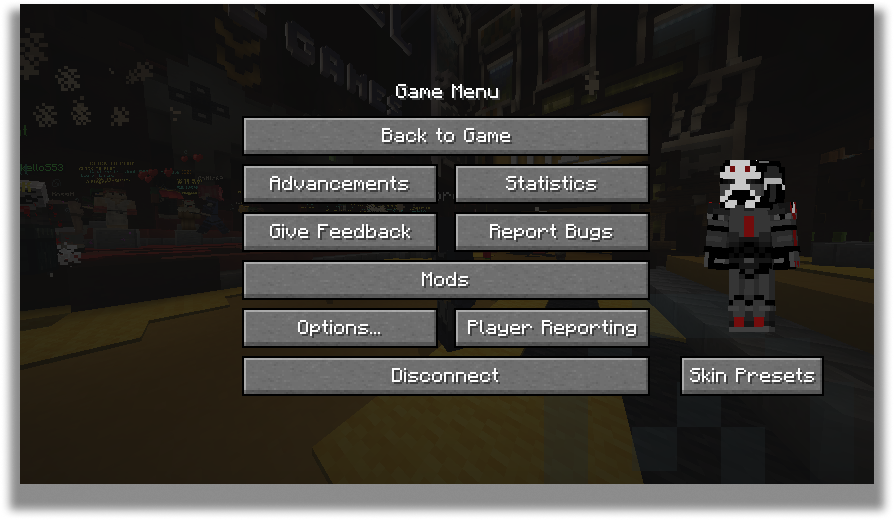
Carousel Screen
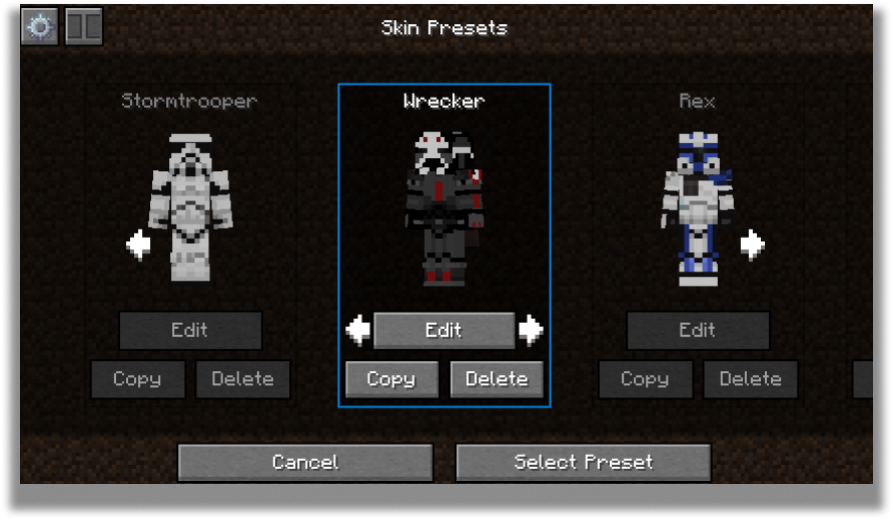
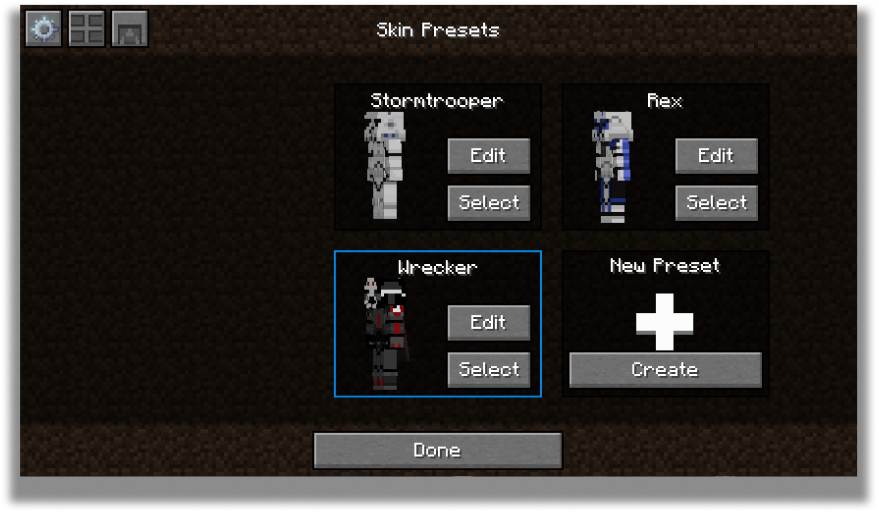
The carousel is where all your skins will be stored for future use! You can create, edit and delete your presets.
The carousel screen has two modes: Compact and Carousel
You can customize every preset to your own desire in the edit screen.
Edit Screen
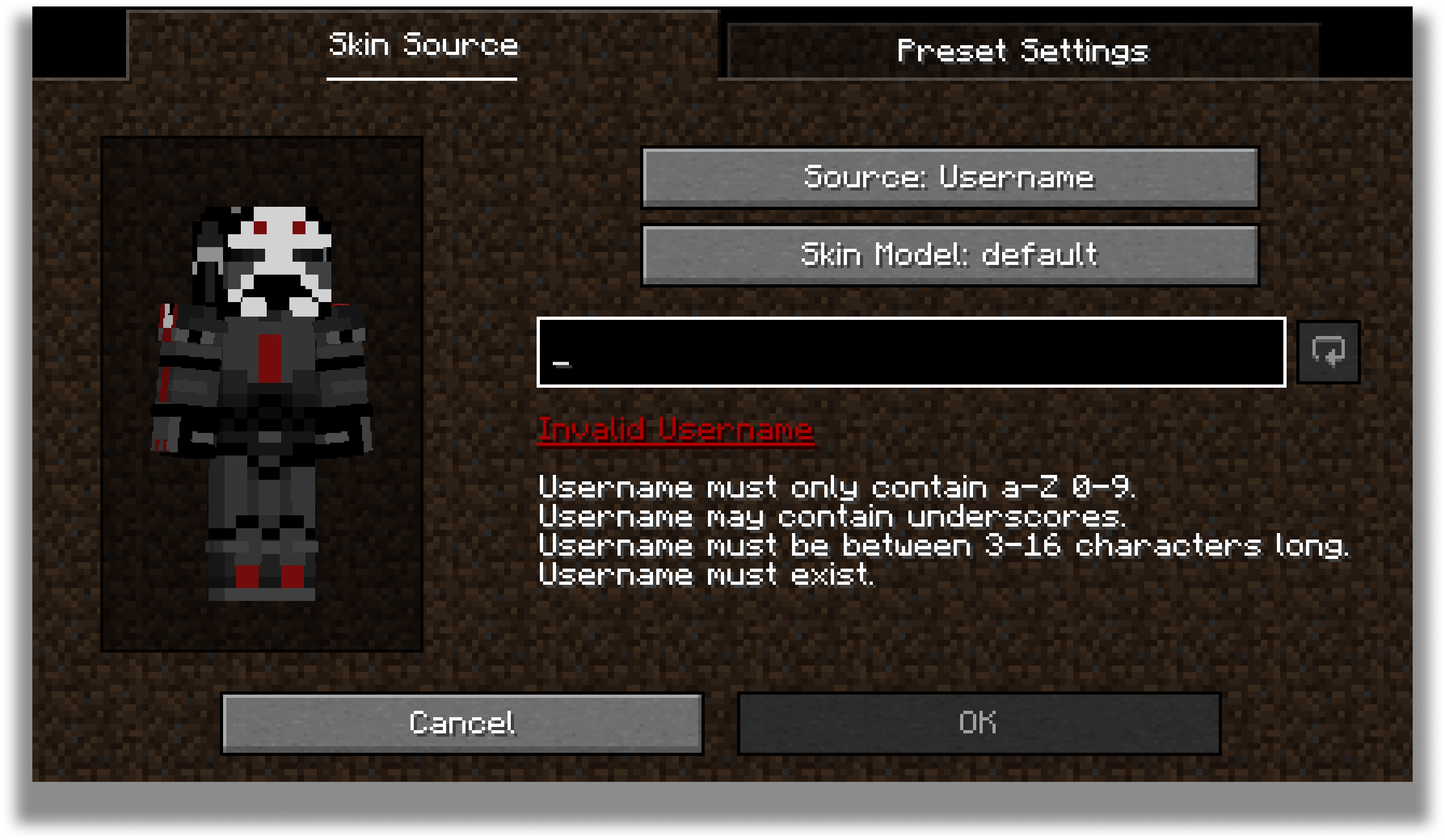
The edit screen allows you to change the actual texture of the skin, the model type and the name of the preset.
For the future, there are plans to add cape and ear customization to this screen.
Configuration
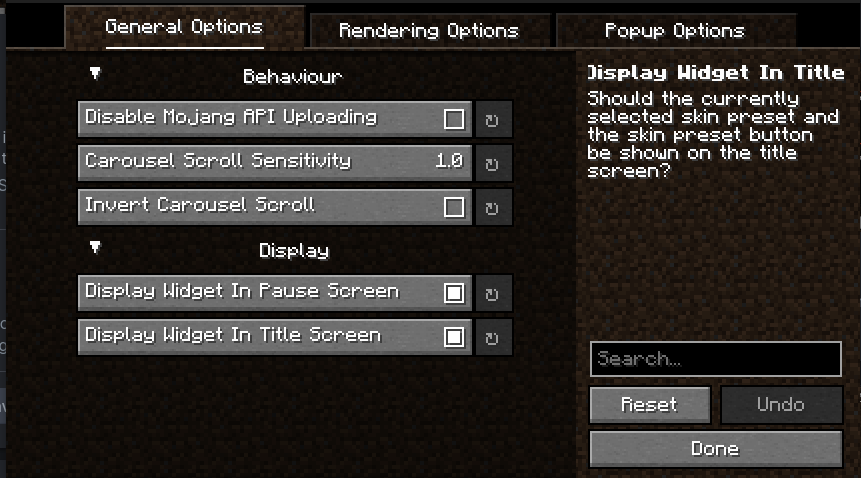
Every part of SkinShuffle is customizable thanks to [YACL]()'s powerful configuration screen.
You can customize the speed that skins rotate in the carousel, to where they should follow your cursor, and where the preview widget should show.
 By using my mods, you agree to the [Modpack Distribution Guidelines](https://imb11.dev/legal/modpacks) and the [End User License Agreement](https://imb11.dev/legal/eula)
Compatibility
Mod Loaders
Game Versions
Recommended Gear
AffiliateHardware and extras that pair well with this mod.

As an Amazon Associate I earn from qualifying purchases.
Screenshots
Similar Mods

EdivadLib
Just a common library for all my mods
Ars Creo
An addon for Ars Nouveau and Create
More Villagers
Adds new villager jobs, with unique trades, workstations, and advancements!
Repurposed Structures (Fabric)
Adds more variations of vanilla structures and features!

Canary
A performance mod designed to optimize Minecraft's general performance and unofficial fork of Lithium mod for Minecraft...

Bloodmoon
Adds the Bloodmoon event from Terraria to Minecraft
Included in Modpacks (65)
Most downloaded Vanilla Perfected
 Vanilla Perfected (Curseforge Edition!)
 Reimagined
 Tales
Tales
 hold my items (realistic)
 Void's essentially optimized pack
 Client+
 Alinea Essentials
 Vital Modpack
 Cobblemon & Origins SMP
 Azure Visuals
 Splitted Multiplayer
 Wynn +
 Virtual Reality
 OPKoffee Infused
 Optimal Survival
 Immersive Vanilla
 editon's Modpack
 DragLed Optimized
 Vital Collection