Create: Molten Vents
Modby Apothicon
A renewable source of create's orestones
Type
Mod
CurseForge Downloads
0
CurseForge ID
824654
Modrinth Downloads
546,675
Modrinth ID
uuVy6k1s
Last Updated
Apr 26, 2026
Description
Molten Vents is a mod which adds a renewable source of the orestones found in the Create mod, and by extension the many resources that can be processed from them.
How to use:
- Locate a vent; Vents are found anywhere on the surface, but are more easily found underwater. (Configurable)
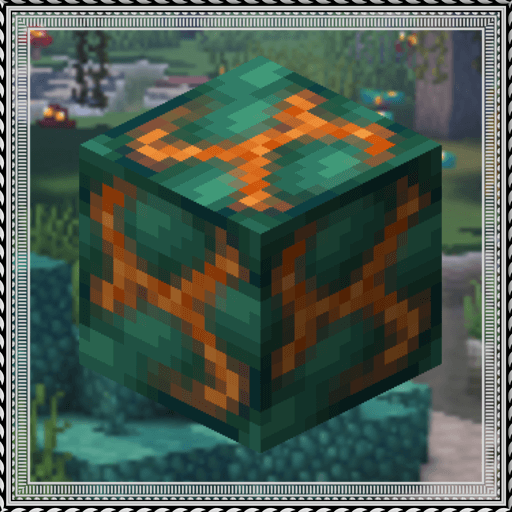
- Dig out the blocks inside of the vent until you find a block that looks like the orestones the vent is made of except with magma on it, that is the dormant orestone.
- Explode the dormant orestone by any means.
- Notice that the dormant molten vent is now an active molten vent by seeing the magma in it become brighter.
- Dump lava (preferrably via an automated method) on the active molten vent and watch as the lava turns into the corresponding orestone.
- Process the orestones into resources, or use them for building.
Default Vents:
- Veridium Vent
- Asurine Vent
- Crimsite Vent
- Ochrum Vent
- Scorchia Vent
- Scoria Vent
How to add a custom molten block
Just add the name of the block to this list (a .json file that generates in the config folder)
{"values":["asurine","veridium","crimsite","ochrum","scorchia","scoria","exampleblock"]}And then depending on your modloader:
NeoForge:
- Copy paste any other file in the config/molten_vents/conductive & config/molten_vents/convertible folders. - Rename the files to the name of the custom block. - Change values inside the files (Conductive is a list of blocks the molten vent can convert blocks through, it must contain the active molten vent at minimum. Convertible is a list of blocks the molten vent can convert into the new block. (ex. lava -> asurine))Forge:
Make a datapack that adds these two jsons: data/molten_vents/molten_vents/blocks/conductive/exampleblock.json (You can add whatever blocks you want here but definitely include these three) { "replace": false, "values": [ "examplemodthataddsblock:exampleblock", "molten_vents:dormant_molten_exampleblock", "molten_vents:active_molten_exampleblock" ] } data/molten_vents/molten_vents/blocks/convertible/exampleblock.json (The lava can be changed to any other block and other blocks can be additionally added) { "replace": false, "values": [ "minecraft:lava" ] } Example datapack can be found in the #datapacks channel in the discord ([https://discord.gg/HHqKa8vTAN]((https://discord.gg/HHqKa8vTAN)))Then make a resourcepack that adds the name translations, blockstates, models, and textures for "molten_vents.active_molten_exampleblock" and "molten_vents.dormant_molten_exampleblock" (optional)
How to make a custom molten vent feature
Just recreate your own copy of the placed and configured feature jsons available in the base mod in the respective directories within your own datapack: data/yourdatapackname/worldgen/configured_feature/examplevent.json data/yourdatapackname/worldgen/placed_feature/examplevent.json Then add your placed feature to the forge biome modifiers: data/yourdatapackname/forge/biome_modifier/add_vents.json
Examples are here:
Discord: https://discord.gg/HHqKa8vTAN
This mod may be used in any modpack.
Compatibility
Mod Loaders
Game Versions
Screenshots
Similar Mods
Spiders 2.0
A mod that enhances the AI of spiders and their ability to climb.
Day Counter
Day Counter is a fully customizable Minecraft mod that tracks the passage of time in your world and brings it to life. I...
CreeperHost Presents Soul Shards
Soul Shards is a simple mod that allows you to gather the souls of the creatures you slay into gem fragments
PneumaticCraft
A mod all about pneumatics
Nyf's Spiders
Modifes spiders to be more realistic.
Bedrock B Gone
Makes the bedrock layer flat and prettier!
Included in Modpacks
Create: SatisFactory
HORYZONEA
MachineHole
Assembly Assembled
Assembly Assembled | Server
Weedie's Industrial Fantasy