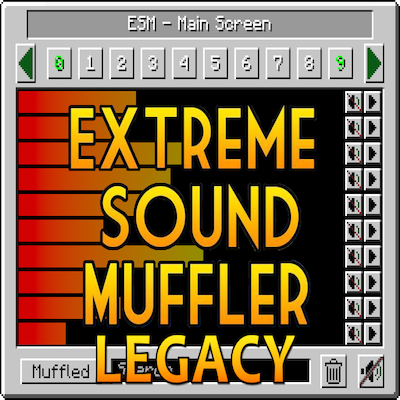
Extreme Sound Muffler: Legacy
Modby Lyft
Backport of Extreme Sound Muffler to 1.7.10 & 1.12.2
Type
Mod
CurseForge Downloads
0
CurseForge ID
1052470
Modrinth Downloads
0
Modrinth ID
lONVRCyM
Last Updated
Apr 12, 2026
Description

Extreme Sound Muffler: Legacy
Backport of ESM for 1.7.10 & 1.12.2.
ESM:Legacy is a client side mod that allows you to muffle sounds selectively.
HOW IT WORKS:
1. Click on the button in your inventory or assign a key to open the gui.
2. Click on the button next to the sound you want to muffle.
3. Optional: set the volume of the sound dragging the slider around.
4. Optional: press the play button to be sure that's the sound you want to muffle.
5. Enjoy peace.
What about Anchors?
Anchors are ranged mufflers, for when you want to muffle a sound on a small area
1. Open your ESM Screen
2. Select one of the 10 numbered buttons
3. Press the marker like button on the right panel to set the Anchor position
4. Optional: press the edit Anchor button (next to marker) and set the name and range of the Anchor
5. Muffle the sounds and enjoy ranged peace
You can change the Anchor position whenever you want by pressing the marker button.
Inventory button:
- If you don't like the ESM muffler in the inventory, you can disable it in the config.
- If you don't like the position of the button, you can hold CTRL + left mouse button over the muffler button and drag it wherever you want.
Most things are configurable!
- You can put the muffle and play buttons on the left right of the screen for easier visuals.
- You can disable the anchors.
- You can blacklist sounds to prevent them from appearing in the ESM screen.
- You can choose the default muffle volume.
- You can disable the Inventory button
Compatibility
Mod Loaders
Game Versions
Similar Mods
Origins: Legacy
Unofficial forward port of Origins 1.20.1 up to the latest version of Minecraft.
Beautified Chat [Server]
💬 A highly configurable mod to change the style and colour of chat messages server-wide.
Glowstone Dust Recipe
adds a simple recipe for glowstone dust
Easy Mob Spawn Control - edit spawn rate & mob cap, disable mobs
Quickly adjust spawn rate, ban mobs or change mob limit with in-game menu
HexDebug
A Hex Casting addon for debugging and editing hexes.
Mouse Key Inventory Fix
Fixes the almost ten-year-old issue with mouse key binds not working in inventories