

Mob Plaques
Modby Fuzs
Neat, tiny attribute displays for all mobs with great customization!
Type
Mod
CurseForge Downloads
2,170,935
CurseForge ID
686434
Modrinth Downloads
330,249
Modrinth ID
3b1CFIR5
Last Updated
Sep 8, 2026
Description




📖 About:
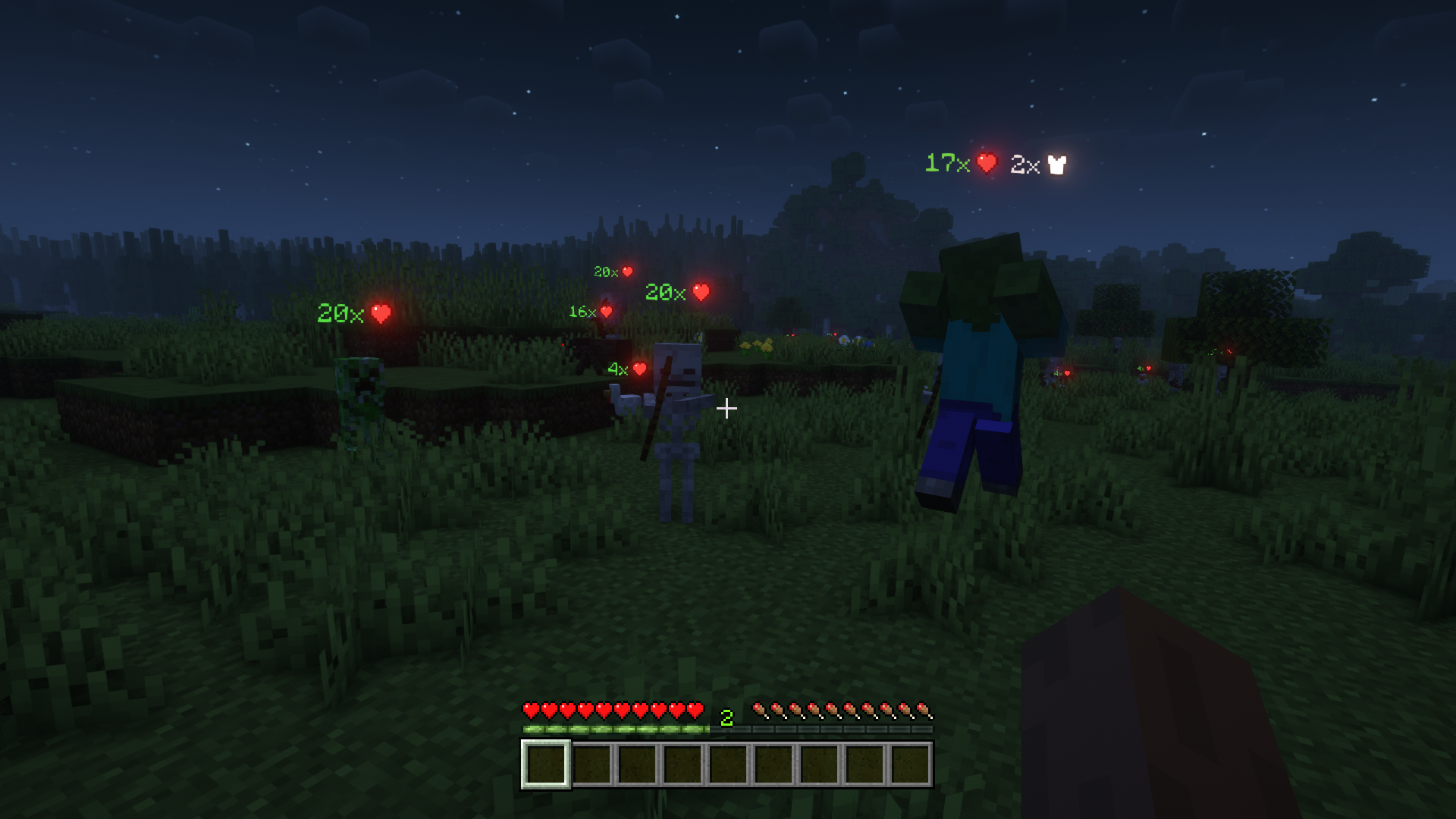
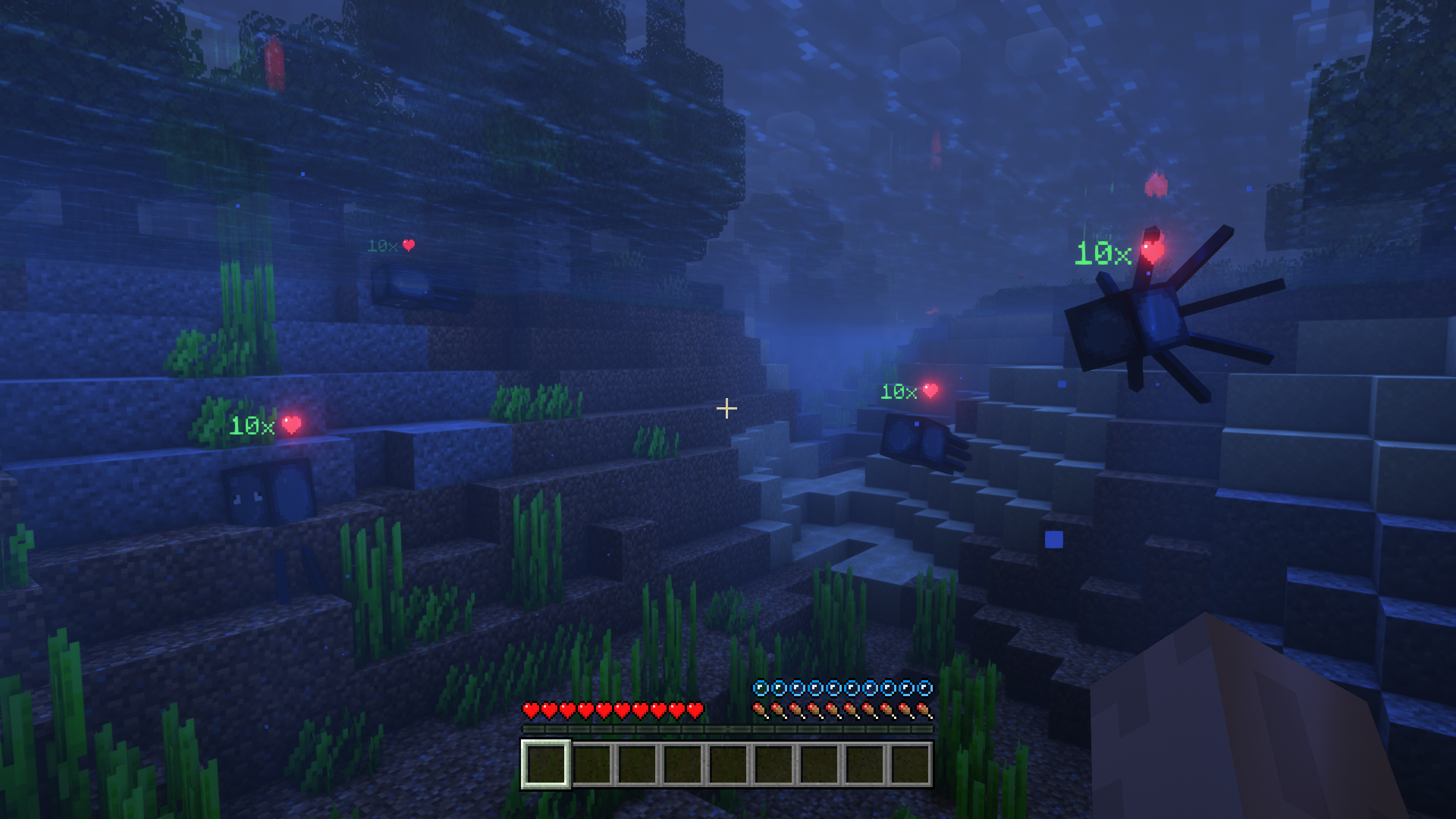
Mob Plaques adds very tiny displays above a mob's name tag to show it's current health. Armor points, armor toughness points and air supply are also shown when relevant. The mod has a bunch of config options to customize the plaques as you wish.
📷 Media:
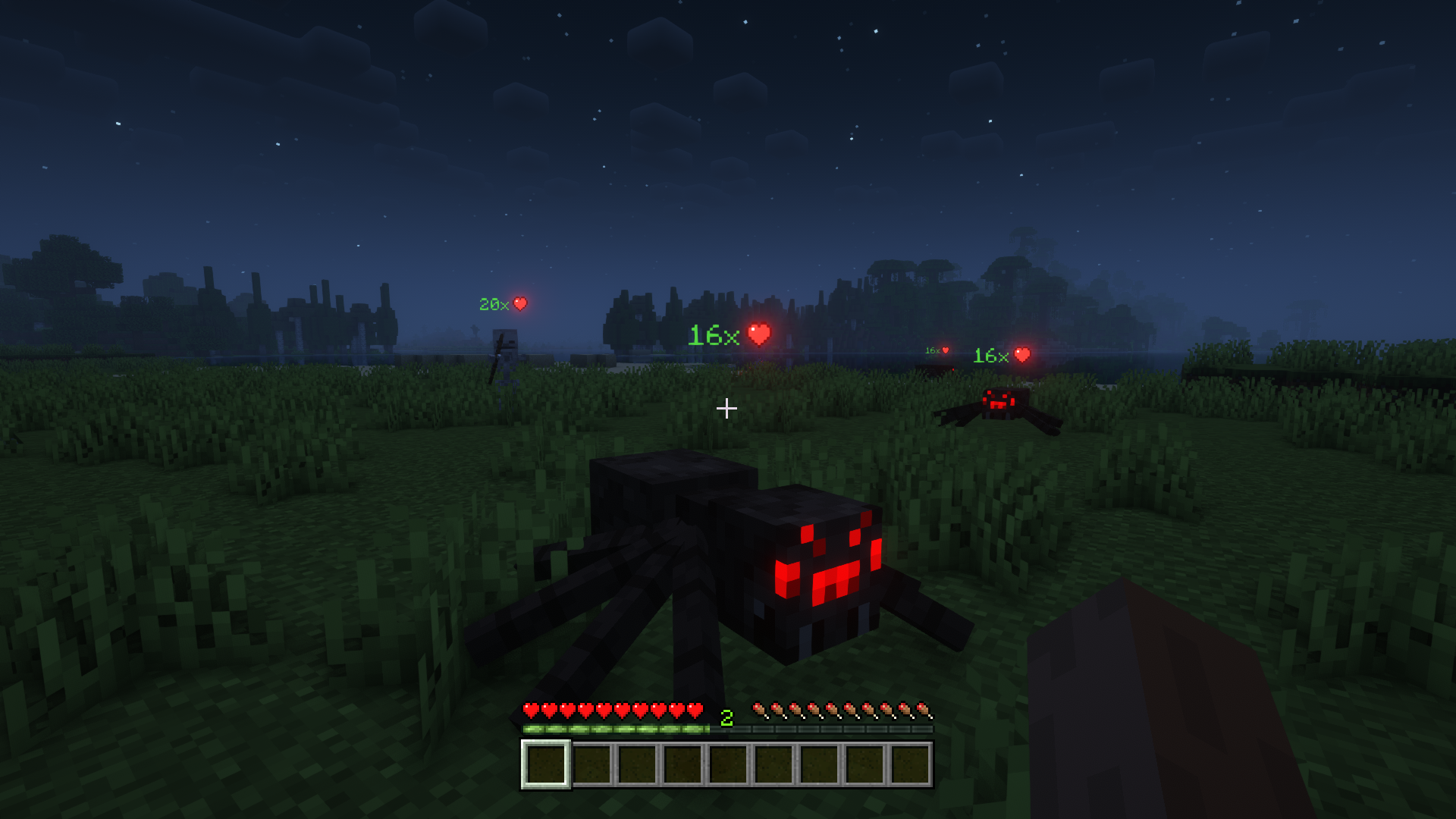
 See the health of all mobs around you
Also shows other stats such as armor points
See the health of all mobs around you
Also shows other stats such as armor points
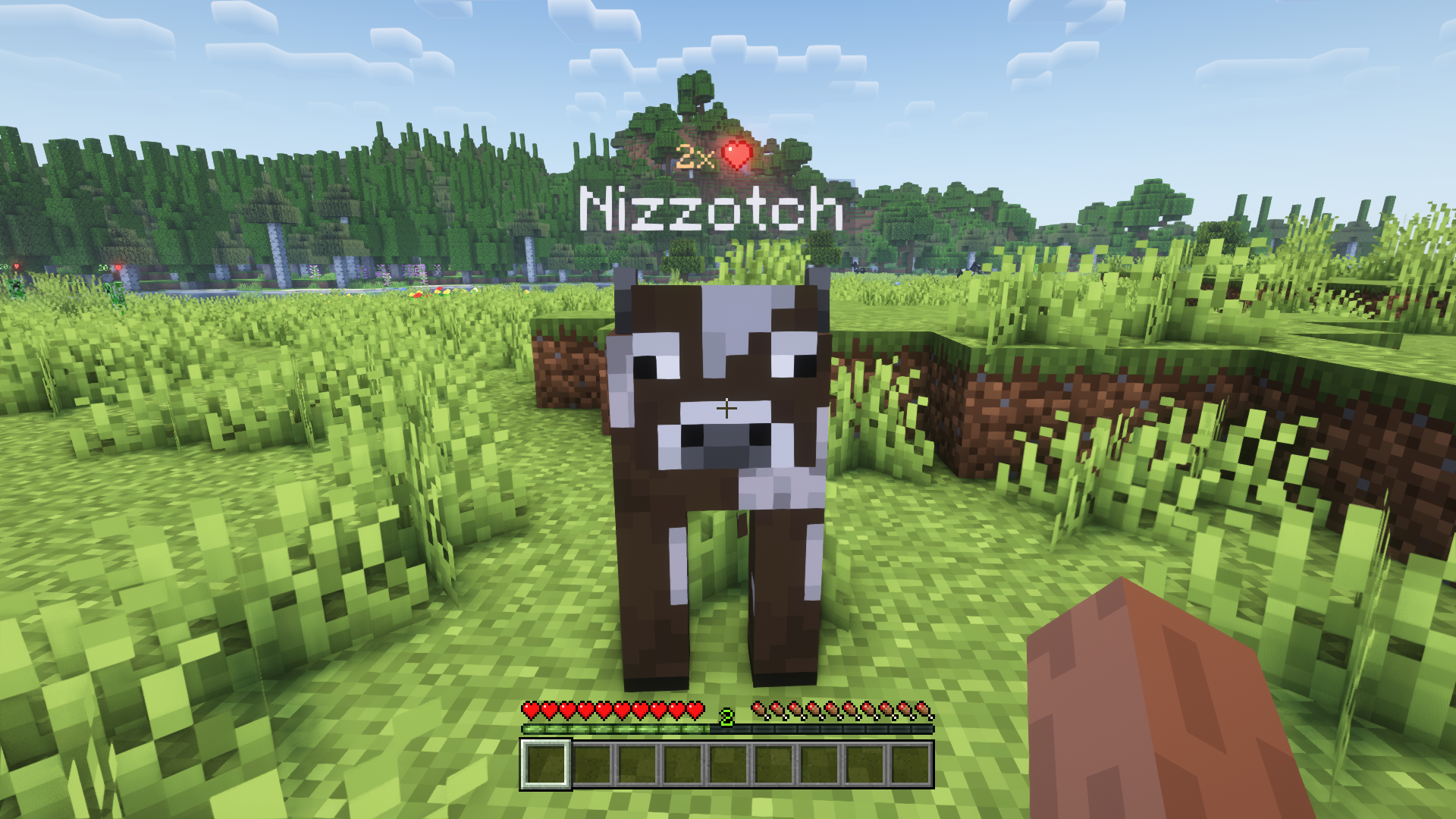
 Text color adapts; positions nicely above or below name tag
Bigger plaques for mobs further away
Text color adapts; positions nicely above or below name tag
Bigger plaques for mobs further away
💡 FAQ:
Q: Can plaques show more mob attributes like food/potion effects/etc.?
A: No, unfortunately not. Most information about such things is never sent to clients, and is therefore not accessible.
Q: How do I configure this mod?
A: Mods can have three different kinds of configs depending on the kind of settings they provide: Client, Common, and Server.
Client and Common configs are found in /.minecraft/config/, named as <modId>-client.toml and <modId>-common.toml, respectively.
Server configs though are applied per world, therefore you'll find those in /.minecraft/saves/<world>/serverconfig/<modId>-server.toml for local singeplayer worlds, and in /<world>/serverconfig/<modId>-server.toml for you Minecraft server. Changes made to a server config only apply to that one world. Setting default values in server configs for all newly created worlds is possible by copying the modified server config to /.minecraft/defaultconfigs/.
In a local singleplayer world you can quickly find config files by running the /config showfile <modid> command and by choosing CLIENT, COMMON or SERVER. Then click the file name (ending with .toml) that appears in chat to open the file in a text editor. After saving the file, the config will automatically reload in-game after a couple of seconds, so no game restart required.
On some mod loaders editing configs is also supported in-game via the Mods menu option. On some Minecraft versions you can also install my Config Menus for Forge mod for editing configs directly in-game.
🏆 Credits:
Developing Mob Plaques was helped and inspired by:
- satyrnidae and their Wolf Armor and Storage mod, which inspired me to make this mod
- Vazkii and their Neat mod for inspiring some of the config options










Compatibility
Mod Loaders
Game Versions
Recommended Gear
AffiliateHardware and extras that pair well with this mod.

As an Amazon Associate I earn from qualifying purchases.
Screenshots
Similar Mods
No Mob Spawning on Trees
A mod prevents mob spawning on wood logs.

CICADA
Confusing, Interesting and Considerably Agnostic Development Aid
Reap Mod
Harvest crops with right clicking

Quests Kill Task Tweaks
Improves kill contribution tracking for FTB Quests

YUNG's Cave Biomes (Forge/NeoForge)
Adds new vanilla+ cave biomes and underground content!
![Immersive Weathering [FORGE]](https://media.forgecdn.net/avatars/618/908/638005114319634805.png)
Immersive Weathering [FORGE]
An abundance of new natural systems to make your world feel more alive than ever.
Included in Modpacks (45)
Most downloaded UniversIO
 Better OneBlock
 Another Quality Modpack 2 - AQM2
![Medieval MC [FABRIC] MMC3](https://media.forgecdn.net/avatars/1097/295/638643238757098535.png) Medieval MC [FABRIC] MMC3
Medieval MC [FABRIC] MMC3
 Desertopolis
 Fantasy Skies
 Roguelike Adventures and Dungeons 3
 Werewolves VS Vampires SMP
 Symbolica
 Cryptopolis
 Biomes and Dungeons (BAD) RPG & Magic
 ArcanumLand
 Builder's Paradise - Enhanced Edition (BPEE)
![Beyond Minecraft [Forge]](https://media.forgecdn.net/avatars/856/682/638260558934723120.png) Beyond Minecraft [Forge]
Beyond Minecraft [Forge]
 TechRPG - RPG with Tech, Magic, Create, Space Exploration
 Beyond Fantasy - A Magic RPG Modpack
 ChunkBound
 Terralith Adventure
 CoreCraft
![better herobrine [FORGE/ FABRIC]](https://media.forgecdn.net/avatars/948/422/638435605840734953.jpeg) better herobrine [FORGE/ FABRIC]
better herobrine [FORGE/ FABRIC]