
Omega Mute
Modby Serilum
Ω [Client] The only mod you'll need to have full control over individual in-game sound.
Type
Mod
CurseForge Downloads
224,169
CurseForge ID
Modrinth Downloads
78,038
Modrinth ID
Last Updated
Nov 7, 2026
Description


Omega Mute is a client-side mod which allows you to mute/silence all Minecraft sounds while in-game or via a file. You won't need anything else to take full control over all in-game sounds! This works for modded sounds as well. Just place an exclamation mark in front of the sound you want to mute inside the config soundmap file, or use the commands.
The mod contains a sound culling feature. With this you can for example allow a sound to play every 10 seconds. This still allows being immersed into the game without having the same sound over and over and over again when near a source.


/omegamute reload - reloads all manual changes in the soundmap.txt.
/omegamute query - shows all sounds currently muted.
/omegamute listen (all) - toggles listening to sound events.
/omegamute mute <string> - mutes all sounds which contain <string>
/omegamute cull <integer> <string> - culls all sounds which contain <string> in between <integer> seconds
/omegamute unmute <string> - unmutes all sounds which contain <string>
/omegamute settings serilum - Configures the mod to use Serilum's default settings.

Usage:
All sound settings are saved inside the 'soundmap.txt' file, located in './config/omegamute/'
This is the content of the file. You can either use the in-game commands, or edit the file directly.
Prefixing '!' will mute the sound, prefixing 'n-' will cull it for n seconds.
The mod allows you to listen to your environment via '/omegamute listen'.
This will display the names of the sounds that are played, which you can use to mute, unmute or cull.
Show Spoiler

An example to mute all pig sounds. Using the '.pig.' identifier.
To unmute all sounds, just use the '.' wildcard identifier. The command would be '/omegamute unmute .':

You may freely use this mod in any modpack, as long as the download remains hosted within the CurseForge or Modrinth ecosystem.
Serilum.com contains an overview and more information on all mods available.
For issues, ideas, suggestions or anything else there is the Github repo. Thanks!
Compatibility
Mod Loaders
Game Versions
Recommended Gear
AffiliateHardware and extras that pair well with this mod.

As an Amazon Associate I earn from qualifying purchases.
Similar Mods
![Just Enough Beacons Reforged [Forge | Fabric | NeoForge]](https://media.forgecdn.net/avatars/876/576/638300512066520740.png)
Just Enough Beacons Reforged [Forge | Fabric | NeoForge]
JEI addon to display useful information about beacons.

Cake Cow
Adds a Cow Made off Cake, Milk it to get Cake Shakes!

CobblemonRider
Ride your Cobblemon!
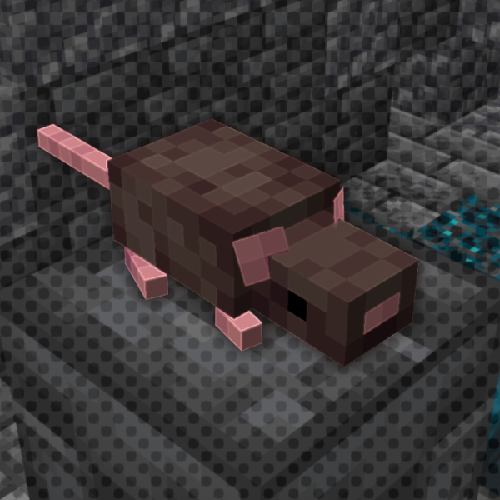
RAT's Mischief
Adds rats to Minecraft: smart, versatile and adorable pets!

Furnish
Fancy furniture for Minecraft!

Extended Crafting: Nomifactory Edition
Bigger crafting tables and more!