Colony Guards & Pets - Ice n Fire Optional
Modby PendragonSage
Integrates MineColonies guards with tamable creatures from Ice and Fire, Alex's Mobs, and other mods. Assign pets to follow guards, set overwatch positions to defend, and create powerful guard-pet combat teams. Works with dragons, bears, wolves, and more.
Type
Mod
CurseForge Downloads
55,289
CurseForge ID
1367319
Last Updated
Jul 29, 2026
Description
## Overview
This mod integrates MineColonies guards with tamable creatures from Ice and Fire, Alex's Mobs, and other mods. Assign pets to follow and protect your guards, and set overwatch positions for strategic defense.
## Getting Started
### Obtaining the Command Baton
The Command Baton is the primary tool for managing your guards and their assigned creatures.
**Creative Mode:** - Find the Command Baton in the Tools & Utilities creative tab
**Survival Mode:** - Craft the Command Baton with the following recipe (vertical pattern): ``` Diamond Stick Gold Ingot ```
## Core Features
### 1. Assigning Creatures to Guards
Assign any tamed animal to follow and protect a MineColonies guard.
**Steps:** 1. Hold the Command Baton 2. **Select a guard** using one of these methods: - **Shift + Right-Click** the guard directly - **Shift + Right-Click** a guard tower or barracks (selects nearest guard within 15 blocks) - Use command: `/guardscepter select` while looking at a guard 3. You'll see: "Guard selected! Right-click a tamed Ice and Fire creature to assign..." 4. **Right-click a tamed creature** to assign it to the guard 5. The creature will now follow the guard instead of you
**Compatible Creatures:** - Ice and Fire dragons (fire, ice, lightning) - Alex's Mobs creatures (grizzly bears, etc.) - Any tamable animal from other mods - Vanilla wolves, cats, and parrots
**Requirements:** - The creature must be tamed - You must be the owner of the creature - The guard must have a valid job assignment
### 2. Setting Overwatch Positions
Make guards defend a specific location instead of wandering.
**Steps:** 1. Hold the Command Baton 2. **Select a guard** (same methods as above) 3. You'll see: "Guard selected! Right-click a tamed Ice and Fire creature to assign, or right-click a block to set overwatch position." 4. **Right-click a block** where you want the guard to stay 5. The guard will move to that position and defend it
**Overwatch Behavior:** - Guard stays at the assigned position when not in combat - Automatically attacks hostile mobs within 32 blocks - Returns to overwatch position after combat ends - Assigned creatures follow the guard to the overwatch position - Overwatch position is saved and persists across server restarts
**To Disable Overwatch:** - Currently, overwatch mode remains active until you set a new position - Reassigning a guard to a different position updates their overwatch location
### 3. Guard Combat System
When a guard has an assigned creature and/or overwatch position:
**Combat Priority:** - Guards will engage hostile mobs within 32 blocks - Combat takes priority over overwatch position - After defeating enemies, guards return to their overwatch position - Assigned creatures help in combat
**Guard Types:** All MineColonies guard types are supported: - Guard - Knight - Archer - Ranger - Druid
## Advanced Tips
### Strategic Positioning - Place overwatch positions at colony entrances - Set guards on walls or towers for ranged advantage - Create defensive perimeters with multiple guards
### Creature Selection - **Dragons**: Powerful combat support, can fly to reach enemies - **Bears**: Strong melee attackers, excellent for ground defense - **Wolves**: Fast and aggressive, good for patrol routes - Mix different creature types for balanced defense
### Guard Tower Integration - Shift + Right-Click a guard tower with Command Baton to quickly select the assigned guard - Works with any MineColonies building within 15 blocks of a guard
## Commands
### `/guardscepter select` - Selects the guard you're looking at - Must be holding the Command Baton - Range: 20 blocks - Useful for selecting guards that are difficult to click
## Troubleshooting
### "No guards found within 15 blocks of this structure!" - Make sure a guard is assigned to the building - Move closer to the guard - Try selecting the guard directly instead
### "This creature must be tamed first!" - Tame the creature using its normal taming method - Ice and Fire dragons: Feed them meat until hearts appear - Alex's Mobs bears: Feed them honey
### "You must own this creature!" - You can only assign creatures you've tamed yourself - Creatures tamed by other players cannot be assigned
### Creature not following guard - Make sure the creature is set to "Follow" mode (not sitting) - For dragons, right-click them to ensure they're not in "Stay" mode - Try reassigning the creature to the guard
### Guard not attacking enemies - Verify the guard has a valid weapon equipped - Check that the guard's AI is not stuck (try reassigning overwatch) - Ensure the enemy is within 32 blocks of the overwatch position
### Guard not staying at overwatch position - Overwatch position might have been cleared - Try setting the overwatch position again - Check logs for any errors
## Data Persistence
All guard assignments and overwatch positions are saved to world data: - Assigned creatures persist across server restarts - Overwatch positions are saved permanently - Data is stored per-guard using their UUID - Safe to add/remove from existing worlds
## Compatibility
**Required Mods:** - Minecraft 1.20.1 - Forge - MineColonies
**Compatible With:** - Alex's Mobs - Ice and Fire (optional but recommended) - Any mod that adds tamable creatures extending `TamableAnimal`
## Known Limitations
- Only one creature can be assigned per guard at a time - Assigning a new creature replaces the previous assignment - Guards must have a valid job assignment to work properly - Overwatch mode cannot be toggled off, only repositioned
## Tips for Best Results
1. **Start Small**: Test with one guard and one creature before setting up complex defenses 2. **Strategic Placement**: Place overwatch positions to cover chokepoints and entrances 3. **Creature Management**: Keep track of which creatures are assigned to which guards 4. **Weapon Upgrades**: Better weapons for guards = more effective defense 5. **Multiple Guards**: Set up overlapping defensive zones with multiple guards for maximum protection
## Future Plans
This mod is actively developed. Planned features may include: - Multiple creatures per guard - Patrol routes for guards - Advanced combat formations - GUI-based management interface - Creature respawn/revival system
## Support
For bugs, issues, or suggestions, please report them on the mod's issue tracker.
Enjoy defending your colony with your powerful guard-creature teams!
Recommended Gear
AffiliateHardware and extras that pair well with this mod.

As an Amazon Associate I earn from qualifying purchases.
Similar Mods

Elemental Creepers: Refabricated
The famous 1.2.5 mod, now on modern Minecraft.

Divine Journey 2 Addons
Mixins and mod tweaks for the Divine Journey 2 modpack.
Vanimals
Vanimals adds vanilla friendly animals to your Minecraft world.
World Limiter Mod
a ServerSide Tool for simulating a "round" world
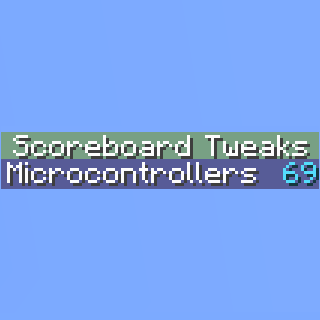
Scoreboard Tweaks
Client side customization of Minecraft's Scoreboard/Sidebar

End Food for Everyone
This mod modifies loot tables for shulkers, endermen, ender dragon and ender mites to include ends delights food, that w...