
Cobblemon Wiki Gui
Modby LuisMaia
A sidemod for Cobblemon to view useful information on each Pokémon species, just by typing /pwiki
Type
Mod
CurseForge Downloads
184,521
CurseForge ID
Modrinth Downloads
971,722
Modrinth ID
Last Updated
Oct 24, 2026
Description
Cobblemon Wiki Gui
An open-source mod for Minecraft Java Edition, written in Kotlin for Fabric and NeoForge. This is a sidemod for Cobblemon
- Pokémon Wiki : an interface that allows you to view Pokémon species information (such as pokédex).
I strongly recommend that you only use the server side or singleplayer
Features
The Cobblemon wiki gui allows you to view:
- Pokémon type
- Base stats
- Catch Rate
- Abilities
- Spawn at Biomes
- Spawntime
- Evolutions
- Evolution Requirements
- Moves by level
- TM Moves
- Tutor Moves
- Egg Moves
- Evolution Moves
- Form Change Moves
- Egg Groups
- Forms
- Dynamax
- Drops
Screenshots
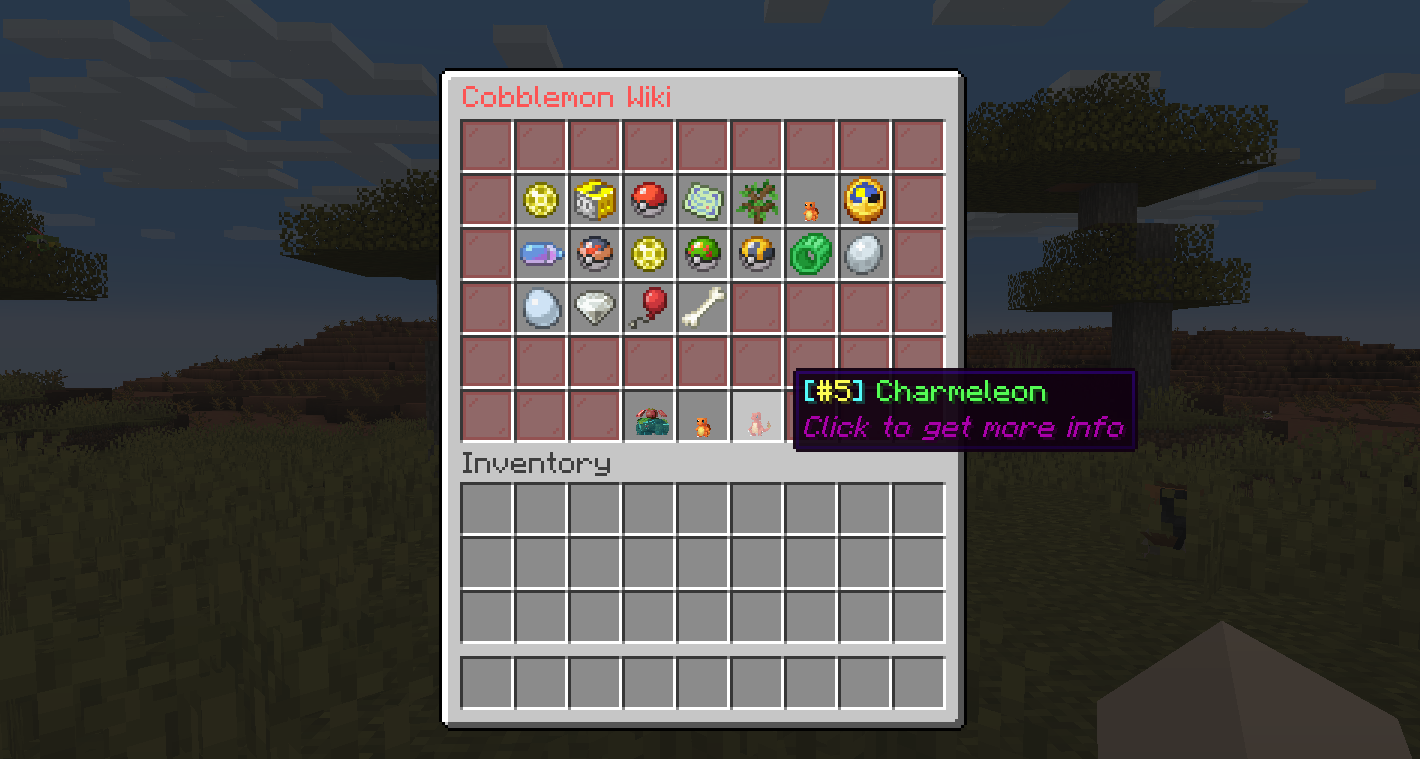
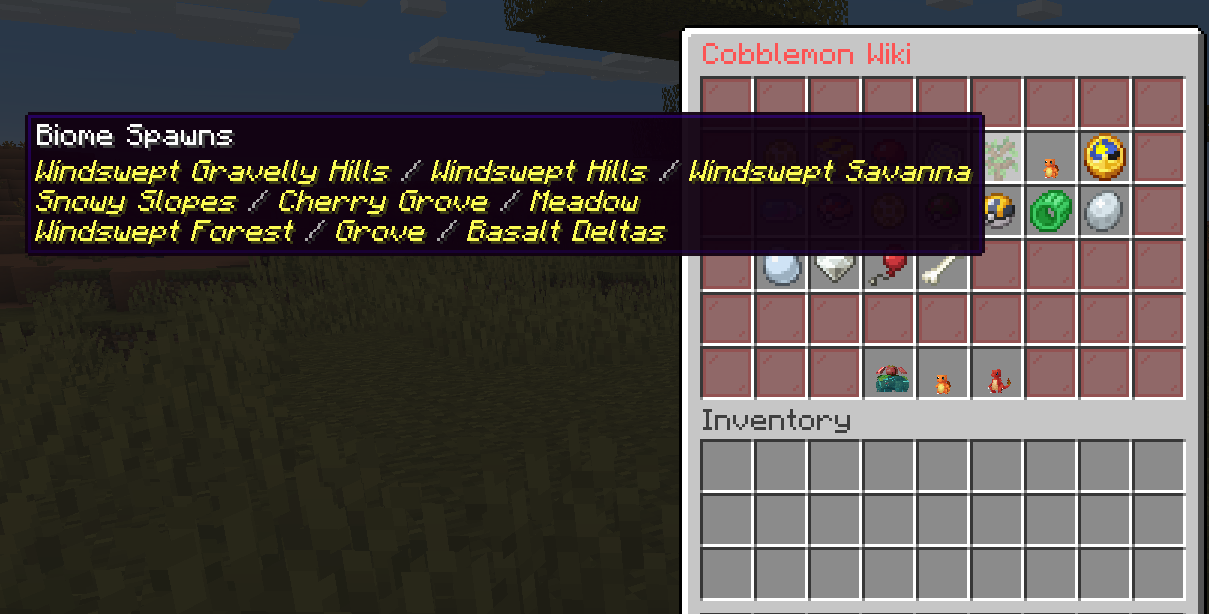
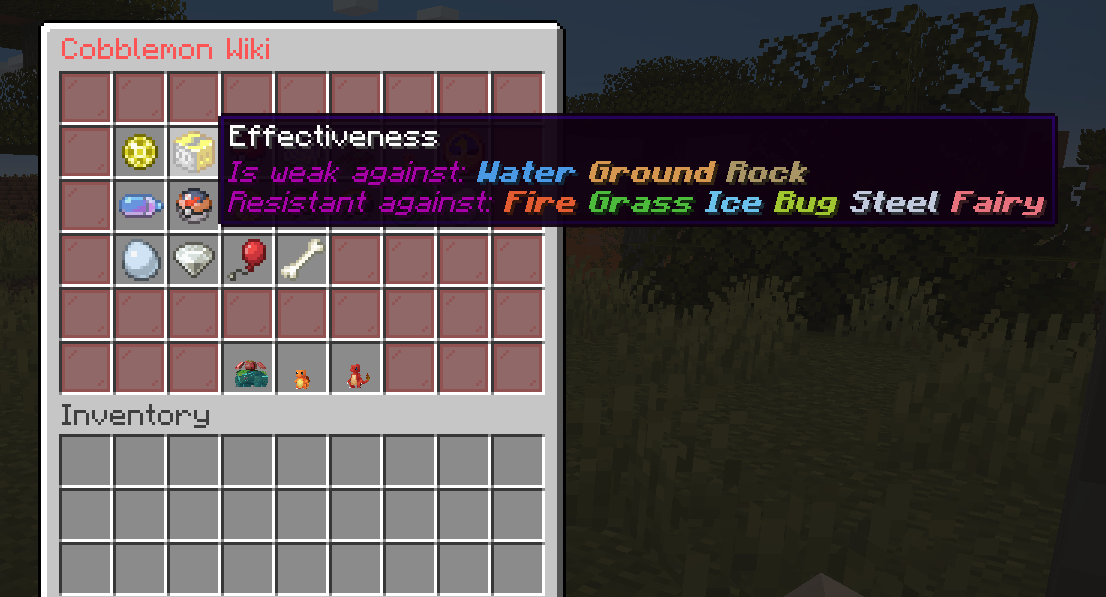
Commands
PokeWiki — Opens the Pokémon wiki GUI for the executor.
| Permission | Command | Description |
|---|---|---|
cobblemon_wiki_gui.command.pwiki |
/pwiki <pokemon> [form] |
Open the wiki for a species. Optional form shows that form only (e.g. /pwiki zorua hisui). |
Aliases: /pokewiki, /pokemonwiki, /cobblemonwiki, /cobblewiki, /cwiki
PokeWiki (other player) — Opens the Pokémon wiki GUI for another player.
| Permission | Command | Description |
|---|---|---|
cobblemon_wiki_gui.command.pwikianother |
/pwikiother <player> <pokemon> [form] |
Open the wiki for a species for the given player. Optional form shows that form only (e.g. /pwikiother Steve zorua hisui). |
Aliases: /pokewikiother, /pokemonwikiother, /cobblemonwikiother, /cobblewikiother, /cwikiother
Reload — Reloads the configuration files in-game.
| Permission | Command | Description |
|---|---|---|
cobblemon_wiki_gui.command.cwgreload |
/cwg reload |
Reloads the lang.json configuration file without restarting. |
Default Configuration File
The lang.json file, located under config/cobblemon_wiki_gui, contains the following default settings:
{
  "useItem": "Use a %s",
  "tradeAny": "Complete any trade or use a %s",
  "tradeSpecific": "Trade for an %s or use a %s",
  "level": "Level: %s",
  "friendship": "Friendship: %s",
  "heldItem": "Pokémon held item: %s",
  "anyRequirement": "Need any of these requirements:",
  "attackDefenceRatioAttackHigher": "Need more attack than defence",
  "attackDefenceRatioDefenceHigher": "Need more defence than attack",
  "attackDefenceRatioEqual": "Need equal value of attack and defence",
  "blocksTraveled": "Need %s blocks traveled",
  "defeat": "Need %s defeats",
  "moveSet": "Need %s move",
  "moveType": "Need any type %s move",
  "recoil": "Need %s recoil",
  "statEqual": "Stats %s and %s need to be equal",
  "statCompare": "Stat %s should be higher than %s",
  "timeRange": "Time of day: %s",
  "useMove": "Need to use %s movement %s times",
  "biomeCondition": "Need biome tag: %s",
  "biomeAntiCondition": "Blacklisted biome tag: %s",
  "structureCondition": "Need structure: %s",
  "structureAntiCondition": "Blacklisted structure: %s",
  "noEvolutionFound": "No evolution found for %s",
  "rightClick": "Right click a %s",
  "goBackClick": "Click to go back",
  "seeEvolutions": "Click to see evolutions",
  "basestats": "Base Stats",
  "type": "Type",
  "effectiveness": "Effectiveness",
  "catchrate": "CatchRate",
  "spawnbiome": "Biome Spawns",
  "spawntime": "Time Spawns",
  "evolutions": "Evolutions",
  "movesbylevel": "Moves by level",
  "tmMoves": "TM Moves",
  "tutorMoves": "Tutor Moves",
  "evolutionMoves": "Evolution Moves",
  "eggMoves": "Egg Moves",
  "formChangeMoves": "Form Changes Moves",
  "abilities": "Abilities",
  "drops": "Drops",
  "eggGroups": "Egg Groups",
  "forms": "Forms",
  "dynamax": "Dynamax",
  "baseFriendship": "Friendship",
  "weakness": "Is weak against:",
  "resistant": "Resistant against:",
  "immune": "Immune against:",
  "pokeInfo": "Click to get more info",
  "noDrops": "No Drops"
}
Installation
Frequently Asked Questions (FAQ) for Cobblemon and CobblemonWikiGui
Q: What is the CobblemonWikiGui?
A: The CobblemonWikiGui adds an interface that allows you to view Pokémon information (such as pokédex). that are focused on Cobblemon servers (I recommend using it on the server)
Q: Is it possible to open the Pokemon Wiki gui by command?
A: Yes, just type /pokewiki <pokemon> or /pokewiki <pokemon> <form> to open a specific form (e.g. /pokewiki zorua hisui).
A: You can also open the gui for another player with: /pokewikiother <player> <pokemon> or /pokewikiother <player> <pokemon> [form].
Q: Is it possible to customize the configuration files?
A: Yes, as long as you keep the standard Json formatting and don't change the file keys. A: In game, you can type /cwg reload and the modified lang.json file will be loaded
License
Author
Compatibility
Mod Loaders
Game Versions
Recommended Gear
AffiliateHardware and extras that pair well with this mod.

As an Amazon Associate I earn from qualifying purchases.
Screenshots
Similar Mods

This Rocks! (Forge)
Adds little rocks, sticks, pinecones, seashells, starfish, and geysers to your minecraft world to make it feel more natu...

EMIffect (Status Effects EMI Plugin)
EMI addon that appends status effects in EMI and provides information about each status effect.

LambdaBetterGrass
Adds better grass and snow to the game.

SimpleLabels
Labels for the Deep Storage Unit, and more!

Umbral Skies
A mod for Twilight Forest-Aether content fusion

Awesome Dungeon The End edition - Forge
Add a structure in your dimension the END !!!
Included in Modpacks (27)
Show fewer Cobblemon Expanded (by Jonathan)
 The Cobblemon Colonies
 Volormon
 Cobblemon Realms Lite
 Volormon
 PokeSMP
 S-Rank Studios Cobblemon
 Cobblemon Homestead
 Cobblemon Dimensions
 Catch, Create, Conquer
 Cobblemon Journeys End
 Cobblemon Adventure V2
 Ancient Worlds
 Athy's Cobbleswamp
 Cobblemon Quest made by Tuan
 Cobblemon Coliseum Modpack
 Silver's Cobblemon
 Soulspark
 Cobblemon Industrial revolution
 RainbowMon 2
 New Stars Cobble [1.7 Fresh WIPE]
 CobbleSAS
 Jhotonheim Cobblemon
 MironMC - Cobblemon
 Neutron7ix-Pokemon-Unbound
 Poketod SMP
 PlasmicMC