Frustum Culling (More fps)
Modby awesome_hippo
Improve performance by reducing CPU/GPU workload with Frustum Culling for more FPS.
Type
Mod
CurseForge Downloads
37,070
CurseForge ID
1130010
Last Updated
Jul 26, 2026
Description
Frustum Culling (Better than vanilla)
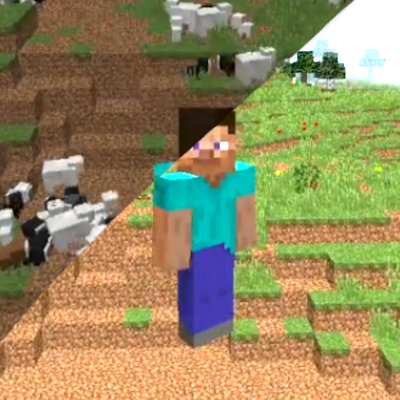
As you can see on the video, entities that are not in your camera view are skipped and not rendered at all. To check this, just press F5 to see behind you, and now you have the proof that they're not rendered when you're not looking at them with your first person view camera and the mod work.
This method is an optimization meant to boost FPS and improve performance. This mod optimizes performance by only rendering visible entities within your field of view, significantly reducing the GPU or CPU workload. Disclaimer, more entities there are around you, more the mods will be effective.
You can toggle it with a configurable keybind (by default "L")
How Frustum Culling Works
Frustum culling determines which entities or particles (entities yet) are within the your field of view (the frustum). Only those objects are considered for rendering which is very important for the CPU resources as it avoid unncessary calculations.
Impact on CPU and GPU
Frustum culling reduces the number of objects the GPU has to render by skipping the entities you cannot see. This remove a lot of the the GPU/CPU’s task, leading to better FPS and better performance, especially in areas with many entities.
Features
- Renders only entities within the player's view.
- Enable or disable frustum culling with a configurable keybind (by default "L").
To try it, add many entities (such as mob), and try pressing F5 to see behind you. They won't be rendered.
Feel free to use this mod in any modpacks. Useful if you have heavy modpacks that affects FPS, the optimizations of frustum culling will apply!
Similar Mods

ToLaserBlade (Forge/NeoForge)
A sword with a laser blade

Auto Planting Forests
Saplings self-plant themselves when they are de spawning
Create: Immersive Tacz Integration
This mod adds an immersive way to use Tacz into your Create playthrough using Create Armorer and new items and recipes!

Cute Companions: Ducks
Take ducks as companions on your adventures and have fun customizing your new friends!
Better Blood Overlay
Better Blood Overlay 2.1 — Complete Rewrite, Procedural Wounds, Environmental Gore, Multiplayer Sync

Cobblemon Armor Sets
Add additional armors made after villains in Pokemon