Supplemental Patches
Modby jedlimlx
Supplemental Patches enables users to create custom shaders for modded blocks, entities, items, particles, etc, through a resource-pack, with the shaders being patched onto Euphoria Patches.
Type
Mod
CurseForge Downloads
212,631
CurseForge ID
1222851
Modrinth Downloads
67,413
Modrinth ID
7G5M8xtj
Last Updated
Jul 25, 2026
Description



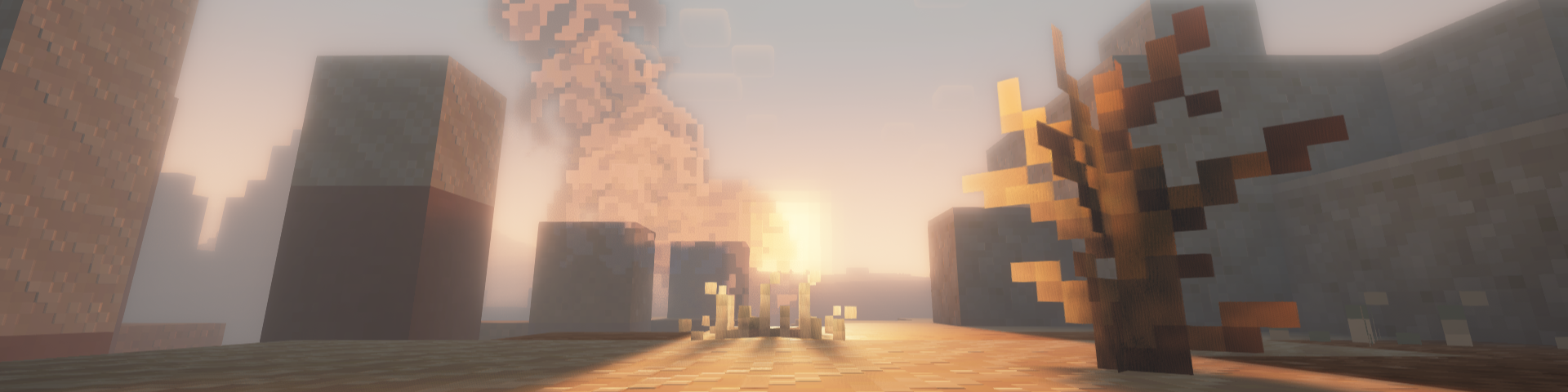
Supplemental Patches enables users to create custom shaders for modded blocks, entities, items, particles, etc, through a resource-pack. The mod by default, comes with a built-in resource pack which supports many popular mods. These additional shaders are patched into [Euphoria Patches](https://www.euphoriapatches.com/), if it is installed. ## Features Some of the most _exciting_ features of the mod include (for players): - Over 500 high-quality shaders for custom materials from a variety of popular mods (e.g. [Supplementaries](https://modrinth.com/mod/supplementaries), [Quark](https://modrinth.com/mod/quark), [Jaden's Nether Expansion](https://modrinth.com/mod/jadens-nether-expansion)). See full list [here](https://supplemental-patches.pages.dev/mod_list). - A custom End nebula skybox based on [Enderscape's](https://modrinth.com/mod/enderscape) End atmosphere - A cool fog effect based on the effect from [Doom and Gloom](https://modrinth.com/mod/doom-gloom) - Fixes to shader issues for many mods (e.g. [Endergetic Expansion](https://modrinth.com/mod/endergetic), [Upgrade Aquatic](https://modrinth.com/mod/upgrade-aquatic), [Doom and Gloom](https://modrinth.com/mod/doom-gloom)) - Fixed rendering of item shaders when displayed on block entities (e.g. [Supplementaries](https://modrinth.com/mod/supplementaries) Pedestals, Item Shelves) For details on the supported areas that can be patched onto Euphoria Patches, check out this [tutorial](https://supplemental-patches.pages.dev/tutorials/getting_started). ## FAQ **Q:** Will there be ports to loaders other than (Neo)Forge and Fabric?
**A:** Probably not. **Q:** Will there be backports?
**A:** Probably not. **Q:** Can you support XXX mod?
**A:** All in due time. Alternatively, you could do it yourself. Have a look at this [tutorial](https://supplemental-patches.pages.dev/tutorials/getting_started) for more details. **Q:** I found a bug.
**A:** Please report it to me first, do not bother the developers of Complementary Shaders / Euphoria Patches. **Q:** The shaders I added aren't showing.
**A:** Try reloading the shaderpack, after ensuring that the resource-pack is loaded. Alternatively, check which layer the block is being rendered in using the [Euphoria Companion](https://modrinth.com/mod/euphoria-companion) mod. Certain blocks (e.g. certain glass blocks) may be rendered as cutouts rather than translucent blocks. You will need to change the layer they are rendered under using [block.properties.json](https://supplemental-patches.pages.dev/documentation/properties.json). **Q:** The built-in shaders aren't working.
**A:** Similarly, try reloading the shaderpack and ensuring that the built-in resource-pack is loaded. **Q:** Does this work with Optifine?
**A:** No. This only works with Oculus / Iris. **Q:** Can I include this my modpack?
**A:** Yes, go ahead.
Compatibility
Mod Loaders
Game Versions
Screenshots
Similar Mods

Star Tech, Man! The Legendary Mod?
Modjam 5 2008.1 submission, adds 3d printed space guns

inzhefop's Core
A Core mod for all my mods
Crate Delight (Forge & Neoforge)
Useful crates and bags for Farmer's Delight that will save you storage and look great.
Better P2P
Advanced P2P managing tool for AE2

Sleep Tight
Sleep and bed overhaul / rework: hammocks, bedbugs, sleeping bags, nightmares, home bed comfort, and dream essence, full...

Twilight Forest Cave Fix
Fixes the bug that causes Twilight Forest's caves to cut off when beneath water