Chat Bubbles - Neoforge
Modby jvitor
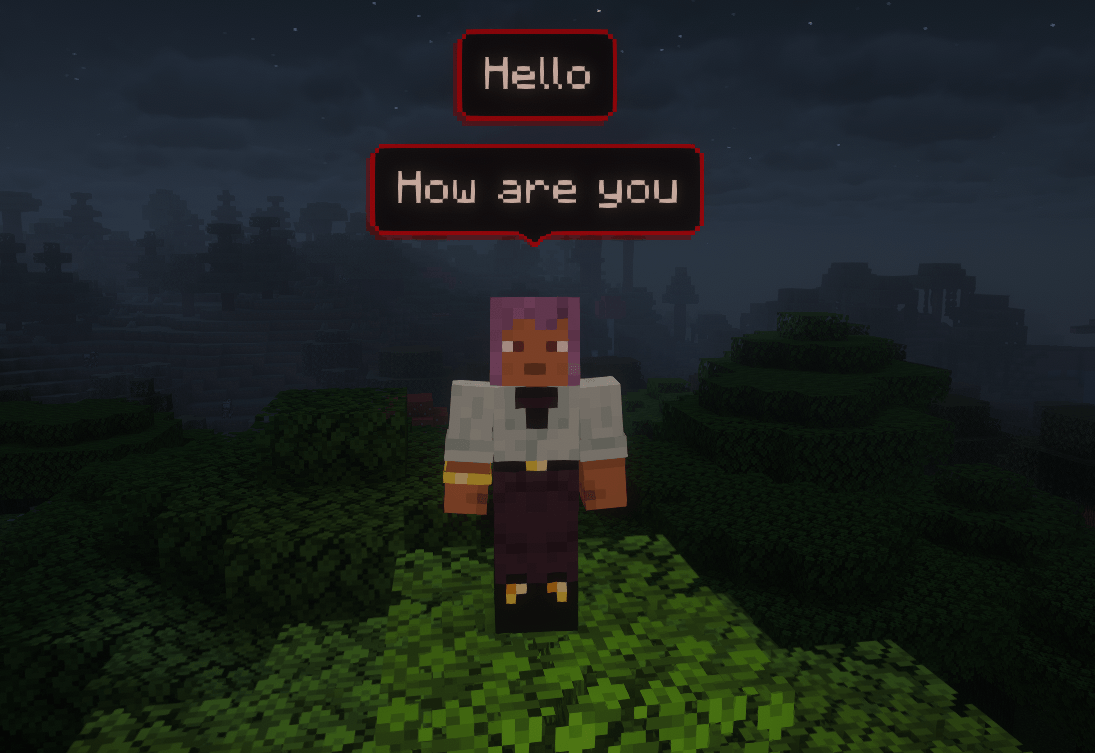
Chatbubbles is a highly customizable mod for Neoforge Minecraft that brings your conversations to life. With this mod, you show your messages right above your head.
Type
Mod
CurseForge Downloads
100,130
CurseForge ID
1451904
Last Updated
Jul 27, 2026
Description
ChatBubbles is a mod that brings your chat messages to your head (literally), that means you can see any player's message on bubbles right above their head.
Perfect for roleplay server or simple SMP, this mod makes interactions more natural and immersive.
ChatBubbles is a highly customizable mod, that means you can change your bubble's appearence or set some server-related settings.
⚠️ Note: This mod must be installed on BOTH the Client and the Server.

🌟 Latest Update: Settings GUI!
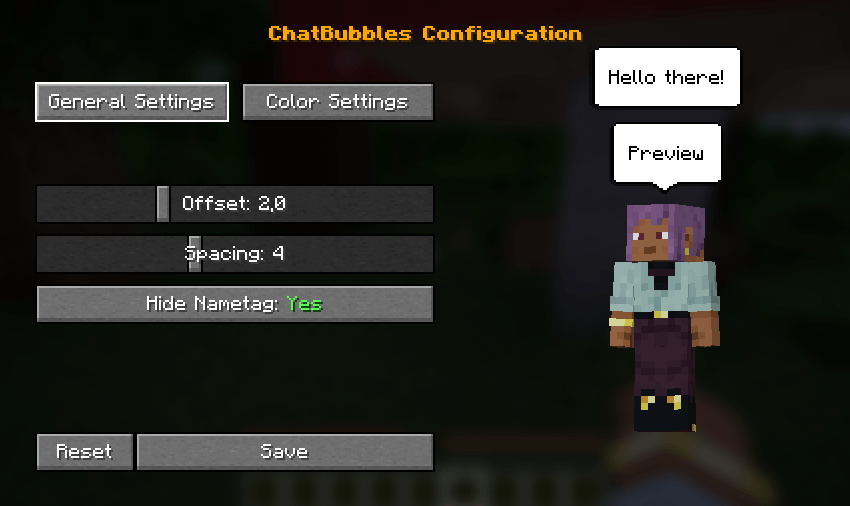
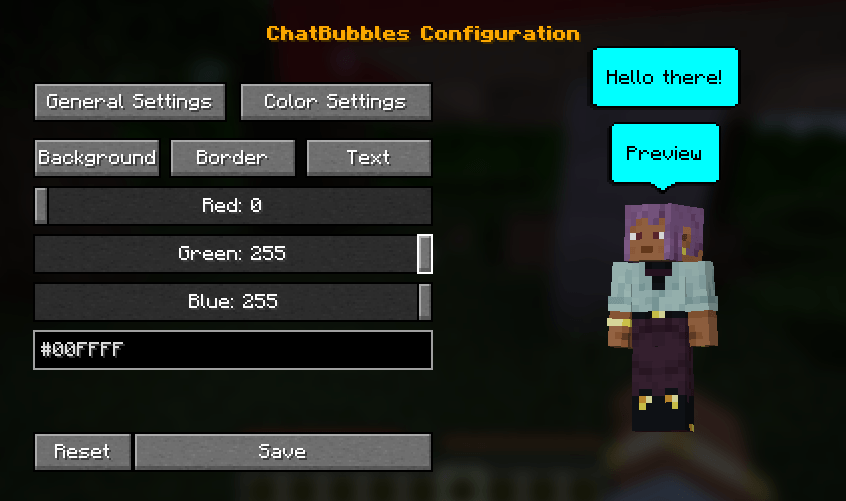
- In-Game Settings GUI: Easily configure bubble colors, spacing, and height offsets directly in-game.
- Live Preview: See your chat bubble changes update in real-time while tweaking the settings.
- Open the configuration menu using the default "C" keybind (can be changed in the controls menu) or via the /chatbubbles settings command.
Features & Customization
🎨 Appearance Settings
Customizing your bubbles is easier than ever with our new in-game settings screen, which includes a live preview! Access it by pressing C (default keybind) or by typing /chatbubbles settings.
If you prefer using commands, you can still customize everything via chat:
- Color Customization: Change your bubble's colors to match your style.
- /chatbubbles bgColor <hexCode> (Background color)
- /chatbubbles borderColor <hexCode> (Border color)
- /chatbubbles textColor <hexCode> (Text color)
- Note: Do not include the # symbol in the hex code (e.g., use FFFFFF).
- Height Offset: Adjust the distance between the bubble and your head.
- /chatbubbles offset <value>
- Note: Can be negative, but 2.0+ is recommended. Negative values are useful for custom models smaller than the vanilla player.
- Bubble Spacing: Control the distance between multiple active bubbles above your head.
- /chatbubbles spacing <value>
- Note: Value must be between 1.0 and 10.0.
- Hide Nametag: Choose to hide your vanilla nametag while a bubble is active for a cleaner look.
- /chatbubbles hideNametag <true/false>
⚙️ Server-Side Settings
- Max. of bubbles above the players' head;
- Default values for offset, spacing and hideNametag;
- Bubble's padding;
- Duration of a bubble.
Screenshots
Similar Mods

UndergroundBiomesConstructs
UndergroundBiomesConstructs
LoadingTips
A mod that adds custom tips to the loading screen

Bone Appetit
Adds multiple new bone meal items you can use on different blocks
Redstone Bits
Adds a few new Redstone utilities to Minecraft
Falling Meteors Mod
Meteors naturally fall upon your world, holding incredibly useful ores
Charm Fixer
Disables some modules on charm to fix incompatbility issues with owo