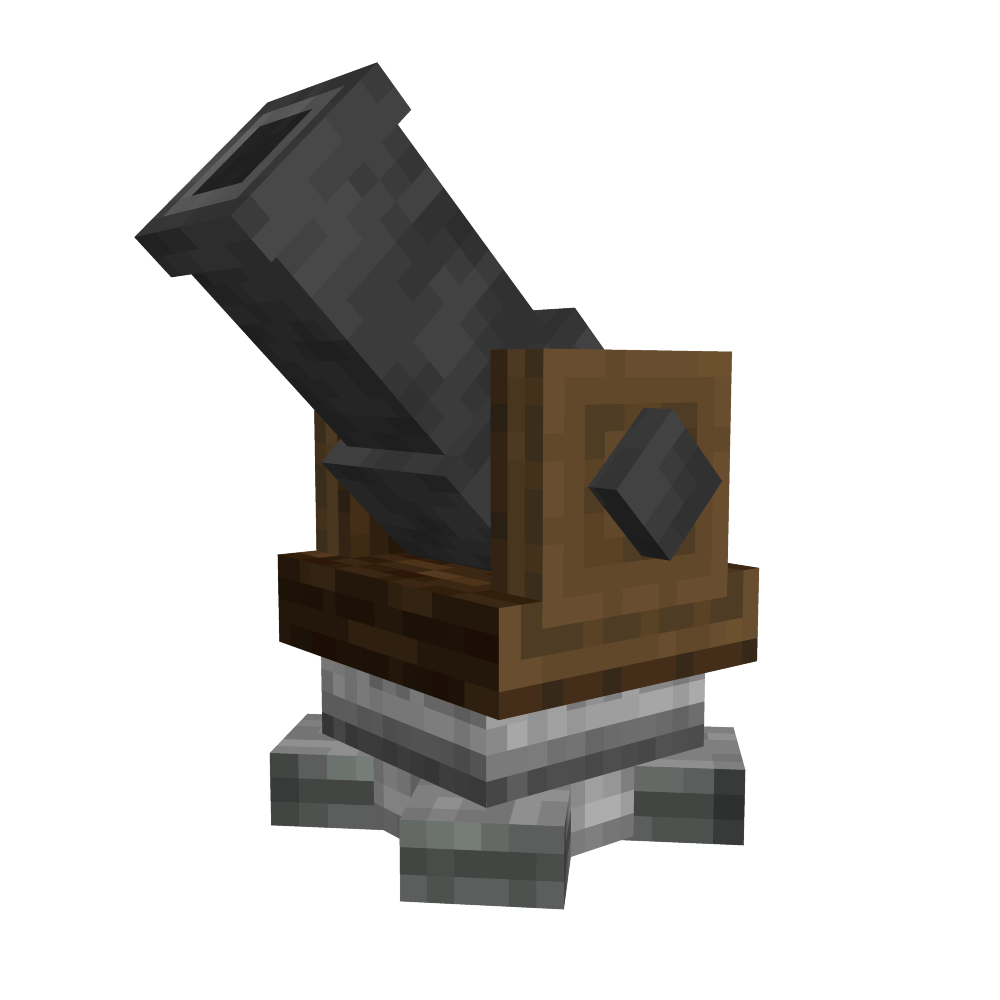
Schematicannon
Modby bikerboys
Adds the schematicannon and clipboard as a standalone mod. It works literally exactly the same. Except without all of the other create stuff.
Type
Mod
CurseForge Downloads
12,171
CurseForge ID
1350154
Last Updated
Sep 19, 2026
Description
BROKEN, MIGHT FIX IN THE FUTURE. DONT USE
This mod adds the schematicannon and all its schematics and stuff and the clipboard item as a standalone mod. The schematic and quill allows you to select an area and make schematic, after using a blank schematic in a schematic table to turn it into a schematic, you can put it in the schematicannon and watch as it automatically builds the schematic you made! Right now it only works for 1.20.1 forge. But soon there may be other versions.
ALL CREDIT GOES TO THE CREATE TEAM
Please show them support, I dont intend to upset anyone with this mod, I just thought that this could be a nice QoL mod. Create is an awesome mod and if you havent tried it yet then you absolutely should.
FaQ
Is this even allowed? Arent you blatantly stealing the Create mod?
I dont think so, the Create mod is licensed as MIT which is a very free license and this only contains a very small part of the whole mod. If the Create team wants me to take it down then I will ofcourse.
Is this compatible with the Create mod?
I dont know, but this mod isnt meant to be used alongside the Create mod.
Will you make this for other versions or loaders?
If many people want this mod for other versions and loaders then I am absolutely open to doing that. Just let me know in the comments!
What are the recipes?
The recipes are just the base create recipes. Except for the clipboard, which instead of an andesite alloy, uses andesite for its recipe.
How the hell do I use it?
You can use a schematic and quill to select an area, you can use ctrl + scroll to change its size. Then right click again, give it a name and either save to file or upload immediately.
Then get a schematic table, scroll over the textbox to get to your schematic. Put an empty schematic in the left slot and click on the checkmark. Hold it and right click somewhere to place it. Once again, ctrl + scroll to change its position and ctrl + alt to change the mode.
After placing it get a schematicannon, place it in the blue slot on the left of the schematicannon screen, put gunpowder in the slot right above it. and click on the leftmost button of the tree buttons in the middle.
You can also put a clipboard in the top right left slot, right next to the button with the 3 checkmarks. With a clipboard you can check if you are missing any blocks
To make it use blocks you need to put a storage container adjacent to it. A chest works. Then put the blocks that it needs in the chest and let it run!
Recommended Gear
AffiliateHardware and extras that pair well with this mod.

As an Amazon Associate I earn from qualifying purchases.
Screenshots
Similar Mods

Enchant Specifier
Specify what items have what enchants

Tensura:Eldritch
Add a Eldritch themed experience to your Tensura:Reincarnated playthrough. This mod adds many unique and ultimate skills...
Colored Tooltips
Small mod that allows changing the background color of tooltips
![[ Cancelled. ] SCP: Project SK](https://media.forgecdn.net/avatars/460/98/637737275353656949.png)
[ Cancelled. ] SCP: Project SK
A Minecraft Forge Mod that was Based On The SCP Wiki. Formally H2O's SCPs.

Travel Friendly Food
A small vanilla-friendly mod that adds simple, intuitive food options making it ideal for travel and exploration.

Ugly Scoreboard Fix
Allows to modify the scoreboard sidebar