

StepCraft
ModThis mod allows you to connect real-life step count data to Minecraft server reward structures. Reward your players both inside and outside of the game!
Type
Mod
Modrinth Downloads
263
Modrinth ID
eNk0ACQx
Last Updated
Jul 25, 2026
Description

🔴 TO USE THIS PLEASE REACH OUT TO: [email protected]. We are currently in closed Beta :)
Connect your players' real-world movement to in-game rewards.
StepCraft is a server-side Minecraft Fabric mod that turns real-world step goals into in-game rewards. Players sync their steps through the StepCraft Companion mobile app, then return to your server to claim rewards when they hit the goals you set.
Instead of generic login bonuses, StepCraft gives your community rewards that feel earned.
To register your server, head over to the StepCraft Website.
What StepCraft Adds
- Daily step-based reward goals
- Monthly leaderboard rewards
- In-game reward claiming
- Step-history screens for players
- Public and private server support
- Invite-code and QR-code joining
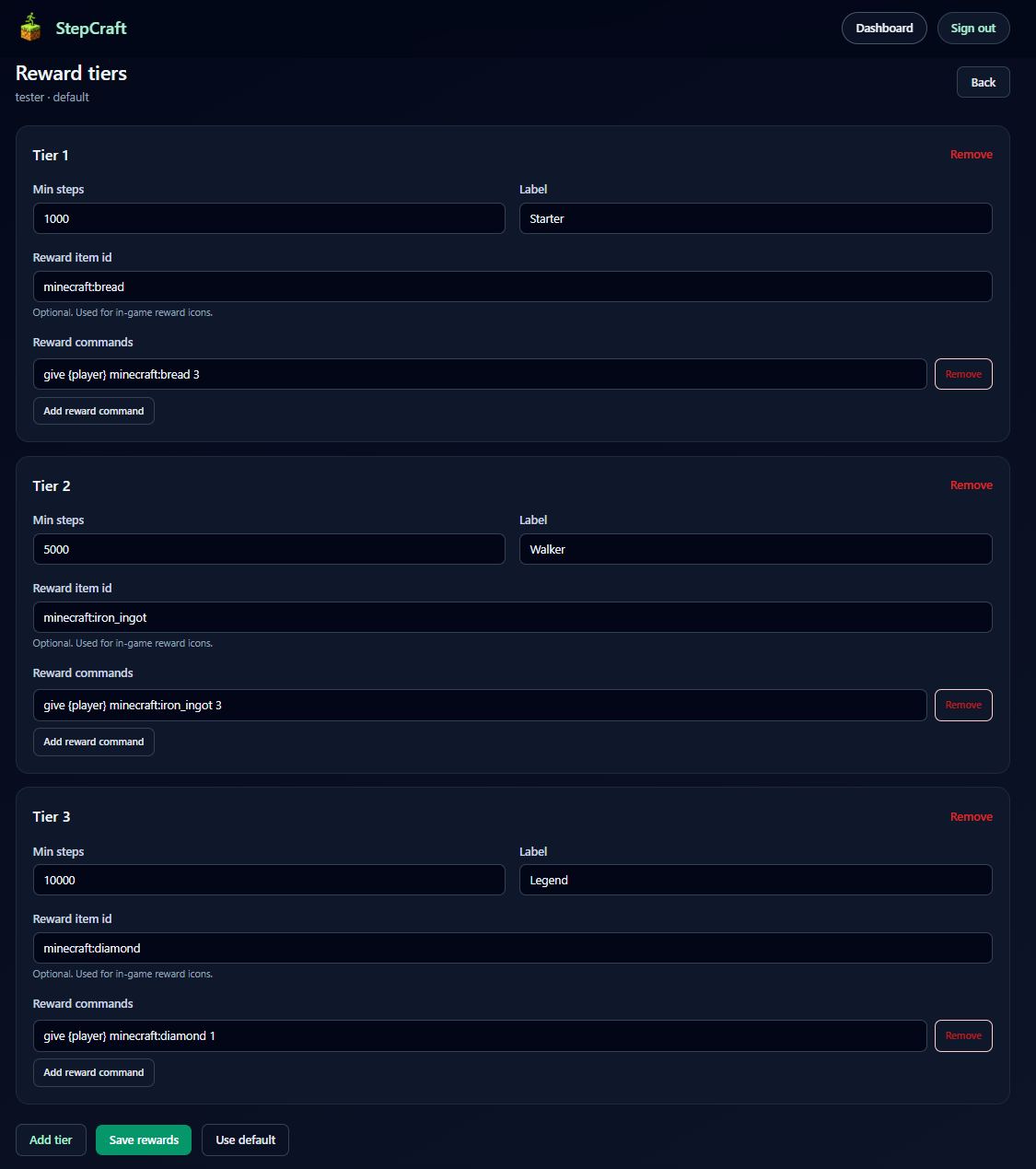
- Configurable reward tiers
- Custom claim windows
- Join reminders for unclaimed rewards
- Custom reminder messages
- In-game player and admin menus
- Web dashboard setup and management
- Companion mobile app for players
- In-game UI title and layout customization
- Live config reload support
Why Server Owners Use It
StepCraft helps communities build a daily habit around your server.
Players stay active in real life, sync their steps, and come back to claim rewards in Minecraft. Monthly leaderboards add longer-term goals, while daily rewards keep players checking in regularly.
StepCraft works especially well for:
- survival servers
- SMP communities
- friend groups
- fitness-focused communities
- servers looking for a unique retention system
Server Features
Daily Rewards
Create step goals and reward tiers for your players. When players hit those goals, they can claim rewards in-game.
Monthly Leaderboards
Reward your most active players over a full month. Players can view the monthly leaderboard and claim finalized monthly rewards through the StepCraft UI.
Claim Windows
Control how long players have to claim missed or pending rewards.
Join Reminders
Players can receive private reminders when they join if they have unclaimed daily or monthly rewards.
Reminder messages can be customized from the dashboard and support Minecraft-style formatting.
Public or Private Servers
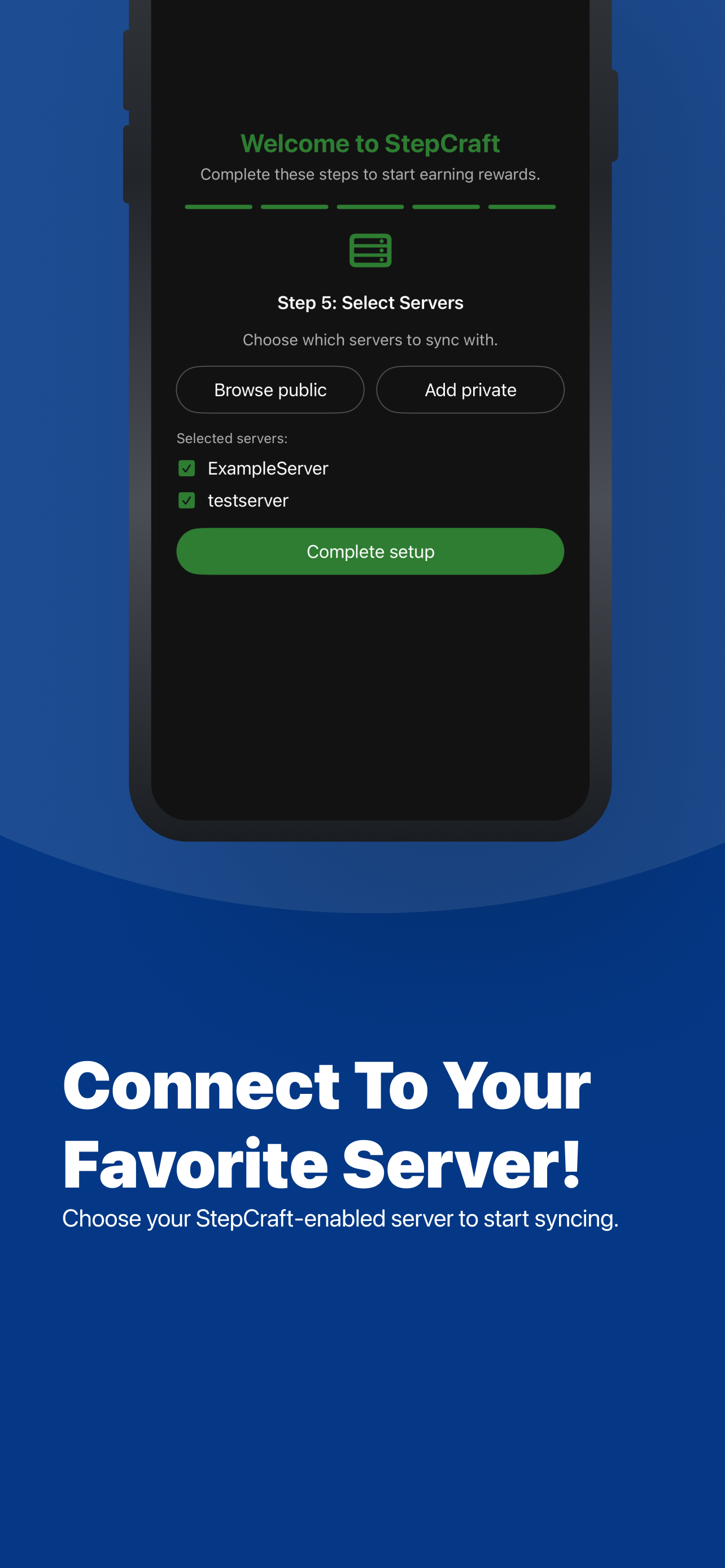
Run a public StepCraft server or keep access limited with invite codes and QR-code joining.
Dashboard Management
Use the StepCraft Web Dashboard to manage server setup, reward tiers, invite codes, reminder messages, billing, and server settings.
Companion App
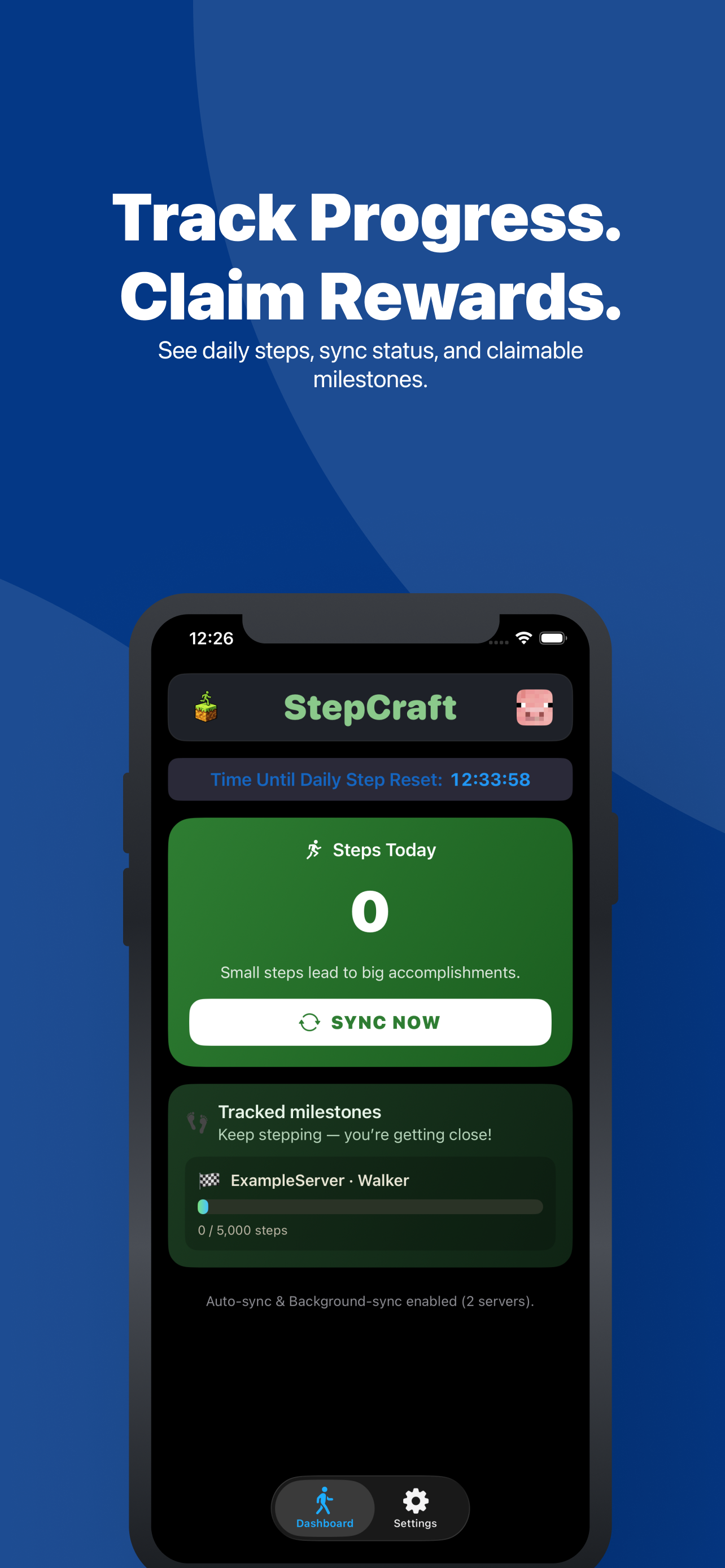
Players use the StepCraft Companion app to join servers, sync steps, track progress, and see available rewards.
In-Game Admin Tools
Admins can manage StepCraft from in-game menus, including server setup, player tools, reward testing, monthly rewards, join reminders, and UI customization.

Private Server Support
Private servers can use invite codes and QR-code joining so only approved players can connect through StepCraft.
This makes StepCraft easy to use with friend groups, family servers, private SMPs, and invite-only communities.
Getting Started
- Install the StepCraft mod on your Minecraft server.
- Register your server through the StepCraft Website.
- Connect your API key to the mod.
- Configure rewards and settings in the dashboard.
- Let players join through the StepCraft Companion app.
- Players sync steps and claim rewards in-game.
Commands
StepCraft uses /stepcraft for player, admin, setup, and customization tools.
Player Commands
/stepcraft
Opens the StepCraft player UI.
/stepcraft ui
Opens the StepCraft player UI.
/stepcraft steps
Opens your step-history screen.
/stepcraft steps <username>
Shows step history for a player. Regular players can only view themselves. Admins can view other players.
/stepcraft claim_reward
Opens the reward-claiming UI.
/stepcraft claim_reward <username>
Claims rewards for a player. Regular players can only claim for themselves. Admins can claim for other players.
/stepcraft monthly_leaderboard
Opens the monthly leaderboard and monthly reward flow.
Admin Commands
These commands require operator/admin permissions.
/stepcraft ui_admin
Opens the StepCraft admin UI.
/stepcraft set_api_key <key>
Saves the StepCraft API key for this server.
/stepcraft reload
Reloads StepCraft config and UI data without a full server restart.
/stepcraft info
Shows StepCraft server info from the backend.
/stepcraft claim_status <username>
Checks reward claim status for a player.
/stepcraft players_data
Shows full player records from the backend.
/stepcraft player_names
Shows the StepCraft player name list for the server.
/stepcraft bans
Shows current StepCraft bans.
/stepcraft ban [username] [reason]
Bans yourself or a specific player.
/stepcraft unban [username]
Unbans yourself or a specific player.
/stepcraft delete_player [username]
Deletes your own StepCraft player record or a specific player record.
UI Customization Commands
These commands require operator/admin permissions.
/stepcraft ui_titles_config list
Lists configurable UI title keys.
/stepcraft ui_titles_config get <key>
Shows the current and default value for a UI title.
/stepcraft ui_titles_config set <key> <title>
Sets a custom UI title.
/stepcraft ui_titles_config reset <key>
Resets a UI title to its default value.
/stepcraft ui_layout_config list_screens
Lists customizable StepCraft screens.
/stepcraft ui_layout_config list <screen>
Lists layout elements for a screen.
/stepcraft ui_layout_config set_slot <screen> <key> <0-53>
Moves a UI element to a slot.
/stepcraft ui_layout_config set_icon <screen> <key> <minecraft:item_id>
Changes a UI element icon.
/stepcraft ui_layout_config set_visible <screen> <key> <true|false>
Shows or hides a UI element.
/stepcraft ui_layout_config reset <screen> [key]
Resets a screen layout or specific layout key.
/stepcraft ui_layout_config editor <screen>
Opens the in-game layout editor.
Notes
- StepCraft is server-side only.
- Players use the Companion app to sync steps and join servers.
- Server setup and management are handled through the StepCraft Website.
- Backend-connected commands require a valid StepCraft API key.
- /stepcraft steps replaces the older /stepcraft today_steps command.
- Monthly rewards are accessed through /stepcraft monthly_leaderboard.
Links
Compatibility
Mod Loaders
Game Versions
Screenshots
Similar Mods

frostmaw origin
Adds a frostmaw origin based on mowzie's mobs.

ExoConfig
A Powerful and Simple Config System for modern Minecraft with auto screen support
item merger
Item Merger is a Fabric mod (v1.0.4) for Minecraft 1.20.1 that automatically merges nearby item entities to reduce lag i...

Portamod Mod
adds more deco / building blocks for Portalmod

Create Numismatics: Crafting Recipes
Adds crafting recipes for spurs, cogs, bevels, etc.

MuteUnFocused
Mute game sound when not focused on the game