Ink Shader
Shaderby BouncingElf100
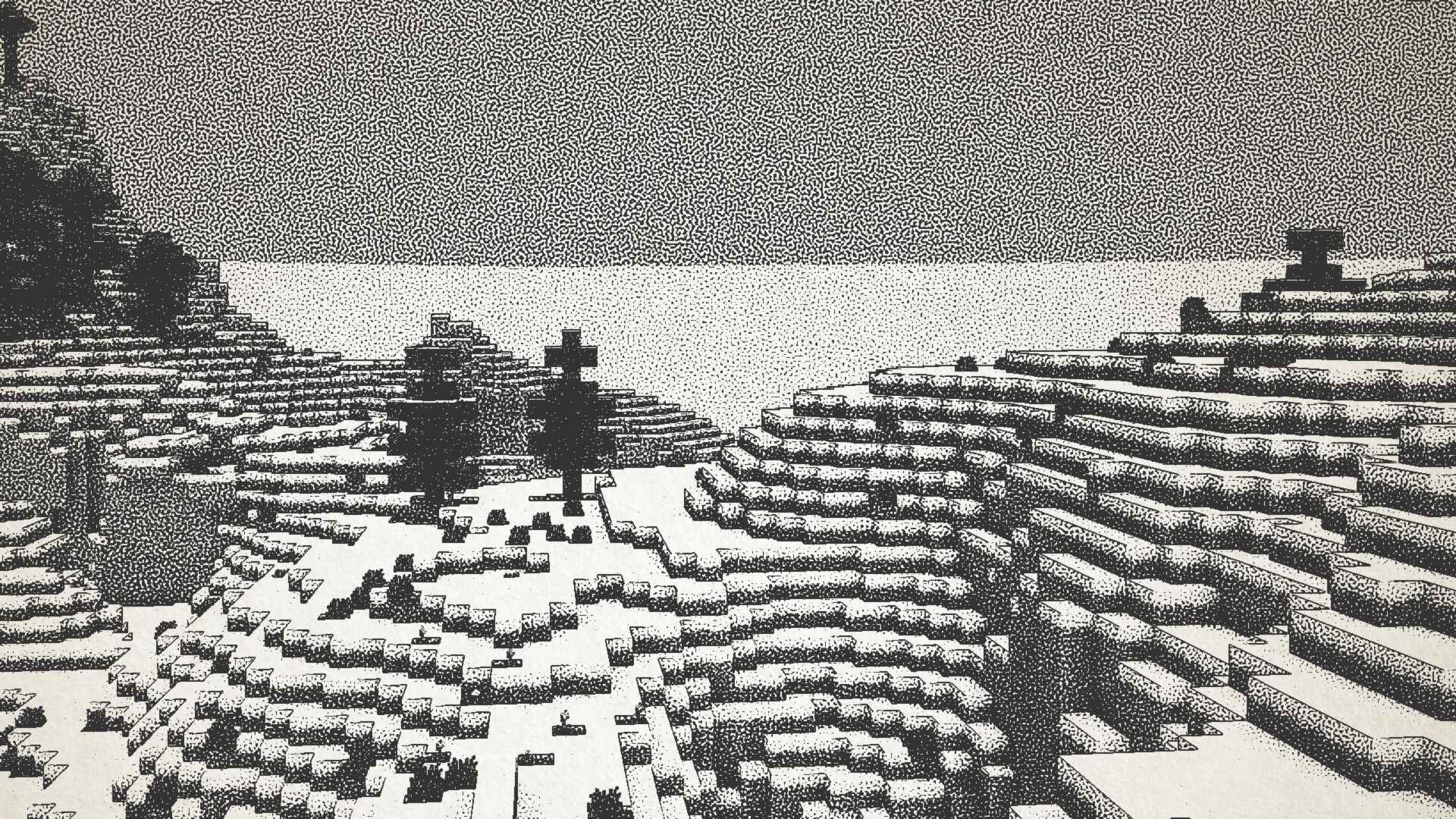
Visualizes Minecraft as if it was printed with ink!
Type
Shader
CurseForge Downloads
33,363
CurseForge ID
1167205
Last Updated
Jul 26, 2026
Description
Ink Shader tries to visualise Minecraft as if it was printed with ink!
Current features include:
- Color Customisation
- Blur Effect
- Stippling
- Edge Detection
- and more!
This shader was heavily inspired on Acerolas video and uses the paper asset that he uses
Embed Removed: https://www.youtube-nocookie.com/embed/E9-LRRDVmo8I mostly tested on Iris 1.21, other versions might not work. If you find any bugs or incompatibilities, you can always report them, it helps me and others out :D
Installation
- First you need to install either OptiFine or the Iris mod to be able to load shaderpacks. (Choose Iris if you are unsure)
- Then you need to launch the game, and get to the Shaderpacks/Shaders menu in Video Settings.
- Open the shaderpacks folder by clicking the button in the menu.
- Download the Ink Shader and put it in the shaderpacks folder.
- Get back in the game, and choose Ink_Shader in the shaderpacks menu. (Refresh the menu if it doesn't appear)
Screenshots
Similar Shaders
DERCODE
Realistic & Fantasy Shader based on Derivative shader

Eclipse
A Revamped Version of EclipseLite, In Cooperation with Gamer Ben
Ethereal Shaders
High Performance, Best Quality Shaderpack

Luminara Shader
Transform your Minecraft world with ethereal beauty and cinematic lighting. Features volumetric clouds, golden atmospher...
TrueLightFX Lite
A lightweight Shader for low end Hardware | inspired by Vibrant Visuals

Cyanide Shaders
A low-end shaderpack, which is very customizable, and can be easily used as a base!