
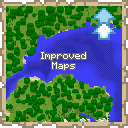
Improved Maps
ModServer-side mod implementing Atlases and other map features
Description

This mod is only for Fabric Servers(or Single-Player) and requires Fabric API. Works with Vanilla clients thanks to Polymer!
Server-side Features
- Atlas - A combination between a bundle and a map.
- Fill it with empty maps and it will automatically create new maps as you explore off the edge of your current map.
- Automatically switch to the relevant map when returning to previous areas.
- Make a copy of the entire Atlas. Great for map walls!
- Fits up to 512 filled maps(configurable), and any number of empty maps
- Map Information Tooltips - See the map scale and center coordinates right from the tooltip
- Biome Map Colours - Records which biome each map pixel came from, so maps tint grass, leaves
and water per biome instead of drawing every biome the same flat green
- Only players with the mod installed see the difference - a vanilla client see vanilla maps/atlases
(Optional) Client-side Features
- Minimap - Your last selected Atlas can be displayed as a minimap
- Atlas View - Press
M(rebindable in Controls) to see every map in your Atlas stitched into one big map. Opens centred on you; scroll to zoom and drag to pan. - Biome Map Colours - Draws the biome tint for grass, leaves and water on maps and atlases
- Proper display of Atlas' fullness bar
How to use Atlases
- Craft one by combining a filled map and a book in a crafting bench
- An Atlas is specific to a dimension
- All maps in an Atlas must have the same scale
- Atlases behave like bundles, but can only take filled and empty maps
- Copy an Atlas by combining an Atlas and a book, either in a crafting bench or a cartography table
- You must have enough empty maps in the Atlas to copy it, otherwise it won't craft
- You'll get 2 identical Atlases, each containing half the remaining empty maps
- You can take maps out like you would take items out of a bundle. To take out the empty maps you can either place the Atlas in a cartography table, or take out all the filled maps then right-click the empty Atlas in your inventory
(Optional) Custom Icons
- Installing the mod client-side will show custom icons for the Atlas item and fix some UI issues
- Icons can also be used by providing the Polymer resource pack to your vanilla clients
- Find out how to setup Polymer AutoHost here: https://polymer.pb4.eu/latest/user/resource-pack-hosting/
- Run
/polymer generate-packafter installing the mod to generate the resource pack
Known Issues
- Bundle tooltip on Atlas will show full once it hits 64 maps. You can still keep adding maps
- Installing the mod client-side will fix this
Shout-outs
- Pillowsledder for creating the excellent icons!
- Map Atlases by Pepperoni-Jabroni for the original idea and map switching logic.
- Diversity: Better Bundle by FaeWulf for implementation of larger bundle sizes

Compatibility
Mod Loaders
Game Versions
Recommended Gear
AffiliateHardware and extras that pair well with this mod.

As an Amazon Associate I earn from qualifying purchases.
Screenshots
Similar Mods

Better Pets
Customize your Minecraft experience with new pets, offering unique abilities and companionship during your adventures.
LandOfSignals (Railroad Signal Mod)
Adds many different railroading signals.
Additional Ender Items
New items, blocks, enchantments and more that are based around The End and its various items.

Cave Fog Stabilizer
Prevents time of day from affecting cave fog color

Durability Guard
This client mod stops you from mining when your tool has low durability.
Majora's Maskcraft
wear all the masks from Legend of Zelda: Majora's Mask


