Anti Aliasing (TAA, FXAA)
Shaderby LoLip_p
Fix rendering aliasing (TAA, FXAA)
Type
Shader
CurseForge Downloads
147,767
CurseForge ID
1331066
Last Updated
Sep 5, 2026
Description
ABOUT:
Fix aliasing on textures and object boundaries. It is designed to smooth out visual artifacts. It has two modes: FXAA and TAA. The first mode is faster, while the second is more accurate. There is also support for Distant Horizons.
Example 1: OFF/ON
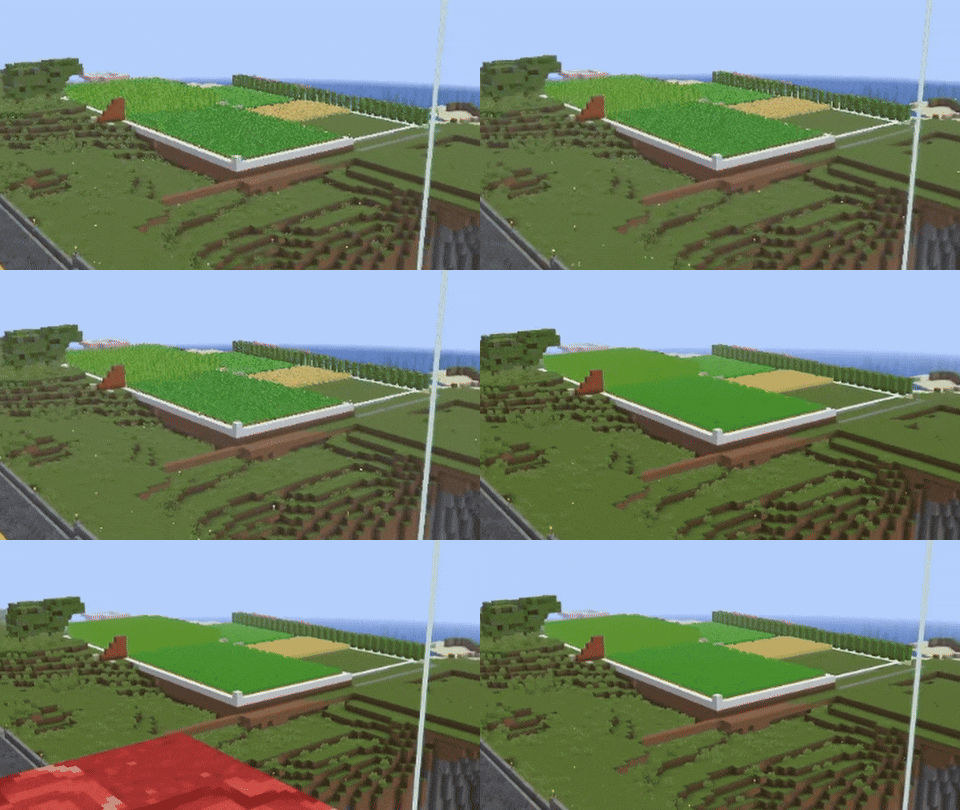
When turned off, the image ripples and everything twitches, when turned on, the artifacts disappear.
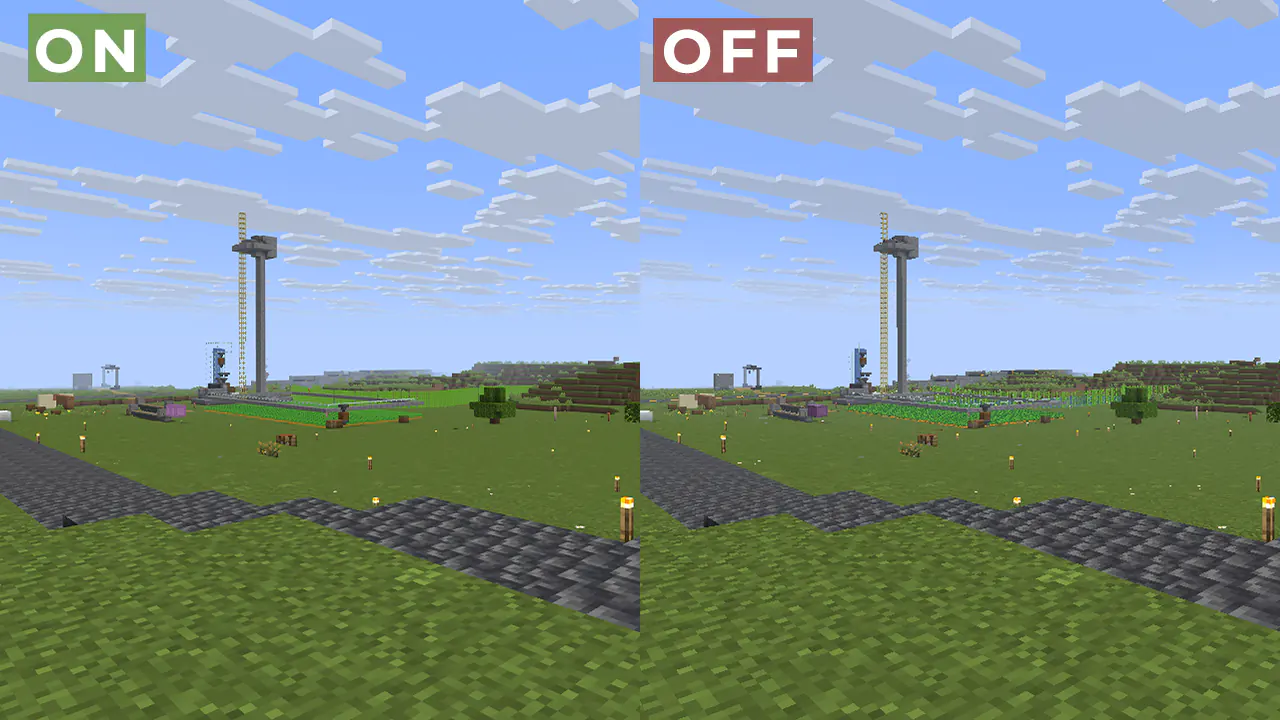
Example 2:
FAQ:
How is it different from other projects?
- Fog support for all versions, new method FXAA and better performance than TAA Project.
What is the difference between FXAA and TAA?
- FXAA is a simple and fast post-filter that blurs sharp edges, while TAA uses data from previous frames to produce a smoother image, especially when there is movement.
Part of the code, namely the implementation of TAA, was taken from TAA Project, so the license is MPL-2.0.
Recommended Gear
AffiliateHardware and extras that pair well with this shader.

As an Amazon Associate I earn from qualifying purchases.
Similar Shaders
SORA Shaders
Gameplay Oriented Customizable lightweight shaders for Java Minecraft
Just Colored Lighting
Just Colored Lighting & Dynamic Lights added to a very fast shader for Potato computers, with optional shadows, texture...
Simply Upscaled
A very Vanilla high performance shader with live Texture Upscaling/Filtering and optional shadows. Configurable subtly e...
Soft Voxels Lite
A minimalistic and performant path-traced shaderpack.

Fantasy Shaders Reimagined
Colors of fantasy, vivid and striking

Lux V1
Lux is a high fidelity Minecraft: Java Edition shader pack based on Capt Tatsu's BSL Shaders.