
HideHUD
Modby ExoEnergy
Hide Overlays, Screens, Advancements, Recipes, Notifications and more in an easy way!
Type
Mod
CurseForge Downloads
23,104
CurseForge ID
Modrinth Downloads
10,521
Modrinth ID
Last Updated
Nov 7, 2026
Description
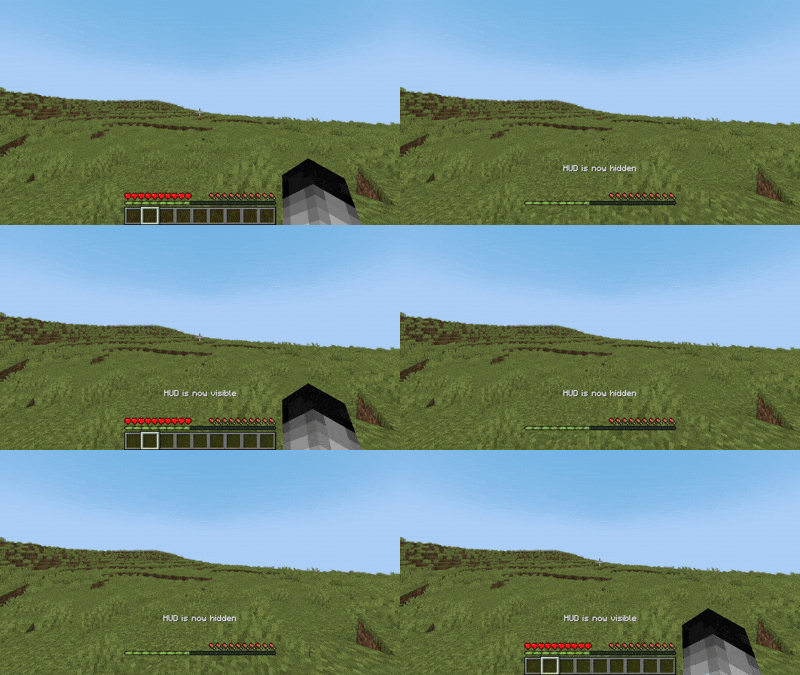
HideHUD is a Minecraft mod that allows you to selectively hide user interface elements and some screens (HUD & GUI) and some notifications (Recipes/Advancements), offering a cleaner and more personalized gaming experience. With it, you can disable components such as the hotbar, crosshairs, experience bar, inventory, and more, through configurable options, allowing you to select which elements appear on screen. You can hide the HUD with the "H" key, and you can open the settings with the "O" key by default. The mod adds a fully accessible config screen.
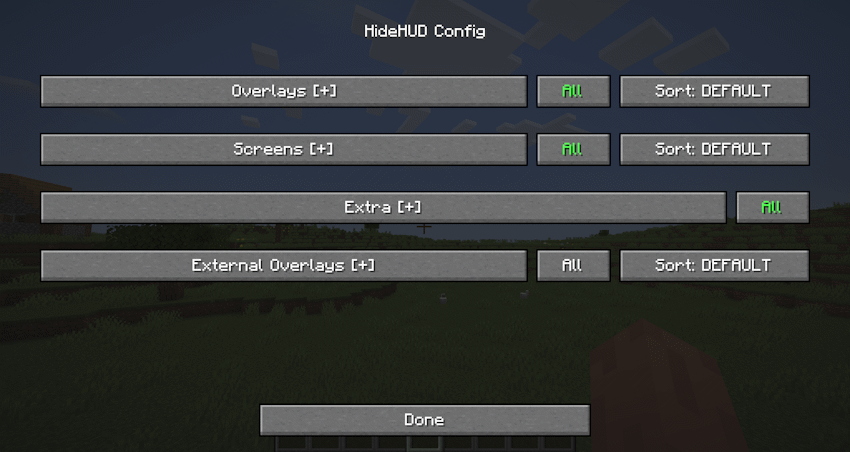 Some Overlays hidden
Configurable Overlays:
Hotbar | Player Healt | Hand | Chat Panel | Food Level | Armor Level | Experience Bar | Spyglass | Helmet | Frostbite | Portal | Crosshair | Boss Event Progress | Air Level | Mount Health | Jump Bar | Item Name | Sleep Fade | Potion Icons | Debug Text | FPS Graph | Record Overlay | Title Text | Subtitles | Scoreboard | Player List | Vignette
Configurable Screens:
Inventory Screen | Containers Screen | Chat Screen | Death Screen | Bed Screen
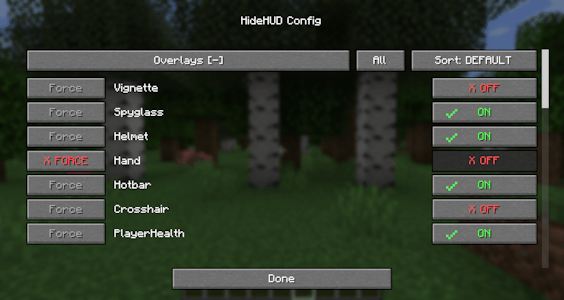
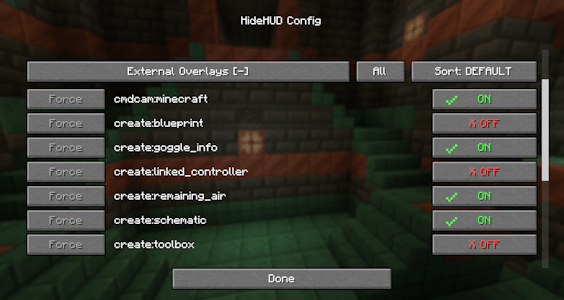
The mod can also detect any overlay from other mods that render through Forge/NeoForge’s RenderGuiLayerEvent.
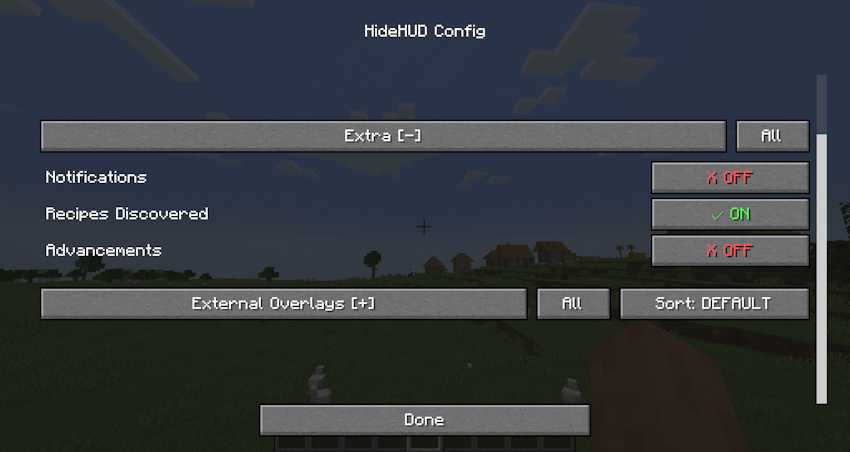
"Extra" allows you to disable Notifications, Recipes and Advancements.
Compatibility
Mod Loaders
Game Versions
Recommended Gear
AffiliateHardware and extras that pair well with this mod.

As an Amazon Associate I earn from qualifying purchases.
Screenshots
Similar Mods

Sound Culling
Dynamically limits and dampens overlapping sounds to reduce audio clutter and improve performance in sound-heavy areas.

Animal Garden - Western Gorilla
This mod adds the Western Gorilla as a mob to your world.

EnchantingPlusPlus
Fork of Enchanting Plus that adds treasure enchantments
Simplycompat
A mod that makes simply skills 1.7.2 and simplyswords 1.70.2 compatible.
Tenebrisque
Uneasing horror events that makes you feel like your being watched, you are being stalked by an invisible entity, you wi...
Create Many More Mechanisms
Different mechanisms for modpack developers