

Custom Screens
ModCreate custom screens to show players via command! Highly customizable
Type
Mod
Modrinth Downloads
328
Modrinth ID
GL7KaBhd
Last Updated
Jul 29, 2026
Description
If you have any feedback please, leave it here or in discord.
Custom Screens
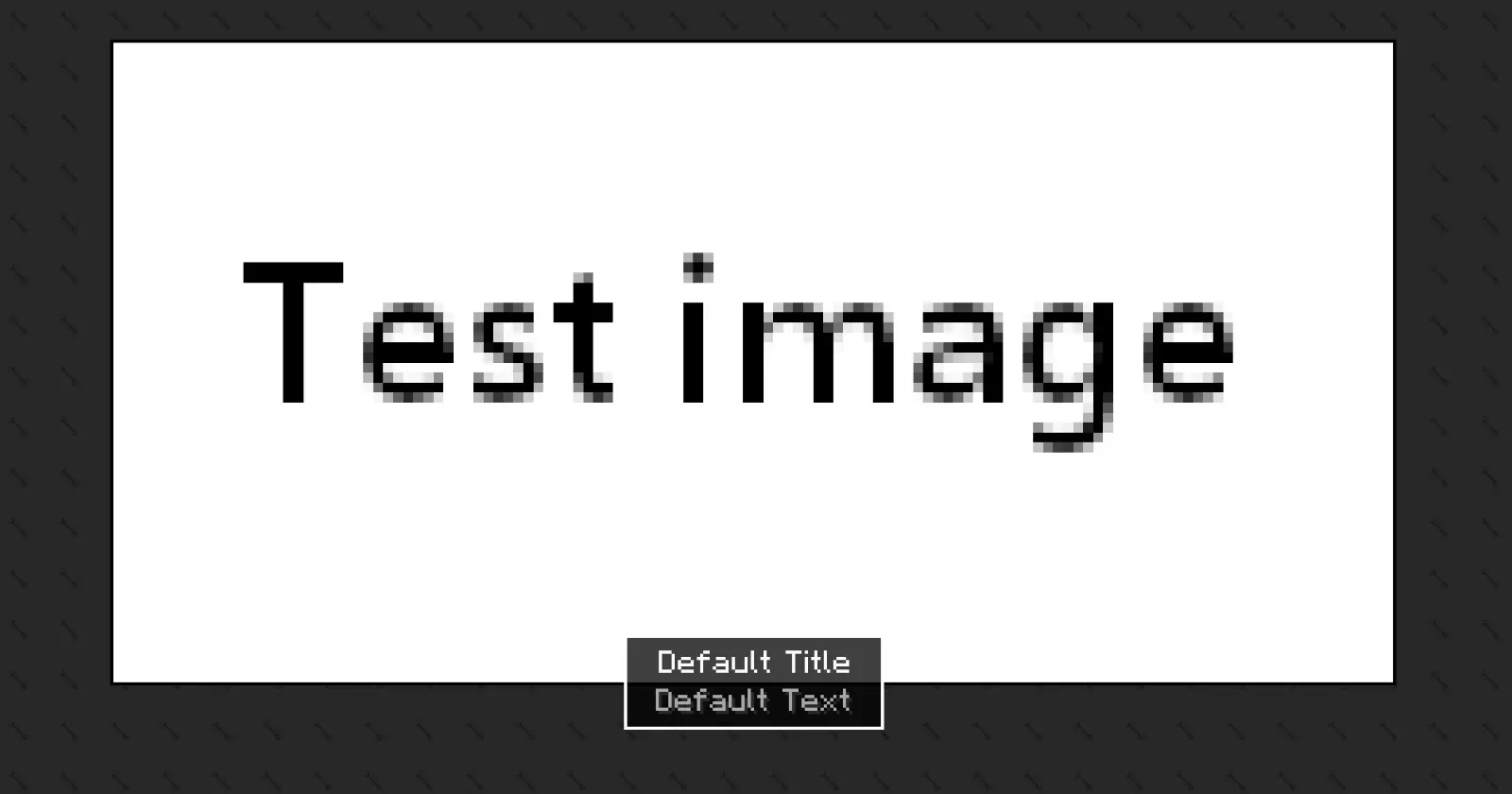
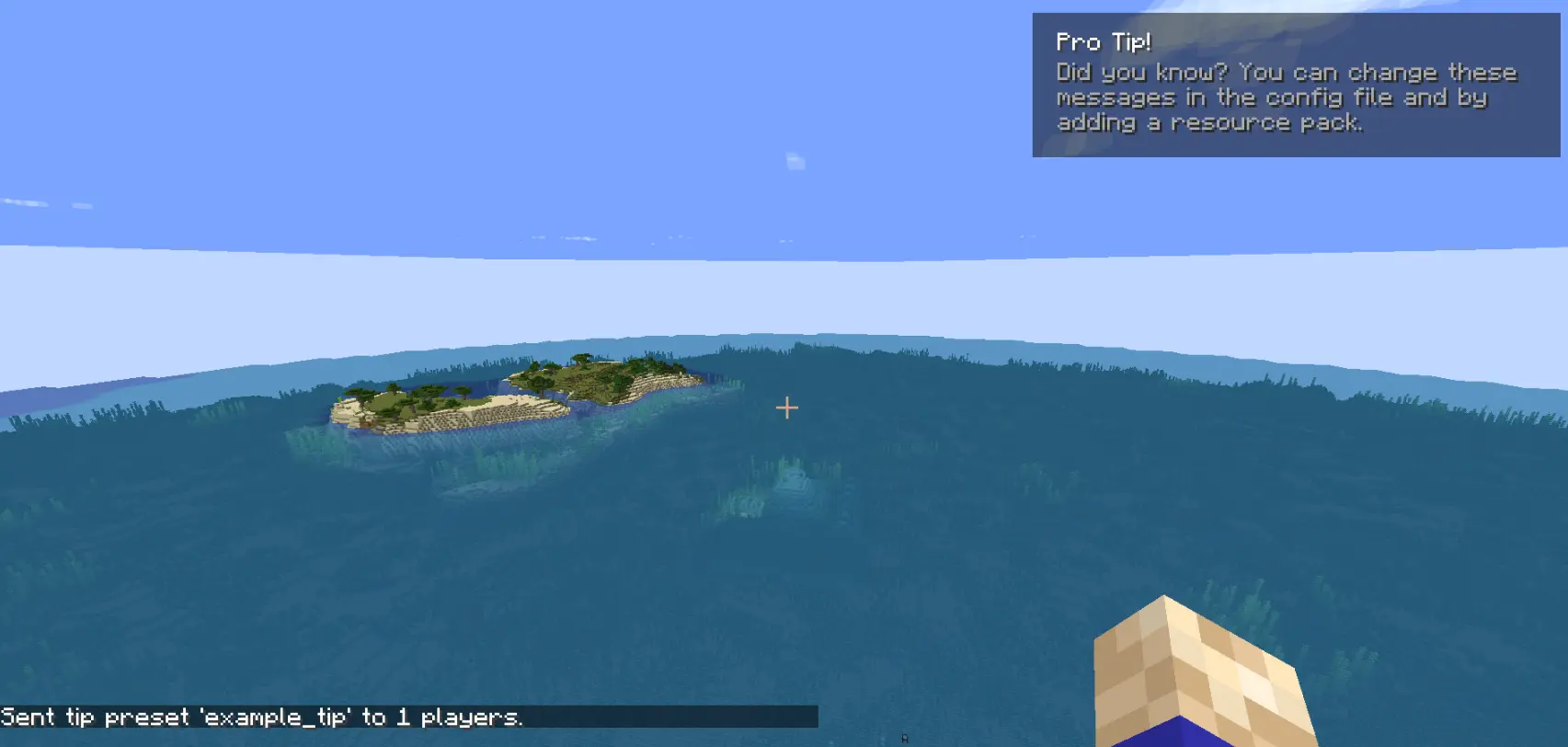
Custom Screens lets you display fullscreen overlays and lightweight tips to players using simple preset files and commands. Define your own layouts, text, images, and timing through a simple configuration file.
This mod may be used in modpacks and on servers. You must provide credit to the original authors.
This is the only official download source for this mod. You may share or distribute this mod on other websites or platforms only by linking to the official download page provided here. Re-uploading or redistributing the mod files themselves is not permitted.
Please be aware that downloads obtained from unofficial sources may be modified and could contain malicious software. For your security, always download this mod from the official source.
How to use [BETA Version]
The mod generates two config files after the first launch:
config/arcana/custom-screens-presets.jsonThis file defines each screen preset, including:
- Preset name
- Title and body text
- Text position
- Image and background (bg size, 64x64) (optional)
- Image size
- Display duration
config/arcana/custom-tips-presets.jsonNote: If no image or background is specified, it will not be rendered.
This file defines each screen preset, including:
- Preset name
- Title and body text
- Text position
- Display duration
To add another preset duplicate the example preset in the JSON file and modify it as needed. The example preset can also be removed.
Commands
All commands related to this mod are under the /cs command. These are:
- /cs show-screen <targets> <showToOp> <shouldCloseOnEsc> <presetName>
- targets — Players to target.
- showToOp — Sends feedback to online operators. [true/false]
- shouldCloseOnEsc — Allows players to close the screen with ESC. [true/false]
- presetName — Preset key from the config file. [string]
If used in single player the game will be paused for the duration of the screen.
-
/cs show-tip <targets> <showToOp> <title> <description> <position> <duration>
- targets — Players to target.
- showToOp — Sends feedback to online operators. [true/false]
- title / description — written between ".
- position — where the tip shows in the screen.
- duration — number (in seconds).
-
/cs show-tip-preset <targets> <showToOp> <presetName>
- targets — Players to target.
- showToOp — Sends feedback to online operators. [true/false]
- presetName — Preset key from the config file. [string]
-
/cs stop-screen <targets>
-
Tries to close the currently active screen or tip for the selected players.
- targets — Players to target.
Custom text and images (via resource pack)
Images and text can be provided using a resource pack.
- Text "arcana.customscreens.example_title":
- Images:
Important notes:
- Background images will tile to fill the entire screen.
- Only .png files are supported.
Compatibility
Mod Loaders
Game Versions
Recommended Gear
AffiliateHardware and extras that pair well with this mod.

As an Amazon Associate I earn from qualifying purchases.
Screenshots
Similar Mods

Cursed Fate: Auras
Cursed Fate addon which adds a Chroma Orb recipe as well as a rarity based cursed energy color system with custom Flow a...

Archipelago Additions Nest
Explore the world of dragons with new nest of all purebreed dragons from boulder all the way to tidal! we got them all!

Auto Trade
Automatically trade away specified items with one click!

Plants vs zombies from Mythling
Survive with Plants vs zombies world and grow plants. Plan Your defence.

DillonLib
API that provides platform abstraction, mixin management, configuration systems, factories, and other common modding uti...

SakuraUpdater
SakuraUpdater — a lightweight auto-sync mod with one-click updates, mirror/push sync, and a visual update UI. SakuraUpda...
