

MenuKit
ModUI library for Fabric mods — HUD panels, widgets, layouts, region anchoring, modal overlays. Client-only.
Type
Mod
Modrinth Downloads
3,188
Modrinth ID
3vGajyPr
Last Updated
Jul 30, 2026
Description
MenuKit
MenuKit is a client-side UI library for Fabric mods. It provides reusable interface components and the systems that place them on screen, so mods can build menus, HUD overlays, and in-game UI without writing Minecraft interface code from scratch.
Components: buttons, toggles, checkboxes, radio buttons, sliders, dropdowns (single and multi-select), text fields, labels, tooltips, icons, item displays, progress bars, dividers, and scroll containers.
What it does:
- Places UI in four contexts with one set of components: the HUD, vanilla menu screens, named slot groups, and standalone screens.
- Groups components into panels, each a bounded region that renders, takes input, and shows or hides as a unit.
- Positions panels by screen region and resizes them to fit automatically, wrapping and scrolling as needed, at any GUI scale.
- Lets several mods add UI to the same screens without conflicting: components from different mods register cleanly and coexist (panels sharing a region stack in order instead of overlapping), so mods built on MenuKit stay compatible with each other.
- Exposes slots created through MenuKit: Containers to every MenuKit consumer, so a mod can read and address another mod's custom slots, not only its own.
- Handles modal overlays, click-through prohibition, recipe-book awareness, and cursor stability across screen changes.
MenuKit is client-only and ships primitives rather than taking over Minecraft's UI. Its types are vanilla types (a MenuKit slot is a real Slot), so it coexists with other mods. Requires Fabric. For custom container menus and slots with server-synced state, add MenuKit: Containers.
Install
repositories { maven { url 'https://api.modrinth.com/maven' } } dependencies { modImplementation 'maven.modrinth:menukit:2.0.0' }Declare it in fabric.mod.json:
"depends": { "menukit": "*" }Working examples
MenuKit's validator mod is the honest reference consumer, with real, compiling usage of every primitive. The full surface is documented in the javadoc.
License
MIT. See LICENSE.
Issues
Compatibility
Mod Loaders
Game Versions
Recommended Gear
AffiliateHardware and extras that pair well with this mod.

As an Amazon Associate I earn from qualifying purchases.
Similar Mods

Petra - Ruins Structure ✅
Petra is an ancient desert city in a Minecraft vanilla-friendly style, inspired by the rock-carved wonders of Jordan, fe...
![Quick Elytra [Legacy]](https://media.forgecdn.net/avatars/589/851/637961187808568615.png)
Quick Elytra [Legacy]
Quick Elytra adds a keybind that lets you swap your equipped elytra/chestplate.
Gecko King's Aliens vs Predator Mod
This is a mod about the Aliens and Predator franchises; adding xenomorphs, anathema (pathogens), and yautjas to your wor...

NotEnoughCalculator
A NEU-style calculator that works standalone or inside Roughly Enough Items (REI) & Skyblock Item List search bars!

Arcwise - Puffish Skill Tree
Arcwise uses Pufferfish Skills Mod to create an Basic-User Friendly Skill Tree that makes Minecraft even more Fun!
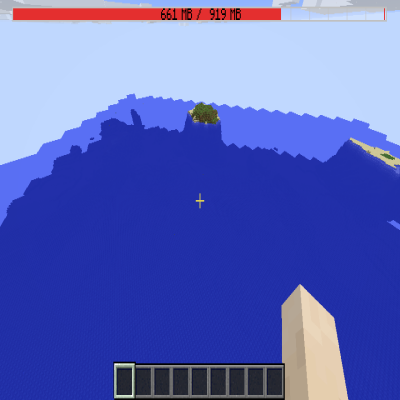
Memory Bar
Adds the loading screen memory bar to the ingame HUD