
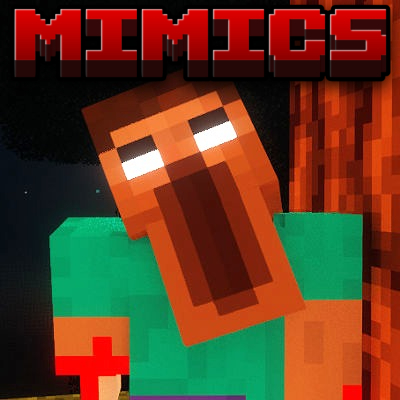
Mimics
Modpackby Medktz
A series of bloodthirsty mimic dwellers that will blend into the environment and do everything in their power to have you dead.
Type
Modpack
CurseForge Downloads
20,101
CurseForge ID
1038942
Last Updated
Jul 30, 2026
Description
I only assembled this modpack. None of the included mods are owned by me; all rights belong to their respective authors.
Modpack adds a few high quality mimic/dweller mobs along with other mods to make the experience even better.
This reading is gonna be really boring but I suggest you go through it for the best experience.
First off I will tell you that whichever worldgen of the modpack you download, it will not change the gameplay drastically. The TECTONICGEN makes the world more vanilla-like, yet more realistic terrain. The BIOMEGEN makes the world have many new biomes and blocks, yet flatter and a bit more unrealistic. It's up to you but wont make much of a difference.
Second, for shaders I highly suggest you use Hysteria or Insanity. These are the main horror shaders that can be found on Curseforge. If you don't feel like using these shaders, simply download a different shader off of the Curseforge website (into your downloads folder on your device), and drag it into the "shaderpacks" folder in your profile's directory (keep it a .zip file, do not extract it). To do this, open the profile from the Curseforge app (no idea how to help you if you use base Minecraft Launcher), then click on the 3 dots somewhere near the play button for the profile. It should give you a few options, click "Open Folder" with the folder icon. This will take you to the profile's directory. In this is where you will see the folder named "shaderpacks" in which we mentioned earlier. Since I have installed shaders on the profile already, the folder will be there, if not then you did something wrong. Now just open the folder "shaderpacks" and drag the .zip file for the shader you want into it and close it. You do not have to relaunch your game when manually putting shaderpacks (or resourcepacks) in their folders, just close the folders and give Minecraft a second to register them, then they should show up in the "Shaders" tab in the video settings.
Thats all I really had, most of it was on how to install shaders. The modpack is pretty simple and should run pretty well. I run an RX 6600 GPU and idrk for the CPU, I know I have 32 gigs of RAM and have 8 allocated to Minecraft. I run a good 80 FPS with these specs with shaders and a 20 chunk render distance, I do not optimise my game as well as it could be optimized. I'm sure that if you tried you could top 100 FPS with the same specs. My PC was quite a budget build, so I'm sure that most will be able to run the pack without issues.
Thanks for playing,
Medktz
Compatibility
Mod Loaders
Game Versions
Recommended Gear
AffiliateHardware and extras that pair well with this modpack.

As an Amazon Associate I earn from qualifying purchases.
Screenshots
Similar Modpacks

Heavens of Sorcery
A tale of magic in the sky of a ruined world

Enigmatica 8 - E8 - 1.18
Play with new mods and old favorites in Enigmatica 8 for Minecraft 1.18!
Invicta 2
1.18 Modpack made for the explorer, techie, farmer and wizard in you.
EMC: To The Sky
A Skyblock modpack focusing on the mod ProjectE

Void Rot
A horror survival modpack built for Forge 1.20.1. Stalkers, dwellers, cursed structures, and a world that never lets you...
Project Architect
ProjectE Building Focused Modpack