

Skinmatics
ModA versatile yet minimal player skin customization mod.
Type
Mod
Modrinth Downloads
146
Modrinth ID
G1llBg9s
Last Updated
Jul 30, 2026
Description
Skinmatics
A versatile yet minimal player customization mod. Vanilla-friendly!
About
Want custom animated skins? emissive (glowing) skins? and maybe even animated and reactive eyes?
Skinmatics gives you just that. Adding customization to existing aspect of the game without overriding it, while staying relatively vanilla-friendly
Utilitary is required to use this mod
Features
-
Skin
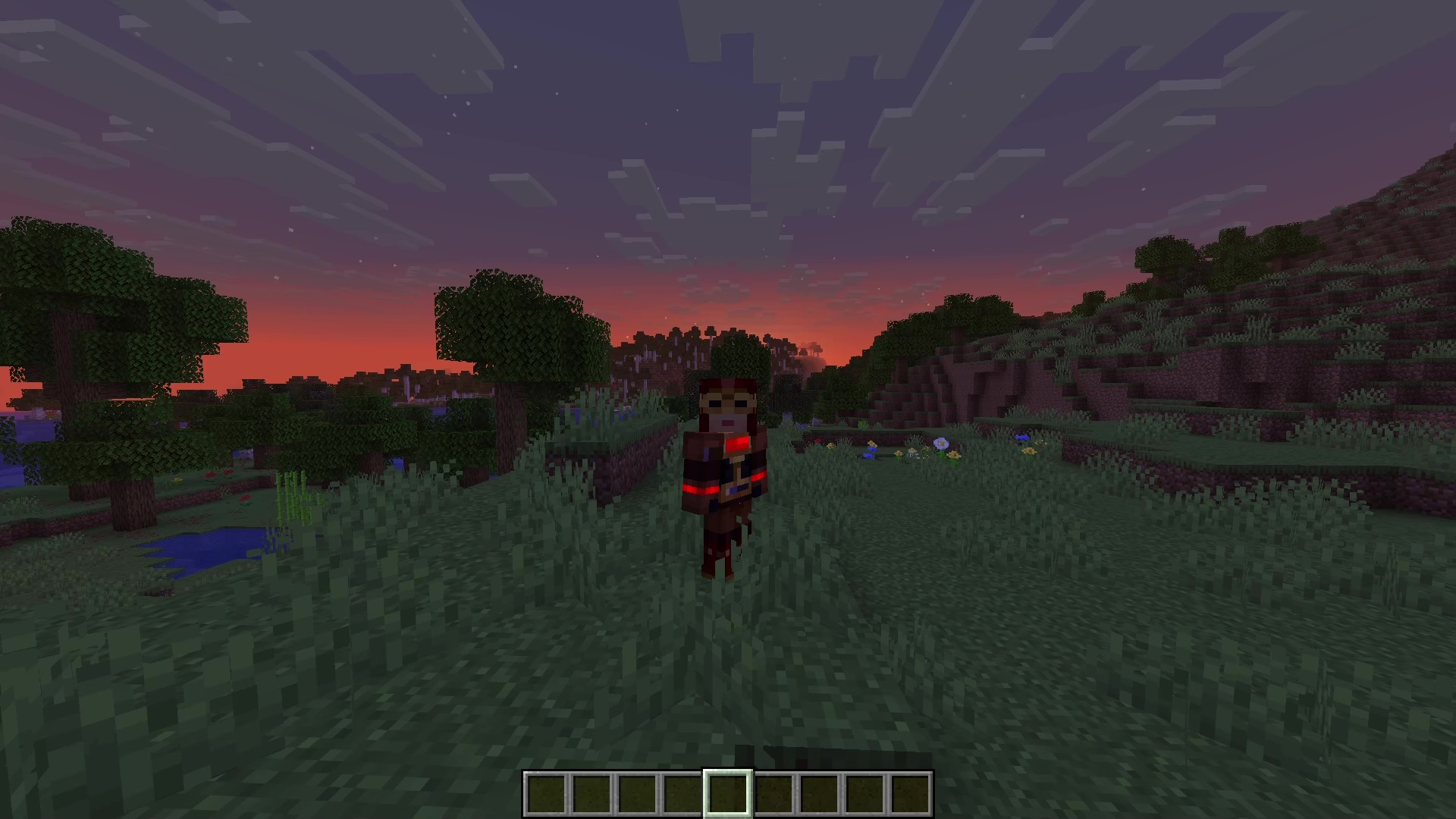
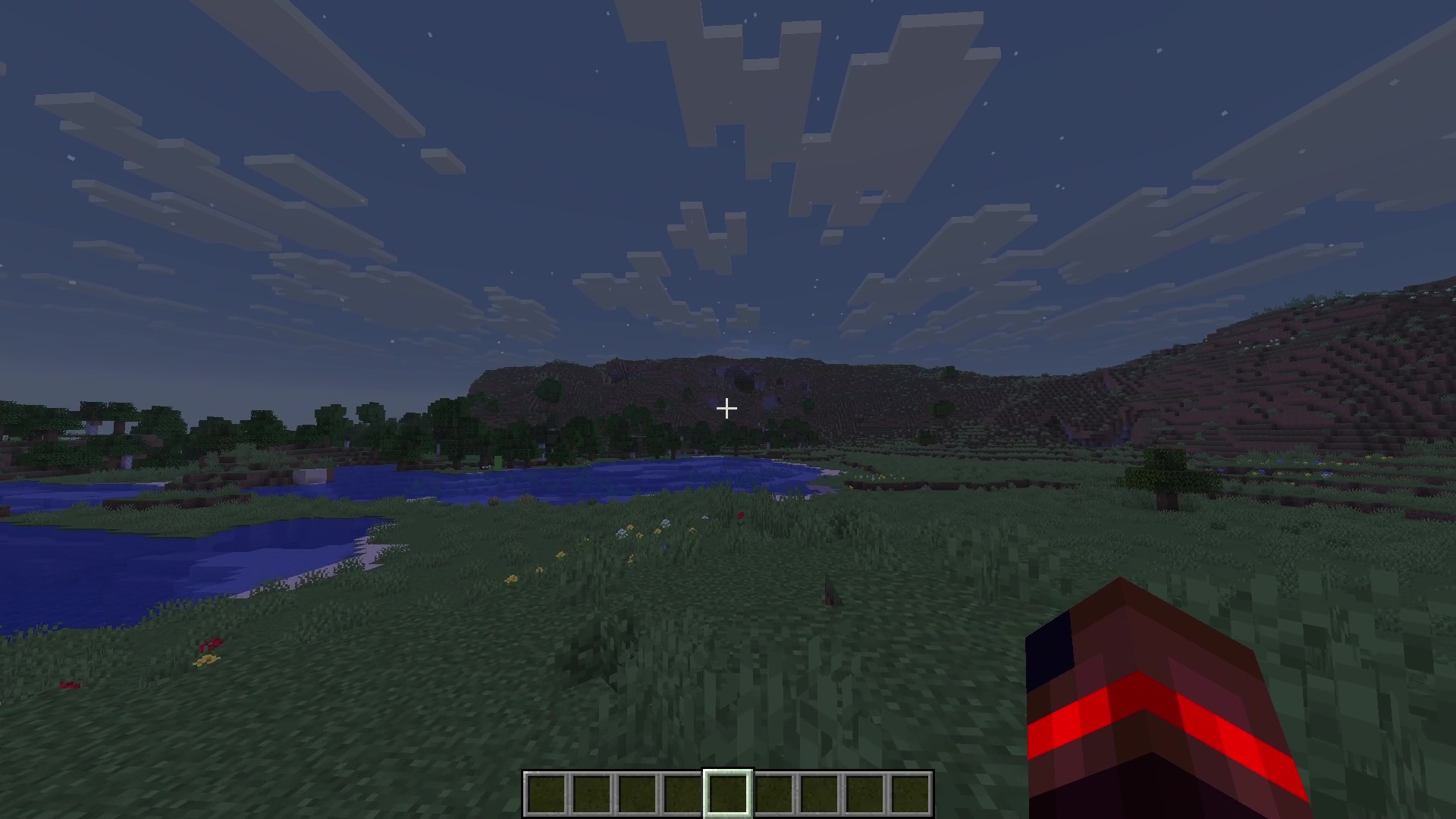
-
Cape
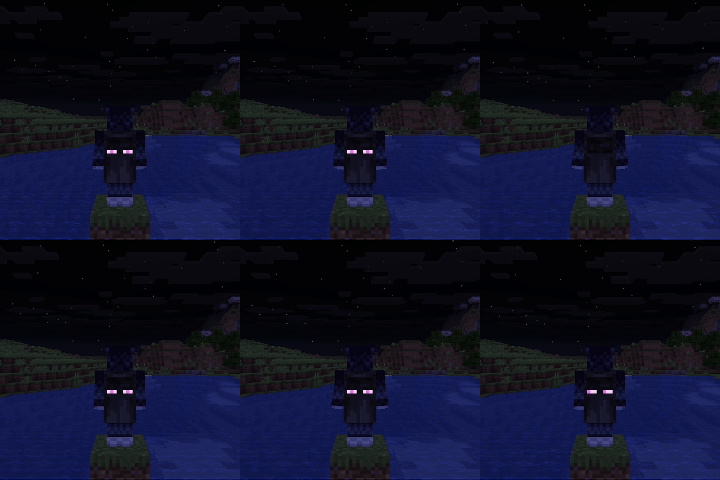
-
Elytra
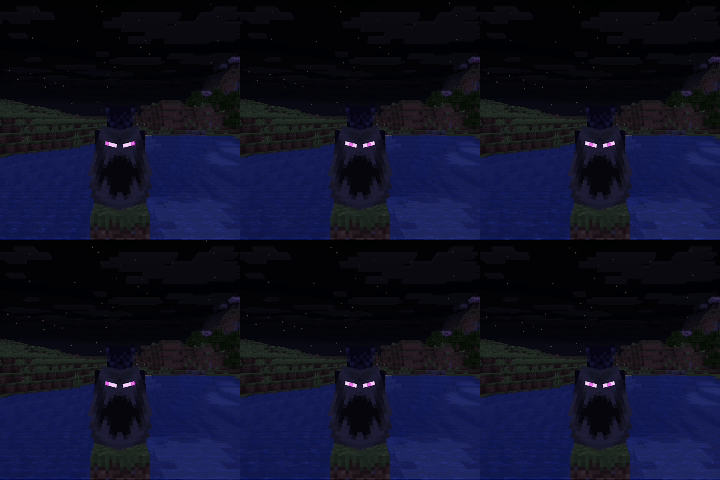
Yes, they looked goofy since the wings are mirrored.
-
Eyes
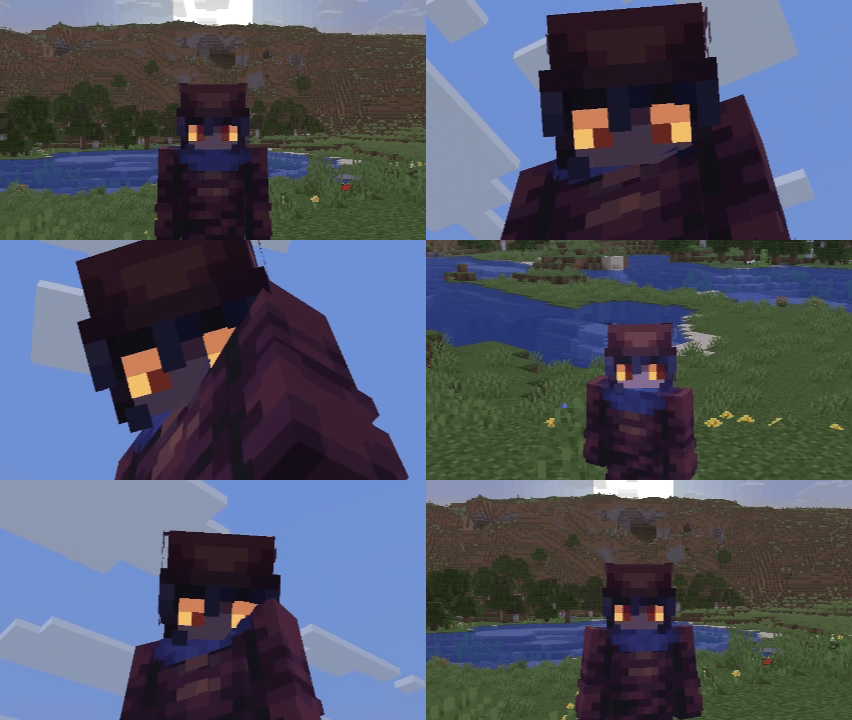
Note:
- The mod does not come with pre-made textures, players must create their own textures to use these features
- Other players can't see your Skinmatics profile as of now
Documentation
Currently, the editor screen for the mod is still a work-in-progress, and only serves as a shortcut to open files. To open it, open Options > Skin Customizations > Skinmatics... or from Mod Menu
You can change your profile in the config (config/skinmatics/config.json > profile). Textures are stored in config/skinmatics/textures.
You can safely ignore the config's "identity" field in the config, it serves as an identification for Utilitary to load the config file.
Alternatively, you can use commands:
- /skinmatics profile
- /skinmatics profile open opens config/skinmatics/profiles directory
- /skinmatics profile create <profile> creates and opens a new profile with <profile> as the name
- /skinmatics profile load <profile> loads a profile to your player character
- /skinmatics profile reload reloads/loads all profiles in config/skinmatics/profiles
- /skinmatics profile assign <profile> assign an entity with the profile, must look at an entity to assign. You can assign this to a mannequin entity to preview your profile
- /skinmatics profile unassign unassigns an entity with the profile (if they have one). You must look at an entity to unassign
- /skinmatics config
- /skinmatics config open opens config/skinmatics/config.json
- /skinmatics config reload reloads Skinmatics config
- /skinmatics texture
- /skinmatics texture open opens config/skinmatics/textures directory
- /skinmatics texture reload reloads/loads all textures (the same as F3 + T)
- /skinmatics documentation opens Skinmatics Github page
You can use Notepad or any other JSON file manipulation app to modify this
{ "identity": "skinmatics:profiles/<profile>", // Change <profile> to your profile file name, this is Utilitary way of loading config files "enabled": true, // Wheter this Skinmatics profile is enabled "maxTicks": 0, // In ticks, numbers above 0 will tick your skin, resulting in an animated texture. The amount of ticks to do a texture change is maxTicks - 1 "strongerEmissiveGlow": false, // Use the same rendering method as spider eyes (glow in the dark and not affected by light) "useCustomSkin": false, // Use the profile's skin texture instead of your Minecraft account skin texture "addEmissiveSkin": false, // Add emissive layers to your skin "showCape": true, // Show cape texture, elytra cape texture included "useCustomCape": false, // Use custom cape texture, elytra cape texture affected if not using custom elytra texture "addEmissiveCape": false, // Add emissive layer to your cape "useCustomElytra": false, // Use custom elytra texture "addEmissiveElytra": false, // Add emissive layer to your elytra "showEyes": false, // Show eyes "addEmissiveEyes": false, // Add emissive eyes to your skin (if showEyes is true) "rightEyeHidden": false, // Hide your right eye "leftEyeHidden": false, // Hide your left eye "blinkingChance": 48, // Chance to blink for every tick "holdBlinkingFor": 4, // How many tick it took to blink // These fields use the same format // "<Image Path>": [<Ticks>] // <Image Path> refers to the image texture, can be from the game resource packs (minecraft:textures/...) or imported from `config/skinmatics/textures` // [<Ticks>] refers to the tick time for the texture to switch "skin": { // Example (if maxTicks is 20, textures can be changed between 0-19) "skin/my_skin": [5, 15] // Use this texture at tick 5 and 15 (if no textures start at tick 0, then it will use the end tick's texture). This texture file path is config/skinmatics/textures/skin/my_skin.png "minecraft:textures/entity/player/wide/steve": [10, 19] // Switch to this texture at tick 10 and 19 (and use this texture at tick 0-4 since there's no texture at tick 0) }, "emissiveSkin": {}, "cape": {}, "emissiveCape": {}, "elytra": {}, "emissiveElytra": {}, "rightEye": { "closed": {}, "front": {}, "up": {}, "down": {}, "right": {}, "rightUp": {}, "rightDown": {}, "left": {}, "leftUp": {}, "leftDown": {} }, "leftEye": { "closed": {}, "front": {}, "up": {}, "down": {}, "right": {}, "rightUp": {}, "rightDown": {}, "left": {}, "leftUp": {}, "leftDown": {} }, "emissiveRightEye": { "closed": {}, "front": {}, "up": {}, "down": {}, "right": {}, "rightUp": {}, "rightDown": {}, "left": {}, "leftUp": {}, "leftDown": {} }, "emissiveLeftEye": { "closed": {}, "front": {}, "up": {}, "down": {}, "right": {}, "rightUp": {}, "rightDown": {}, "left": {}, "leftUp": {}, "leftDown": {} } }Got more questions? Join the Discord server!
Incompatibilities
There are currently no known incompatibilities with other mods.
Compatibility
Mod Loaders
Game Versions
Recommended Gear
AffiliateHardware and extras that pair well with this mod.

As an Amazon Associate I earn from qualifying purchases.
Screenshots
Similar Mods

Quick Item Sorter
Adds an extremely lightweight inventory sorting system.

Prime Cuts
A ranching mod that adds new drops and a variety of new food items

Kazakh Delight (A Farmer's Delight Add-on)
Adds Kazakh dishes, drinks and ingredients to Farmer's Delight!
GDMC HTTP Interface
Minecraft Fabric/Forge Mod that implements an HTTP interface for reading and writing blocks (and more) with an external...

Get Creative
Create Addon: Configuration to force players to get creative making contraptions, plus some new content

DARKNESS IS HERE
a new mod with a new material and a new dimension