

Nourished
Mod“A lightweight nutrition system that rewards balanced diets without turning survival into micromanagement.”
Type
Mod
Modrinth Downloads
2,432
Modrinth ID
gXy6YNys
Last Updated
Aug 29, 2026
Description
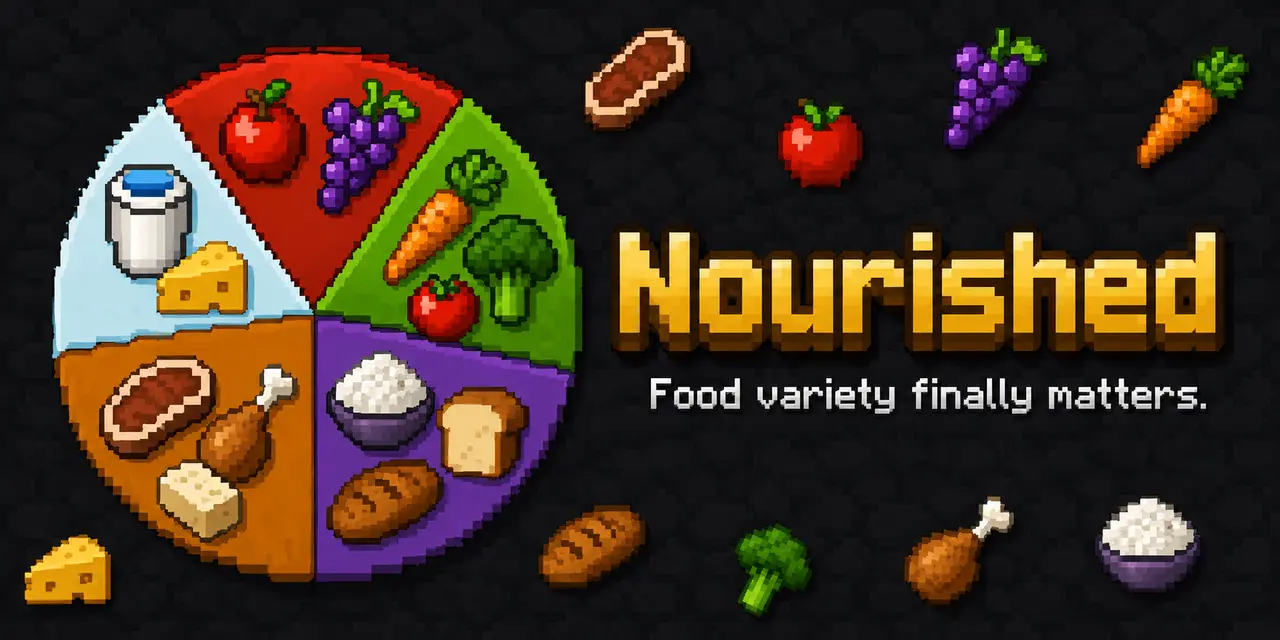
I got sick of Minecraft's food system, so I built Nourished, a nutrition mod for NeoForge 1.21.1 that tracks five food groups, rewards a varied diet, and applies balance buffs and neglect penalties when you neglect them.
- Eat a balanced diet, watch your bars on the HUD, open the diet screen for the full picture, and tune every module for your server or modpack.
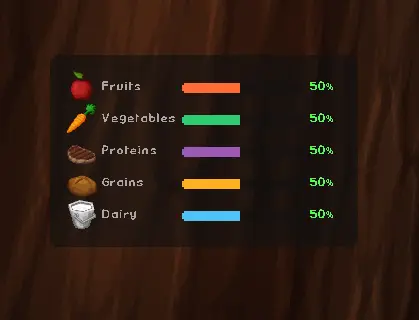
Press Key-Bind in-game to enter edit mode. Drag it anywhere, resize it, anchor it to any corner. Zero bars hide automatically so it never feels cluttered. Five color-coded bars sit on screen while you play. You always know where you stand without opening anything.
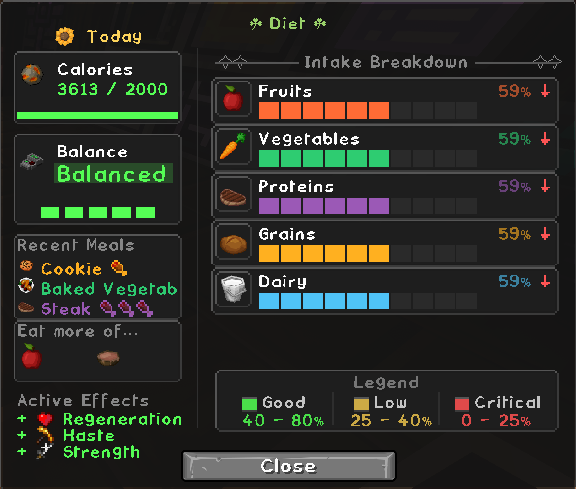
The Old UI is Nourished's legacy interface system used by earlier versions of the mod. It provides the original HUD and Diet Screen interaction and layout functionality before the introduction of the modular Dynamic UI system.
The system relies on the original interaction-based controls for configuring UI elements and is retained primarily for compatibility with older implementations.
Features:
- Legacy Nourished HUD interface
- Original Diet Screen layout system
- Interaction-based UI controls
- Original UI positioning and sizing functionality
- Compatibility with older Nourished implementations
The Old UI is maintained as a legacy system and is gradually being replaced by the more flexible Dynamic UI framework
Press Key-Bind in-game to enter. Drag it anywhere, resize it.
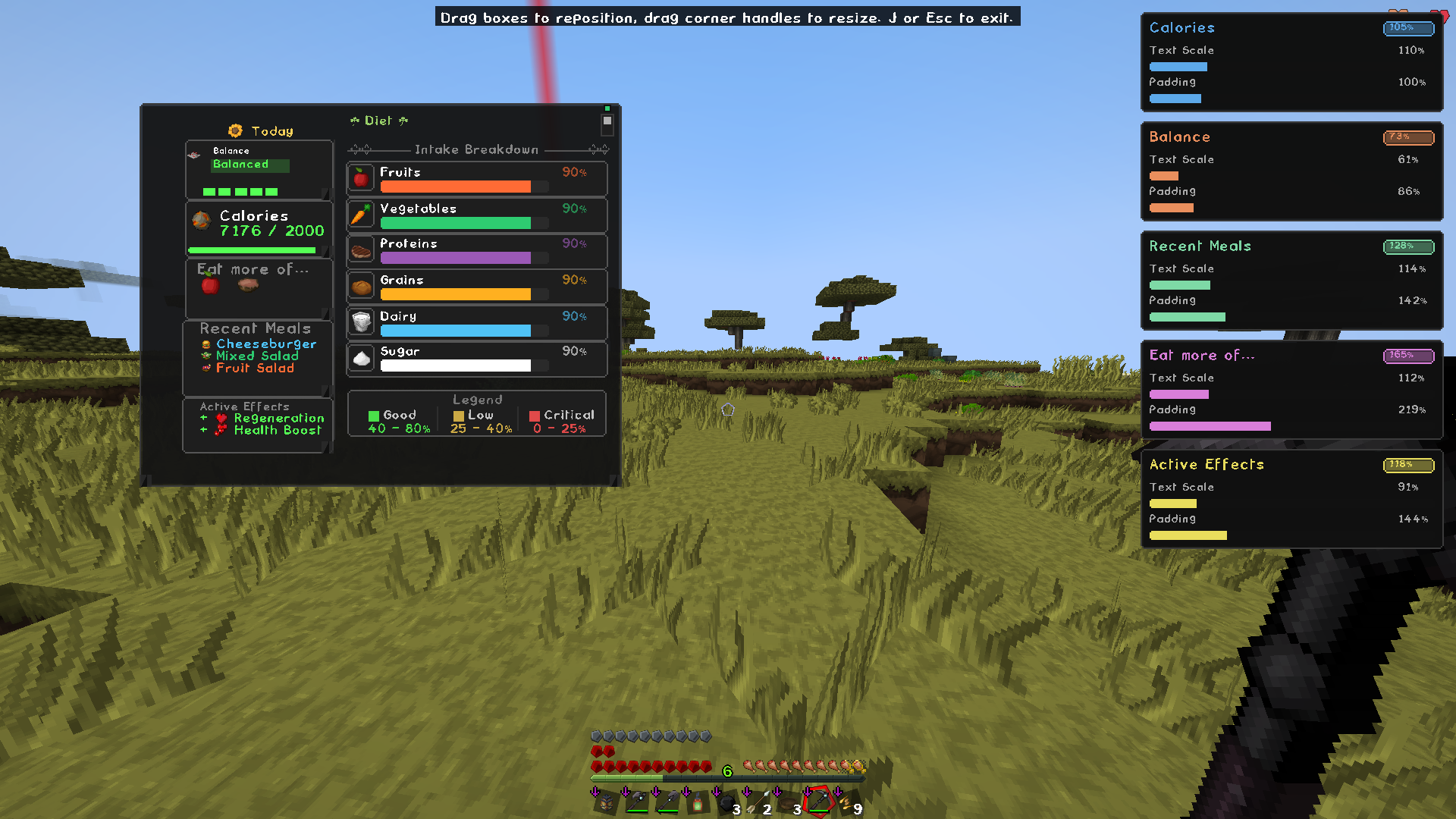
Dynamic UI is Nourished's modular interface system, designed to make the HUD and Diet Screen highly configurable without relying on hardcoded layouts.
UI elements are organized into independent modules that can be customized individually, including their position, size, colors, and other visual properties. This allows the interface to be adjusted to fit different screen resolutions, UI layouts, and player preferences.
The system is designed to be extensible, making it possible to add new UI modules and customization options without rebuilding the entire interface.
Features:
- Modular UI components
- Movable UI elements
- Adjustable module sizes
- Configurable colors
- Independent module configuration
- Reusable UI architecture
- Designed for future customization options
- Used by both the Nourished HUD and Diet Screen
Dynamic UI replaces Nourished's older interaction-based UI controls with a proper modular editing system, providing a cleaner foundation for expanding UI customization over time.
What you see Trend arrows Whether each group is rising or falling Balance score How evenly spread your nutrition is Active effects What your current diet is doing to you Calorie tracking Daily intake at a glance Recently eaten What you've had lately Neglected categories What you should probably eat next📸 Screenshots taken with PureBDCraft resource pack. UI works on vanilla textures but will appear in the default Minecraft style.
Eating consistently pays off over time. Nourished tracks cumulative intake per food group and grants milestone rewards as you build healthy ha~~~~bits.
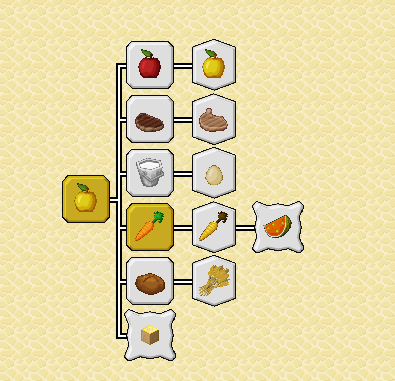
Each food group has its own three-tier progression, beginner, journeyman, master, plus a hidden "perfectly balanced" milestone for maintaining all Five groups at once. Milestones grant a temporary buff and unlock an entry in your Advancements tab.
Milestone goals, reward effects, and durations are fully configurable, and modpack authors can register entirely custom milestones through datapacks.
When all five food groups are above 75%, you get:
- Health Boost I: passively while balanced
- Regeneration I: passively while balanced
Let any single group drop below 25% and a debuff kicks in:
Group Neglect Penalty 🌾 Grains Weakness I 🥦 Vegetables Slowness I 🥩 Proteins Mining Fatigue I 🍎 Fruits Unluck I 🥛 Dairy —Dairy has no penalty effect; by default, it's tracked and affects your balance score but doesn't apply a debuff when depleted. This is configurable, and a Sugars group is planned for a future update.
🍽️ Variety is always rewarded
Eating the same food repeatedly becomes less effective over time, so rotating what you eat always pays off. Memory fades naturally, so foods you've avoided recover their full value on their own.
Vanilla Saturation prevents eating at full hunger. Nourished lets you still eat and gain nutrition even when your saturation bar is full; light foods like berries and snacks can be eaten for nutrients without restoring saturation, while heavy meals follow vanilla rules by default.
Both behaviors are configurable: enableBlockHeavySources & enableBlockLightSource give server admins full control.
Eating raw or undercooked food has consequences. Nourished tracks a gut health value for every player that degrades when you eat raw food and recovers over time from cooked food and dietary variety.
Raw foods are classified into four tiers:
Tier Effect Fine No penalty Mild Minor debuff, short duration Medium Moderate debuff, longer duration Severe Strong debuff, extended durationEating the same raw food repeatedly within a memory window increases sensitivity, the more you do it, the worse the penalty gets. Gut health recovers passively and faster when you eat cooked food and maintain dietary diversity.
Resistance can be built up over time, reducing penalty scale. Everything, tiers, durations, nutrient penalties, recovery rates, is configurable via config/nourished/raw_food.json and server module toggles.
Nourished works with modded food items that use vanilla FoodProperties. You do not need to write integration code for basic nutrition tracking.
Bundled compatibility data helps foods from popular kitchen and farming mods show up on your nutrient bars out of the box. For edge cases, server owners can adjust behavior through config files and tags.
Mod Status Farmer's Delight ✅ Supported Pam's HarvestCraft 2 ✅ Supported Create: Food ✅ Supported Croptopia ✅ Supported Farmer's Croptopia ✅ Supported Croptopia Delight ✅ Supported Farm & Charm ✅ Supported Ender's Delight ✅ Supported L_Ender's Delight ✅ Supported Ars Delight ✅ Supported Autochef's Delight ✅ Supported KubeJS ✅ Scripting hooks JEI / REI / EMI ✅ Tooltips in recipe viewers Other mods with edible food items ✅ Works with standard food itemsEverything ships with sensible defaults. Server owners and modpack authors can tune behavior without touching Java:
- Toggle individual modules on or off (HUD, decay, effects, gut health, and more)
- Adjust decay rates and thresholds per nutrient
- Add, remove, or replace effects via config/nourished/effects.json
- Tune eating rules with enableBlockHeavySources and enableBlockLightSource
- Edit food values, overrides, colors, scanner spec, and compat settings under config/nourished/
- Save and share full config snapshots with a single share code
- Run /nourished scan_analysis in-game to analyze all loaded food items and generate classification reports under config/nourished/scanner_analysis/.
The scanner produces:
-
multi_value_recommendations.json: foods confidently assigned to one or more nutrient groups
-
unassigned_sources.txt: foods that couldn't be classified automatically and need manual review
-
scanner_metrics.txt: summary stats across the full item registry
-
Copy recommended tag entries into your datapack to make classifications permanent.
-
Unassigned items can be tagged manually using the example above.
Most customization happens in config/nourished/ after first launch, effects, food values, overrides, colors, presets, and module locks.
Nourished also ships bundled defaults under data/nourished/ (nutrient tags, compat entries, presets). Advanced pack authors can override some JSON through datapacks where supported; config files remain the primary path for server tuning.
The in-game Food Scanner (config screen) can help inspect and assign foods in singleplayer and write generated tag files into your world's datapack folder for manual review.
Example: adding a food to a nutrient tag
Create the following file inside your datapack:
your_datapack/ data/ nourished/ tags/ item/ nutrients/ vegetables.json { "replace": false, "values": [ { "id": "pamhc2foodextended:honeyglazedcarrotsitem", "required": false } ] }"replace": false means your entries merge with Nourished's defaults, nothing gets overwritten.
Optional KubeJS integration for modpack authors. Requires KubeJS on the pack. Scripts go in kubejs/server_scripts/ and kubejs/startup_scripts/.
KubeJS support is split across two layers:
- MarieLib provides generic value tracking events (MarieEvents.*) available to any MarieLib-based mod
- Nourished provides nutrition-specific aliases (NourishedEvents.*) on top
Server scripts — nutrition events:
NourishedEvents.nutrientChanged(event => { if (event.nutrientKey === 'proteins' && event.newValue < 0.25) { event.player.tell('Eat some protein!') } }) NourishedEvents.nutrientModifier(event => { if (event.nutrientKey === 'vegetables') { event.amount *= 2 } }) NourishedEvents.foodEaten(event => { event.nutrientDeltas.forEach((value, key) => { console.log(key + ': ' + value) }) })Also available: nutrientCritical, nutrientExcess, rawFoodPenalty, gutHealthChanged.
sourceConsumed is a generic MarieLib event and does not expose nutrientKey or newValue — use nutrientChanged instead.
Server scripts — generic MarieLib events:
MarieEvents.valueChanged(event => { console.log(event.playerId + ' ' + event.valueKey + ': ' + event.newValue) }) MarieEvents.valueDeltaModifier(event => { if (event.valueKey === 'proteins') { event.amount *= 1.5 } })Also available: valueCritical, valueExcess, sourceConsumed, decayTick, playerSynced.
Startup scripts — register custom nutrients:
NourishedAPI.registerNutrient({ id: 'omega3', displayName: 'Omega-3', color: 0x4AA3FF, decayRate: 0.0012, critical: 0.12, low: 0.30, excess: 0.90 })See API.md on GitHub for the full event and binding reference.
⚙️ Requirements
Minecraft 1.21.1 NeoForge 21.1.x MariesLib v0.1.0-beta.4+ (new dependency — see note above) Cloth Config required at runtime Patchouli optional (in-game guide) Java 21Support & feedback
Found a bug, have a suggestion, or need help?
- GitHub Issues: report bugs and feature requests
- Discord: https://discord.gg/EZnFJsfQup, support and development updates
Please include logs, screenshots, or reproduction steps when reporting issues.
MIT licensed: free to use in modpacks, forks, and addons.
Compatibility
Mod Loaders
Game Versions
Recommended Gear
AffiliateHardware and extras that pair well with this mod.

As an Amazon Associate I earn from qualifying purchases.
Screenshots
Similar Mods

Jujutsu Craft Mob Battle Addon
An addon for Jujutsu Craft by Orca that adds utilities for making mob battles cooler/more fun, among other things.

Story Mode Stuff
Adds Stuff From Minecraft Story Mode

Better Crafting
Changes and adds a few crafting recipes to make the game better

What Am I Listening To?
Why am I lagging tho

Creature Feature
Features 10 unique Hostile Creatures in various parts of the game
More Raids
A vanilla+ mod that adds four brand-new raids with powerful enemies to conquer and rewarding loot to win!
