
BlockExporter - Icon Export Tool
ModExport item icon renders as they appear in inventory slots.
Type
Mod
Modrinth Downloads
337
Modrinth ID
C94LogYG
Last Updated
Jul 28, 2026
Description
BlockExporter - Icon Export Tool
A Minecraft mod that exports item icon renders as they appear in inventory slots.
Supported Platforms
- Modern Minecraft with:
- Fabric
- NeoForge
- Forge
- Minecraft Beta 1.7.3 & Alpha 1.1.2_01 (with ModLoader)
Requirements
- One of the supported mod loaders mentioned above
Usage
- Install the mod along with the required API for your mod loader
- Launch Minecraft
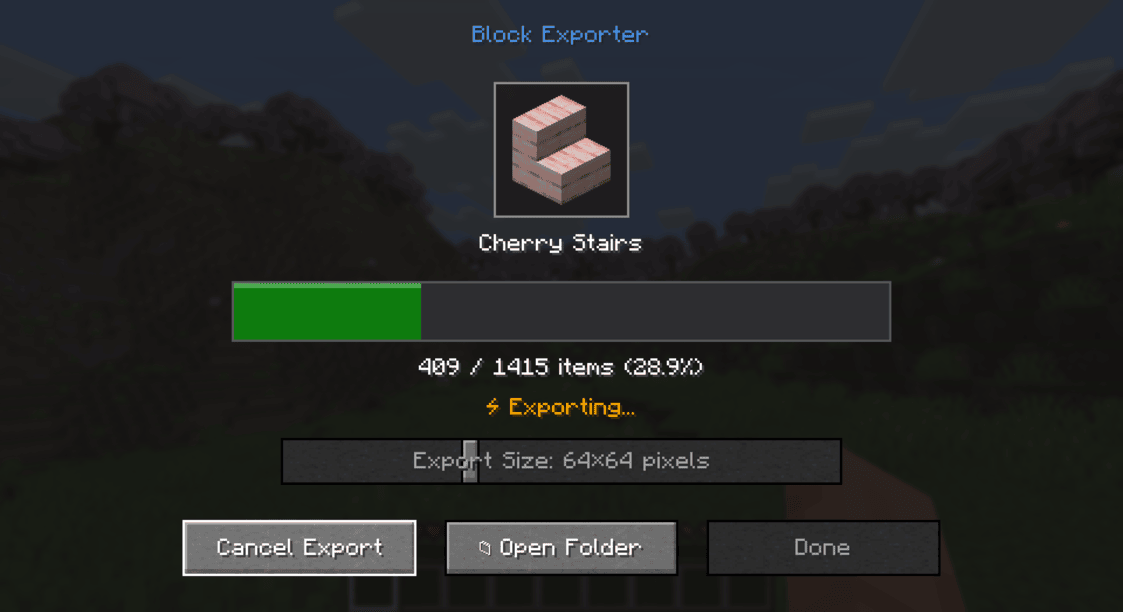
- Press the "i" key to open the export menu
- Find the exported textures in the item_exports folder inside your Minecraft directory
Output Format
- Each texture is saved as a PNG file
- File naming format: namespace_itemid.png (e.g., minecraft_diamond.png)
- Available output sizes: 16x16, 32x32, 64x64, 128x128, 512x512, 1024x1024 pixels
- Images include transparency where applicable
License
This project is licensed under the MIT License.
Compatibility
Mod Loaders
Game Versions
Recommended Gear
AffiliateHardware and extras that pair well with this mod.

As an Amazon Associate I earn from qualifying purchases.
Screenshots
Similar Mods

Herd Instinct
When one member panics, the entire herd follows.

Gold Fish
Adds a new type of golden food.

Psithurism
Bring Japanese culture into your home with new deco blocks, new food, traditional cosmetics and much more!

Dangerous Mobs
Dangerous Mobs adds several mobs that are either dangerous, hostile or destructive.

Italian Delight Remade
1.20.1 Port of Italian's Delight, a Farmer's Delight addon that adds various foods from Italian culture.

EasyLogin
A robust, server-side authentication mod for Forge, Fabric, and NeoForge with no client-side installation required.