

CustomEyesLib
ModAdd eyes that point to any structure in the game, just like how ender eyes point to strongholds. Supports vanilla and modded structures.
Type
Mod
Modrinth Downloads
45
Modrinth ID
O7hhGoWf
Last Updated
Jul 28, 2026
Description
A mod that adds custom eye items that locate and point toward ANY structure made for modpack developers. Define as many eyes as you want in a highly configurable toml file, inputting the structure, item texture, search radius, and the particle color.
Planned features
- Custom textured eyes using resource packs instead of kubejs allow for more flexibility and easier configuration.
Configuration
Eyes are defined in .minecraft/config/structureeye-eyes.toml. The file is created automatically on first launch just add [[eye]] blocks to it. Fields:
- name — registry name for the item, no spaces. This is what shows up in /give commands.
- displayName — what the item is called in-game. Defaults to name if omitted.
- textureItem — any item's texture to use for the eye. Works with modded items too.
- targetStructure — the structure's registry key. Use /locate or to find IDs for modded structures.
- searchRadius — how many chunks out to search. Defaults to 128, max 256. Higher values are slower.
- glowColor — ARGB hex color for the particle trail (e.g. #FFFF0000 for red).
- showCoordinates — set to true to print Found "Name" at X, Y, Z in chat when a structure is found. -skipVisited — once you've visited a structure, the eye won't lead you there again. It will always find the next nearest one instead.
Example:
[[eye]] name = "fortress_eye" displayName = "Eye of the Fortress" textureItem = "minecraft:blaze_powder" targetStructure = "minecraft:fortress" searchRadius = 128 glowColor = "#FFFF6600" showCoordinates = true skipVisited = true [[eye]] name = "temple_eye" displayName = "Eye of the Desert Temple" textureItem = "minecraft:gold_nugget" targetStructure = "minecraft:desert_pyramid" searchRadius = 96 glowColor = "#FFFFFF00" showCoordinates = false skipVisited = false###Custom Textures There are two ways to give an eye a custom texture. Option 1: Resource Pack (recommended) Create a zip file with this structure:
MyResourcePack.zip pack.mcmeta assets/structureeye/textures/item/ your_eye_name.pngThe pack.mcmeta should look like this:
{ "pack": { "pack_format": 15, "description": "My custom eye textures" } }Drop the zip into .minecraft/resourcepacks/ and enable it in-game. Then in your config, use texturePath instead of textureItem:
[[eye]] name = "my_eye" displayName = "My Custom Eye" texturePath = "structureeye:item/your_eye_name" targetStructure = "minecraft:stronghold" searchRadius = 128 glowColor = "#FF00FFFF" showCoordinates = false skipVisited = trueCustom Textures with KubeJS
For custom eye textures, KubeJS can be used as a replacement for texture packs. Register an item with the texture you want for your eye and set the "textureItem" in the config to your KubeJS item.
How to create a kubejs item:
// kubejs/startup_scripts/items.js StartupEvents.registry('item', event => { event.create('ItemId') .displayName('ItemName') .texture('kubejs:item/ItemId') // this isnt required, if the file name is the same then it would automatically register it })Put your texture at kubejs/assets/kubejs/textures/item/ItemId and set textureItem = "kubejs:ItemId" in the config.
Compatibility
Mod Loaders
Game Versions
Recommended Gear
AffiliateHardware and extras that pair well with this mod.

As an Amazon Associate I earn from qualifying purchases.
Similar Mods
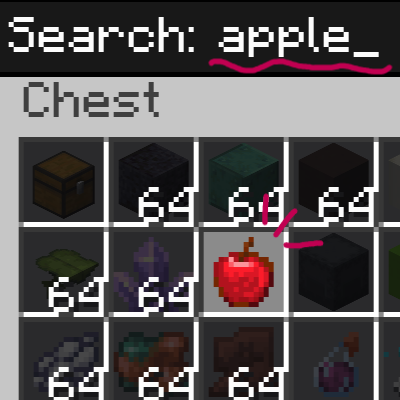
ItemSearch: Ctrl+F
Press Ctrl+F inside any chest, shulker box, or inventory to instantly filter items by name.

OpacFixes
Server-side Forge 1.20.1 addon for Open Parties and Claims: admin claim tools
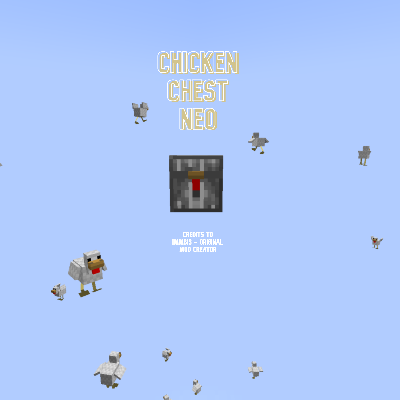
Chicken Chest Neo
This mod adds the chicken chest into 1.21.1 Neoforge - Credits to immibis

SasquatchMike's Builder's Delight
A mod that simply adds new building blocks

Quick Harvest
It’s a lightweight QoL mod that makes farming faster without auto-replanting or changing vanilla mechanics.

AME BugFix
Bug FIx for Astral Mekanism & Energistics