

RedstoneReboot
ModAdvanced Multi-Platform Minecraft Server Restart Engine - Bukkit, Paper, Spigot, Folia, Fabric, Forge, NeoForge.
Type
Mod
Modrinth Downloads
292
Modrinth ID
q1G1C28r
Last Updated
Jul 29, 2026
Description
RedstoneReboot
A restart engine for Minecraft servers across every major platform
Features
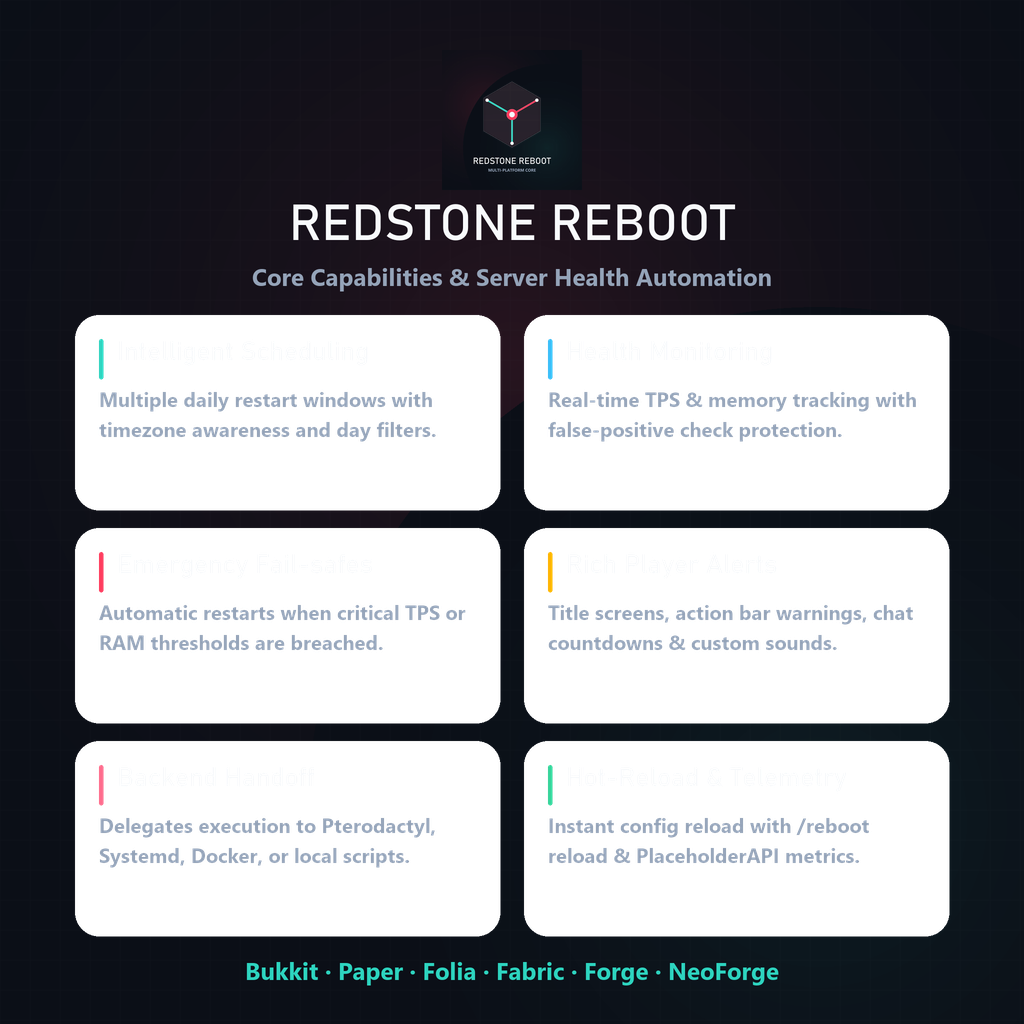
RedstoneReboot manages automated restarts, performance monitoring, and backend process integration across single servers and server networks.
- Scheduling — Multiple daily restart times with timezone support and day-of-week filters
- Health Checks — Real-time TPS and memory tracking with consecutive checks to prevent false triggers
- Emergency Restarts — Triggers restarts if TPS drops or memory usage exceeds safety limits
- Notifications — Countdown alerts via chat, titles, action bar, and sounds
- Backend Handoff — Delegates process restarts to Pterodactyl API, systemd, Docker, or custom scripts
- Hot Reload — Apply backend configuration changes using /reboot reload
- PlaceholderAPI — 8 placeholders for scoreboards, tab lists, and MOTD plugins (Bukkit/Folia)
Backend System & Startup Loops
RedstoneReboot separates "when to restart" from "how to restart":
- DEPEND_ON_HOST — Clean shutdown (your panel, Docker policy, or script restarts the process)
- LOCALSCRIPT — Auto-generated shell script handles process restarts
- SYSTEMD — System service integration on Linux
- DOCKER — Container restart policy integration
- PTERODACTYL — Direct panel API power actions
Do I need a custom backend?
If your server runs inside a loop script, Docker container with restart: always, or systemd service, DEPEND_ON_HOST works out of the box. When the countdown ends, the engine shuts down the server cleanly and your supervisor starts it again.
Why configure a custom backend?
- API Integration (Pterodactyl / panels): Triggers power cycles directly through panel APIs to avoid false offline status indicators.
- Auto Startup Scripts: LOCALSCRIPT generates and manages process wrappers for standalone VPS setups.
- Safety Lockouts: Enforces cooldown lockouts to prevent rapid crash loops if server files are corrupt.
File Selection
Choose the file that matches your server platform:
Platform Compatibility
- Bukkit / Spigot / Paper / Purpur: 1.9.x to 1.21.x+
- Folia: 1.20.1+
- Fabric: 1.20.1+
- Forge: 1.20.4+
- NeoForge: 1.20.4+
Supported Versions
Platform Minecraft Versions Notes Bukkit-family servers 1.9 through 26.2+ Java 8+ (legacy), Java 17+ (modern), Java 25 (26.x+) Folia 1.20+ through 26.2+ Dedicated region-threaded build Fabric 1.20.1+ through 26.2+ Requires Fabric API Forge 1.20.4+ through 26.2+ Dedicated server-side mod build NeoForge 1.21.1+ through 26.2+ Dedicated server-side mod buildInstallation
Plugin Install (Bukkit/Folia)
- Download the correct plugin file.
- Place it in plugins/.
- Start the server — config files are generated automatically.
- Configure plugins/RedstoneReboot/config.yml and restart-backends.properties.
- Run /reboot reload to apply.
Mod Install (Fabric/Forge/NeoForge)
- Download the correct mod file.
- Place it in mods/ (Fabric requires Fabric API).
- Start the server.
- Configure config/redstonereboot.properties and config/restart-backends.properties.
- Run /reboot reload to apply.
Commands
Command Description /reboot View status and help /reboot now [delay] Trigger a restart countdown /reboot schedule <seconds> Schedule a future restart /reboot cancel Cancel a pending restart /reboot status Show restart schedule status /reboot info Show health information /reboot doctor Run backend & environment diagnostics /reboot reload Hot-reload all configurationPlaceholderAPI (Bukkit Builds)
Placeholder Example Output %redstonereboot_next_restart% 2026-04-15 06:00:00 Europe/London %redstonereboot_time_until% 2h 30m %redstonereboot_status% Normal operation %redstonereboot_reason% Scheduled Restart %redstonereboot_tps% 19.8 %redstonereboot_memory% 62.4% %redstonereboot_version% 1.5.0 %redstonereboot_timezone% Europe/LondonMOTD compatible as of v1.3.3+.
Quick Links
Live Telemetry
Sponsored by Nexeu Hosting

High-performance, affordable hosting for your Minecraft server. Premium hardware, instant setup, 24/7 support.
Made by DemonZ Development
Minecraft server tooling built by DemonZ Development.
Compatibility
Mod Loaders
Game Versions
Recommended Gear
AffiliateHardware and extras that pair well with this mod.

As an Amazon Associate I earn from qualifying purchases.
Screenshots
Similar Mods

Hear the Wind
Adds subtle configurable wind ambience when you fly, fall, or move quickly through the air

Custom Cosmetics
Fully configurable per server cosmetics, with resource pack support

Sculk Radio
Use the magic of Sculk to connect Note Blocks to Jukeboxes as speakers.

Create Picky Wheels TFC Wind
Makes Create Picky Wheels windmills respond to TerraFirmaCraft climate wind

Craftable command block books!
addon to cwsm making command block books craftable

Dragon's craftable Dragon Egg
You can now craft a Dragon Egg