

Quality Commands
ModData driven blocks, items, and other crimes against minecraft!
Type
Mod
Modrinth Downloads
554
Modrinth ID
CJpJjU7m
Last Updated
Jul 29, 2026
Description
LATEST STABLE VERSION IS 1.7.8. Unstable versions are likely to break, or crash unexpectedly, or have weird behavior. Version 1.7.9 is still incomplete, as it does not allow for custom blocks to function with other semi-static data driven registries.
Credits to other games:
Hytale: \hytale command contains pieces of logic taken from the game Hytale. If you like it, buy the game! If you are a modder, Hytale's modding system is much easier than Minecrafts; everything is data-driven.
Version 1.7.0
At this point, I've added so much stuff, there is NO point in putting it all on this page. I made some generators at the following links for custom:
Data driven blocks: Block Generator
Data driven items: Item Generator
Data driven potion effects: Entity Effect Generator
Supplementary values for certain kinds of block: Block Set Type
In versions past 1.21.10, the when using a color, you must specify it as "##rrggbbaa"
PLEASE NOTE: For block models to load, the user must use a resource reload ([F3+t]) every time they join a world with custom blocks. Vanilla block models still load as usual.
Velocity commands are currently broken; will fix ASAP! Fixed, now syncs motion to client properly (Hotfix 1.7.1)
Latest version has the following commands:
\tpRel [rot]
Teleports target from [from] to [to] with same offset. Useful for making seamless transitions. Does not affect velocity and so can be used for a seamless transition. Does not work on Valkyrien Skies ships as of latest version, but that is planned for the future. If rot is present, rotates position, facing direction, and velocity around the target location by rot. This value is in degrees.
Uses the same arguments as the vanilla \function command, but does not give command feedback. For making text buttons better. Deprecated.
\heal <target> <amount>The command minecraft should have but doesn't. Heals target by amount health.
\air <target> add|remove|set <amount>Sets targets remaining air.
\entityify <pos> [<removeBlock>]Summons a falling block entity with no gravity and same blockstate as block pos at pos. If removeBlock exists and is true, removes the block as well.
\for <varname> <start> <end> <increment> <command> for(int varname=start;varname<end;varname+=increment) run commandruns command with all instances of $(varname) replaced with the value in that loop. Example:
\for i 0 10 1 tell @a Loop Iteration $(i)would tell all players
Loop Iteration 0 Loop Iteration 1 Loop Iteration 2 Loop Iteration 3 Loop Iteration 4 Loop Iteration 5 Loop Iteration 6 Loop Iteration 7 Loop Iteration 8 Loop Iteration 9\for loops can be nested!
\with <varname> value <value> <command> uuid <target> <command> data entity|block|storage <selector> <path> <command> attribute <entity> <attribute> <command>replace all instances of @(varname) with whatever data you get. For value subcommand, value is what @(varname) is replaced with. For uuid, it replaces @(varname) with the string representation of s uuid. For data, it replaces it with the value you get from running the \data command. The data subcommand is still buggy and adds typechars to end of replacementno longer adds typechars! attribute just gets entity attributes. Example usage: getting entity max health
sets @(varname) to a random integer or float between min and max(inclusive).
calculate <math> <command>sets @(varname) to whatever value is calculated by . Quotation marks must be supplied around math value. Spaces are not allowed.
calculateint <math> <command>sets @(varname) to whatever value is calculated by as an integer. Quotation marks must be supplied around math value. Spaces are not allowed.
Modifies the vanilla \execute command: Addes submerged condition subcommand to \execute:
\execute if|unless submerged <entity> ...Function tags: quality_commands:on_before_player_leave Runs as a player right before that player leaves the game. quality_commands:on_before_player_join Runs as said player right before they finish joining the game.
Contains an old version of Identity2 for further messing around. Will be patched soon, but will NOT contain the parts of Identity2 that actually make it change gameplay.
Contains the following blocks:
quality_commands:barier
An invisible barrier that cannot be interacted with. Has block outline and can be interacted with only when holding the block. For making boundaries (so that players don't go where they aren't supposed to go) but can't see the boundary. Works slightly better than barriers. Designed for situations where players shouldn't go to a location, but should still be able to interact with the objects there.
Reccomended to be used with Function Macro Backport for 1.20.1.
At this point, none of this mod works entirely serverside.
If any issues with the mod not working or any suggestions for new ideas come up, post them here.
Go here for a list of my mods(and mods i reccomend), or just to post your ideas for things for me to make! No AI was used in the creation of this project, the description, or the icon. All were made by an actual human who actually knows what he is doing, instead of a mindless system that spouts gibberish lies, and doesn't know how to optimize.
Compatibility
Mod Loaders
Game Versions
Recommended Gear
AffiliateHardware and extras that pair well with this mod.

As an Amazon Associate I earn from qualifying purchases.
Screenshots
Similar Mods

project-265905
A world pack for Open Terrain Generator required for the Cartographer feature (Forge only)

Just-In AETHER
A brand new dimension, filled with numerous creatures, resources, and boss mobs.

I Can't Update - Bundles Of Bravery
Backports the new Bundles of Bravery features to 1.20.1 for those who can't update because of other mods
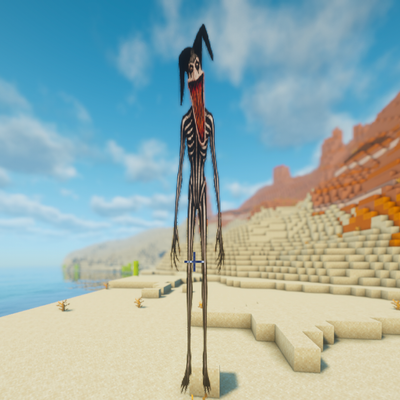
PNG Stalkers
this mod adds pngs from scriped vids morphed into a real mod please subscribe to my channel https://www.youtube.com/@bli...

Easy Build Minecolony Structure Pack
This is a simple building pack for Minecolonies, it provides most of the functional huts and tables in single block form...

Holdmetight
A minecraft size mod that uses pehkui as a backbone to add more interesting and varied ways to interact with other entit...