Create: Diagram
Modby emalter
A Create addon that provides you with a full in-game flowchart editor.
Type
Mod
CurseForge Downloads
5,575
CurseForge ID
Modrinth Downloads
1,568
Modrinth ID
Last Updated
Oct 31, 2026
Description
Create Diagram


About
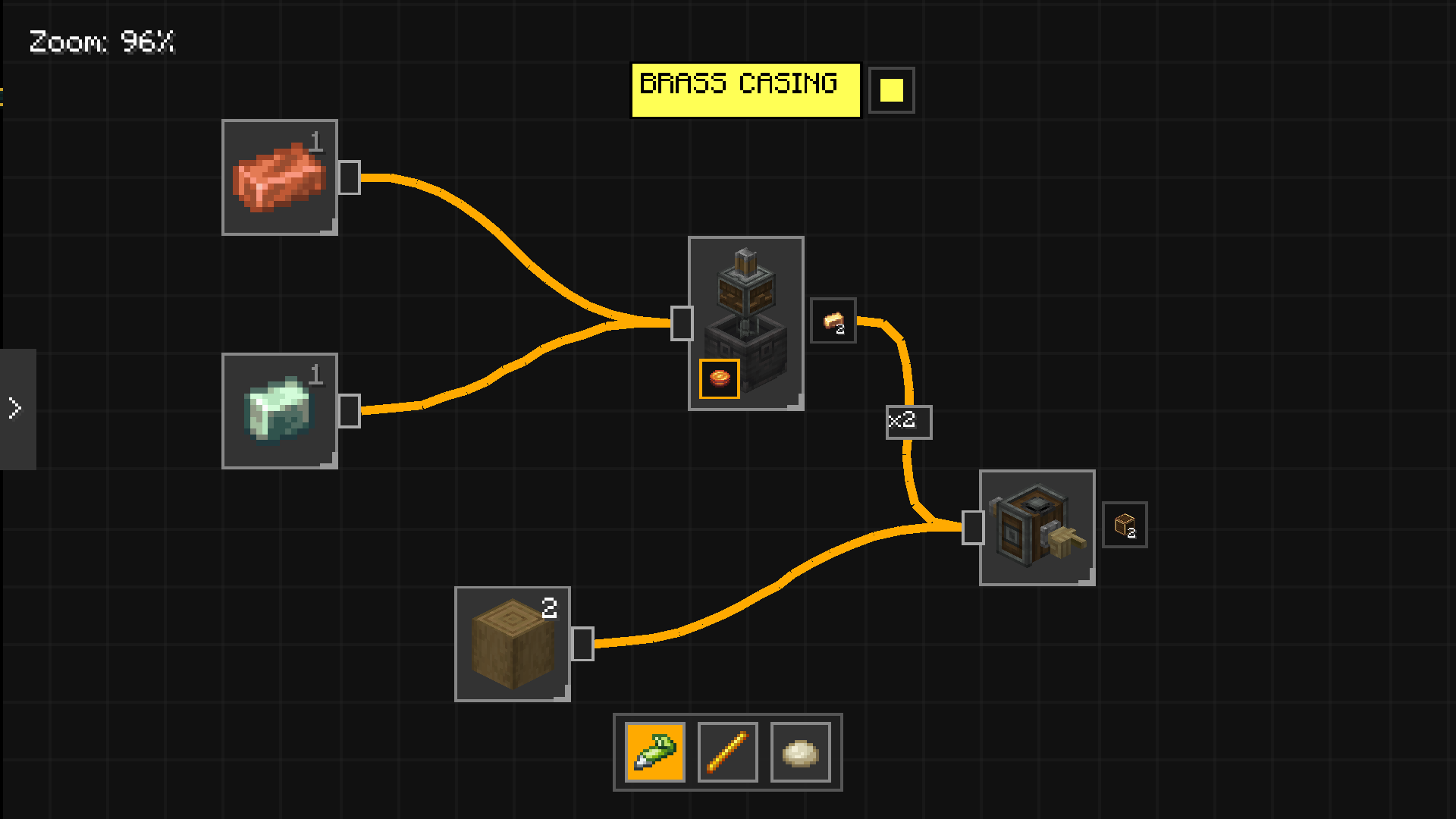
Create Diagram is a Minecraft addon that provides you with a full in-game flowchart editor, perfectly integrated with the mechanics, recipes, and graphics of the Create mod and all its addons (e.g., Create: New Age).
Required Dependencies
Content
Craft the Diagram item (the recipe will change in the future), right click it and start to draw your schematics.
Within the interface you can place items from the side menu and connect them using edges, draw using the pen and line tools, or place a sticky note (shift + right click) to write custom annotations.
Extra
If you ever found a bug or have a suggestion open an issue in my GitHub page.
Compatibility
Mod Loaders
Game Versions
Recommended Gear
AffiliateHardware and extras that pair well with this mod.

As an Amazon Associate I earn from qualifying purchases.
Screenshots
Similar Mods
Create: Netherless Ported
Create: Netherless to 1.21.1 NeoForge, de-mcreatored it, make recipes better, and add new features!

Integrated Mowzie's Mobs
Integrated Mowzie's Mobs is a mod that revamps and integrates all the structures of the mod with many improvements.

Mobs de las votaciones 2023
Adds the mobs from the 2023 Minecraft Mob Vote (Crab, Armadillo and Penguin) to the game early!

Thirst Was Upgraded
Adds Thirst Was Reclaimed compatibilities and automatic drinking functionality to Traveler's Backpack.
Arcanist's Equipage
Addon to Iron's Spells & Spellbooks mod adding more equipment and weapons. (Formerly Elementus: Arcane)

One Piece Weaponary
A mod that adds in different One Piece based weapons, along with some additions.