

Computerpc
ModComputer PC adds placeable browser screens to Minecraft.
Description
Computerpc
Computerpc adds placeable browser screens to Minecraft Fabric 1.21.11+.
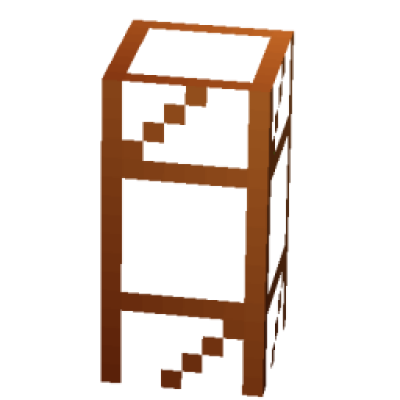
Build display walls from Display Blocks, power them on, and control them with the Browser Remote. Each screen uses an embedded Chromium runtime, letting you open real web pages in-game, switch tabs, change resolution, and control media volume from a clean remote interface.
It is designed for modern builds, control rooms, media setups, and multiplayer bases where you want functional browser displays instead of static decoration.
Features
- Placeable display blocks that connect into larger screen clusters
- Embedded Chromium-powered browser rendering
- Browser Remote for scanning and managing nearby screens
- Multiple tabs per display
- Back, forward, reload, home, and direct URL entry
- Resolution presets that adapt to the selected screen's aspect ratio
- Per-screen media volume control
- Cluster-wide power toggle
- Saved screen state, including tabs and settings
- Multiplayer-friendly syncing so other nearby players see the same display activity (url sync)
- Automatic browser runtime initialization on startup
Requirements
- Minecraft
1.21.11+ - Fabric Loader
0.18.5+ - Fabric API
Installation
- Install Fabric Loader for Minecraft
1.21.11+. - Download and install Fabric API.
- Download Computer PC.
- Install the files in the correct
modsfolder: - Launch the game.
Where To Install It
- Singleplayer: put Fabric API and Computer PC in your client
modsfolder only. - Dedicated server: put Fabric API and Computer PC in the server
modsfolder and in every player's clientmodsfolder. - The same Computer PC
.jaris used on both sides.
First Launch Note
Computer PC includes its browser integration, so you do not need to install a separate browser mod.
On first startup, the embedded Chromium runtime may need a moment to initialize or download its runtime files. If that happens, wait for it to finish before using the displays.
Quick Start
- Place one or more Display Blocks facing the same direction.
- Sneak + right-click the front of a display to power the screen on or off.
- Hold the Browser Remote and right-click to open the control screen.
- Use Scan to find nearby displays.
- Select a screen, enter a URL, and manage tabs, resolution, and volume from the remote UI.
Notes
- The remote scans for displays near the player.
- Display clusters share the same screen state, so larger setups behave like one screen wall.
- If Chromium is still starting, the display will begin rendering once the runtime is ready.
- In multiplayer the url gets synced with other players. Its not a screen share or streaming.
License & Attribution
ComputerPC is released into the Public Domain under the CC0 1.0 Universal License. You are absolutely free to view, use, modify, and distribute the code of this mod without needing permission.
MCEF & JCEF (Third-Party Libraries)
Depending on the version of the mod you are playing, it dynamically handles different browser framework libraries at runtime. These independent third-party libraries are NOT covered under the CC0 license.
In compliance with their licensing, please note the following:
For Version 1.21.11: This version dynamically downloads and links to MCEF [Keksuccino's Fork]. License: LGPL-2.1 (GNU Lesser General Public License v2.1). Credits: Maintained by Keksuccino (Modrinth Page). It is a fork of the original MCEF created by montoyo, ds58, and the CinemaMod Group. All rights and credits belong to their respective developers. Source Code: Available on GitHub at Keksuccino/mcef.
For Newer / Latest Versions: All subsequent versions no longer rely on external MCEF forks. Instead, they handle JCEF (Java Chromium Embedded Framework) through the mod's own automated runtime workaround and downloading system to ensure seamless compatibility.
License: JCEF and Chromium are distributed under their respective open-source licenses (such as the BSD 3-Clause License).
Compatibility
Mod Loaders
Game Versions
Recommended Gear
AffiliateHardware and extras that pair well with this mod.

As an Amazon Associate I earn from qualifying purchases.
Screenshots
Similar Mods

Matthiesen Core
A library mod for NeoForge and Fabric that enables developers to create mods with a shared common codebase.
Shin's Tensura Race Models
A library mod for Tensura Reincarnated, designed to allow others to add their own custom models to races.
VeinMiner Hotkey
Veinminer Addon - Use a hotkey to veinmine with a dynamic crosshair & block highlighting & shape selector
Recycle Iron
recycle more iron and gold items
Aethersteel in the Aether
Aether Debris now spawns only in the Aether.
PipePlus (Fabric)
SimpleBCPipes Addon
