
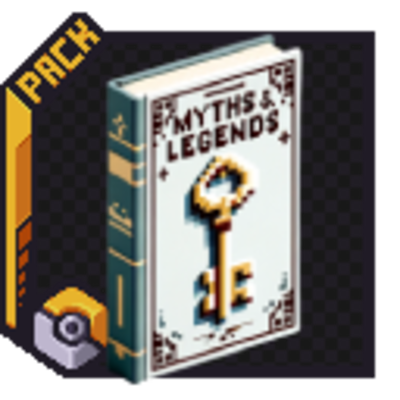
Myths And Legends
Unknown (6945)by D0ctorleon
This is a Datapack which is needed for the Myths and Legends addon going forward from versions higher than 1.3 in order to add spawns that use the key items as a spawning condition
Description
The MythsAndLegends-Datapack is a crucial configuration pack for the Cobblemon Myths and Legends Addon. This datapack contains specific configurations for certain legendary and mythical Pokémon, enabling their unique spawning conditions and behaviors in the game. Starting from versions higher than 1.3, this datapack is necessary to fully utilize the features of the Myths and Legends addon.
In the Cobblemon Myths and Legends Addon, key items directly influence spawning conditions. When a player holds these items, they fulfill specific conditions, causing certain legendary or mythical Pokémon to spawn exclusively around that player. This mechanic works independently for multiple players, each holding the necessary items.
Key items can be found in selected loot chests by default, and their rarity and specific loot tables can be configured in the settings. This allows for a customized gameplay experience where players can adjust how and where these items appear in the game world.
For more information about the Cobblemon Myths and Legends Addon, visit the addon pages on Modrinth or CurseForge.
For detailed spawn-related information of the current state of the datapack, including every biome, key items, and all other additional conditions, access the Myths and Legends Wiki here.
Features
- Configuration Pack: Contains specific configurations for legendary and mythical Pokémon.
- Advanced Spawning Mechanics: Key items directly influence Pokémon spawning conditions.
- Player-Specific Spawning: Multiple players can independently hold key items to fulfill unique spawning conditions.
Installation
- Ensure you have the Cobblemon Myths and Legends Addon installed.
- Download the MythsAndLegends-Datapack.
- Place the datapack in the datapacks folder of your Minecraft world save.
- Launch Minecraft and load your world.
- Run the command /reload to activate the datapack.
Support
For assistance, improvements, suggestions, feature requests, and technical support, please join our Discord server: Join Now.
Thank you for using and contributing to MythsAndLegends-Datapack!
Recommended Gear
AffiliateHardware and extras that pair well with this unknown (6945).

As an Amazon Associate I earn from qualifying purchases.
Similar Unknown (6945)s
Paladins - All the Smites
This is a compat datapack between Paladins and Spellblades n such that gives every weapon smite, as previously, all ruby...
Loot Tweaks For RPG Series - Utility Datapack for Prominence II
This Datapack Removes all of Archers Expansion RPG Series' Armor pieces. Originally used for Prominence II, this Datapac...
Death Knights - Balancing Datapack for Prominence II
This Datapack will be used to buff Unholy Death knight, but it will also give the ability to change the values of all ot...
Ender Dragon Loot x Advanced Netherite Compat
Enderdragon Loot x Advanced Netherite Compatibility Datapack

Aether Compat
Adds compat between The Aether and many mods!
Quivers for all - Recipe for Supplementaries Quiver
This Datapack gives the Supplementaries Quiver two recipes
Included in Modpacks (21)
Most downloaded Tinker's Tavern: Cobblemon
 Randoms Packs
 PokeSMP
 All Cobblemon in your world
 Pokengineers – Create to Catch
 Cobblemon Gotta Cobble 'Em All
 Cobblemon - The Temporia Region
 Cobblemon Survival with Friends
 VtubersPlayCobblemon
 VACraft
 Cobblemon Honey Academy
 Cobblemon Cursed Lake
 Neutron7ix-Pokemon-Unbound
 Jiromon Reborn
 The House Diablo Cobblemon Experience
 Shifting: Cobblemon Catcher
 Rosecraft Reforged
 Duckemon
 No mans land gobblemon
 Unicraft 9: Cobblemon