
Admin Anti-Cheat
Modby Eddie_Hugo
This alerts ops when players show suspicious ore mining behavior.
Type
Mod
CurseForge Downloads
2,404
CurseForge ID
1391520
Last Updated
Aug 15, 2026
Description
AdminAnticheat is a lightweight Forge mod designed to help server operators keep Minecraft fair.
It tracks when players mine valuable ores (diamonds, emeralds, ancient debris) and maintains streak counters to detect suspicious behavior.
When a player’s streak crosses a configurable threshold, ops receive alerts in chat and warnings are logged to the server console.
The mod also provides admin commands to reset streaks, view stats, toggle alerts, or clear all tracked data.
With the client overlay, ops can see live ore stats for each player directly in‑game, and from the main GUI screen you can now set the size and location of the overlay, also with live stats and the option to ban kick or log players.
This mod makes it much easier to spot cheaters before they ruin the fun.
Features
Features- Tracks diamond, emerald, and ancient debris mining
- Change the settings in server config
- Configurable streak reset times
- Alerts ops in chat and logs to console
- Client overlay for ops
- Overlay Keybind set to (O)
- New: GUI live data screen set to (N)
- New: Admin GUI with modular action screens (Ban/Kick/Log)
- New: Button to choose the overlay size and position
- New: Button to choose whether to (Ban/Kick/Log)
- New:Set your own keyBind
- New: Client to server handshake HelloS2C
- New: File logging of reports to adminanticheat-reports.log
Commands
Commands- /anticheat reset – Reset a player’s streak
- /anticheat stats – View ore mining stats
- /anticheat togglealerts – Enable or disable alerts
- /anticheat resetall – Clear all tracked data
- New: Enable or disable sound alerts
For server owners ONLY
SummaryInstallation GuideServer:
Place adminanticheat-server and adminanticheat-shared in the server’s /mods folder.
All Players:
Place adminanticheat-shared in the client’s /mods folder. This is required for everyone to connect.
Ops:
Place adminanticheat-client alongside adminanticheat-shared in the client’s /mods folder to enable the overlay.
Versions
First release (still supported):
- adminanticheat-server.jar-1.0.1
- adminanticheat-shared.jar-1.0.1
- adminanticheat-client.jar-1.0.2
Latest update (with new features):
- adminanticheat-server.jar-2.0.0
- adminanticheat-client.jar-2.0.0
- adminanticheat-shared.jar-2.0.0
Recommended Gear
AffiliateHardware and extras that pair well with this mod.

As an Amazon Associate I earn from qualifying purchases.
Screenshots
Similar Mods

Lightweight Lights
Adds dynamic lights when holding items

Chunk Loading Profiler
Profiles chunk loading performance

Altar of Summoning
Summon meet your fight bosses with a new altar!
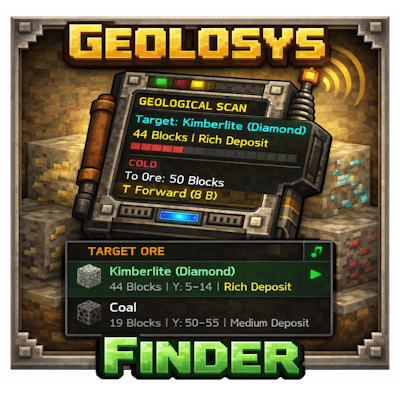
GeolosysFinder
An addon mod for Geolosys. Adds a geological prospecting system — chunk ore scanning, proximity HUD radar, and sound ind...

The End's Flora🌻
Adds new plants to the end!

Music and Melody
Comprehensive music overhaul powered by Albums, Playlists and Events, alongside a fitting soundtrack expansion and vario...