VexBot - PvP Against Bots
ModSuper smart Minecraft bots.Their better than PvP BOT
Description
VEXBOT V2 OUT NOW

ISSUE TRACKER mods.icondice.org (currently bugged)
PvP Styles
- Sword
- Axe
- Sheild
- Crossbow & Bow
- Cobweb (Toggleable)
- Potions
- TnT Minecart PvP (Toggleable)
- Crystal PvP
- Anchor PvP
- Wind Charge Macing
- Elytra mace
- Spear Mace
Techniques
- Crit Chaining
- Combing
- Sweeping Hit
- W Tapping
- Cooldown Trick
- Stun Slam
- Jump Resets
- Peak Crit
- Mirror Punsish
- Pearl Chasing
Pathfinding & Ai
- Avoids Obstacles
- Allways Takes the best route
- Revenge Mode
- Follow Mode
- Priority Targeting
- Auto Targeting (Configurable)
- Formation Follow
Other Features
- Record The Bots Pov
- FFA Mode
Compatibility
Mod Loaders
Game Versions
Recommended Gear
AffiliateHardware and extras that pair well with this mod.

Mini PC for Self-Hosting
A low-power box that can sit in a cupboard and run a modded server around the clock.

Minecraft Enderman Character Plush
Enderman plush toys, and a reliable gift for a younger player.
As an Amazon Associate I earn from qualifying purchases.
Screenshots
Similar Mods
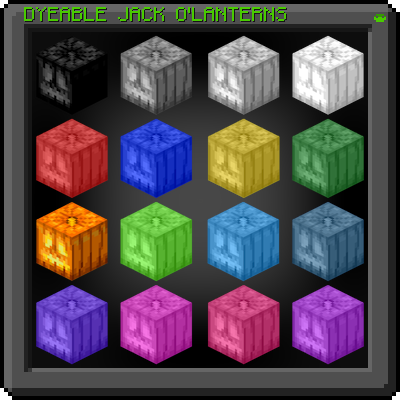
L's Dyeable Jack o'Lanterns
Dyeable Jack O' Lanterns is a Minecraft modification allows you to dye carved pumpkins and Jack o'Lanterns using all def...

Diamond Auction House
Fabric Auction House Addon for Diamond Economy

Plushie Mod
Adds many cute plushies to the game!

Epic Fight - Super Warden
Added Epic Fight adaptation for the Warden.
![The Boy And The Bath [Horror, not a Dweller] [Doctor Nowhere]](https://media.forgecdn.net/avatars/1750/362/639114058606290573.jpg)
The Boy And The Bath [Horror, not a Dweller] [Doctor Nowhere]
A smart and full of surprises horror-ish entity. Based on Doctor Nowhere.

Missing Mods Checker
Ensures the user always has core mods for the modpack, and allows prompting them to download optional mods on startup