Naruto new shinobi era
ModNaruto mod for Minecraft 1.20.1 Forge
Type
Mod
Modrinth Downloads
13
Modrinth ID
fNR6d0ai
Last Updated
May 31, 2026
Description
Wanted to become a shinobi but not ready to downgrade to older Minecraft versions just for that? Naruto: New Shinobi Era is a mod for the modern Minecraft 1.20.1 (with future support planned for all 1.20-1.21 Forge versions) that will plunge you into adventures across the wonderful world of Naruto.
⚠️ ATTENTION: This mod is NOT compatible with OptiFine. Using OptiFine will cause the game to crash or function incorrectly. Solution: Please use Embeddium (for performance) and Oculus (for shaders) instead. This combination provides better FPS and full compatibility with our custom jutsus and overlays.
The new Susanoo models are currently in production and will be part of the upcoming 1.1.0 update.
Planned Release Date: June 12–14, 2026.
Buffer Period: Please be aware that the release might be slightly delayed until June 16 to ensure everything is polished and bug-free
IMPORTANT REQUIREMENT: GeckoLib
RECOMMENDED REQUIREMENT: Configured
The mod features:
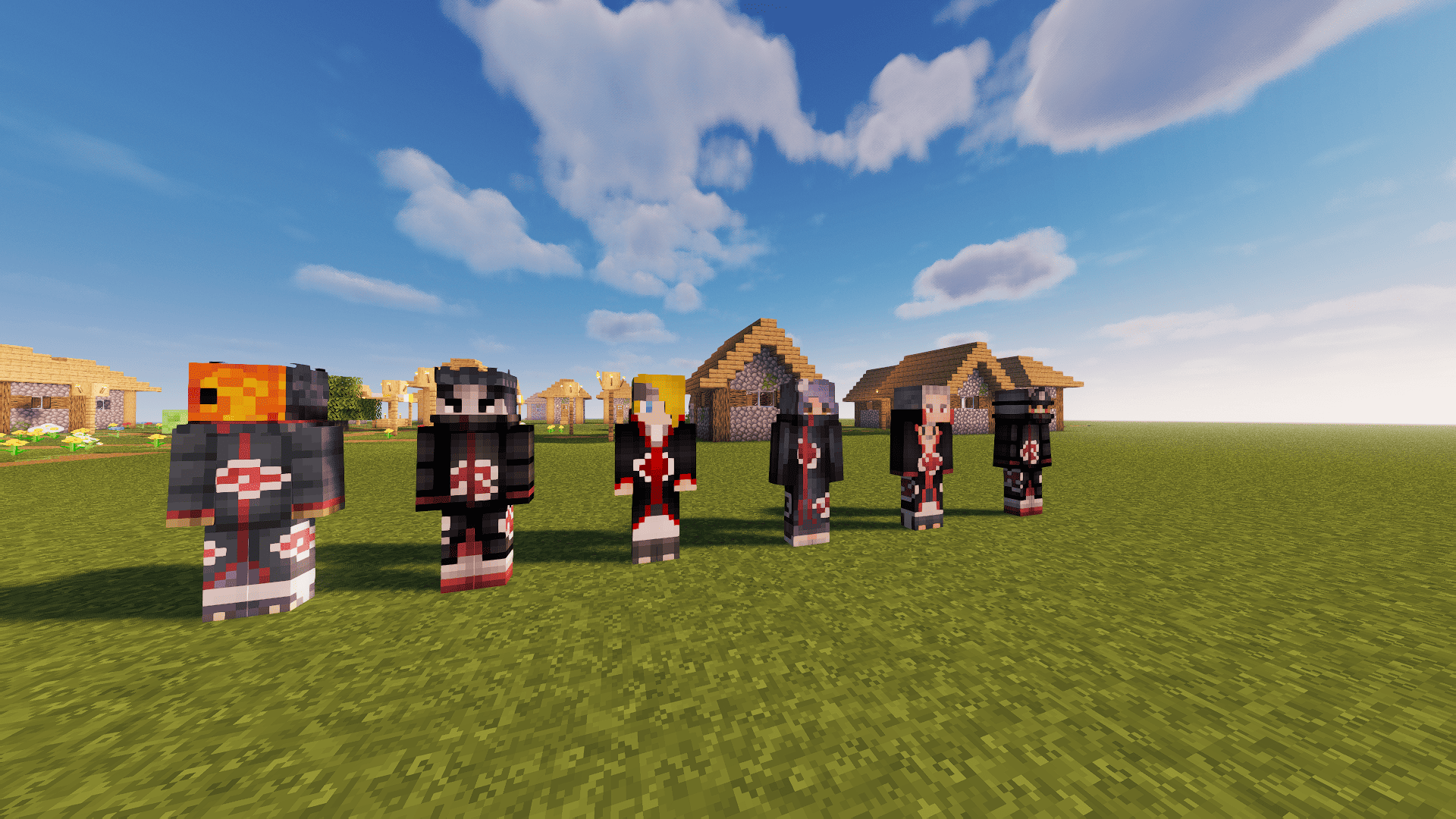
1. A large number of diverse enemies that can cause trouble even for strong shinobi:
- Itachi
- Kisame
- Kakuzu
- Hidan
- Konan
- Pain (though not all of his paths yet)
- Obito (Tobi)
- Deidara

We plan to add even more characters from the original anime in future updates.
2. Structures:
- 2 buildings straight from Konoha
- 1 building from the Hidden Sand Village
- 1 building from the Hidden Stone Village (Iwa)
- 1 building from Kuni Village
3. Jutsu & Techniques:
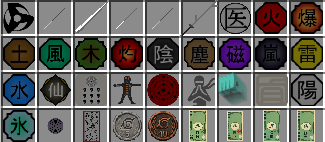
Currently, there is a massive variety of techniques for all 5 basic nature transformations and Kekkei Genkai. However, please keep in mind that the mod is in an active beta stage. Some large-scale techniques (e.g., Mokuton and Chibaku Tensei) will be refined and improved in future updates.
In total, there are around 40 techniques implemented right now (including the 5 basic elements and all Kekkei Genkai) — and this is just the beta!

4. Clans:
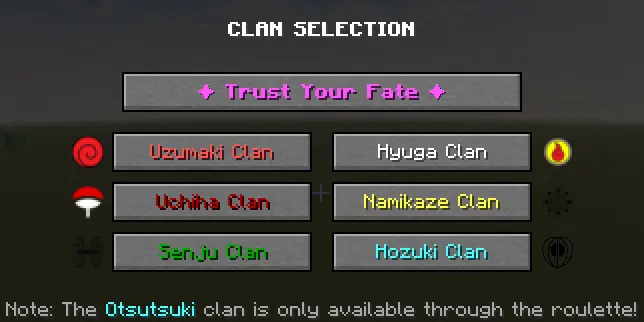
In many other mods, the clan system is simply hidden from the player, meaning you can never be sure which clan you actually got. Not here. Naruto: New Shinobi Era keeps both options: if you want the element of randomness, you can still confidently click the "Trust Destiny" button at the very beginning of the game.
Currently, 7 clans are implemented:
- Uzumaki
- Hyuga
- Uchiha
- Hozuki
- Otsutsuki -Namikaze
- Senju

Each of these clans has its own unique bonuses—some grant extra chakra, while others provide special Kekkei Genkai.
Special attention has been paid to multiplayer balance (which is critical for servers). Even the most popular clans, such as the Uchiha, are balanced so that every player is useful and has a fair chance to win.
5. Dojutsu (Eye Techniques):
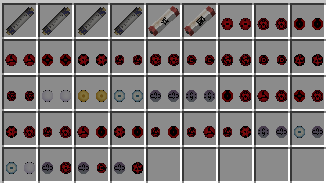
The mod includes absolutely all original Mangekyo Sharingan from the anime, as well as all original + fan-made Eternal Mangekyo Sharingan, along with all their respective techniques.
The Hyuga clan is not left out either: the Byakugan is implemented, along with its evolution into the Golden Byakugan. (All guides are detailed in section 6 or in the README_BEFORE_PLAY.txt file).
The Rinnegan, Rinne Sharingan, and Tenseigan are also present, complete with all their techniques.

6. Q&A (FAQ)
Q: How do I get Chakra? A: To unlock Chakra, you must earn the SHINOBI achievement by crafting 1 Shuriken and 1 Kunai.

Q: How do I get Clan Eyes / What maximum chakra level is needed for Kekkei Genkai? A: You need to reach 1000 Chakra. After that, there is a random chance to awaken it every tick (1/20 of a second).
Q: Are there bonuses for each Chakra level? A: Yes. For every 1000 Chakra up to 20,000, you receive: +5 HP (2.5 hearts), +1 ATK, +1 Armor Toughness, and +0.5 Armor. After reaching 20,000, these bonuses are reduced by half.
Q: How do I farm Chakra? A: First, unlock Chakra (see the first question). Then, simply hit mobs or take damage to accumulate it.
Q: How do I learn Jutsu? A: You need to find a mod-specific structure and locate a scroll for that technique inside. However, you will automatically receive 1 random jutsu at the start of the game.
Q: How do I awaken the Mangekyo Sharingan? A: Use a Command Scroll. Right-click the scroll, then give it to a friend (who must also Right-click it). Stay within 5 blocks of them and wait for their death (or kill them yourself) to awaken your MS.
Q: How do I power up the Byakugan? A: Use the 64 Palms technique. After 1000 uses (which actually only takes about a couple of tens of minutes of active use), it will upgrade to its Golden version.
Q: How do I become a Sage? A: Currently, the only way is to find the special building structure on Mount Myoboku.
Q: How do I become a Jinchuriki? A: Until version 1.5.0, this is only possible via command: /ninja jinchuriki set .
Q: How do I get the Rinnegan or Tenseigan? A: You must eat a Chakra Fruit, which is currently only obtainable through Creative Mode.
Q: Can I install this mod on a server? A: Yes, server support was added in version 0.6.1.1.
Q: I found a bug, where can I report it? A: Please report bugs in the ticket section of our Discord server
Q: How soon are bugs fixed / textures improved? A: Bug patches (0.0.X) are released every week. Updates focused on textures and visuals (0.X.0) are usually released every 2 weeks.
Q: When will Beta Version 2 be released? A: Beta updates are released infrequently, about every 1–2 months (with potential delays up to 3 months) depending on the volume of the update.
Q: How do I switch techniques? A: Hold an element item in your hand and use the hotkeys (Default: Z and L.Alt) to cycle through your techniques forward and backward.
Q: Is Chakra saved after death? A: Yes, by default. If necessary, this feature can be disabled using: /gamerule ChakraDeathSave false.
Q: How do I use Jutsu? A: Find a scroll in a mod dungeon -> Study it (Right-click) -> Select the jutsu -> Hit mobs with the element item that has the selected technique. The higher your damage, the more XP you will gain (the divider can be adjusted in the mod config).
Q: How do I open the mod config? A: Install the Configured API add-on. After that, in the mods section, clicking on the mod will highlight the "Settings" button.
Compatibility
Mod Loaders
Game Versions
Screenshots
Similar Mods
Progressioned
A mod about making the start of minecraft harder by adding more progression
Pintonium
A shaderpack loader and performance mod for 1.12.2.
Happy Creeper
Turn creepers into survival companions by weakening, taming, healing, recoloring, and fighting alongside them.
QuitOrNot Revived
Confirm before quitting Minecraft
Boat f5
This mod make it so that when you get into a boat it immediately puts you in f5. This is useful for a quick transfer and...
Retro Vibes
Minor changes to lighting to mimic early versions of the game