Terraria Bosses Mod
Modby _ForgeUser18226687
This mod adds some of the bosses and enemies from Terraria!
Description
About this mod:
This mod adds in some of the bosses and enemies in the game Terraria! The bosses added are King Slime, Eye of Chutulu and Eater of Worlds!
When you defeat the bosses, you get achievements! There is also a 1/10 chance that you get trophies!
Boss mobs:
King Slime:
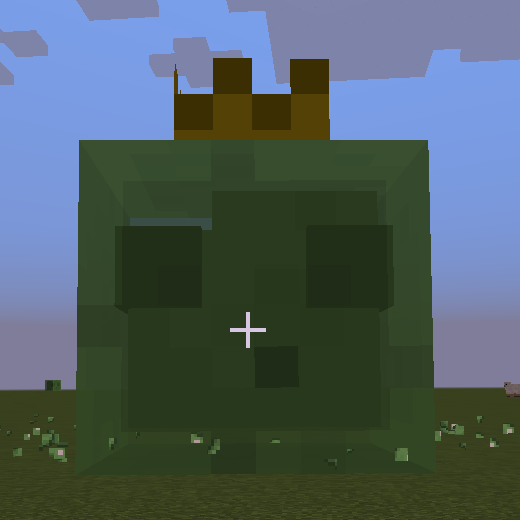
King Slime is a large slime with a crown on the head. It attacks like a normal slime, but jumps a bit further. When you spawn it, you will get a message in the chat saying "King Slime has awoken!".
During the fight, it was will become smaller as it loses health, with a 1/4 chance of spawning 1-3 small slimes when you hit it, which can become many when you fight the boss! If you get too far away (about 30 blocks) it will also teleport to your location! 
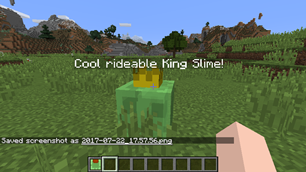
King Slime can drop a Slimy Saddle (1/10 chance), that you can spawn a small rideable slime with! You can also jump and hit enemies with the rideable slime!
Eye of Chutulhu:
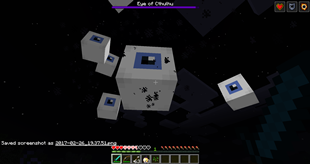
Eye of Chutulhu is a large eye which flies above the ground. First, it will fly above you and spawn 5 small eye enemies that will fly towards you to attack. Then, it will fly towards you three times and then go back. When it has half or lesser of it's health, it will turn into it's second form and attack faster but has lower defense!
Eye of Chutulhu can drop a pair of binoculars (1/10 chance)! With the binoculars you can zoom in and out by right clicking!
Eater of Worlds:
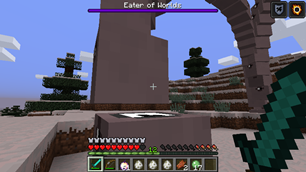
Eater of worlds is a very big worm boss! It moves by tunnelling down where you are and then tunnelling upwards! The blocks that it passes through does not break! It consists of 100 segments and the first is the head. When you defeat a segment, the ones after it will also become a worm! It is defeated when all the segments are defeated!
Here is an image of the boss in version 1.3!
Enemies:
Antlion:
The antlion is a mob in Terraria that is found in deserts. When you spawn it, it will sit in the ground. If you are in survival mode and come closer, it will start throwing blocks at you! Right now it does not spawn in the world but you can spawn it in creative mode or with the /summon command!
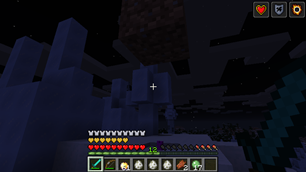
Here is an antlion throwing a dirt block! The type of block will be the block that is under it.
Blue jellyfish:
The blue jellyfish is a mob in Terraria that lives in the ocean. It moves using its tentacles like the squid. You take damage when you touch it and you can spawn it in easy, normal and hard difficulty.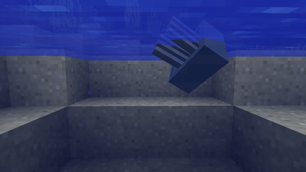
Here is a blue jellyfish that I spawned in a lake.
Boomerangs:
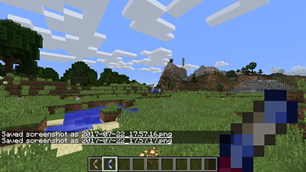
There are boomerangs in version 1.4! You can throw the boomerang by right clicking. In survival the item has durability. They are in the combat tab in the creative inventory:
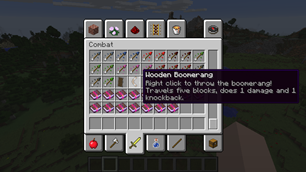
Right now I have added the wooden and enchanted boomerang from Terraria. The wooden boomerang travels 5 blocks, does 1 damage and knocks enemies back. The enchanted boomerang travels 10 blocks, does 2 damage and knocks enemies a bit further than the wooden boomerang.
Corruption biome:
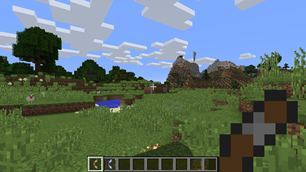
The corruption biome has a low chance of being generated while you explore a world. There are trees and the ground is the mycelium block:
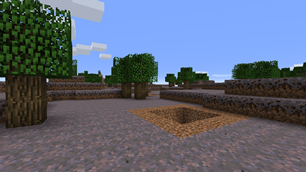
There are many holes in the corruption biome where there is an orb at the end!
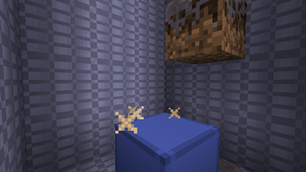
The orb is the blue block in the middle and the gray blocks are mycelium brick which you need a stone, iron or diamond pickaxe to break! When you break three orbs in survival mode, the Eater of Worlds boss will spawn!
Crafting recipes:
In version 1.4 I have added a crafting recipe for the Slime Crown item that spawns King Slime. To craft it you will need a slime ball and a gold helmet!
Downloads and installation:
1. Install Forge 1.10.2-12.18.2.2099 or higher.
2. Download the mod file!
3. When you have installed Forge, you should find a folder called 'mods' in your Minecraft folder. (You can create it if its not there).
4. Drag and drop the mod .jar file into the 'mods' folder.
5. Done!
If you have any ideas, you can comment and I will try to add them!
You can also comment what other bosses you would like to be in the mod, suggestions and if you find any bugs or crashes!
Recommended Gear
AffiliateHardware and extras that pair well with this mod.

As an Amazon Associate I earn from qualifying purchases.
Similar Mods

Exponential Power
Adds Exponential power generation for late-game energy production.
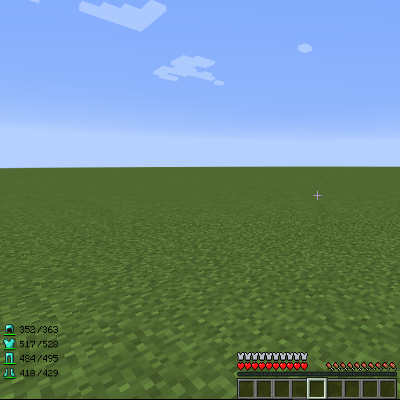
ArmorHud
A small hud mod
Additional Dragons
Expands DragonSurvival with more dragons.
MagicalSculpture
MagicalSculpture mod
Damage Tint
Adds a red tint when the player takes damage

Unbreakables
Configure blocks to be unbreakable under certain conditions. Compatible with Waystones.