Thermal Numismatics
Modby DakotaPrideModding
Port the Trade Station from C:A&B to 1.20.1 as its own unique block
Description

DO NOT HEAD TO THE TEAM COFH DISCORD FOR HELP WITH THIS MOD, INSTEAD HEAD TO THE CREATE: GARNISHED (DakotaPride Central) DISCORD FOR ASSISTANCE
Team COFH Discord (credit for Thermal X mods)
Create Mod Discord (credit for C:A&B Trade Station)
Porting the Trade Station over from Create: Above And Beyond to 1.20.1, it takes on a new identity as more than just a redesigned Multiverso Press.
While there's a guide linked above, here's a guide on here, as well.
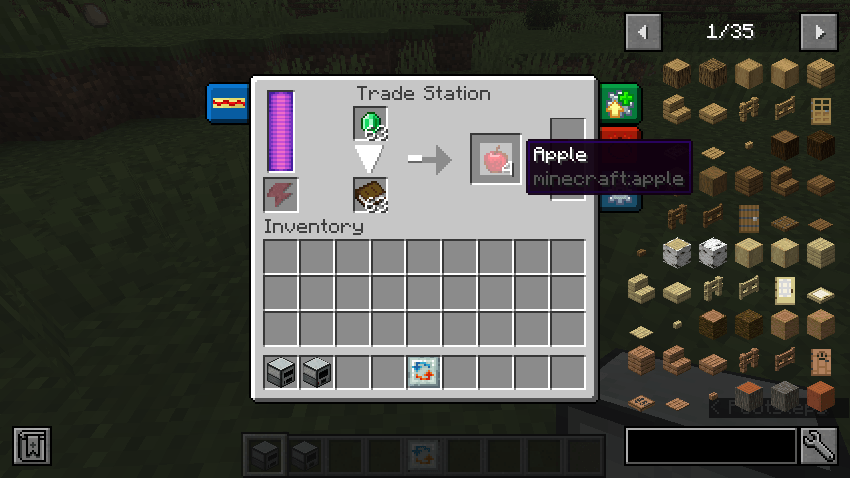
Understanding The GUI
There are two input slots - one for the item being sold/traded and another for the "catalyst" item. This catalyst can either be consumed in the recipe process, which is by default, or it can remain once the recipe has commenced. If you wish for this catalyst to remain at the end of the recipe, you'll need to put the respective item into an item tag via the use of a datapack - which you'll need anyway to utilize this mod or any of its functionality.
Additionally, it's important to note that the Trade Station is not craftable by default as of right now and the right must be added by the player.
Setting up Your Datapack
- Create your base datapack files - data folder, pack.mcmeta, and pack.png
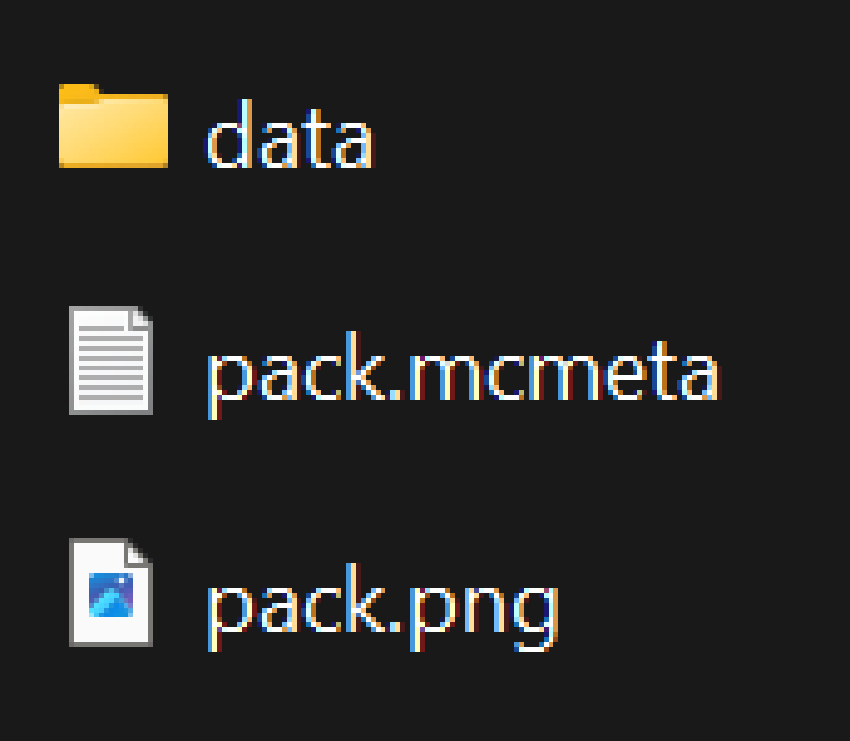
- Your data folder contains the functionality and content of the pack
- Your pack.mcmeta controls basic information such as the pack's format (official version released by Mojang for functionality to work)
- Your pack.png simply controls the icon that your datapack uses. For this guide, the pack.png file can be ignored for now.
- Inside of your data folder, create the following directory - <modid>/recipes
- "modid" can be replaced with mostly any text, but this is going to be the name of your pack. Something to keep in mind is that there are limitations with folder/file names and common practices - Try to keep your modid lowercase, utilize underscores instead of spaces, etc.
- Inside of your new recipes folder, you can now create your recipe files. These are json files that follow a given format, which is shown below.
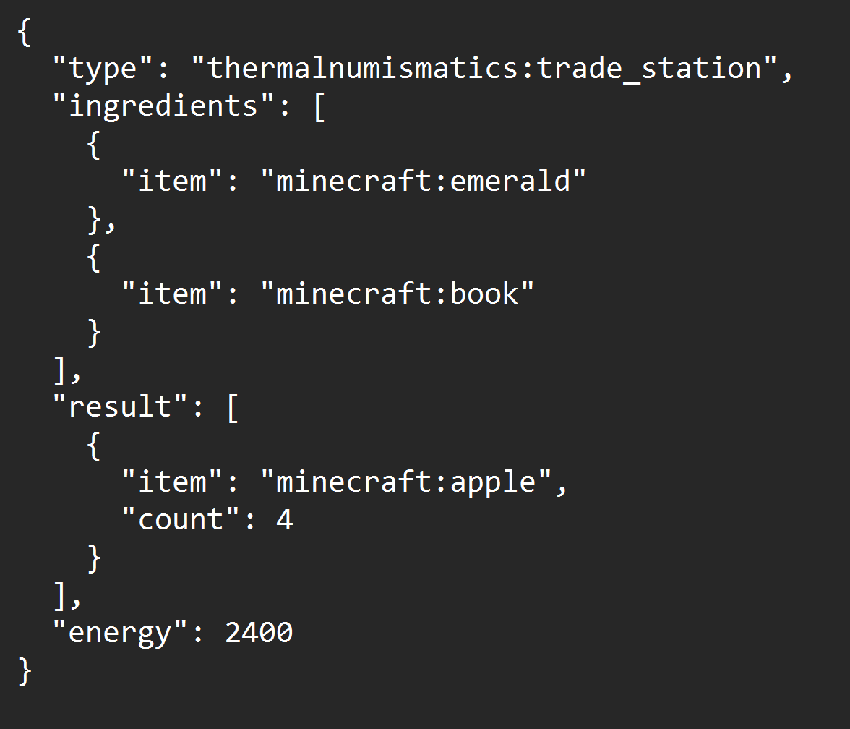
Utilize the information from "Understanding the GUI" to help you through creating similar recipes.
Leaving The Catalyst as a Remainder
- Follow the above steps just as normal, however, instead of using your "modid" folder, you must create a new folder called "thermalnumismatics". Then, within that folder, create an additional directory - tags/item/trade_station
- Inside of your new tags/item/trade_station folder, create a json file titled "allowed_catalysts."
- This holds any item that will be a remainder in the recipe. Leaving an item outside of this item tag will result in the item being consumed.
- There are two parameters to keep in mind for tags of any kind
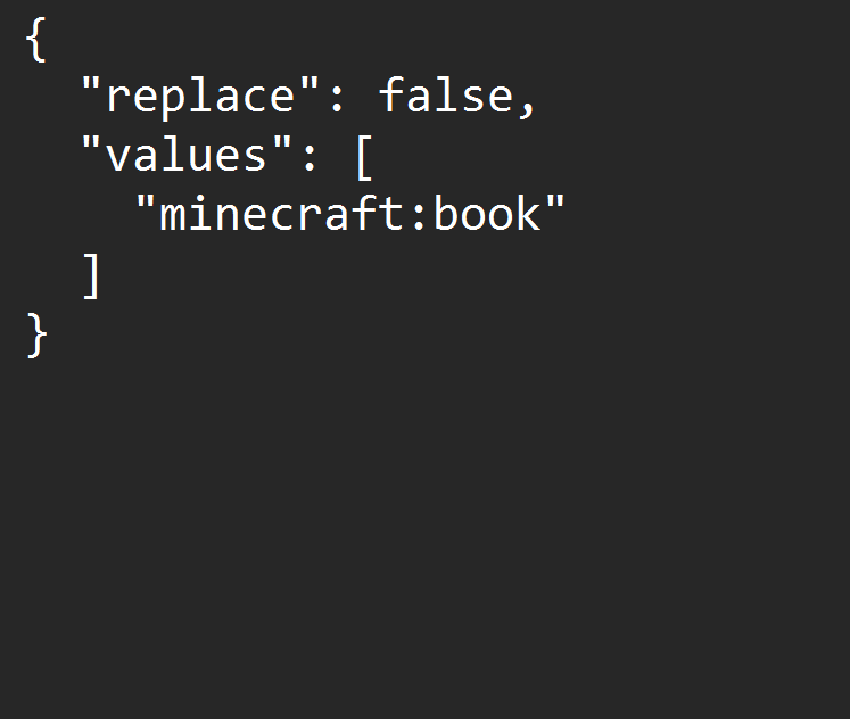
- replace - Determines if this specific tag replaces any other instance of the tag. Typically, you'd want to keep this as "replace: false," which is recommended. However, since this mod is intended for modpacks, setting this to true will result in the default tag being ignored.
- values - Determines the items that are considered a part of the tag. By default, any item placed inside of this array will be under the id "minecraft" unless otherwise specified, which can be accomplished by simply adding the id of the item to the front of it, similar to how it's shown below (adding minecraft to the beginning of the entry acts the same as if it wasn't there). For example, putting "trade_station" in the tag will result in the game looking for an item under the name "minecraft:trade_station." Instead, you'd want to put "thermalnumismatics:trade_station" for it to look for the correct item.
Recommended Gear
AffiliateHardware and extras that pair well with this mod.

As an Amazon Associate I earn from qualifying purchases.
Screenshots
Similar Mods
The Varkin System
An addon mod for Ad Astra, adding a new solar system

Shulker Box Labels
Give your shulker boxes an item label!

Cheese Mod
The mod allows you to enjoy some finest cheese. The mod adds 9 types of cheese, 12 new food items and more.
Instant Classic Houses
Build classic houses instantly

No Broken Armor
Armor is no broken
Catalytic Tweaks
Changes mods behaviour, in a way to optimize them, fix some issues or extends their functionalities, most of them with c...