
Vic's Point Blank - Keybind Controls & Inversed control
Modby Tidloas
add configurations for Point Blank gun controls for players with reversed mouse buttons or accessibility needs.
Description
Point Blank Keybind Controls
Summary
Adds custom keybind controls for Point Blank weapons, allowing players to configure their own shoot and aim buttons instead of being locked to default mouse controls.
Description
Why does this mod exist?
Well, here's the thing: I've been waiting for a simple keybind or toggle option to customize Point Blank's mouse controls since the mod's release. Despite multiple requests from the community (okay, maybe just a handful of us weirdos with inverted mouse setups), this feature never made it into the base mod.
Since I actually want to play the game instead of constantly fighting with my muscle memory, I decided to take matters into my own hands. Sure, we're not a huge demographic - people with inverted mouse controls are rare - but we exist!
What does this mod do?
This mod allows you to set custom keybinds for Point Blank weapons through Minecraft's standard keybind system:
- Fire Weapon: Configurable keybind for shooting (default: left-click)
- Aim Weapon: Configurable keybind for aiming (default: right-click)
The mod works by intercepting Point Blank's mouse input handlers and redirecting them to your custom keybinds. It's like having a tiny translator that goes "Oh, you meant to do this instead!" every time you click.
Two Versions Available
Point Blank Keybind Controls (This Version)
- Fully configurable: Set any key/mouse button through Options → Controls
Point Blank Controls Inverter (Legacy Version)
- Simple swap: Left-click = Shoot, Right-click = Aim
Both versions can coexist, but the Keybind Controls version is recommended for its flexibility.
Keybind Configuration
- Go to Options → Controls
- Find the Point Blank category
- Set your preferred keys for Fire Weapon and Aim Weapon
Important Disclaimer
This mod will be immediately removed if:
- The Point Blank developers request its removal
- An official control inversion option is added to the base mod
This is purely a stopgap solution for a small group of players who just want to enjoy the mod without constantly clicking the wrong buttons!
Compatibility
- Minecraft: made for 1.21.1 (absolutely NO idea if this can work on other versions)
- Mod Loader: NeoForge
- Required: Vic's Point Blank (obviously!)
- Conflicts: None known (it's pretty focused on its one job)
Installation
- Download the mod JAR file
- Place it in your mods/ folder
- Make sure Vic's Point Blank is also installed
- Launch the game and configure your keybinds in Options → Controls
ps: I don't know if it's compatible with the controller, maybe. Please let me know if it doesn't work, I'll look into how it works and integrate controller compatibility.
Download My Other Point Blank Mods
- Vic's Point Blank - CrashFix Aim PickUp - Fixes crashes when picking up weapons while holding aim/fire buttons
- Vic's Point Blank - Default Auto Mode - Automatically sets weapons to full-auto when available
- Vic's Point Blank - Interaction - Allows you to interact with the world with a weapon in your hand
A large description for configurable button controls
Recommended Gear
AffiliateHardware and extras that pair well with this mod.

As an Amazon Associate I earn from qualifying purchases.
Screenshots
Similar Mods
Hated Mobs
Adds creatures people don't like in real life.

SodiumLeafCulling-Unofficial
An unofficial port of SodiumLeafCulling by Txni

Fallen Origins
Origins mod expansion with new origins, abilities and items

Concrete+ (FABRIC)
adds more concrete block versions
Scape and Run: Parasites Quark
Adds parasitic variants of quark entities.
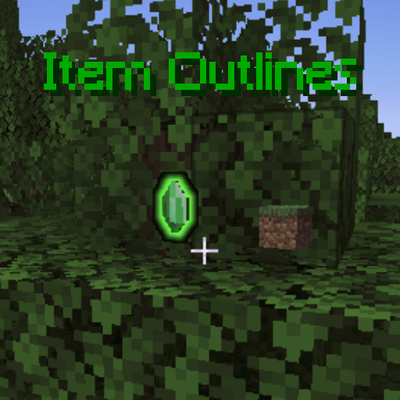
Item Outlines
Allows you to configure items that glow when on the floor