

EMUtils
ModA lightweight client-side utilities mod for Minecraft 1.21.11 on Fabric.
Type
Mod
Modrinth Downloads
233
Modrinth ID
pf8Myc7A
Last Updated
Jul 29, 2026
Description
Status
EMUtils is in active development. Has a pile of quality-of-life features, and zero interest in getting in your way while you play. For a full list of features, view the GitHub.
To report a bug, or request a feature visit EMUtils Feedback.
Features
- Render — zoom, fullbright, clear weather, visibility tweaks, beacon radius outlines, light level overlay, custom capes, and visual overlays.
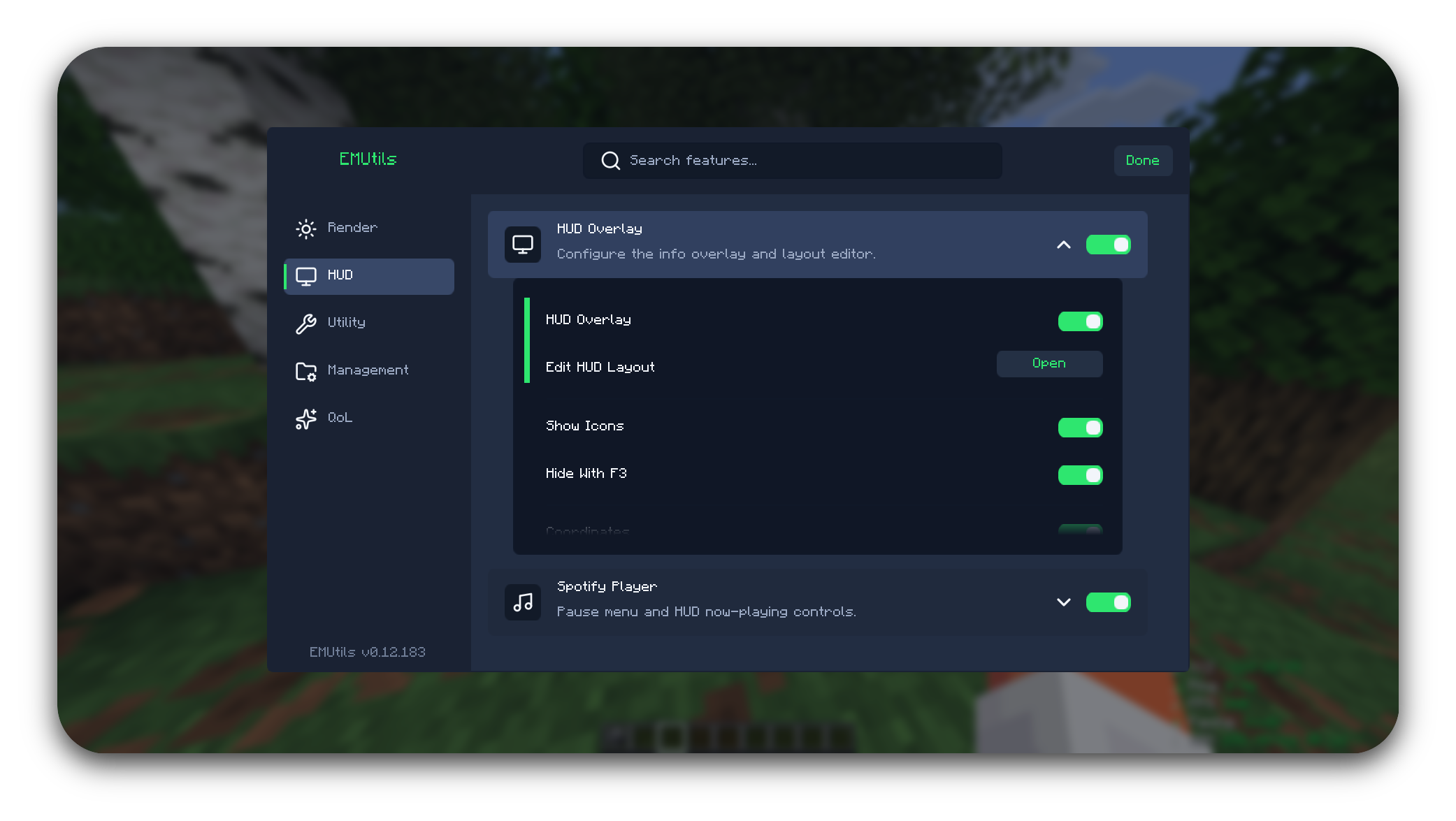
- HUD — info overlay, free camera coordinates, food HUD, layout editor, and Spotify now-playing panels.
- Utility — auto reconnect, screenshot helper, screenshot metadata, and waypoints.
- Management — screenshot gallery, waypoint management, Pack Manager, Script Manager, and command shortcuts.
- QoL — chat tools, inventory tools, Sort Buttons, Hover Transfer, Mass Drop, Auto Tool, Auto Flight Gear, Safe Walk, Free Camera, placement helpers, Fast Place, and Fast Use.
Minecraft Versions
EMUtils supports Minecraft 1.21.9-1.21.11 and Minecraft 26.x.
- Minecraft 26.x is the active development version and receives new features and fixes.
- Minecraft 1.21.9-1.21.11 enters maintenance mode after EMUtils 0.13.0. It will continue receiving bug fixes and compatibility fixes, but new features will target Minecraft 26.x.
Requirements
- Minecraft 1.21.9-1.21.11 or 26.x
- Java 21 or newer for the 1.21.x jar
- Java 25 or newer for the 26.x jar
- Fabric Loader 0.19.2 or newer for 1.21.x, or 0.19.3 or newer for 26.x
- Fabric API
Optional integrations
- Iris — required for Pack Manager shader apply/disable actions
- Minescript — required for Script Manager browsing, editing, running, and EMUtils script keybinds
- Xaero's Minimap / Xaero's World Map — optional support for showing Beacon Radius Outline boundaries on Xaero maps
Installation
- Install Fabric Loader for the supported versions.
- Download the EMUtils jar matching your Minecraft version.
- Place the jar in your mods folder.
- Launch the game.
License
EMUtils is licensed under the Apache License 2.0.
Copyright 2026 Palethea. If you use, fork, modify, or redistribute EMUtils, keep the original license and attribution notices.
AI Notice
This mod was made with heavy help from Artificial Intelligence. I was simply just tired of having a million mods to do specific things, and wanted an all-in-one mod.
Compatibility
Mod Loaders
Game Versions
Recommended Gear
AffiliateHardware and extras that pair well with this mod.

As an Amazon Associate I earn from qualifying purchases.
Screenshots
Similar Mods

Better TFCR
The module optimizes TFCR synthesis, simplifies formulation, integrates Create and immersive industrial functions, balan...

TBCore Updater
Core API library for TechBlock packs.

Eternal Starlight x Cobblemon
This datapack adds spawns to the Eternal Starlight dimension for Cobblemon!

Better Entity Culling (BEC)
BEC (Better Entity Culling) is a lightweight client-side mod for Fabric that improves Minecraft performance by skipping...

Flee On Sight
Your wild animals are now introverts !

Minecraft But a Mob Spawns Every 10 Seconds
Minecraft, but a random mob will spawn on top of you every 10 seconds, good luck.