

ComboCounter
ModA mod that counts ur combo and crit and displays on screen and also resets if u can't keep that chain...
Type
Mod
Modrinth Downloads
2,475
Modrinth ID
JnP8itgk
Last Updated
Jul 29, 2026
Description
ComboCounter Mod
Real-Time Combo and Crit Performance Tracker

Support the mod!
Get a 24/7 Minecraft server for 25% off your first month!
Click here to get started
📋 Overview
ComboCounter is a lightweight Minecraft Fabric mod that displays your combat performance in real-time. Track your critical hit streaks and combo knockback chains with a clean, customizable HUD overlay.
🎯 Summary
Property Value Mod Name ComboCounter Mod ID combocounter Version 1.0.0 Minecraft 1.21.4 Mod Loader Fabric Side Client-side only Dependencies Fabric API, Cloth Config✨ Features
Core Features
Feature Description ☠ Crit Streak Counter Tracks consecutive critical hits on enemies ⚔ Combo Streak Counter Tracks consecutive hits that knockback enemies Auto Reset Counters reset after 2 seconds of no hits Real-time Display Updates instantly during combatCustomization
Feature Description 12 Position Presets Place HUD anywhere on screen Fine-tune Positioning X/Y offset sliders for pixel-perfect placement Custom Colors Change colors for crit, combo, and label text Text Shadow Toggle shadow for better visibility Toggle Visibility Show/hide each counter independentlyKeybindings
Key Action H Toggle HUD on/off J Open config screen K Cycle through position presets📍 Position Presets
Preset Location TOP_LEFT Top left corner TOP_CENTER Top center TOP_RIGHT Top right corner MIDDLE_LEFT Middle left side CENTER Screen center MIDDLE_RIGHT Middle right side BOTTOM_LEFT Bottom left corner BOTTOM_CENTER Bottom center BOTTOM_RIGHT Bottom right corner ABOVE_HOTBAR Just above hotbar BELOW_HOTBAR Below hotbar CUSTOM Manual X/Y coordinates🎮 How It Works
Critical Hits (☠)
- Detected when you land a critical hit on any entity
- Critical hits occur when falling and attacking
- Streak increases with each consecutive crit
- Resets after 2 seconds of no crits
Combo Hits (⚔)
- Detected when your attack causes knockback
- Works on any living entity (mobs, players)
- Streak increases with each successful combo hit
- Resets after 2 seconds of no hits
🛠️ Configuration
Config File Location
.minecraft/config/combocounter.jsonConfig Options
{ "enabled": true, "xOffset": 0, "yOffset": 0, "showShadow": true, "showCritStreak": true, "showComboStreak": true, "critColor": "0xFFFF6600", "comboColor": "0xFF00FFFF", "labelColor": "0xFFFFFFFF", "textScale": 1.0, "positionPreset": "TOP_LEFT", "padding": 10 } Option Type Default Description enabled boolean true Master toggle for HUD xOffset int 0 Horizontal offset (-200 to 200) yOffset int 0 Vertical offset (-200 to 200) showShadow boolean true Text shadow visibility showCritStreak boolean true Show crit counter showComboStreak boolean true Show combo counter critColor hex color 0xFFFF6600 Orange color for crits comboColor hex color 0xFF00FFFF Cyan color for combos labelColor hex color 0xFFFFFFFF White color for labels positionPreset string TOP_LEFT Position preset name padding int 10 Edge padding (0-100)📦 Dependencies
Dependency Required Link Fabric Loader ✅ Yes fabricmc.net Fabric API ✅ Yes Modrinth Cloth Config ✅ Yes Modrinth🎯 Use Cases
PvP Combat
- Track your crit consistency in duels
- Monitor combo chains against opponents
- Improve your PvP skills with visual feedback
PvE Combat
- See how many crits you land on mobs
- Track combo efficiency during raids
- Challenge yourself to beat your streak records
Practice & Training
- Perfect your critical hit timing
- Learn optimal attack spacing for combos
- Visual feedback for combat improvement
Content Creation
- Display combat stats for viewers
- Show off impressive streak numbers
- Add professional HUD elements to videos
📸 HUD Display Example
☠ Crit Streak: 7 ⚔ Combo Streak: 12Colors (Default):
- ☠ Crit Streak: — White label, Orange number
- ⚔ Combo Streak: — White label, Cyan number
🔧 Installation
- Install Fabric Loader for Minecraft 1.21.4
- Download and install Fabric API
- Download and install Cloth Config
- Place combocounter-1.0.0.jar in .minecraft/mods/
- Launch Minecraft
⌨️ Controls
Action Default Key Customizable Toggle HUD H ✅ Yes (in Controls) Open Config J ✅ Yes (in Controls) Cycle Position K ✅ Yes (in Controls)📊 Technical Details
Aspect Detail Detection Method Mixin injection into attack packets Render Method Fabric HUD Render Callback Config Format JSON with GSON Performance Impact Minimal (< 1% CPU) Memory Usage ~2 MB Network Traffic None (client-side only)✅ Compatibility
Mod Type Compatible Other HUD mods ✅ Yes Optimization mods (Sodium, Lithium) ✅ Yes Combat mods ✅ Yes Minimaps ✅ Yes Shader packs ✅ Yes📝 Changelog
Version 1.0.0
- Initial release
- Crit streak counter with ☠ symbol
- Combo streak counter with ⚔ symbol
- 12 position presets
- Full color customization
- Keybinding support
- Cloth Config integration
- 2-second auto-reset timer
🐛 Known Issues
Issue Status None reported ✅ Stable📜 License
MIT License — Free to use, modify, and distribute.
Enjoy tracking your combat skills! ⚔️☠️**
Compatibility
Mod Loaders
Game Versions
Recommended Gear
AffiliateHardware and extras that pair well with this mod.

As an Amazon Associate I earn from qualifying purchases.
Similar Mods

Airport Lighting
Added airport lighting assets with numerous variations
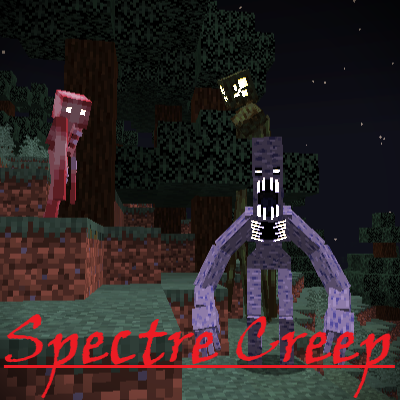
Spectre Creep
Adds a scary entity that spawns in dark areas.

Level Z - Simply Swords
A LevelZ Addon for the Simply Swords mod.

Vanilla Backport x Regions Unexplored
Adds Regions Unexplored compatibility for Vanilla Backport.

Simple Voice Distance
With SimpleVoiceDistance, players can now cycle between Whisper, Normal, and Shout modes with a single key press—perfect...

Create: Unlimited Logistics
Adds dedicated item vault support to Create's logistics