Description
Builder's Shulkers lets you use a shulker box's contents without ever placing it down. Open and rearrange one straight from your inventory, and place blocks from a shulker held in your hotbar while you build.
## Build straight from your hotbar
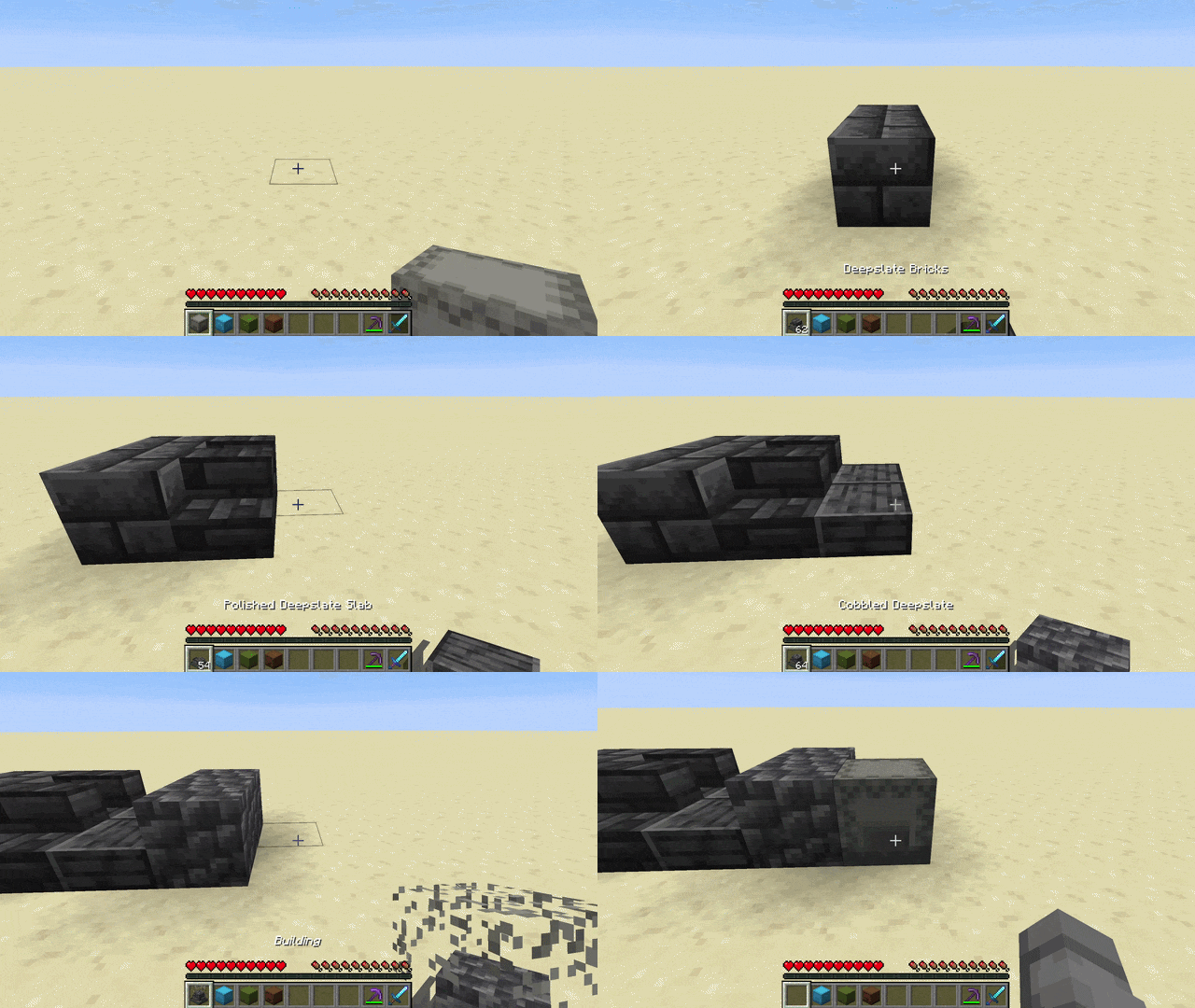
* Hold a shulker box in your hotbar and press **Ctrl + right-click** to enter Pocket-Build mode
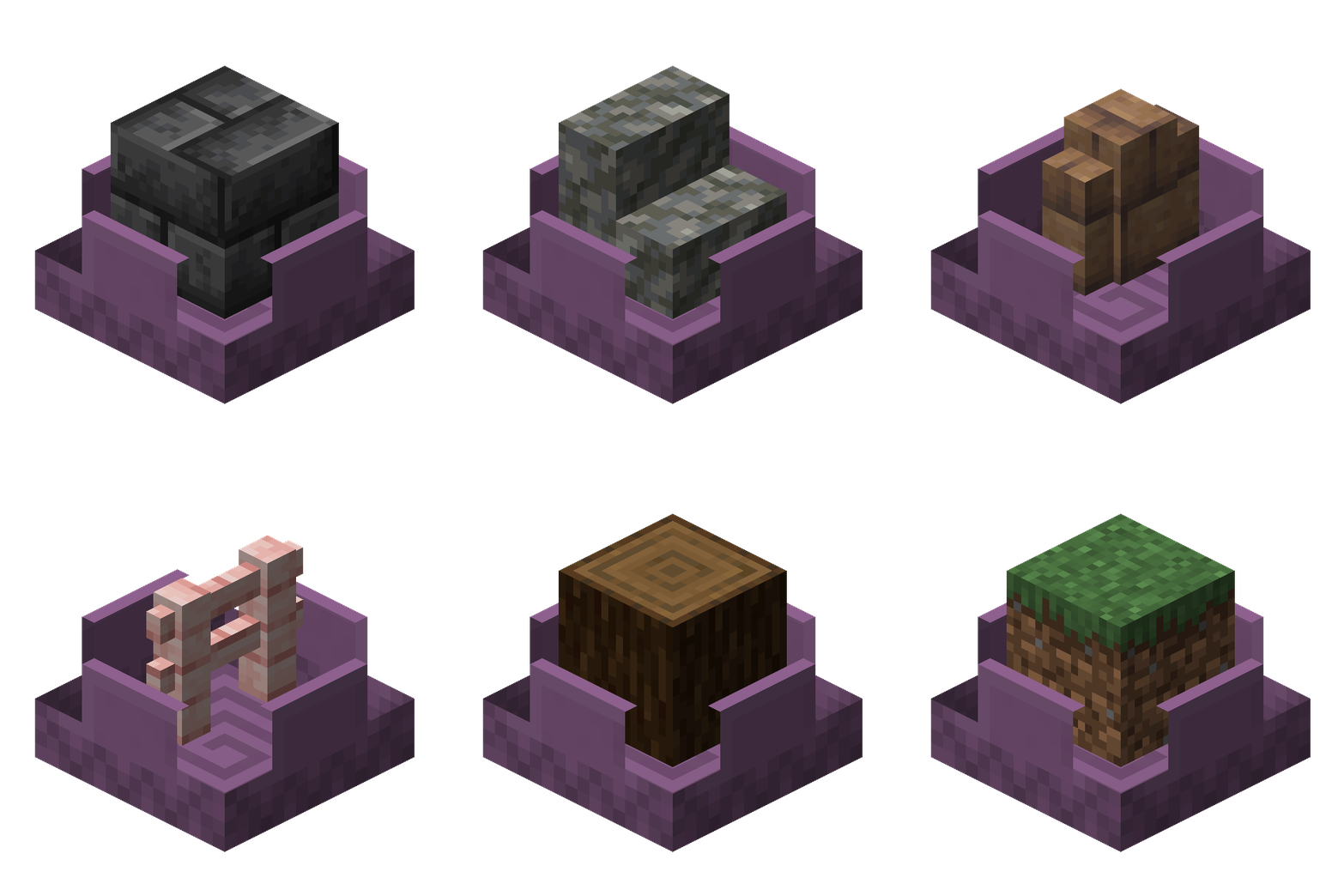
* Scroll the mouse wheel to select the previous/next different block inside the box. Its name and count show by your hotbar, and the box opens with a dissolving lid that reveals the selected block rendered inside it
* Right-click to place that block straight from the box while the box stays in your hand
* Middle-click a block you already have in the box to jump straight to it
* Hold Ctrl to peek at the box's full contents in an overlay above your hotbar
## Open and manage shulker boxes from your inventory
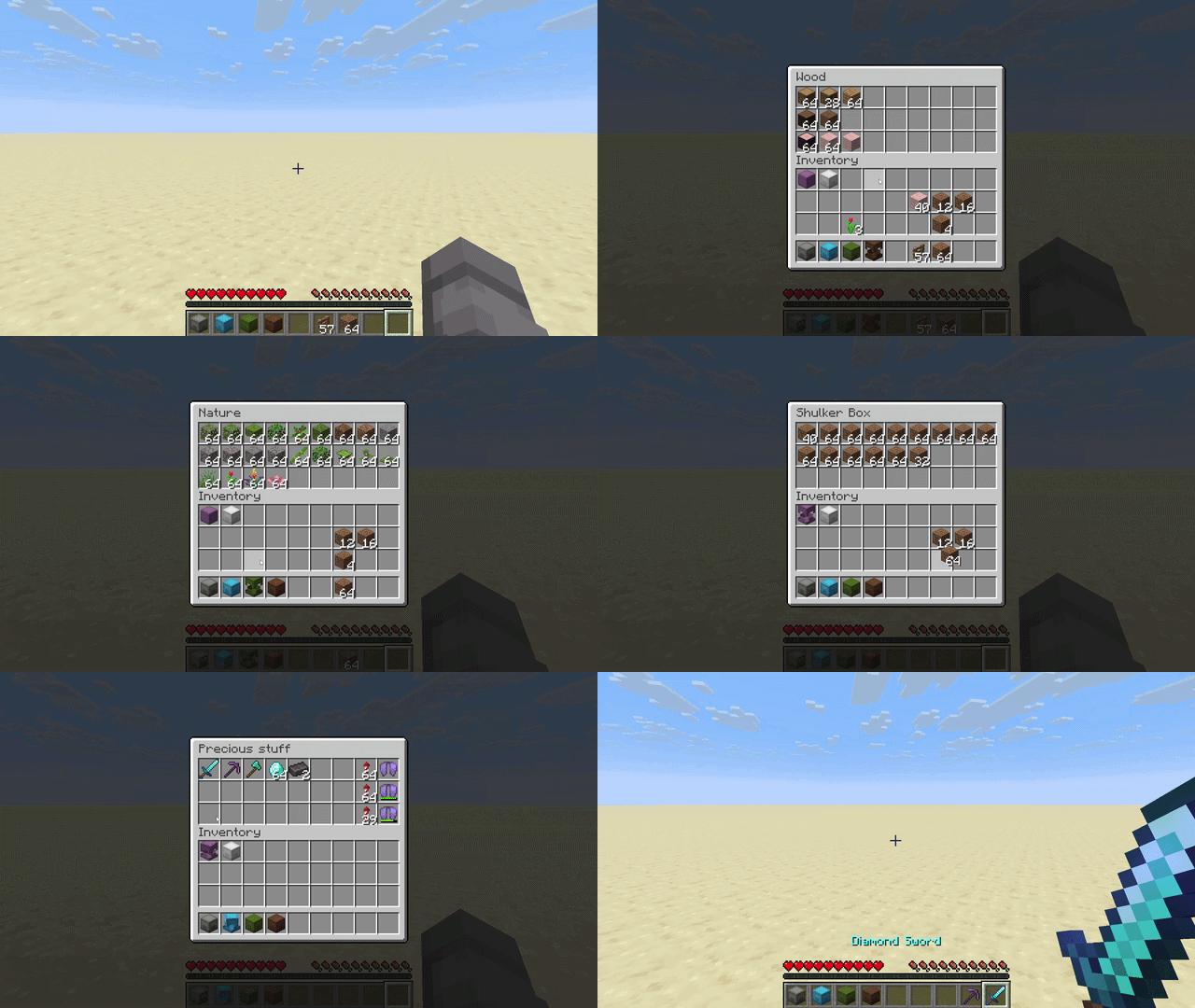
* Right-click a shulker box in your inventory to open it
* Move items in and out with all the usual controls: left and right click, shift-click, drag, hotbar number keys, and drop
* Close it with Escape, or by right-clicking the same shulker again
* While one is open, you can right-click another to switch straight to it
* There are open and close sounds, and the lid smoothly animates
## Multiplayer
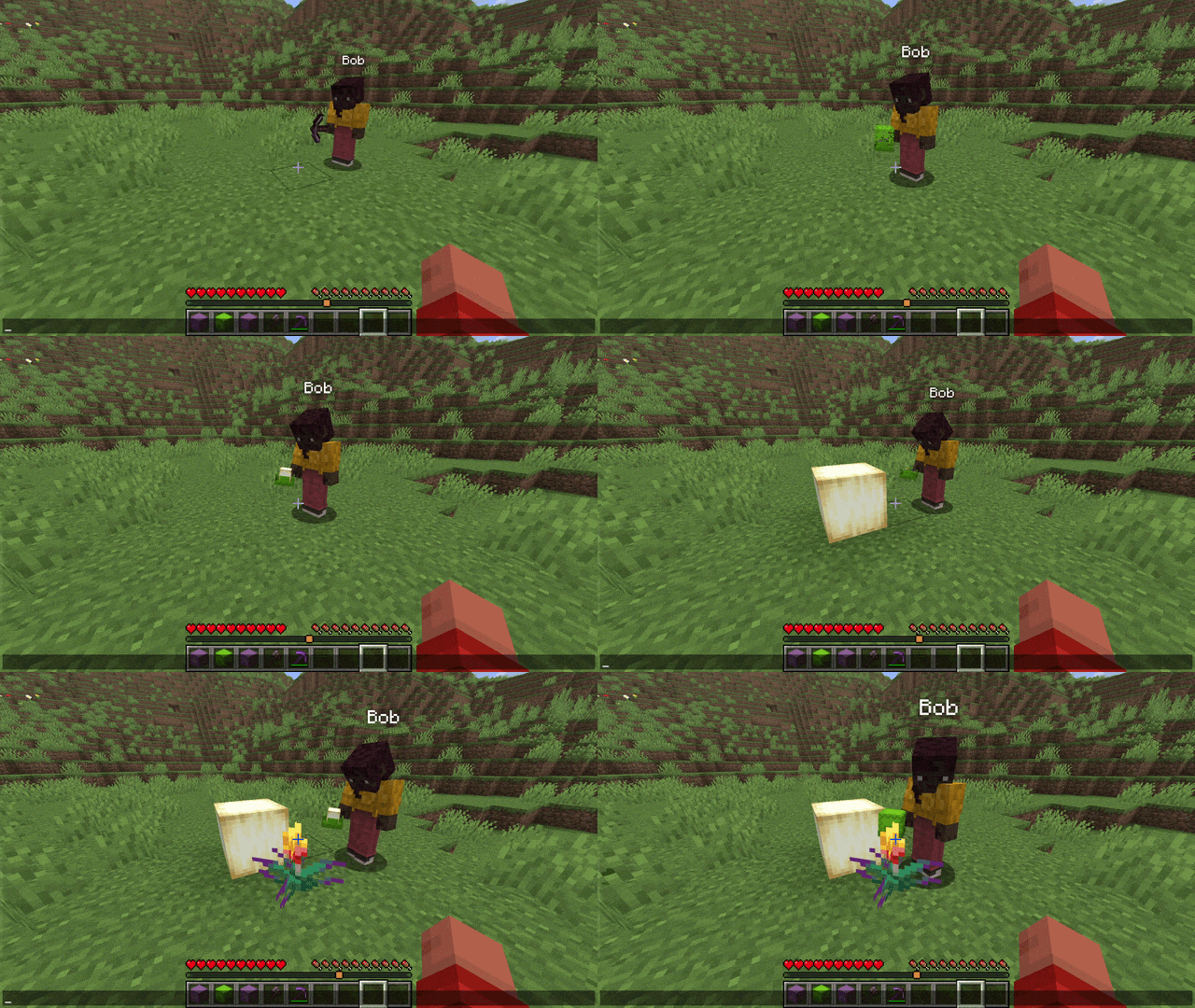
* Works in multiplayer, including the lid animations on shulkers other players hold
* **Players without the mod can still join the server normally**: they simply do not see the extra animations and sounds
## Designed to fit in
* Vanilla+: improves shulker handling without changing how the game looks or feels
* Built on the vanilla shulker container (same screen, same data), so it plays nicely with most other mods, and it works with shulker boxes added by other mods
## Customization
* **Settings screen**: Press B (rebindable) to open it and tune the cosmetics: lid animations, the lid effect (dissolve, disappear, or stay solid), the block rendered inside the box and its count, the open/close sounds, and more.
* **Custom keybinds**: Every control lives in Options -> Controls under "Builder's Shulkers" and can be rebound or unbound: the Pocket-Build hold key (default Left Control), a peek key (default Left Control), and a single-press "Toggle Pocket-Build" (unbound by default) to enter and leave the mode with one button (handy on a controller or on touch).
* **Gamerules**: Server admins can turn the access from inventory and Pocket-Build features on or off.
## Safe by design
* Everything that moves items is handled by the server, so your items can never be duplicated
## Requirements
* Minecraft 26.1.x or 26.2
* Fabric Loader and Fabric API
Put this mod and Fabric API in your `mods` folder.
## Open source
Builder's Shulkers is open source.
* Code: [https://github.com/Moncef-dev/builders-shulkers](https://github.com/Moncef-dev/builders-shulkers)
* Found a bug or have an idea? Send it here: [https://github.com/Moncef-dev/builders-shulkers/issues](https://github.com/Moncef-dev/builders-shulkers/issues)