

Sleep Wake-Up Notifier
ModWatch the night skip in real time — sleep progress, bed messages, and morning broadcasts.
Type
Mod
Modrinth Downloads
156
Modrinth ID
DBW4p9Pt
Last Updated
Jul 29, 2026
Description
Sleep Wake-Up Notifier




Sleep Wake-Up Notifier lets your whole server feel the night skip in real time.
- Watch the skip happen — a live sleep progress action bar with the count still needed.
- A clear "sleep now" cue — a short prompt the moment the threshold is reached.
- Mornings that match the night — broadcasts for nobody-slept, partial, and full skips.
- Custom bed messages — override too far away, occupied, obstructed, not safe, and sleep-not-possible.
- Smarter with Improved Sleep — automatically uses its custom threshold when both are installed.

Features
Sleep status that stays readable
Players see a short built-in sleep progress message with the current sleepers-needed count highlighted in yellow. Once the threshold is reached, a brief sleep-ready cue appears before the skip happens. Keep your own Client Config preference, or inherit the overlapping server value when you want it to match.
Mornings that match how the night ended
When morning starts, broadcast short built-in messages for nobody-slept mornings, partial-sleep mornings, and successful skips. Add the day number, include how many players slept, and keep or remove the nobody-slept line — no free-form templates to manage.
Bed messages you control
Override the bed interaction messages for too far away, occupied, obstructed, not safe, and sleep-not-possible. Players with the mod can keep their own on their computer, or inherit the overlapping server values.
Automatic Improved Sleep integration
Sleep Wake-Up Notifier works on vanilla sleep rules by default. If Improved Sleep is installed on the server, the action bars and morning messages automatically use its custom sleepers-needed threshold instead of the vanilla gamerule.
One Mod Menu screen for everything
With Mod Menu installed, a single screen handles Client Config action bar and bed messages plus Server Config action bar, bed, and morning messages. Let overlapping client settings inherit from Server Config while keeping your saved local values. In singleplayer and the main menu it edits one local file; on multiplayer servers, Server Config becomes editable with operator permission.
Quickstart
- Install Fabric Loader and Fabric API on your server.
- Drop Sleep Wake-Up Notifier into the server's mods/ folder and start it. Players immediately see sleep progress and morning messages on vanilla sleep rules.
- Want personal action bar and bed-message control? Add the mod (and Mod Menu) on your client.
- Running Improved Sleep too? Install it on the server and the progress and morning messages follow its custom threshold automatically.
Compatibility
Sleep Wake-Up Notifier is server-first. Here is where each piece runs and what it needs.
- Dedicated server (required): Server Config action bars, morning messages, and Improved Sleep integration.
- Client (optional): personal sleep action bar control, personal bed messages, Mod Menu settings, and singleplayer.
- Required dependency: Fabric API, wherever the mod is installed.
- Optional dependency: Mod Menu on clients for Client Config and permission-gated Server Config.
- Optional companion: Improved Sleep on the server for custom thresholds, daytime sleeping, and sleep rewards.
Make it yours
Sleep Wake-Up Notifier keeps client settings separate from server settings.
- Client settings control your sleep action bar and bed-message overrides on this computer.
- Client Config can inherit overlapping Server Config values without overwriting your saved local values.
- Server settings control the sleep action bar, bed-message overrides, and morning messages.
- Each scope has its own master toggle, so either side can stay on or off.
- With Improved Sleep installed on the server, progress and morning messages use its custom sleepers-needed value automatically.
- Sleep progress uses the built-in players sleeping action bar with yellow-highlighted counts instead of editable templates.
- The sleep-ready cue is built in for players with the mod, while the server action bar keeps its own toggle and optional vanilla-message toggle.
- Morning messages are built in and can optionally include the new day number, the players-slept count, and the nobody-slept line.
- Bed-message override fields stay editable; leave a line blank to use the vanilla wording.
- In singleplayer and the main menu, one screen edits both scopes in the local file. On remote servers, Server Config is editable only with operator permission.
Config file
After first launch, edit config/sleep-wake-up-notifier.json. File edits need a game or server restart; Mod Menu changes apply immediately where editable.
{ "schema_version": 1, "server": { "enabled": true, "broadcasts": { "on_day_start": { "enabled": true, "include_day_number": true, "include_players_slept_count": true, "include_nobody_slept_alert": true } }, "action_bar": { "sleep_status_enabled": true, "during_sleep_progress_enabled": true, "on_sleep_ready_enabled": true, "on_sleep_ready_use_vanilla_message": false }, "bed_messages": { "enabled": false, "messages": { "too_far_away": "", "obstructed": "", "occupied": "", "not_safe": "", "sleep_not_possible": "" } } }, "client": { "enabled": true, "inherit_server_settings": false, "action_bar": { "sleep_status_enabled": true }, "bed_messages": { "enabled": false, "messages": { "too_far_away": "", "obstructed": "", "occupied": "", "not_safe": "", "sleep_not_possible": "" } } } }More from bearaujus
More server-first Fabric mods in the same family:
- Dimension Notifier — Never ask 'where are you?' again — live dimension cues in the action bar, chat, and Tab list.
- Death Respawn Notifier — Die less lost — death coordinates, respawn broadcasts, and a dead-player marker in the Tab list.
Support & license
Report issues at [email protected].
Sleep Wake-Up Notifier is distributed under the Bearaujus Proprietary License v1.0. Full terms ship inside the downloaded jar as LICENSE.txt.
Sleep Wake-Up Notifier is not official Minecraft content and is not endorsed by or associated with Mojang or Microsoft.
Compatibility
Mod Loaders
Game Versions
Recommended Gear
AffiliateHardware and extras that pair well with this mod.

As an Amazon Associate I earn from qualifying purchases.
Screenshots
Similar Mods
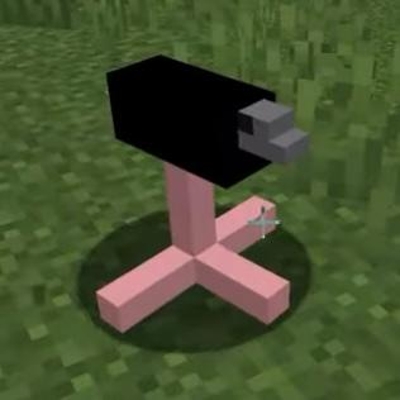
Ptiszka
Funny Not Proffesional ,I Created It For Fun, It Add's Ptiszka Or How Others Like To Call It Ptichka To The Game

IleafCore
Creating Tomorrow's Adventures Today.

Stressmark
Real-time server performance grading and stress testing for Minecraft servers. Spawn fake players, monitor key metrics,...

Villager Phrases
Adds immersive phrases to villagers when you interact with or walk near them.

Money Additions
This mod adds tons of money related items for all your economy needs !! Adds things such as change, dollars, and money b...

NoteBot
Play using the surrounding sound blocks.