
CircuitSim
ModCircuitSim is a Minecraft Forge mod for version 1.20.1 that lets you build and simulate real electronic circuits inside the game. Place component blocks in the world, connect them with wires, and run a full SPICE simulation powered by ngspice.
Type
Mod
Modrinth Downloads
182
Modrinth ID
kxujSZaD
Last Updated
Jul 29, 2026
Description
CircuitSim — A Minecraft Circuit Simulation Mod
This mod was built entirely with AI assistance.
CircuitSim is a Minecraft Forge mod for version 1.20.1 that lets you build and simulate real electronic circuits inside the game. Place component blocks in the world, connect them with wires, and right-click the Simulate Block to run a full SPICE simulation powered by ngspice.
Features
Passive & basic components
- Resistor, Capacitor, Inductor
- Voltage sources: DC, sinusoidal (SIN), pulse (PULSE)
- Current source
- Diode
- Wire and Ground
Controlled (dependent) sources
- VCVS — voltage-controlled voltage source (E)
- VCCS — voltage-controlled current source (G)
- CCVS — current-controlled voltage source (H)
- CCCS — current-controlled current source (F)
IC / PDK components
- IC Resistor, IC Capacitor
- IC NMOS4, IC PMOS4 (4-terminal MOSFETs)
- SKY130A PDK support with .lib path configuration, plus a generic placeholder PDK and a free-form .include mode for custom libraries
Multi-cell blocks
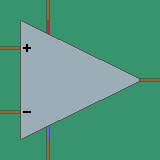
- Amplifier — 5×5 op-amp subcircuit with selectable 5-pin or 7-pin (offset-null) variants and a vertical-mirror toggle for swapping inverting/non-inverting inputs and supply rails
Measurement
- Voltage Probe — labelled, measures node voltage
- Current Probe — placed in series to measure branch current
Simulation control
- Simulate Block — runs the analysis. Supported types:
- .OP — DC operating point
- .AC — frequency sweep (start/stop/points-per-decade, log-frequency axis)
- .TRAN — transient analysis (time step, stop time)
- Temperature — single value (e.g. 27) or sweep spec (e.g. 20:40:5 or 20,30,40) for one run per temperature
- ngspice compat modes: hsa, psa, lt, ki, va
- Parametric Block — sweeps a target component's parameter (value, W, L, mult, nf) across runs
- Commands Block — multi-line block of raw ngspice commands injected verbatim into the netlist .control section
- Sim Link Block — bridges two physically-disconnected sub-circuits into the same netlist without unioning their nodes (useful for routing a CCVS/CCCS controlling source from a remote region)
Output
- Graph screen — plot up to two probes simultaneously (stacked), with hover tooltips showing exact values; log10 X axis for AC sweeps
- SPICE simulation via ngspice as a subprocess — real node voltages and branch currents
- .OP results printed to the in-game chat
- In-game GUI for every component to configure values with SI-suffix parsing (p, n, u, m, k, M, …)
Requirements
- Minecraft 1.20.1
- Minecraft Forge 47.3.0
- Java 17
- ngspice installed and available on your system PATH
Installation
Method 1: Just take it
- Install Java 17 and Minecraft Forge 47.3.0 for Minecraft 1.20.1.
- Install ngspice and make sure ngspice_con (Windows) or ngspice (Linux/Mac) is accessible from your terminal.
- Grab the Latest Release
- Put the mod into your Minecraft mods/ folder
Method 2: Build it yourself
- Install Java 17 and Minecraft Forge 47.3.0 for Minecraft 1.20.1.
- Install ngspice and make sure ngspice_con (Windows) or ngspice (Linux/Mac) is accessible from your terminal.
- Clone this repository: git clone https://github.com/Dank0v/circuitsim.git cd circuitsim
- Build the mod using the Gradle wrapper: # Windows gradlew.bat build # Linux / Mac ./gradlew build
- Find the compiled .jar in build/libs/ — it will be named something like circuitsim-x.x.x.jar.
- Drop that .jar into your Minecraft mods/ folder.
- Launch the game.
How to Use
- Open the Circuit Simulator creative tab to find all blocks.
- Place component blocks and connect them with Wire blocks. Every circuit needs at least one Ground block.
- Right-click any component to open its configuration GUI and set its value.
- Place a Simulate Block anywhere connected to the circuit.
- Right-click the Simulate Block to run the simulation. Results appear in chat.
Probes
- Voltage Probe — place adjacent to a wire node. Right-click to give it a label. The simulation will report the voltage at that node.
- Current Probe — place in series (between two wires) to measure current through that branch.
Known Issues / TODO
License
GPL-3.0 — see LICENSE.
Compatibility
Mod Loaders
Game Versions
Recommended Gear
AffiliateHardware and extras that pair well with this mod.

As an Amazon Associate I earn from qualifying purchases.
Screenshots
Similar Mods

LiquidFuel_Ultra-Compat
a mod that let you use the diesel, biodiesel, gasoline and ethanol of the Create Diesel Generators mod whit liquid fuel

Remove diamond ore spawn
A simple mod (datapack) that prevent natural diamond ore spawn.

Rebox
Rebox brings a deeply satisfying lootbox system to your modded Minecraft server: 5 tiers themed around the butterfly me...
LanternLib
A library mod for RedCraft86's mods
Command Block UI Overhaul
Enlarge the input box of the command block interface and add an automatic line wrap function.

DayZ Inventory
Mod that replaces automatic item pickup with a DayZ-style Vicinity UI and unified container looting for Fabric.