

Resource Pack Overrides
Modby Fuzs
Ensures important resource packs stay always active and helps clean up the pack selection screen.
Type
Mod
CurseForge Downloads
62,376,105
CurseForge ID
Modrinth Downloads
12,567,545
Modrinth ID
Last Updated
Nov 6, 2026
Description





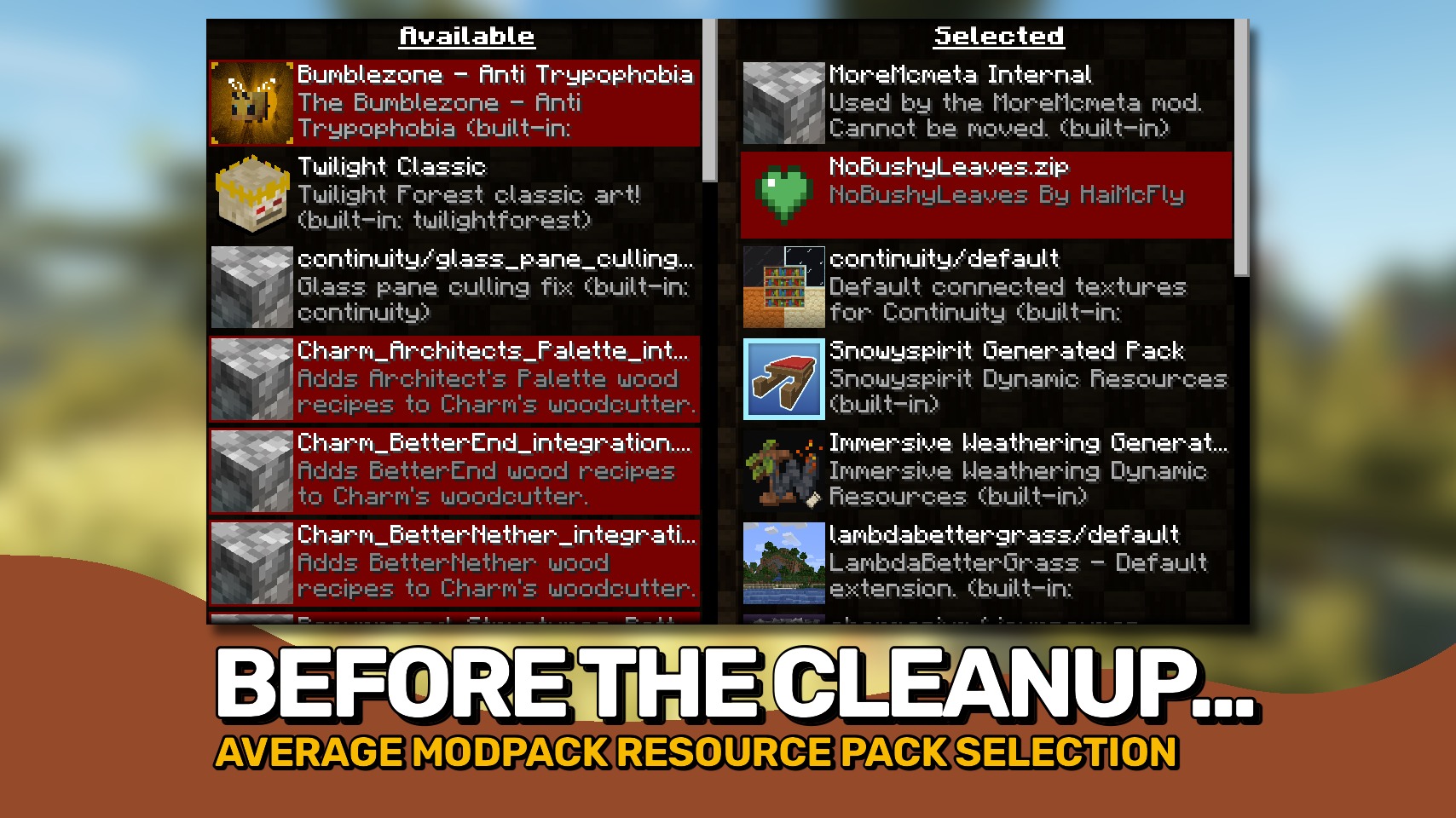
Resource Pack Overrides gives mod pack creators full control over how preinstalled resource packs are presented and managed in Minecraft. It helps ensure important packs stay configured exactly as intended while keeping the resource pack screen clean and easy to use. 🎨
Unlike shipping a predefined resource pack configuration, this mod can automatically restore your preferred pack setup after failed resource reloads, helping maintain a consistent experience for players. 🔄
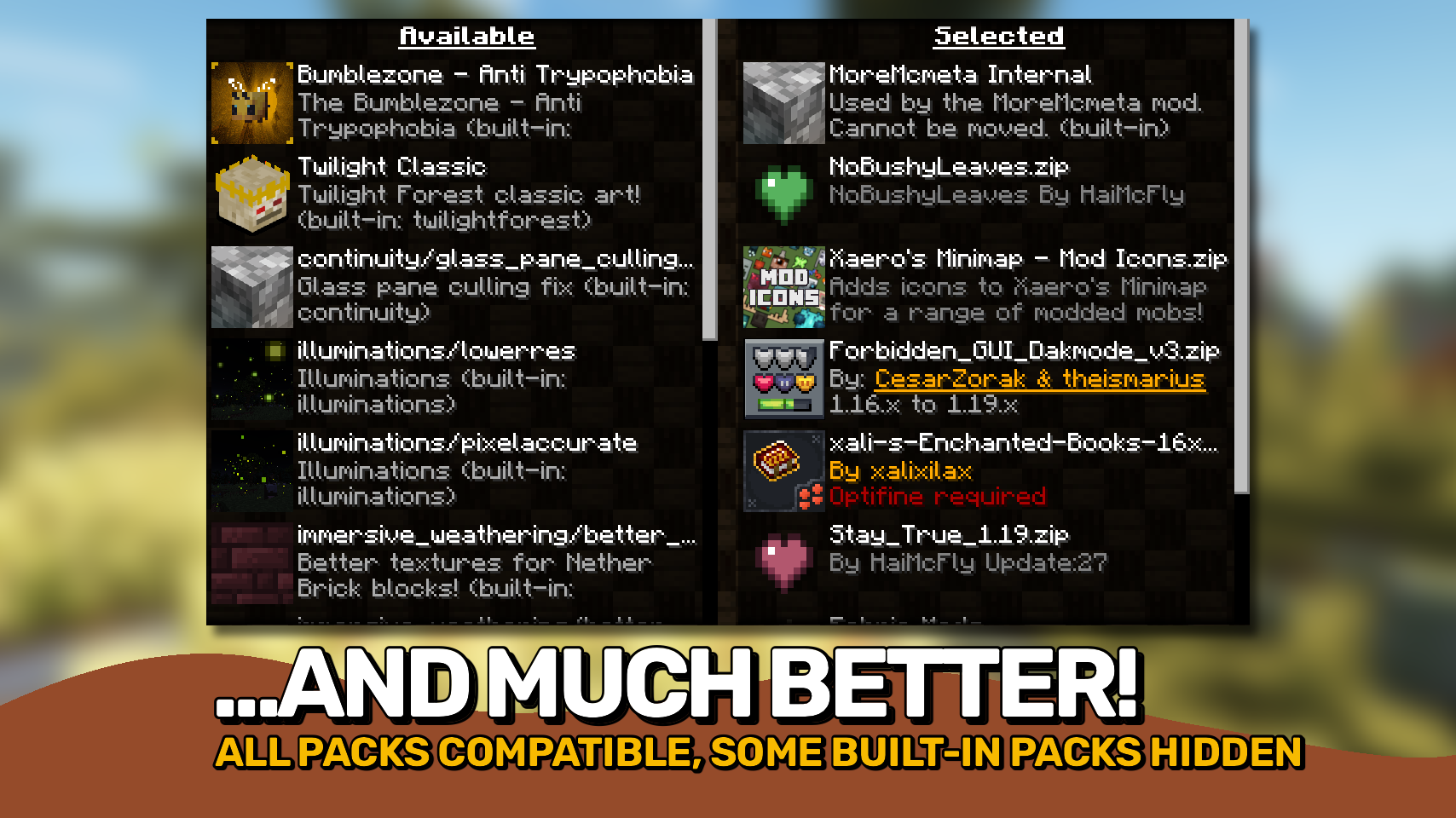
The mod also allows resource packs to be hidden, locked, reordered, or marked as compatible, making it easy to build polished mod packs where players see only the options they are meant to interact with. 🧰

- 🔄 Persistent Default Pack Setup: Define a default set and order of resource packs that can be restored when resource pack loading resets.
- 🔒 Lock Important Packs: Prevent critical resource packs from being disabled or moved.
- 👁️ Hide Internal Packs: Keep technical or background resource packs out of the selection screen.
- 📋 Customize Pack Presentation: Override names, descriptions, compatibility warnings, and other pack attributes.
- 🎯 Control Pack Ordering: Define where packs appear and how they interact with other enabled resources.
- 🧹 Cleaner Resource Pack Screen: Reduce clutter and help players avoid accidentally changing important pack configurations.
- ⚙️ Built for Mod Packs: Designed specifically for managing curated resource pack setups in modded Minecraft.


⏩ INSTALLATION REQUIRED ON CLIENT
⏩ REQUIRES FABRIC API TO BE INSTALLED (FABRIC)

The whole mod is configured through a single config file located at .minecraft/config/resourcepackoverrides.json. A minimal configuration is generated automatically when the file is missing.
Detailed documentation, configuration examples, and all available options can be found in the README.md on GitHub.
 |
 |
|
 |
 |
|
 |
 |
|
 |
 |
|
 |
 |
|

© 2026 @heyitsfuzs. All rights reserved. This page was last edited on 11 September 2026, at 06:44 (UTC).
Compatibility
Mod Loaders
Game Versions
Recommended Gear
AffiliateHardware and extras that pair well with this mod.

As an Amazon Associate I earn from qualifying purchases.
Screenshots
Similar Mods

Just Enough Items (JEI)
View Items and Recipes

Cloth Config API (Fabric/Forge/NeoForge)
Config Screen API for Minecraft
Mouse Tweaks
Enhances inventory management by adding various functions to the mouse buttons.

Fabric API
Core API library for the Fabric toolchain

AppleSkin
Adds some useful information about food/hunger to the HUD

GeckoLib
A 3D animation library for entities, blocks, items, armor, and more!
Included in Modpacks (583)
Most downloaded Better MC [FORGE] - BMC4
 Prominence™ II: Hasturian Era
 Better MC [FABRIC] BMC1
 COBBLEVERSE - Pokemon Adventure [Cobblemon]
 Better MC [FABRIC] BMC2
 Better MC [FORGE] BMC1
 Medieval MC [FABRIC] MMC1
 Beyond Depth
 Better MC [NEOFORGE] BMC5
 SteamPunk [LPS]
 Fear Nightfall: Remains of Chaos
 Better MC [FORGE] BMC3
 Better MC [FORGE] BMC2
 BigChadGuys Plus (w/ Cobblemon!)
 Prominence™ II: Hasturian Era
 Dungeon Heroes (RPG Series)
 Fantasy MC Fabric
 Better MC [FABRIC] BMC3
 All of Create
 Integrated MC