

PVPUtils
ModA mod that brings many practical small features to high-version Minecraft PVP.
Type
Mod
Modrinth Downloads
17,111
Modrinth ID
NX1JojlU
Last Updated
Aug 22, 2026
Description
PVPUtils
Official website: https://pvputils.dpdns.org/
IRC Build Notice
Starting from PVPUtils-v1.6-beta.1, PVPUtils includes a built-in IRC system in private builds. To protect its core implementation, the IRC-related code is protected by PAHP (PVPUtils Advanced Hybrid Protection) and is not publicly released.
The GitHub repository remains available for all non-IRC functionality. Builds published on third-party platforms are no-IRC versions. Users who need IRC access should obtain the IRC build through the official QQ group.
Introduction
PVPUtils is a client-side utility mod for Minecraft 1.21.11 Fabric. It brings practical survival and PVP tools to the vanilla game, together with a wide range of polished visual components. All interfaces and visual elements are powered by Skija, balancing refined visuals with smooth performance.
The mod also supports automatic update checks, so you do not need to manually visit mod platforms to see whether a new version is available. You can also run a command to check for updates manually.
Features
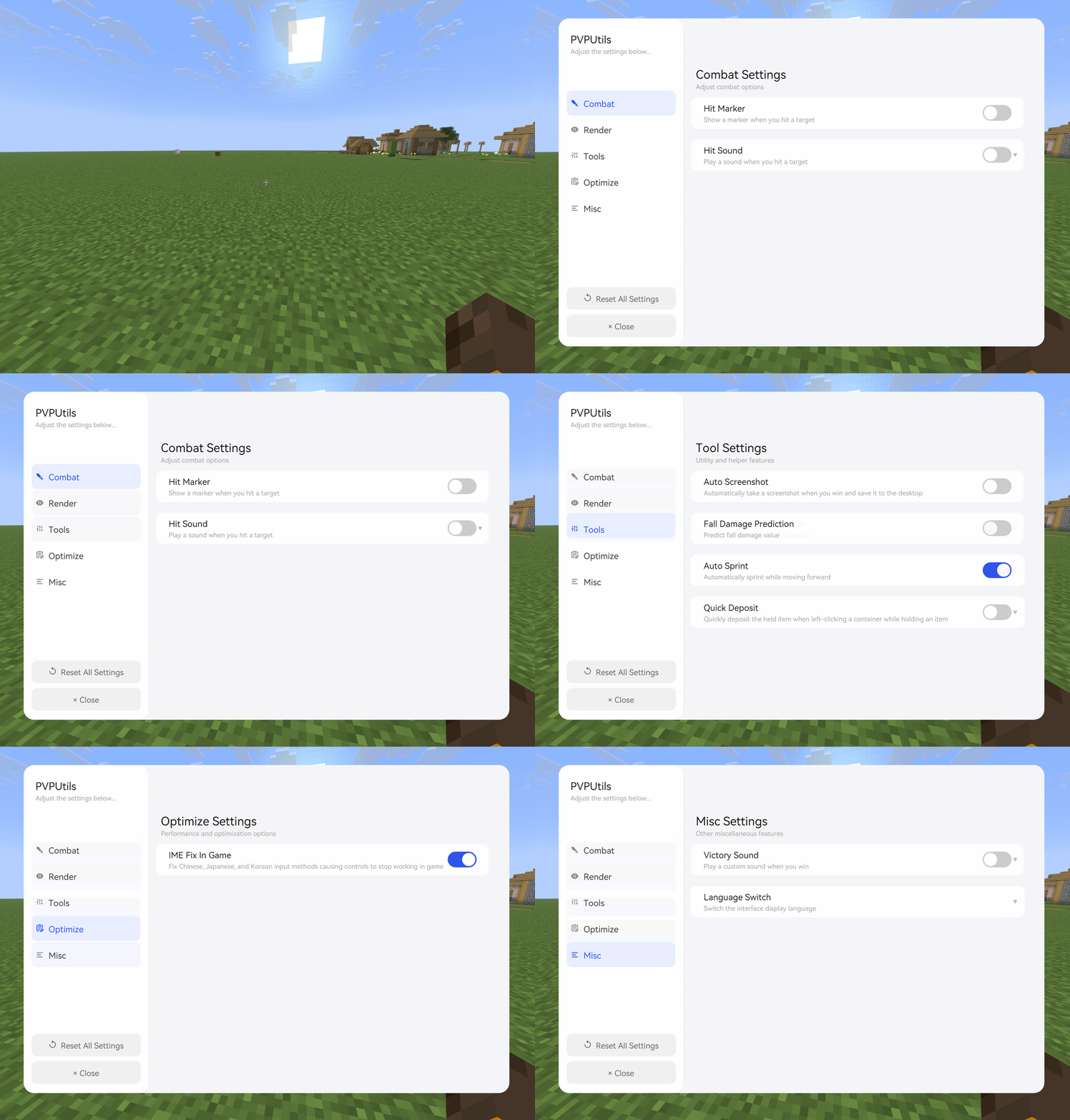
PVPUtils includes many useful features for PVP and survival gameplay. Because the feature set is broad, the mod groups them into several categories: Combat, Render, Tool, Optimize, and Misc.
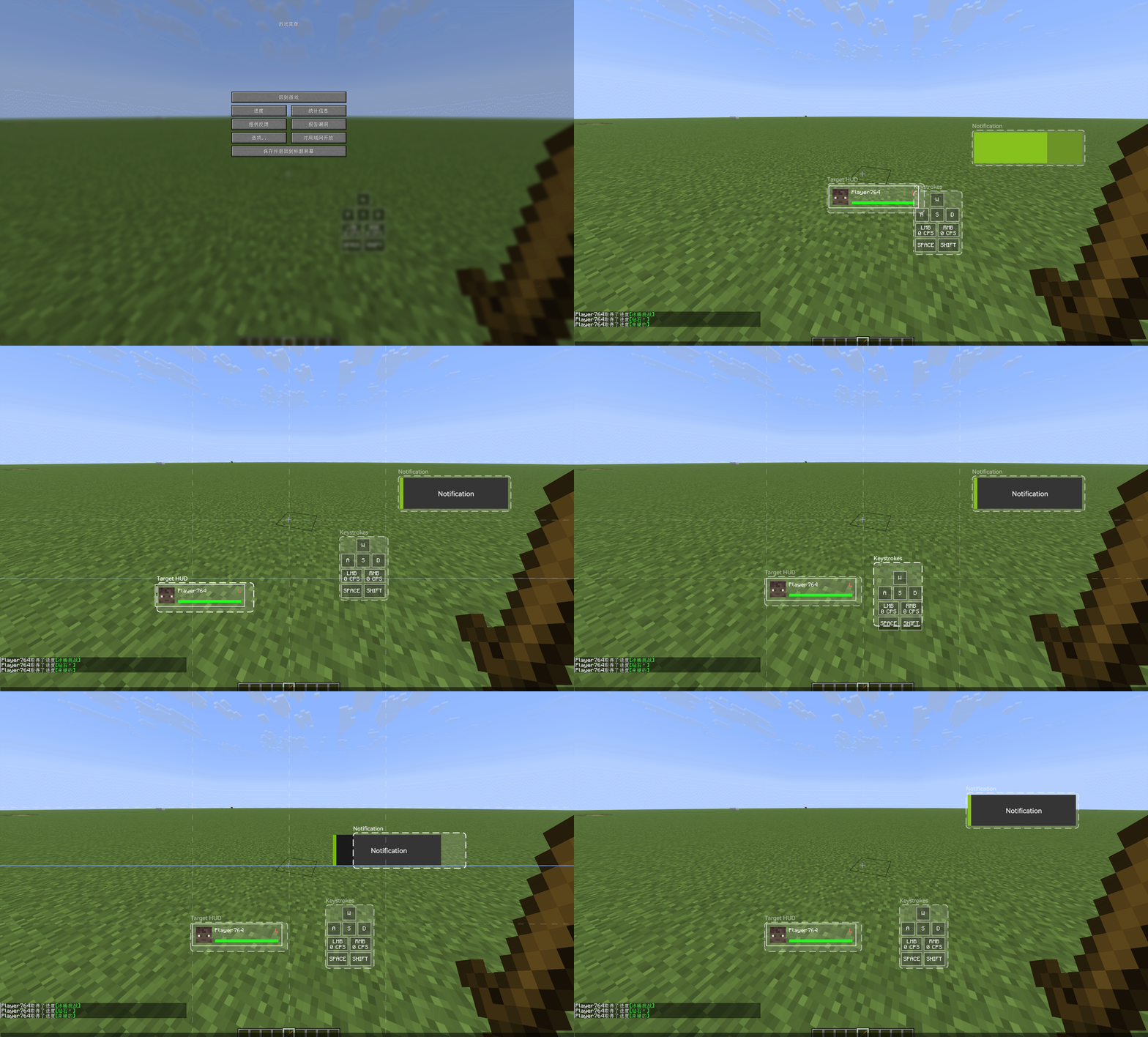
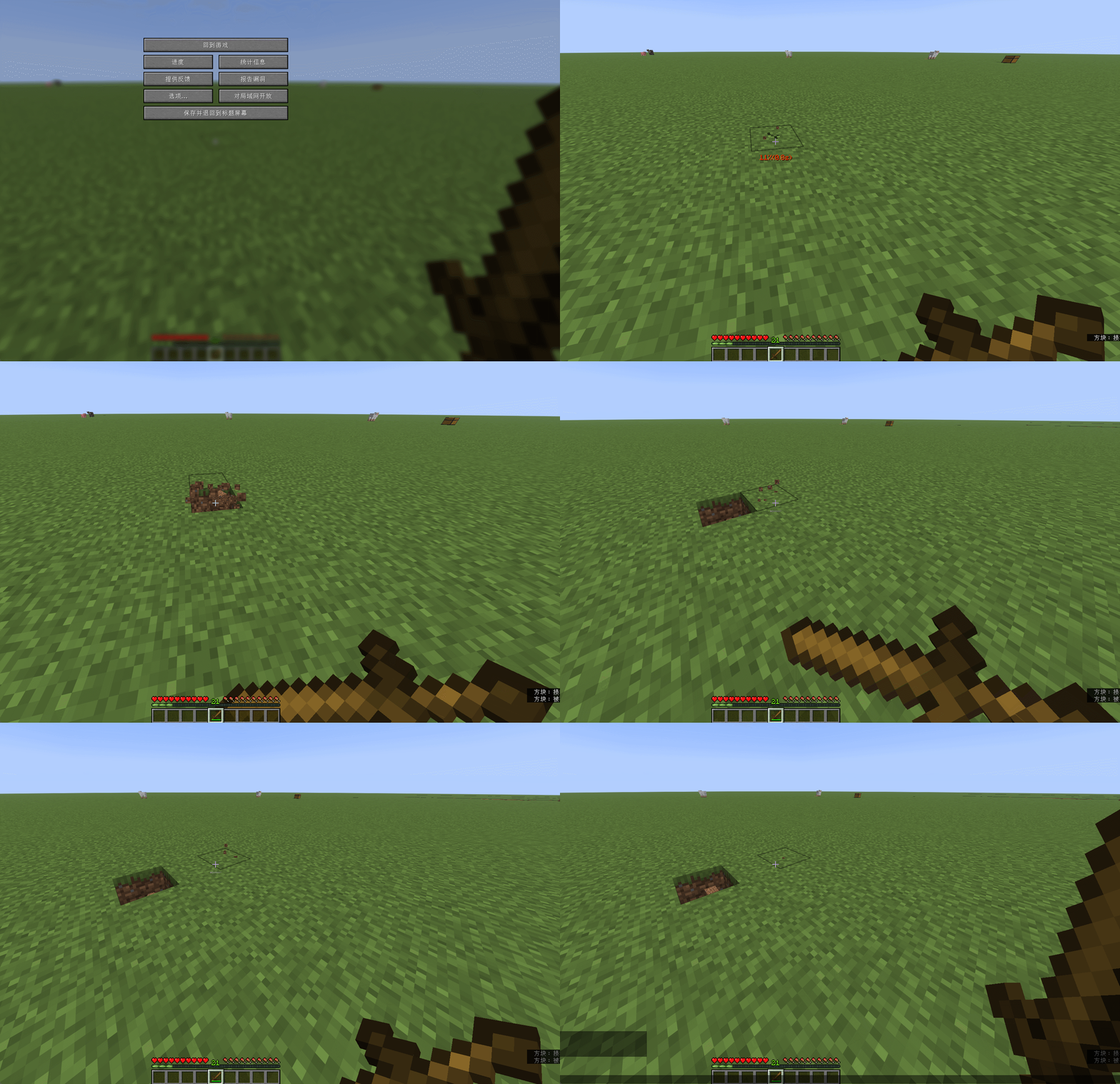
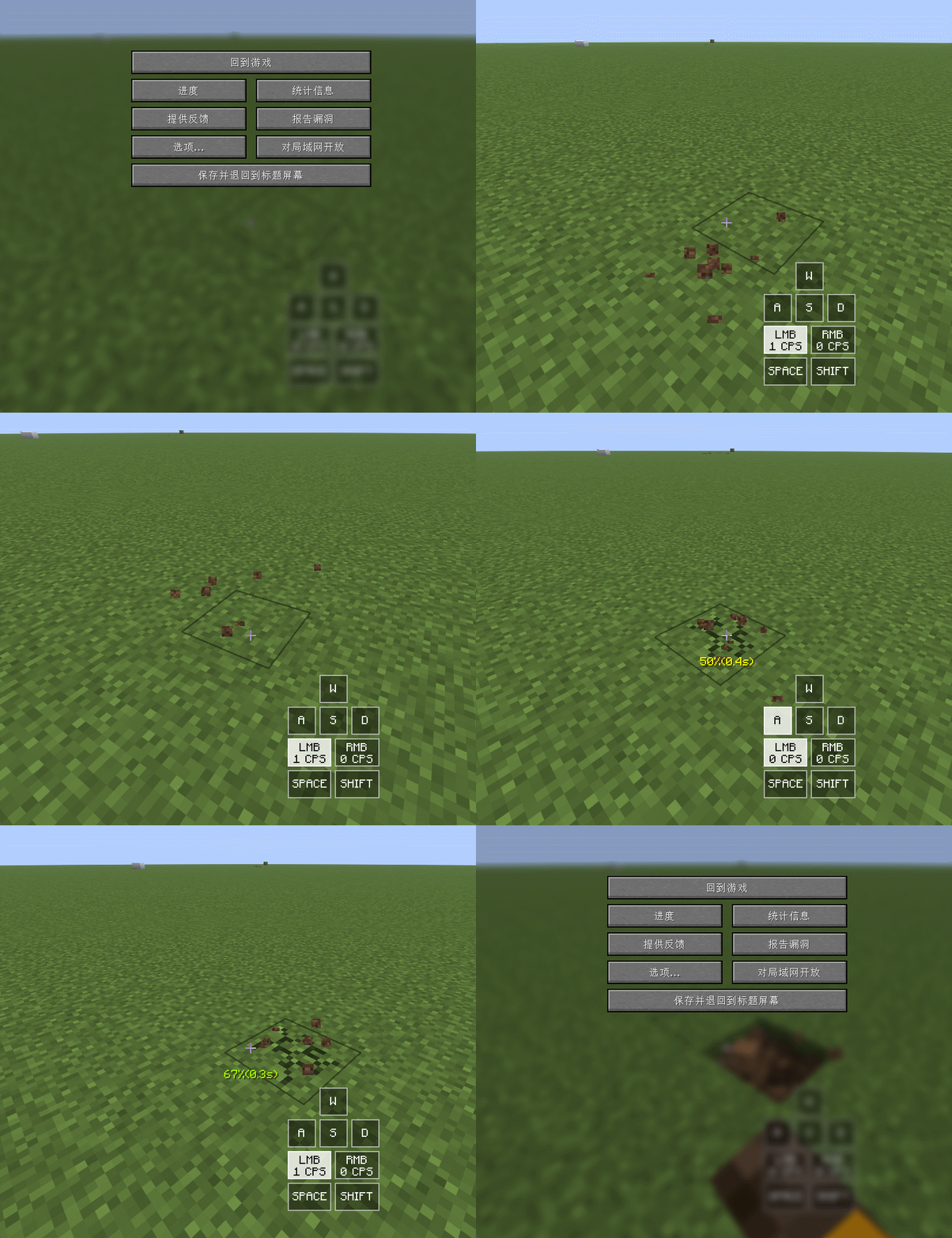
Features include polished HUD components, sword blocking animation, dynamic motion blur, input method conflict fixes, block count display, target information display, and more. Download the mod to experience the full feature set.
Preview
Settings UI
HUD Editor
Sword Blocking Animation
Gameplay Utilities
Purpose
PVPUtils was created to fill the gap left by the lack of dedicated PVP experience optimization mods for newer Minecraft versions. Existing similar mods or clients are often not open enough to be freely customized around user needs. Feature-focused mods do exist, but many of them are single-purpose and often lack compatibility with each other.
PVPUtils changes this by being a fully open-source client-side mod. You may freely modify and improve it under the terms of the open-source license. It integrates many common PVP and survival assistance and optimization features, allowing one mod to provide an experience that would otherwise require multiple separate mods.
As a client-side mod, it can also be combined with other mods to build your own gameplay setup, and PVPUtils continues to adapt to and improve compatibility with mainstream mods.
Compatibility
The mod currently supports Minecraft 1.21.11 Fabric only. It supports Windows 10 and later, and does not currently support mobile platforms or Bud Island. Thanks to the open-source nature of the project, community versions have already implemented support for related platforms.
Backports to Minecraft 1.20.4 or 1.20.6 Fabric are planned. There are currently no plans to port to higher Minecraft versions, because newer versions temporarily lack a strong PVP-oriented mod ecosystem.
Note: this mod is not compatible with most cheat mods, and using it together with cheat mods is not recommended. If cheat mods cause client crashes or related issues, the management team will not handle those reports. Maintaining a fair game environment is everyone's responsibility.
Notes
The mod includes several performance optimizations and low-level improvements, which may cause compatibility issues with some render optimization mods. Choose the related features according to your setup.
PVPUtils also fixes several Minecraft client bugs, so you can receive those improvements without installing additional mods.
Disclaimer
This is a client-side mod. It does not provide server-side data modification or cheating features. Every feature is added after considering compatibility, benefits, and tradeoffs.
However, some features may still be considered disallowed by certain servers. Before using the mod, carefully read the rules of the server you play on and confirm that you accept all risks yourself.
By using this mod, you are considered to have read and understood the relevant server rules and to accept full responsibility. PVPUtils is not responsible for account bans or other consequences caused by server rule violations.
FAQ
- Starting from version 1.1, the mod requires Windows 10 or later and the Visual C++ Redistributable runtime. Mobile devices and systems older than Windows 10 are not supported. Use versions earlier than 1.1 if needed.
- The settings UI and HUD depend on GPU rendering. Smooth performance is not guaranteed on low-end devices, and future versions will continue to optimize performance.
- The default keybind is Right Shift. There is also a settings button in the top-right corner of the inventory screen.
- Press P on the title screen to switch to the custom main UI. Click the title in the top-left corner to return to the vanilla UI, and right-click it to switch UI styles. Low-end devices may stutter during switching; this is normal.
- Language switching is located under Misc -> Language Switch. Right-click to expand it and switch between Chinese and English. Reopen the UI for the change to take effect.
- The mod is compatible with Lunar Client. Other third-party clients have not been fully tested and may have issues.
- Target health display may occasionally be inaccurate. This is usually caused by server plugin restrictions and cannot be fixed by the mod.
Project Links
Compatibility
Mod Loaders
Game Versions
Recommended Gear
AffiliateHardware and extras that pair well with this mod.

As an Amazon Associate I earn from qualifying purchases.
Similar Mods

Scrollable Tooltips
Adds the ability to scroll on long item tooltips
Smooth Swapping (Forge)
Moves items smoothly in inventories

ChatCalculator
Minecraft mod to calculate terms from the ingame chat.
Logicates
Adds diverse redstone components into your game
The Last of Us - Zombie Apocalypse
The closest you can get to the last of us

Create Origins Compat
Enhances gameplay by adding compatibility between Create's mechanics and Origins/Origin Umbrellas