

Attuned Anchors
ModThis project adds buildable Local and Global waypoint anchors to Minecraft. Players construct in-world shrine structures that become styled, access-controlled waypoints with names, colors, item icons, and a client waypoint menu.
Type
Mod
Modrinth Downloads
181
Modrinth ID
ClrRuGLT
Last Updated
Aug 22, 2026
Description
Mach9Games Studio
Attuned Anchors!

Attuned Anchors adds buildable waypoint shrines to Minecraft.
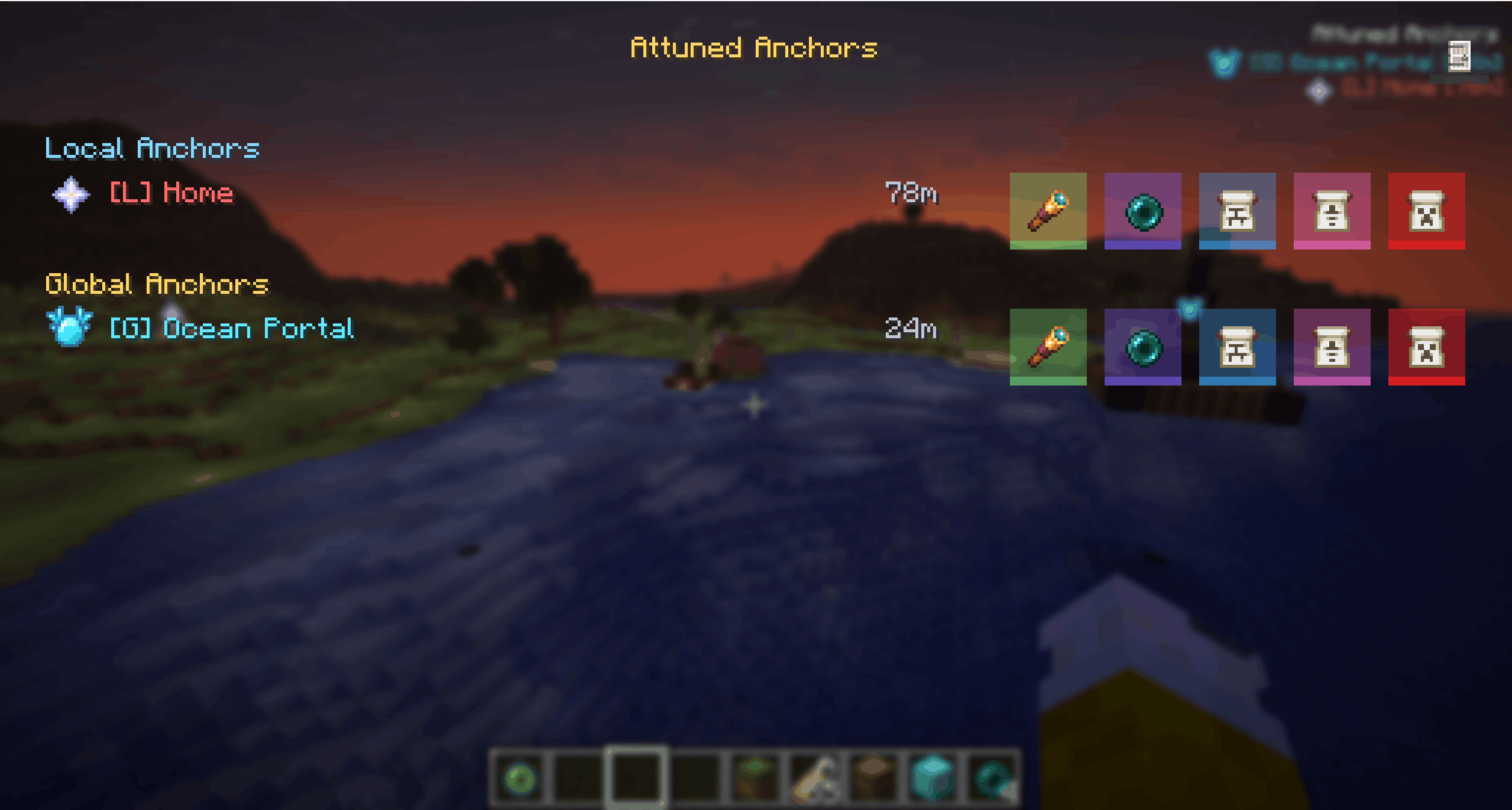
Instead of placing waypoints from a map screen, players build an Anchor structure in the world, activate it, and then use it through an in-game waypoint menu and HUD.
Installation
Install the same jar on both the client and server.
- Client: required
- Server: required
Features
- Buildable Local Anchors and Global Anchors
- In-game waypoint HUD with distance markers
- N menu for viewing, editing, teleporting, and managing Anchors
- Admin teleport button for fast travel
- Name Tag based access control
- Public Anchors, private Anchors, and assigned-user Anchors
- Automatic structure validation
- Broken Anchors disable themselves and reactivate when repaired
- Fully removed Anchors are cleaned from storage
- Persistent world storage
Anchor Types
Attuned Anchors has two Anchor types with different visibility ranges.
Type Visibility Range Core Block Item Frame Local Anchor < 256m Iron Block Ender Pearl Global Anchor > 256m Diamond Block Eye of EnderLocal Anchors are short-range waypoints. By default, they are visible up to 256m away.
Global Anchors are long-range waypoints. They can be seen from beyond 256m and remain available from anywhere in the same dimension.

Access Control
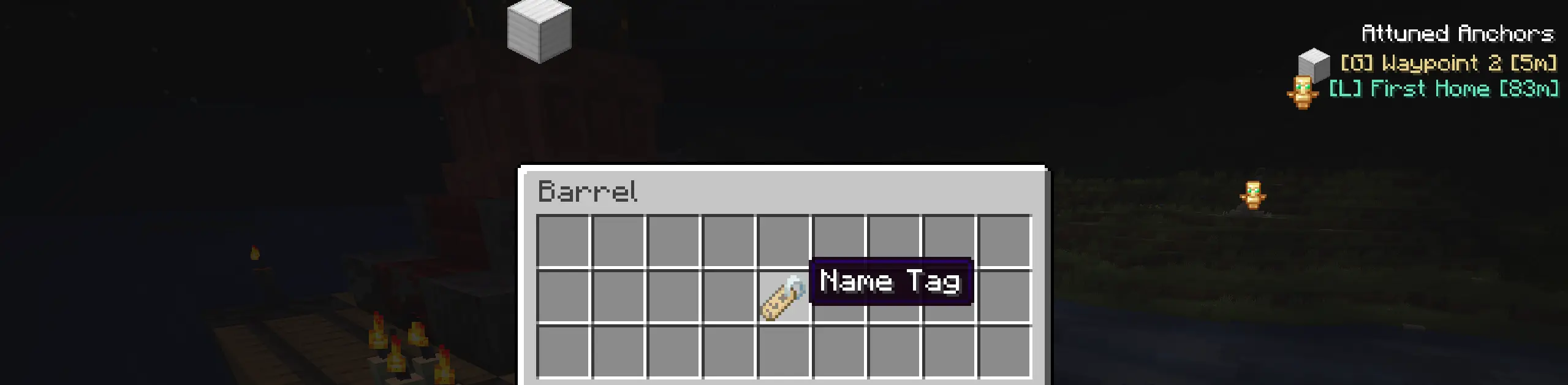
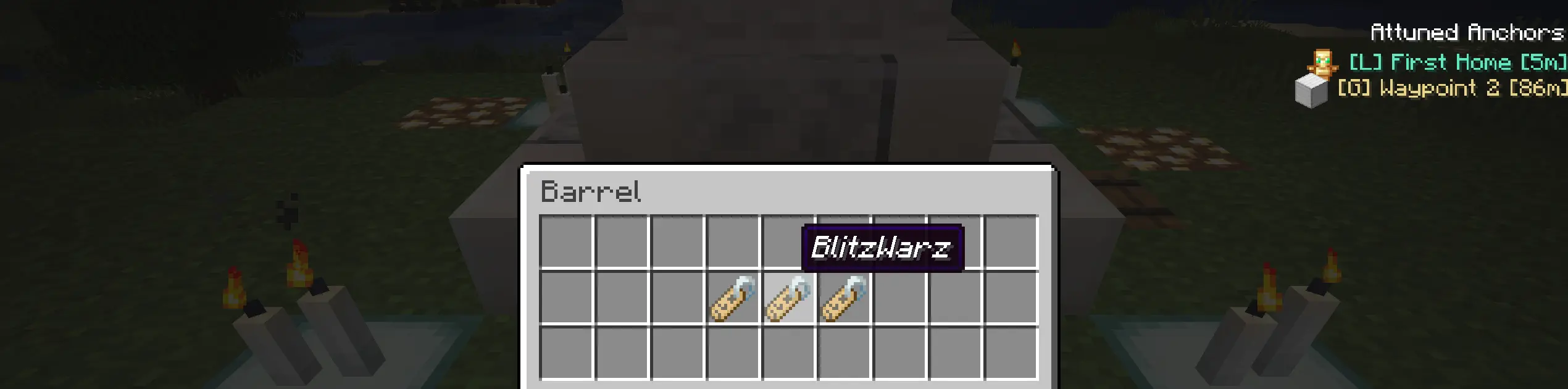
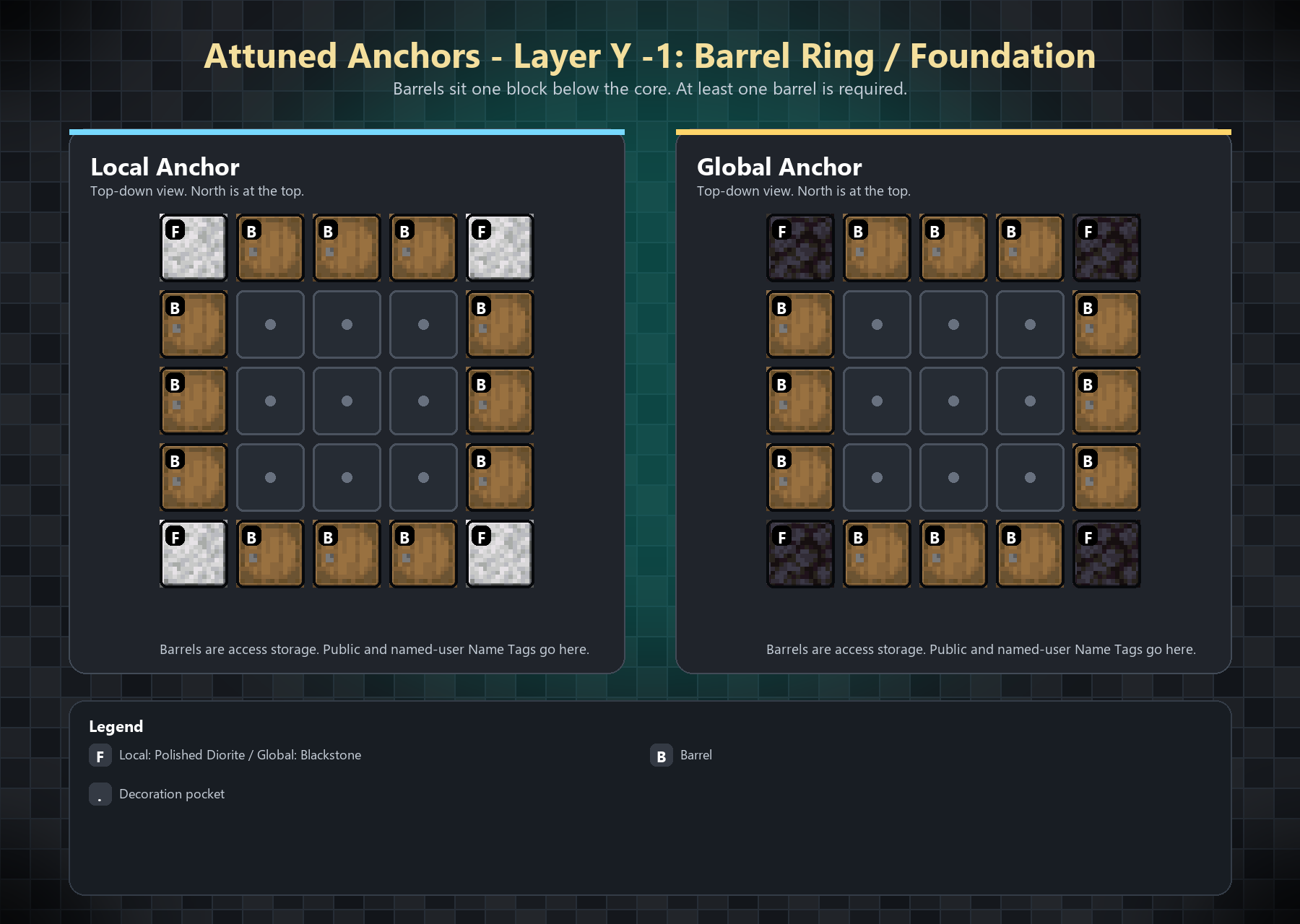
Anchor access is controlled through Name Tags placed inside the Anchor barrels.
- Add a default Name Tag to make the Anchor public.
- Add renamed Name Tags with player names to make the Anchor visible only to those players.
- Leave out Name Tags to keep the Anchor disabled until access is configured.
- More barrels means more room for access names.
Waypoint Menu
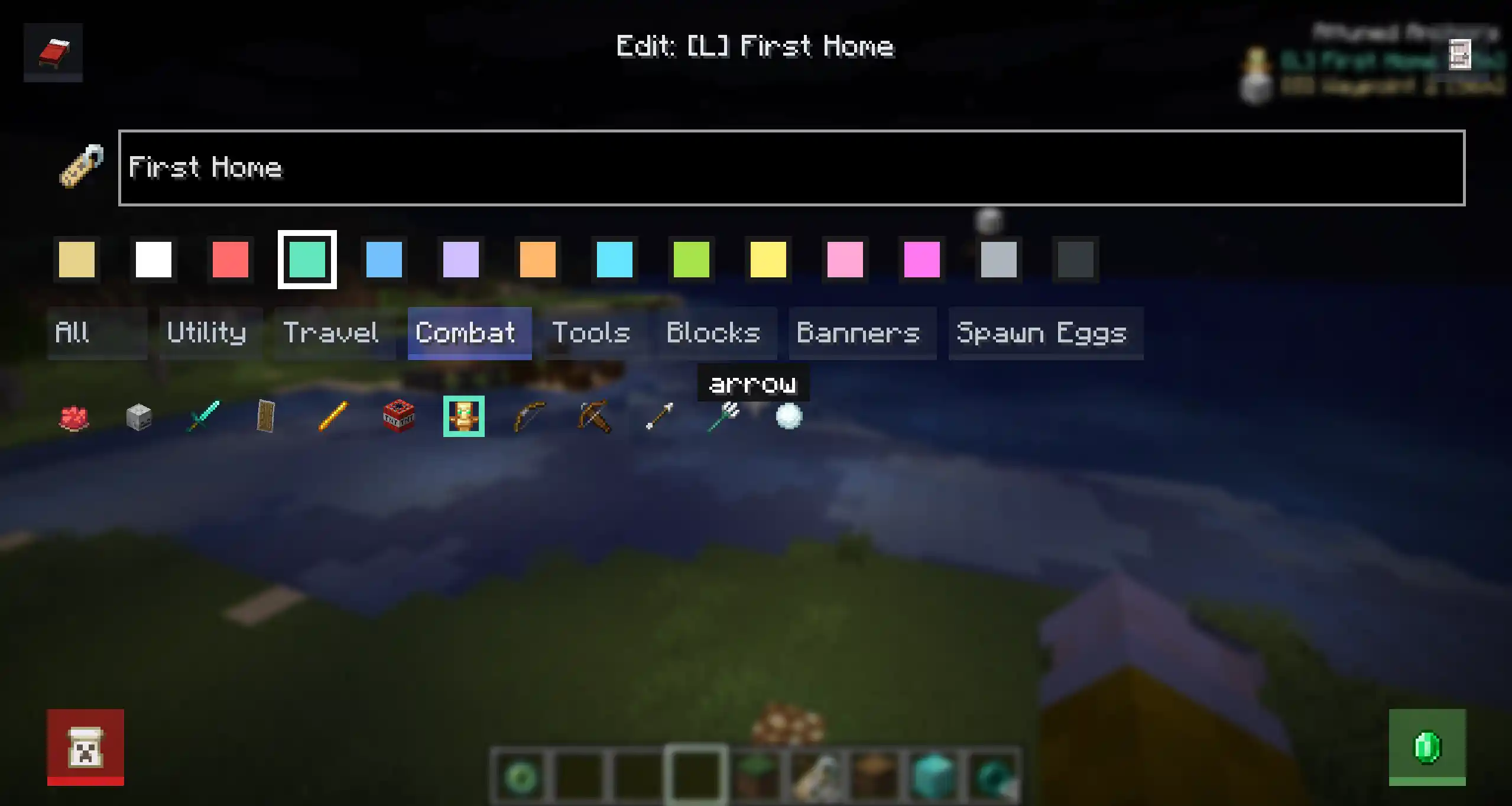
Press N to open the Attuned Anchors menu.
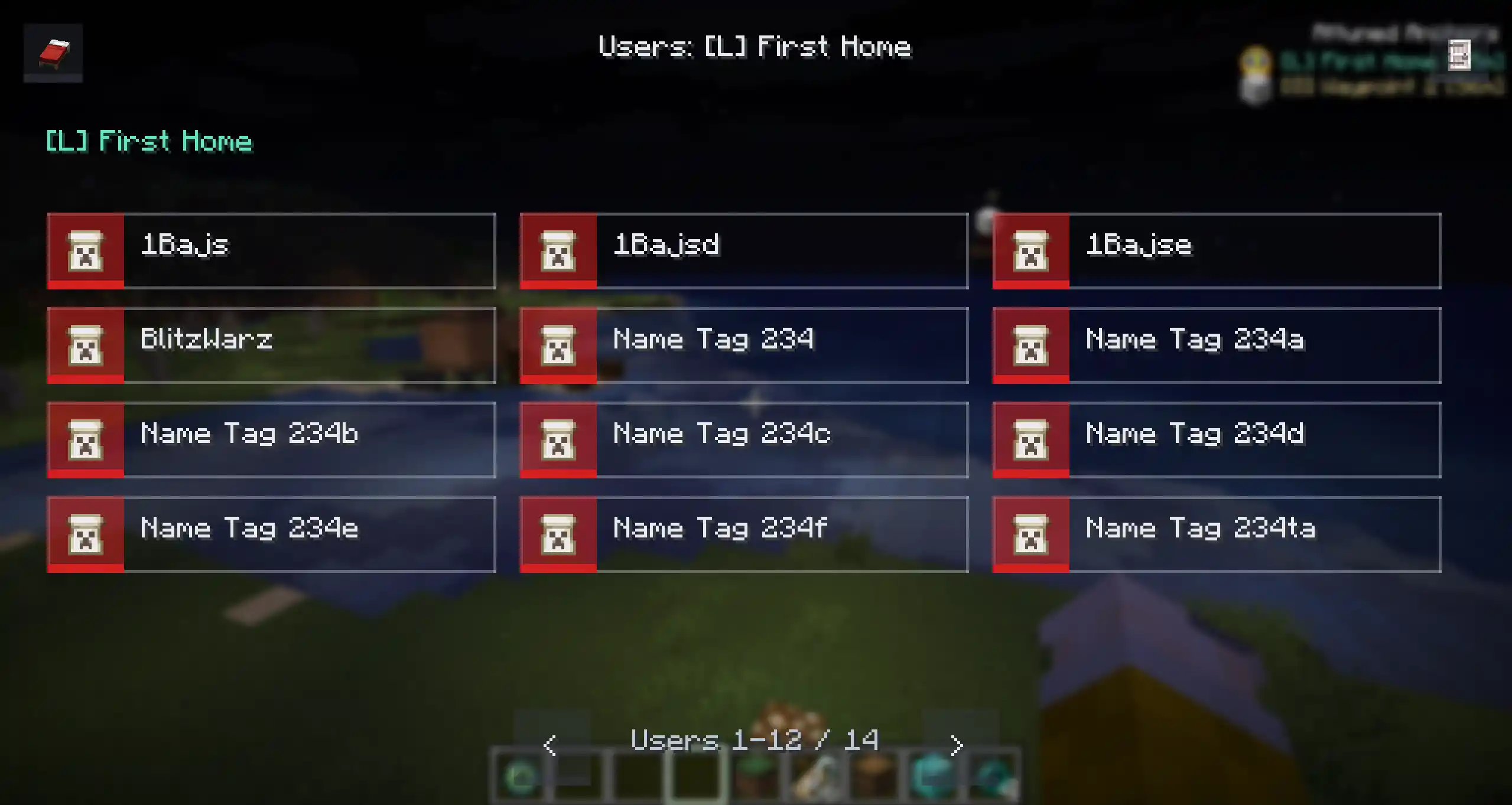
From the menu, players can view available Anchors, toggle HUD visibility, inspect access, edit marker appearance, and manage Anchors they are allowed to control.
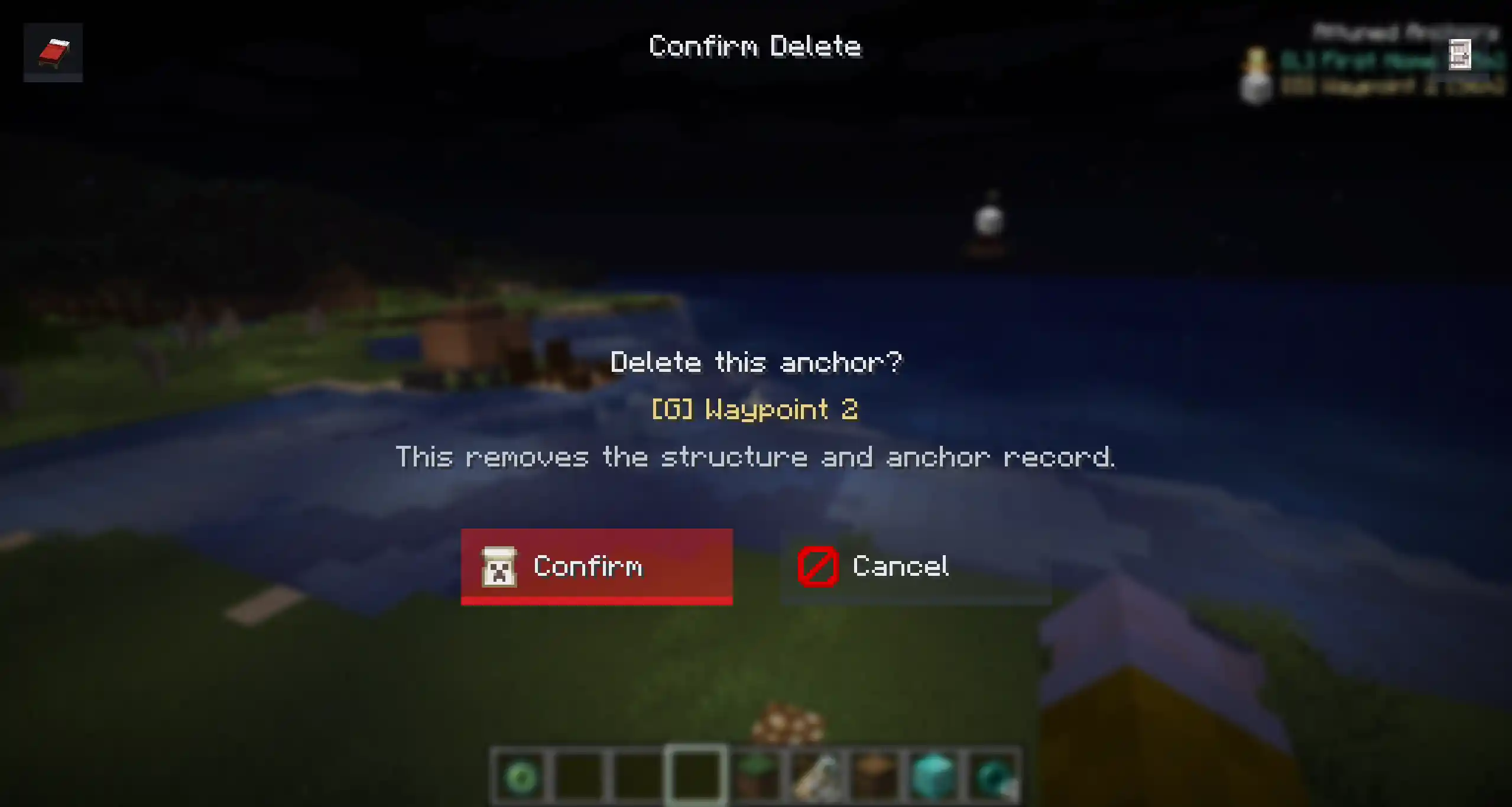
Deleting an Anchor uses a confirmation screen to prevent accidental removals.
Activation
Build the structure, place the required item frames, then interact with one of the Anchor item frames.
If the structure is valid, the Anchor is registered, its candles are managed by the mod, and it becomes visible to players with access.
Anchors use a 5x5 footprint. Build each layer centered on the core block position.
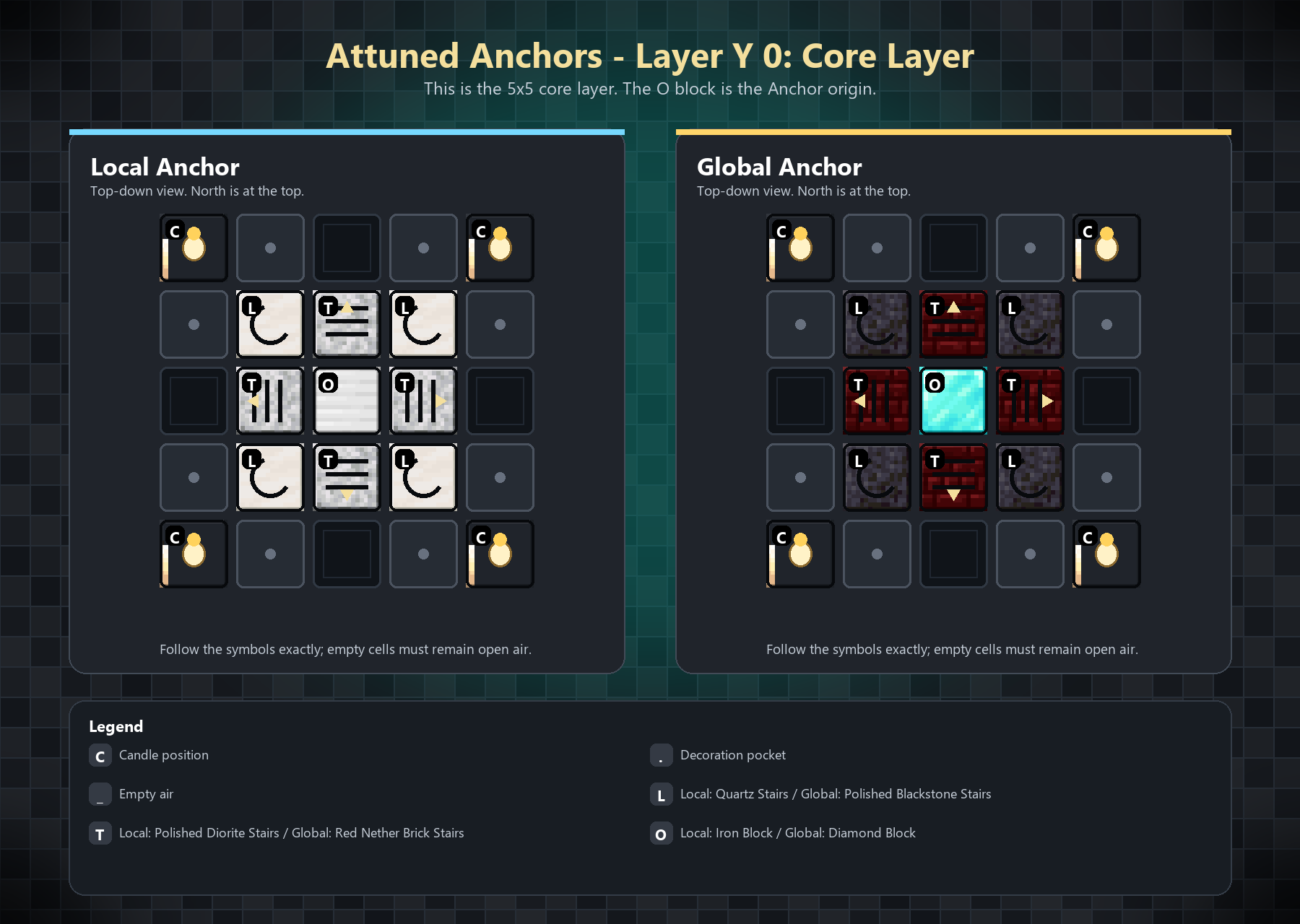
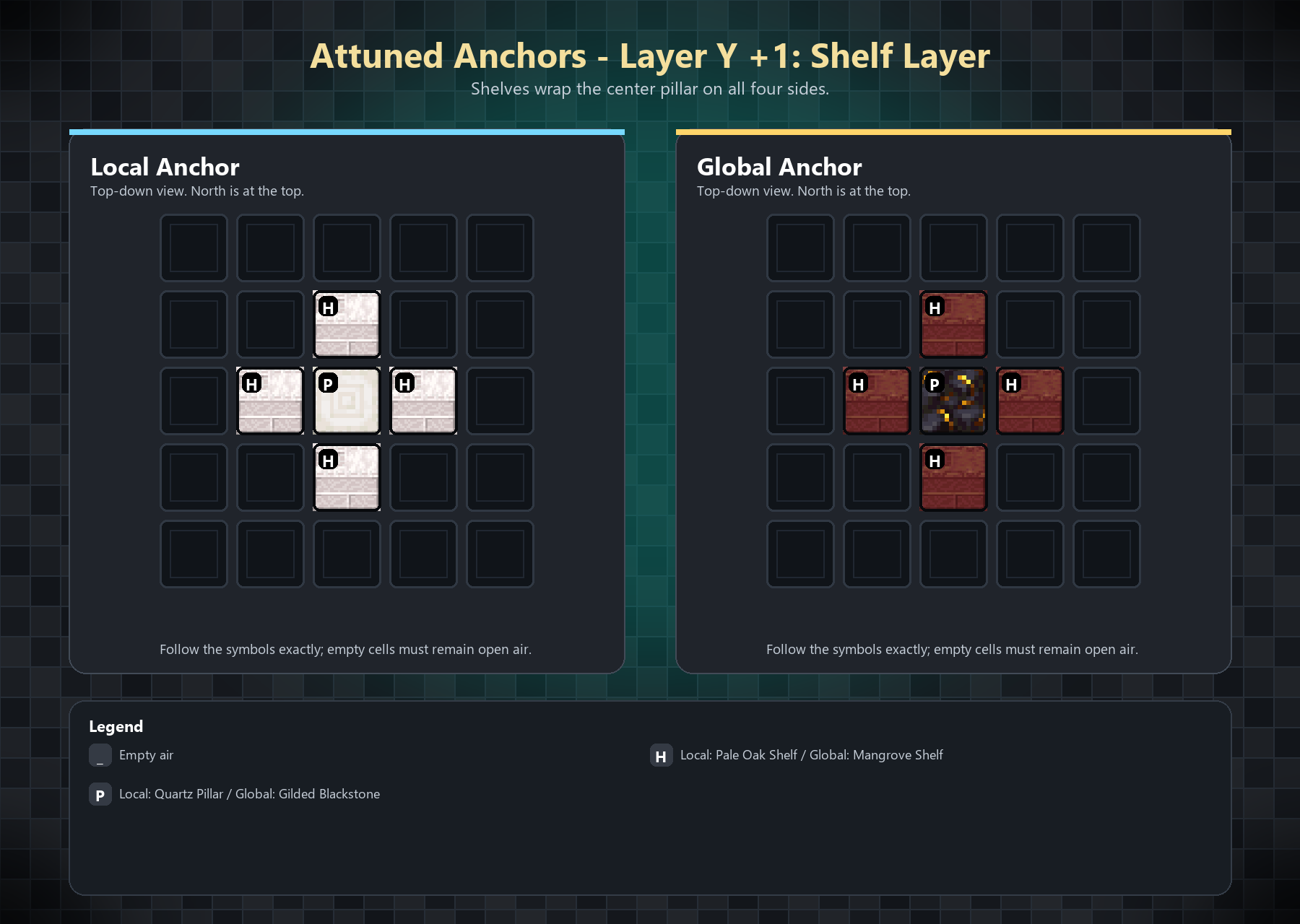
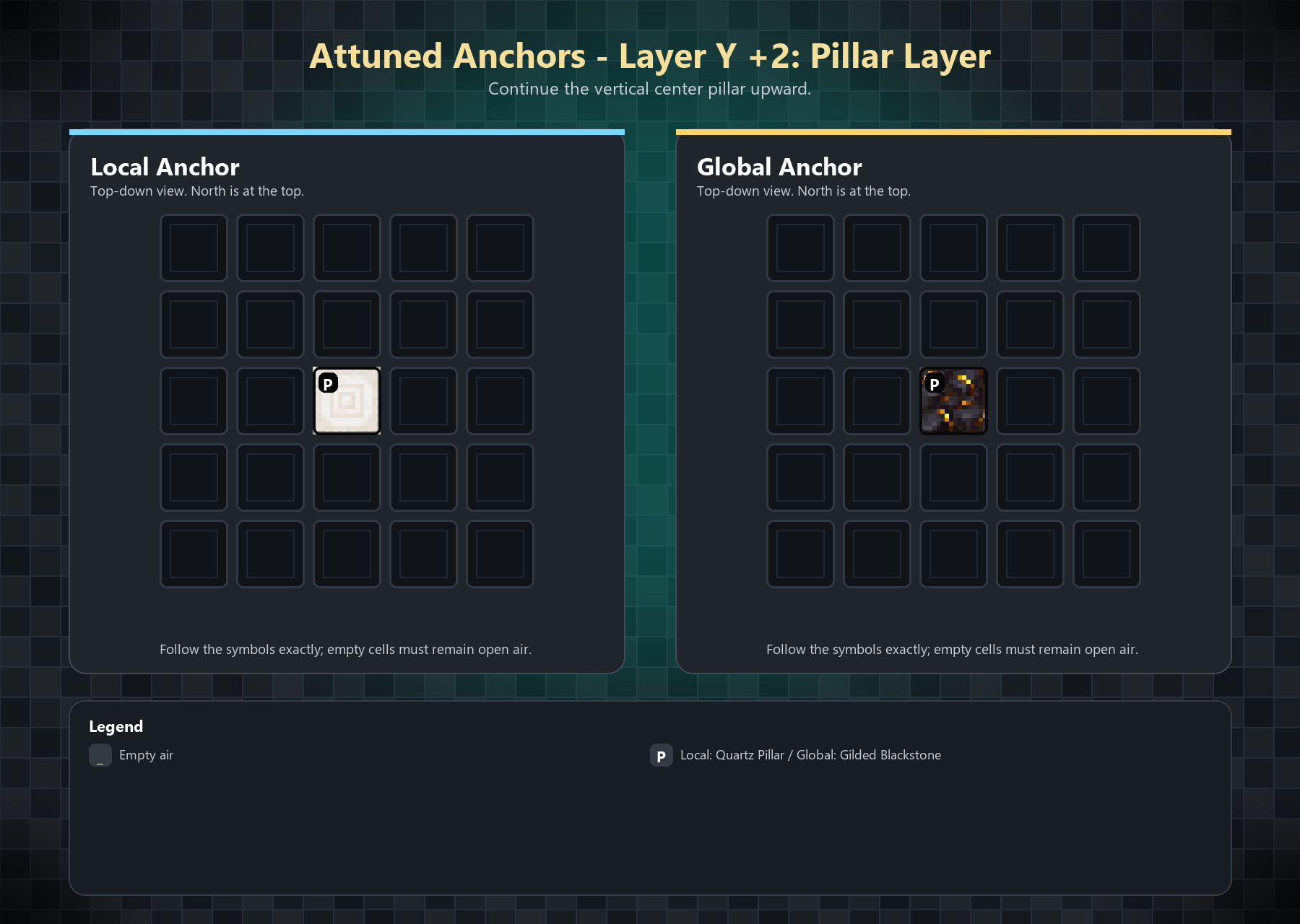
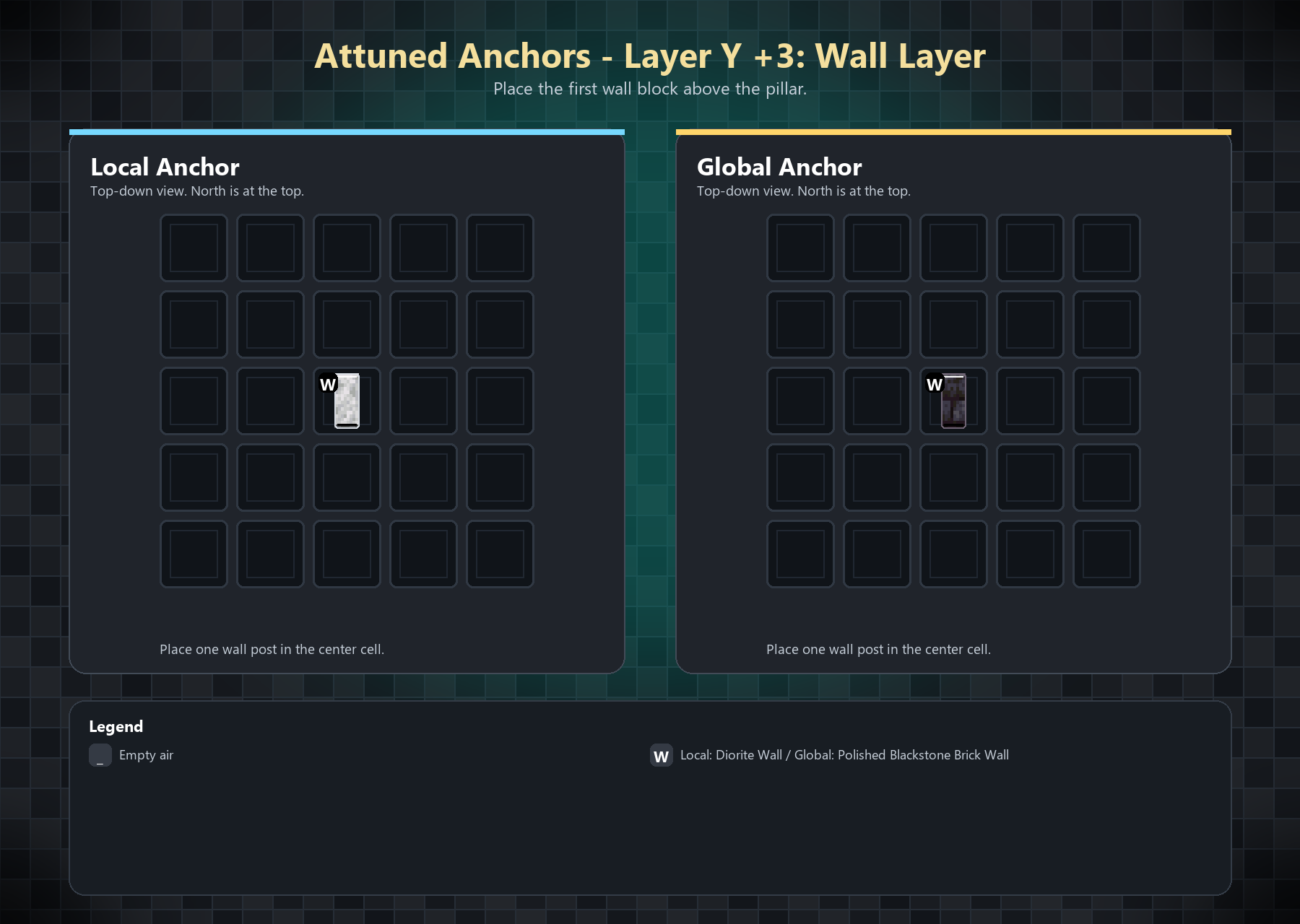
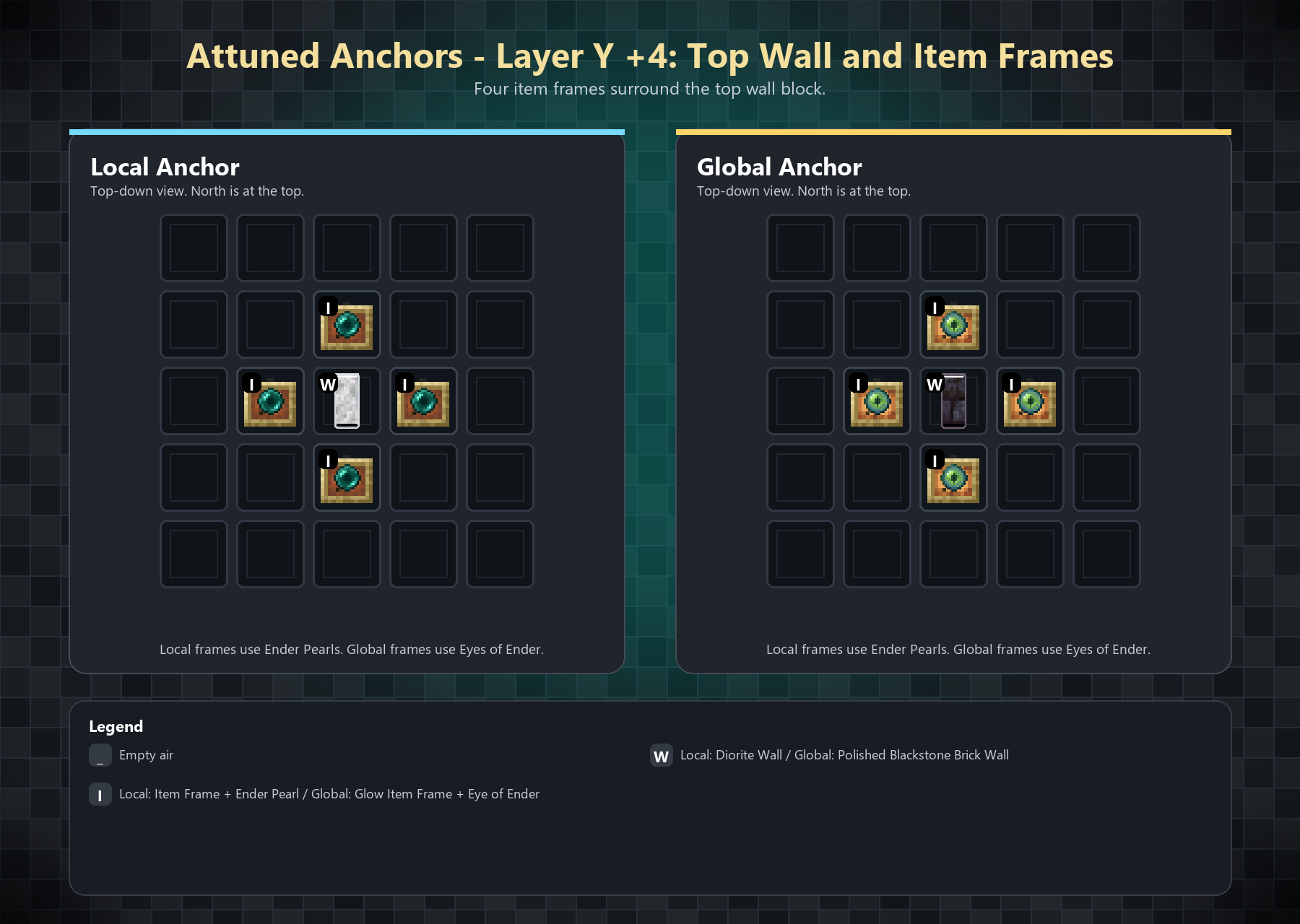
The item frames must contain:
- Local Anchor: Ender Pearl
- Global Anchor: Eye of Ender
Global Anchors use glowing item frames by default.
Commands
The main command is /anchor, with /an as a shortcut.
- /anchor spawn <local | global> [<color> [<icon> [<name>]]] creates a complete Anchor.
- /anchor despawn removes the nearest registered Anchor structure within 32 blocks.
- /anchor list shows Anchors visible to the player.
- /anchor remove deletes the nearest registered Anchor record without breaking blocks.
- /anchor help [spawn | despawn | list | remove] shows command help.
Add this near the bottom, replacing the current Configuration section:
Configuration
Attuned Anchors creates its config files in:
config/attunedanchors/Main Config
config/attunedanchors/config.jsonDefault values:
{ "localRadius": 256, "validationIntervalSeconds": 60, "globalSameDimensionOnly": true, "anchorNameMaxLength": 16, "localNamePrefix": "[L] ", "globalNamePrefix": "[G] " }Anchor records are saved per world at:
data/attuned_anchors.tsvStructure definitions are configurable through:
config/attunedanchors/structures.jsonAdmins and Permissions
Attuned Anchors supports the Fabric Permissions API.
Grant this node to give full access:
attunedanchors.adminIndividual permission nodes:
Permission Allows attunedanchors.menu Open the Anchor menu attunedanchors.edit Edit Anchor name, color, and icon attunedanchors.manage Manage Anchor users and delete Anchors attunedanchors.teleport Teleport to Anchors from the menu attunedanchors.command.list Use /anchor list attunedanchors.command.spawn Use /anchor spawn attunedanchors.command.remove Use /anchor remove attunedanchors.command.despawn Use /anchor despawnIf you do not use a permissions mod, fallback admins can be added here:
config/attunedanchors/admins.jsonExample:
{ "uuids": [ "00000000-0000-0000-0000-000000000000" ], "names": [ ] } { "uuids": [ ], "names": [ "PlayerName" ] }Compatibility
Mod Loaders
Game Versions
Recommended Gear
AffiliateHardware and extras that pair well with this mod.

As an Amazon Associate I earn from qualifying purchases.
Screenshots
Similar Mods

Small Doubling
Allows you to duplicate any Small Flower using Bonemeal, just like the big ones!

Dragon's Reprieve
Kill the Ender Dragon to prevent monsters from spawning on the surface of the overworld.

Easy Trades
Refresh villager trades with one click. Includes Target Locking for specific Enchantments!

Mini Creeper
Adds a small but deadly creeper that hunts players quickly.

ricoshot
A Minecraft mod that lets you throw gold nugget in the air and shoot them with a bow. You can also block with your shi...

Cascades Cool Biomes
An addon for Cascades that adds carefully selected biomes derived from WWEE on top of Cascades worldgen, while also rest...