Find me
Modby kuzhizaizheli
Find Me is a mod for storing, summoning, and managing creatures and vehicles.
Type
Mod
CurseForge Downloads
362,199
CurseForge ID
1572205
Modrinth Downloads
6,359
Modrinth ID
bBltNHbY
Last Updated
Sep 12, 2026
Description
This mod adds a complete system for vehicles, mounts, and pets to Minecraft.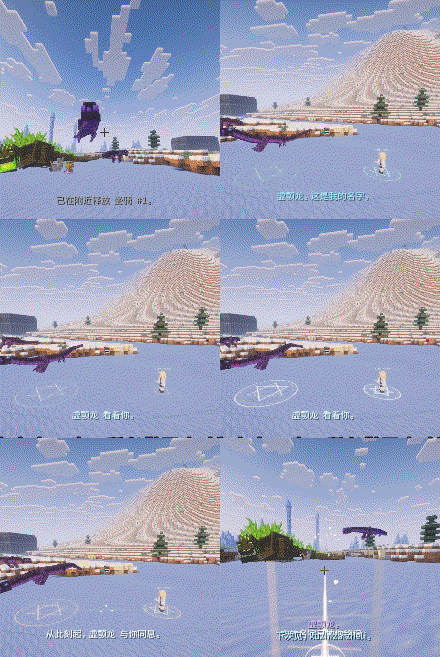
1. Mounts and Vehicles
Function
Store, summon, and rescue mounts (horses, dragons, etc.) and vehicles (boats, minecarts, other vehicle mods). Only one mount or vehicle can be summoned at a time.
Controls
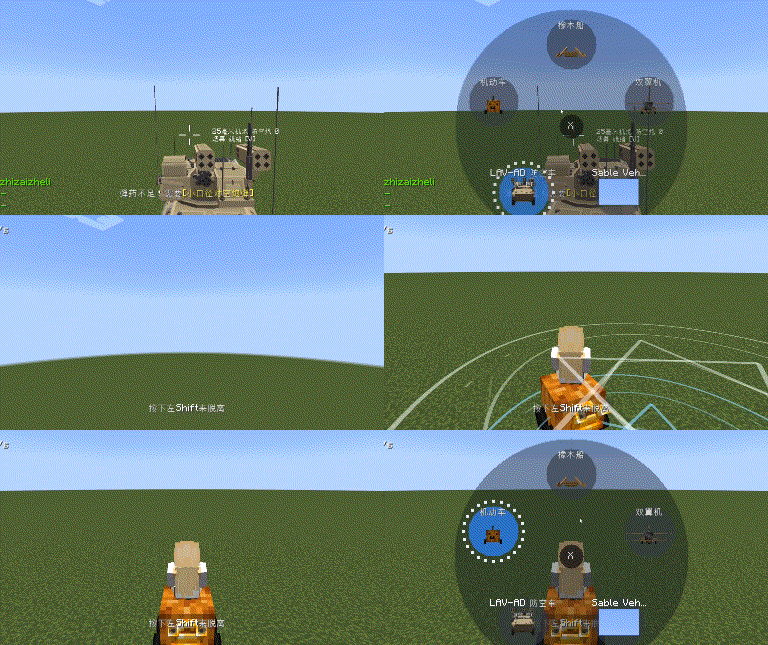
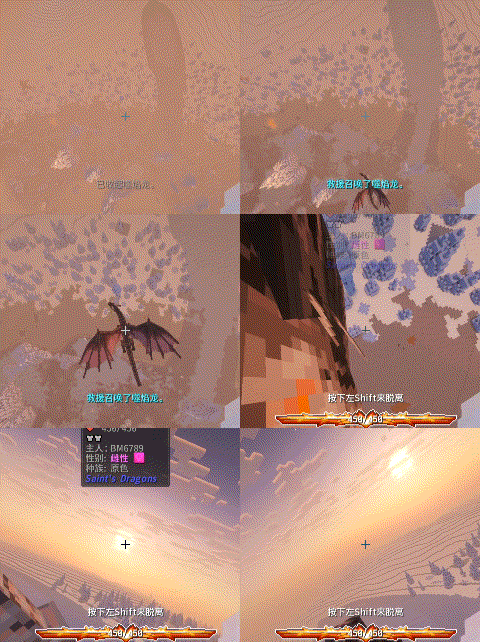
· Short press R: Summon the currently selected mount/vehicle; if already summoned, perform aerial rescue (the mount automatically catches a falling player).
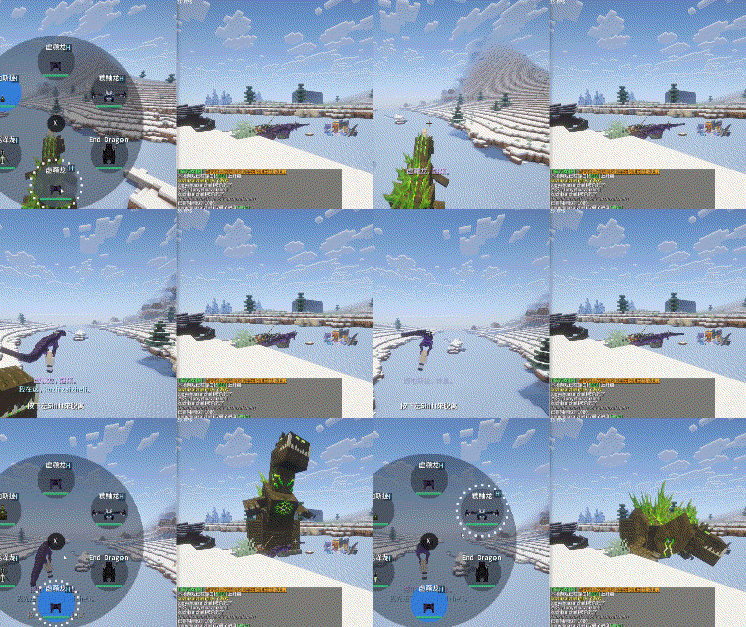
· Long press R: Open the mount/vehicle selection wheel.
· Inside the wheel: Hover your mouse over a creature to select it; left-click to immediately summon/rescue that creature.
· Store: Summoned creatures are shown with a blue circle in the wheel, left-click to store them.
· Switch category: Press Tab while the wheel is open to switch between mount and vehicle wheels.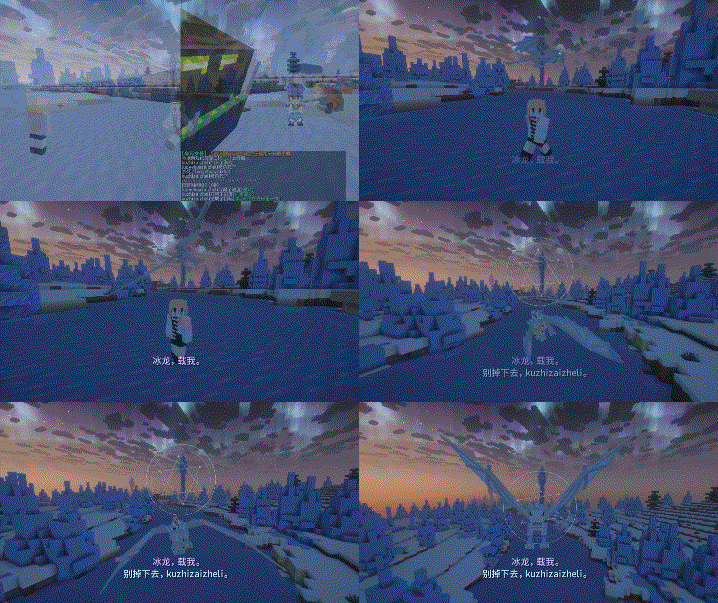
2. Companions
Function
Store and summon pets (wolves, cats, and third-party mod pets), with a maximum of two summoned at the same time.
Operations
· Tap V: Summon the currently selected companion;
· Hold V: Open the companion selection wheel, works just like the mount wheel (hover to preview, left-click to summon/store).
· Companions also support the blue circular icon for storing.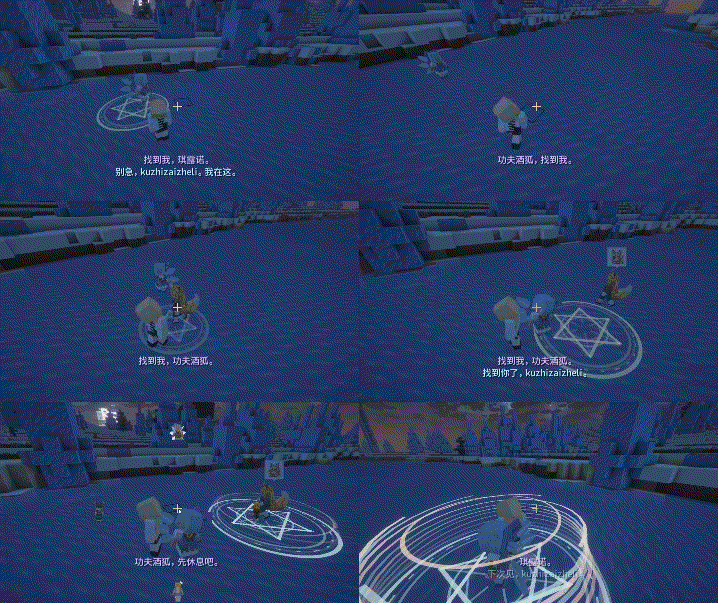
3. Management Interface (Press G)
Functions:
- View a 3D preview of creatures
- Remove registered mounts, vehicles, or companions
- Switch creatures between mount and companion lists
Operations:
- Press G to open the management interface, right-click menu to delete and remove vehicles or creatures
- Left-click to open a creature preview
- Hold left-click and drag: up and down to sort, left and right to switch lists
- Press Tab to switch to the vehicle management interface
4. Rescue System
1. When a player falls from a height, the summoned mount acts as a rescue summon. The creature will automatically run over from a distance and catch the player before they land. Different mounts have unique animations (like a horse running or a dragon hovering mid-air).
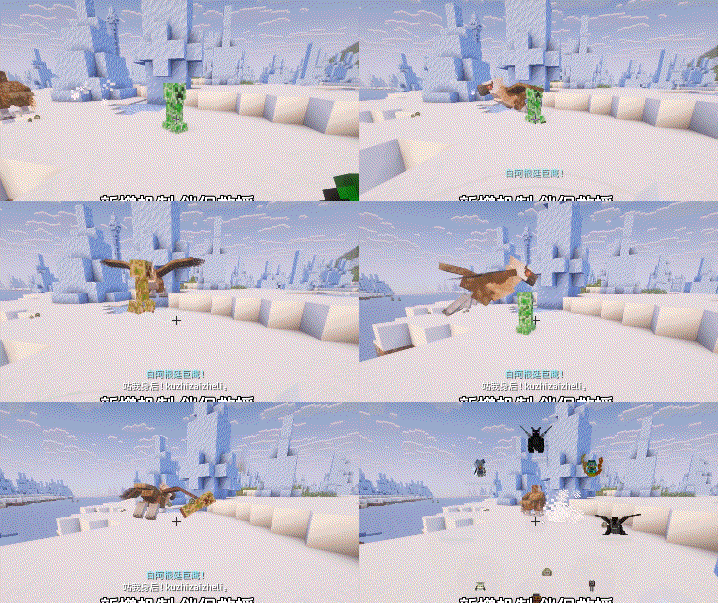
2. When a player is targeted by a creature's hate, the summoned companion becomes a rescue summon. It will give both the player and the summoned creature a positive buff, and the summoned creature will taunt the enemy targeting the player, actively attacking it.
5. Pet Resurrection
After a pet dies, there is a chance for it to be resurrected when the player sleeps in bed.
6. Pet Home (Little Nest)
You can set up a 'home' spot for your companion. Once set, your pet will appear from its home when summoned and automatically return there when stored.
7. Others
Most settings can be changed in the configuration files.
The mod has a dialogue system, and interested players can enable it in the config to give it a try.
8. Compatibility
Supports most pet vehicle mods
Some mods with their own implementation won't work
If you want to store vehicles from Create: Aeronautics, you need to download the Sable Schematic Tool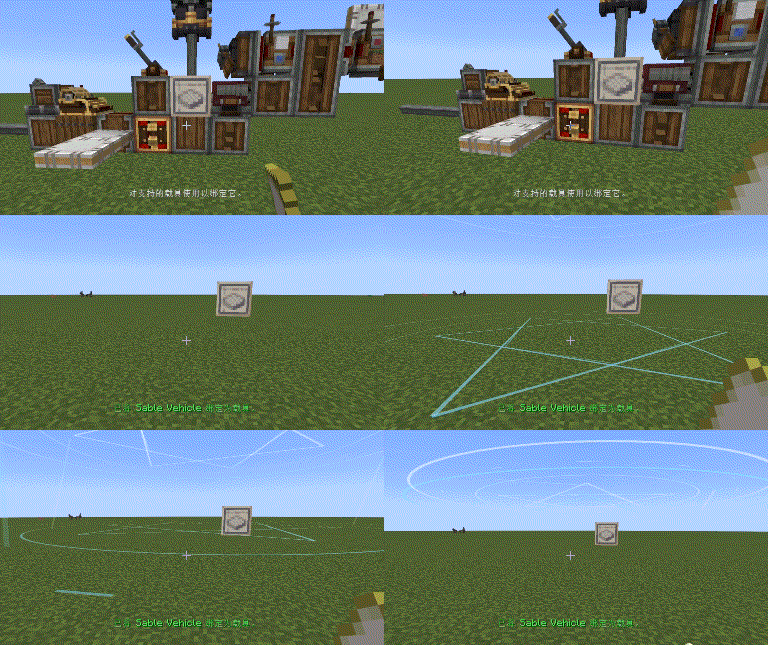
### Mount Swap Protection
When switching mounts, the old mount is kept until the new one arrives and accepts you, preventing falls into the void.
### Deceased Creatures & Revival
- Registered creatures that die move to the **Deceased List**, with a preview and removed from active wheels.
- If **Sleep Revival** is enabled, each time you wake up there is a chance (default 70%, 10-min cooldown) that a deceased companion respawns nearby.
- Creatures can also be recovered via the **Emergency Vault** or **Auto-Backups**.
### Emergency Vault & Auto-Backups
- **Vault**: Automatically saves a creature snapshot before dangerous operations. Holds up to 30 snapshots.
- **Auto-Backups**: Periodically saves your full mount, companion, and deceased lists (default every 30 min, keeping 6 copies).
- Restore with commands:
```
/findme vault list
/findme vault restore <index>
/findme backup list
/findme backup restore <index>
```
## Command Reference
All commands use the prefix `/findme`.
| Command | Description |
|---------|-------------|
| `/findme mount list` | List all mounts and their indices |
| `/findme mount summon` | Summon / dismiss current mount |
| `/findme mount return` | Send current mount back to its saved position |
| `/findme mount remove <index>` | Remove a mount |
| `/findme companion list` | List all companions and their indices |
| `/findme companion summon` | Summon / dismiss current companion |
| `/findme companion return` | Send current companion back to its saved position |
| `/findme companion remove <index>` | Remove a companion |
| `/findme vault list` / `restore <index>` | Manage emergency vault snapshots |
| `/findme backup list` / `restore <index>` | Manage full list backups |
## Common Configuration
Config file: `config/find_me-common.toml` (requires restart after changes).
### Safety & Backups
```toml
enableVault = true
vaultCapacity = 30
enableAutoBackups = true
backupIntervalMinutes = 30
backupCapacity = 6
postTeleportInvulnerabilitySeconds = 1.5 # Invulnerability after forced teleport
```
### Revival
```toml
enableSleepRevive = true
sleepReviveCooldownMinutes = 10
sleepReviveChance = 0.7
sleepReviveSpawnEntity = true # Set to false for modpacks with giant creatures
```
### Summon Cooldowns (20 ticks = 1 second)
```toml
mountCooldownTicks = 60
companionCooldownTicks = 40
combatMountCooldownTicks = 40 # During combat
returnCooldownTicks = 40
rescueMinFallDistance = 5
safeSearchRadius = 12 # Increase for large creatures
```
### Combat
```toml
enablePvpSummon = true
enableCombatSpeedBoost = true
combatSpeedBoostPercent = 0.2
combatSpeedBoostTicks = 60
```
### Compatibility Overrides
If a modded creature is not recognized correctly as a mount/companion, or its movement type is wrong:
```toml
customMounts = ["modid:entity_id"]
customCompanions = ["modid:entity_id"]
customMoveTypes = ["modid:entity_id=fly"] # Valid: walk, swim, companion
previewScaleOverrides = ["modid:entity_id=0.75"] # Adjust GUI preview size
```
## Troubleshooting Checklist
1. Press `G` and check which list the creature is in (Mounts / Companions / Deceased).
2. Use `/findme mount list` or `companion list` to verify the server-side lists.
3. Creature died? Try sleep revival, or check `/findme vault list` and `/findme backup list` to restore.
4. Creature in wrong list? Dismiss it first, then drag it to the other list in the management screen.
5. Modded creature behaves oddly? Add a `customMounts` or `customMoveTypes` override.
6. When testing modpacks, always keep `enableVault` and `enableAutoBackups` enabled to prevent accidental loss.
https://ifdian.net/a/kuzhi
Compatibility
Mod Loaders
Game Versions
Recommended Gear
AffiliateHardware and extras that pair well with this mod.

As an Amazon Associate I earn from qualifying purchases.
Similar Mods

MekanismOres
dissolving everything in sulfuric acid since 2017
ColorUtility
Make handling ColorCode more easily.

Simple Teleporters Reforged
Simple Teleporters adds a craftable teleporter block to quickly travel your world!

Wondrous Wilds
What "The Wild Update" should and could have been

Scribble
Expertly edit your books with rich formatting options, page utilities and more!
Entangled Fix
Fixes an issue with the Entangled mod that causes servers to hang