

LavaCan
ModDestroy unwanted items by dropping them onto a Lava Bucket. Fire-resistant items and a configurable protection list keep your valuables safe.
Type
Mod
Modrinth Downloads
143
Modrinth ID
aS2RbkvW
Last Updated
Aug 29, 2026
Description
LavaCan
A small inventory utility mod for Minecraft. A Lava Bucket in your hotbar or cursor acts as an instant item destructor — toss unwanted items onto it to burn them away. Fire-resistant items and anything on the configurable exclusion list are always protected from accidental deletion.
How it works
Right-click to destroy
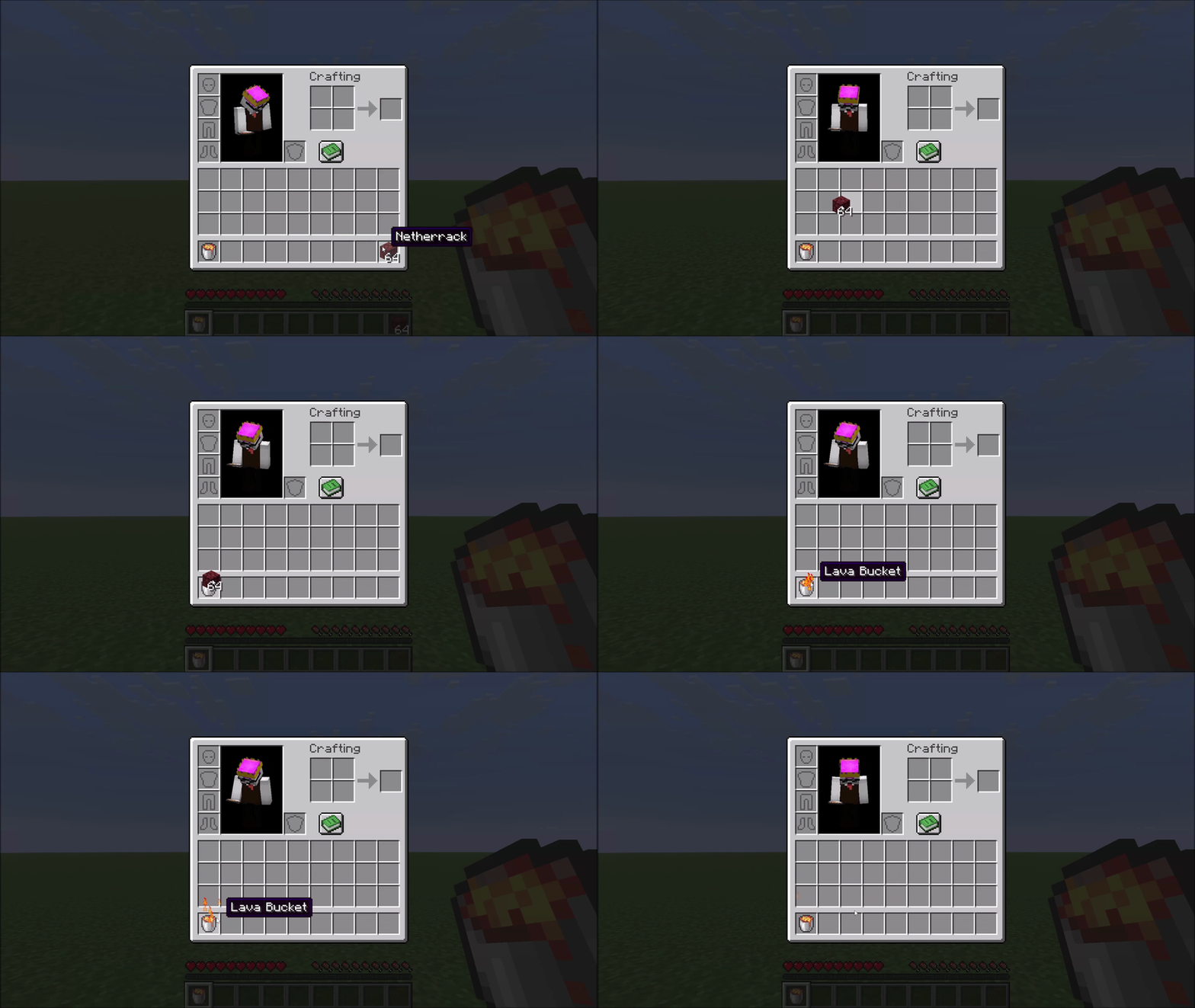
Carry any item in your cursor, then right-click it onto a Lava Bucket in your inventory. The item is destroyed instantly in a burst of flame particles.
Hotbar shortcut
If your Lava Bucket sits in hotbar slot N, pressing N while hovering over an item in any inventory screen sends that item straight to the void — no picking it up first.
Obsidian crafting
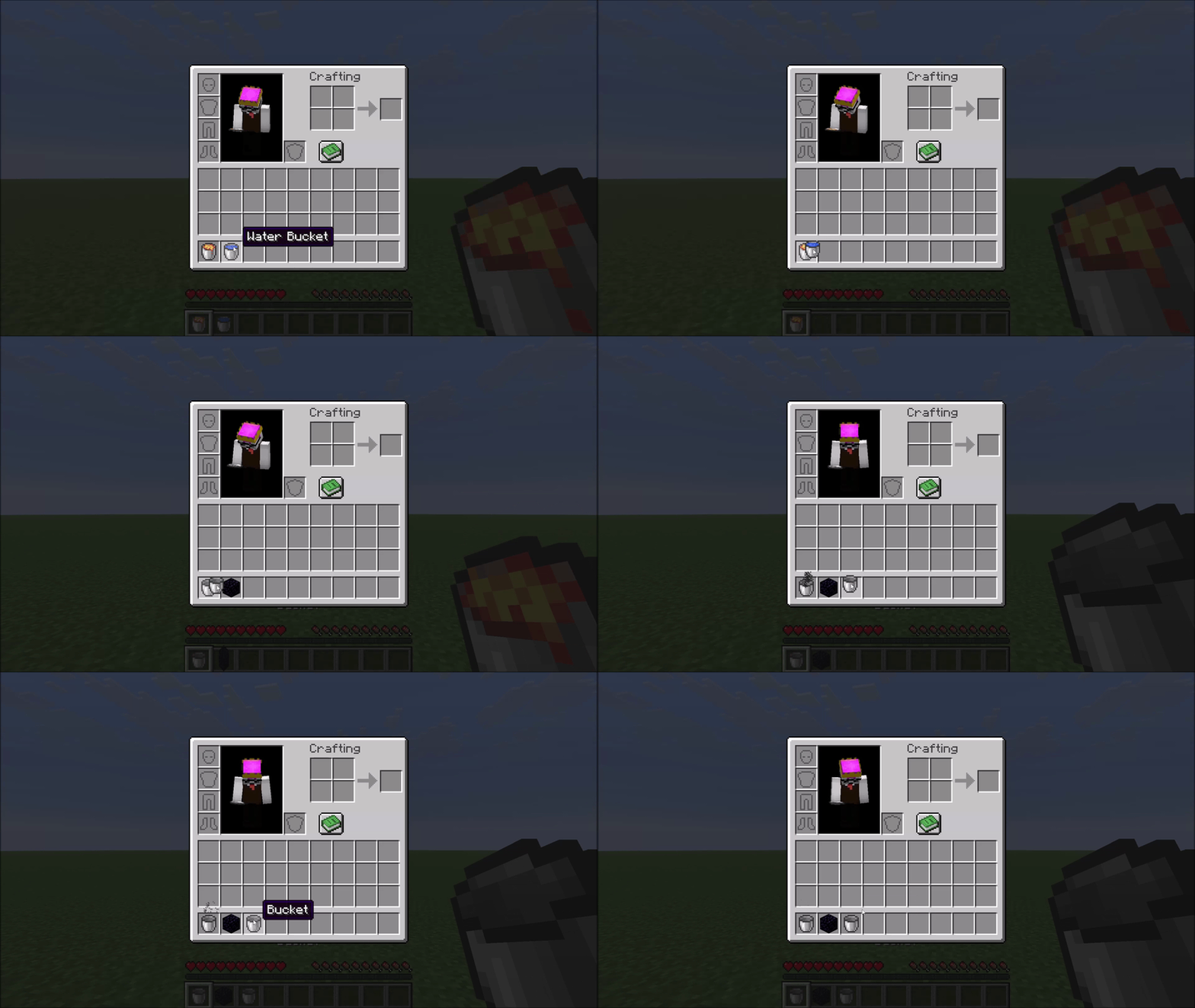
Right-click a Water Bucket onto a Lava Bucket to combine them. Both buckets become empty buckets and you receive one Obsidian, marked by a small smoke animation.
Protected items
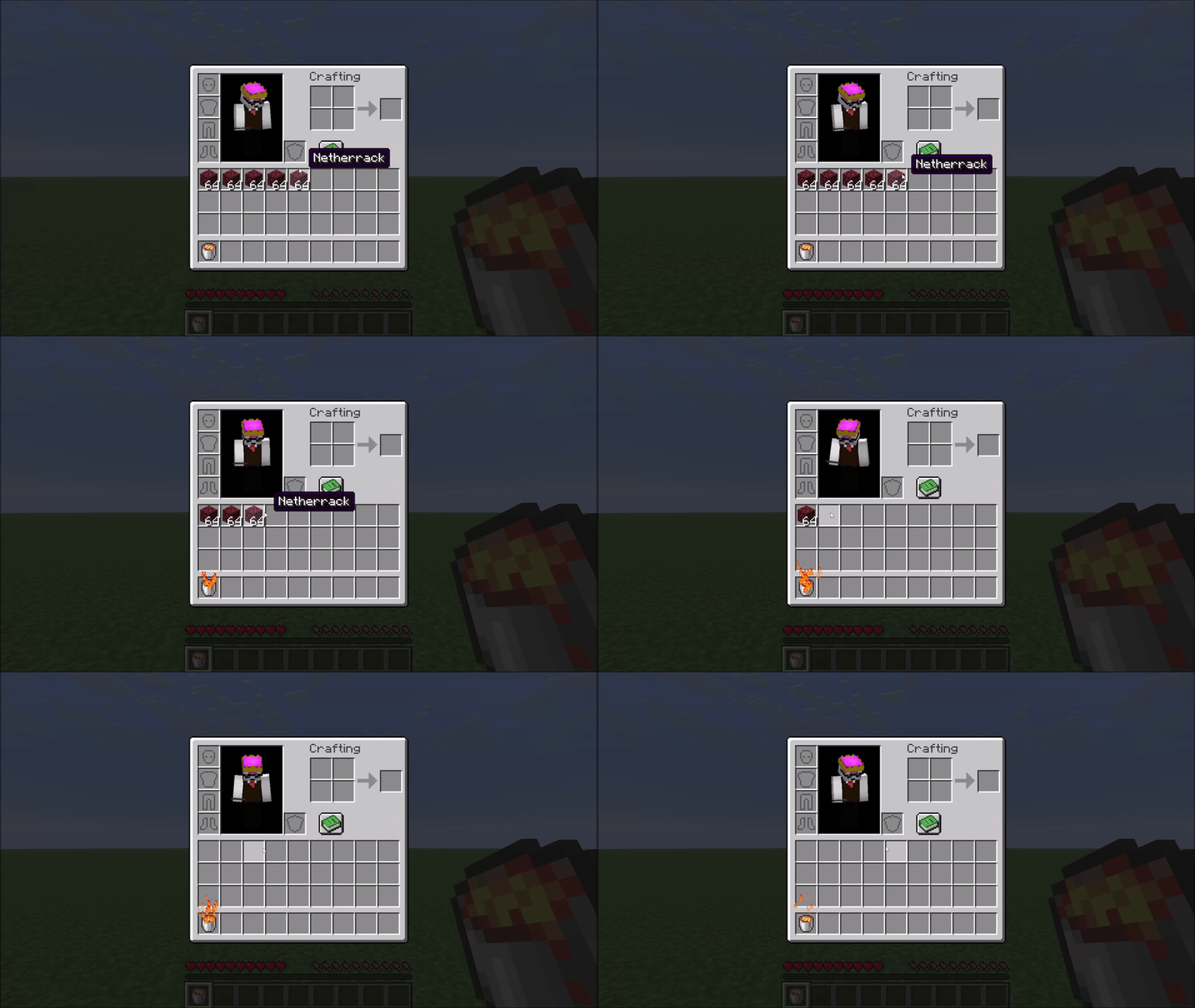
Fire-resistant items are never deleted. The mod uses Minecraft's own damage-resistance system, so Netherite gear, Ancient Debris, and any modded item that opts into fire resistance are all automatically protected — no hardcoded lists.
A configurable exclusion list protects additional valuable items from accidental deletion. By default this covers things like Elytra, Tridents, Shulker Boxes, Diamond gear, and other items you generally don't want to lose. See the Configuration section below.
Configuration
The config file is created automatically at config/lavacan.json on first launch:
{ "excluded": [ "minecraft:elytra", "minecraft:trident", "minecraft:diamond_sword", "..." ] }- Remove an entry to allow that item to be deleted by the Lava Can.
- Add any namespace:item_id to protect a custom or modded item.
Changes take effect after restarting the game (or the world on a dedicated server).
Mod Menu Support
With Mod Menu installed, the list can also be edited in-game from the mod list: a two-column picker (protected items / all other items) with per-column search, where clicking an item moves it between the columns. Changes apply immediately (singleplayer) on Done. Mod Menu is optional — without it the JSON file is used, and edits to the file take effect after restarting the game (or the world on a dedicated server).
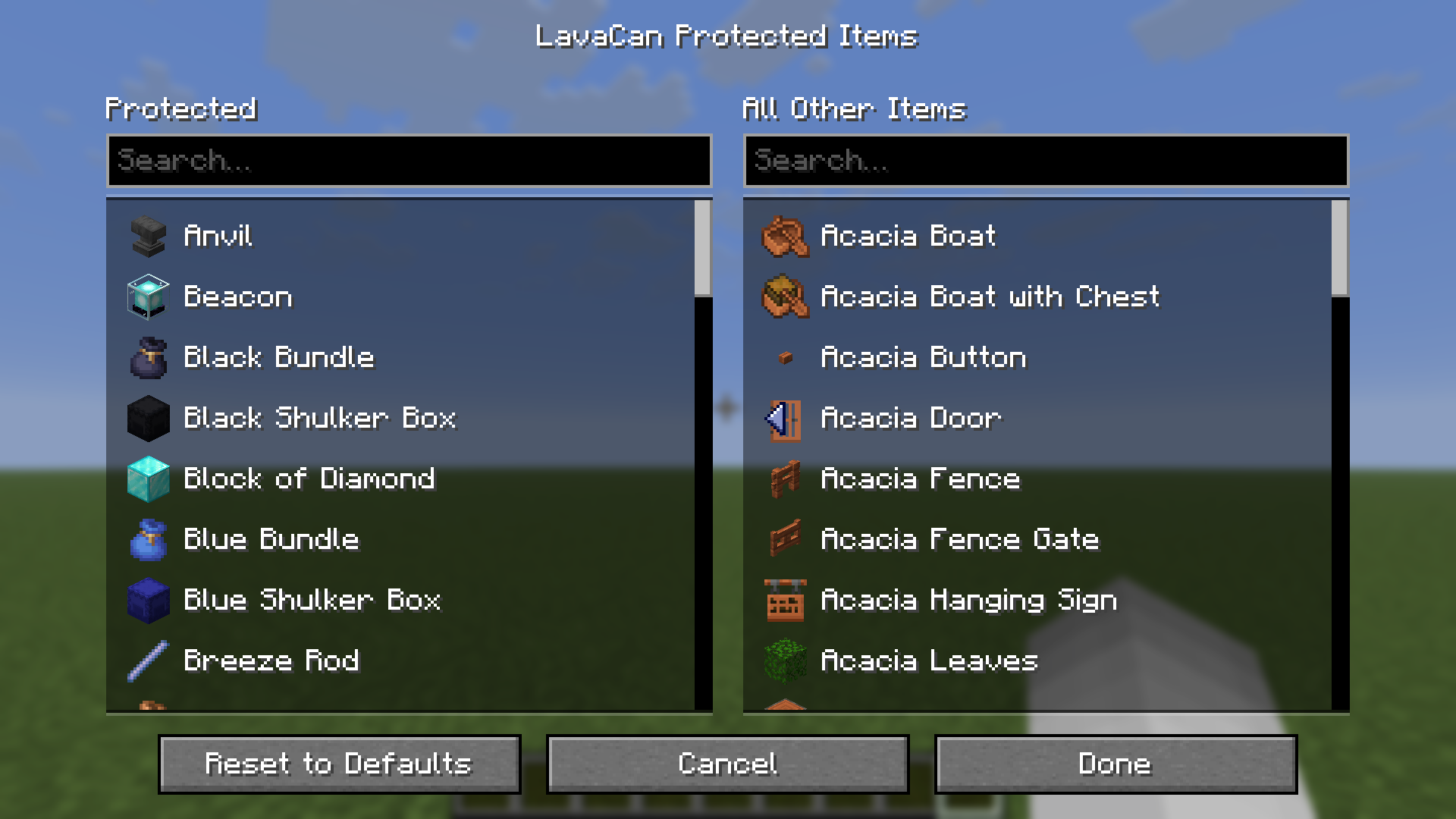
(For technical reasons, item icons only appear once a world has been loaded in the current session — before that, entries show their names only. This is noted in the screen itself, too.)
Compatibility
The mod hooks into AbstractContainerMenu.doClick via a Mixin — a common and stable injection point. Conflicts with other mods targeting the same method are possible but unlikely in practice.
Compatibility
Mod Loaders
Game Versions
Recommended Gear
AffiliateHardware and extras that pair well with this mod.

As an Amazon Associate I earn from qualifying purchases.
Screenshots
Similar Mods

IronSable
Ever cast a spell next to an airship and nothing happened? Ironsable connects Iron's Spells 'n Spellbooks with Sable so...

Mob Library
this is a library mod which adds common classes my mods uses

Visibility toggle
Allows you to toggle the visibility of itemframes specifically placed by you.

Show Player Coordinets
Showing Player Coordinates on Screen

Weighted Blocks
Makes suffocating in a block an actual problem

Very Berry
Adding berry goodness to Minecraft!