
Locked In Slots
ModLock your inventory slots. Protect your tools. Prevent accidents, fully client-side.
Description









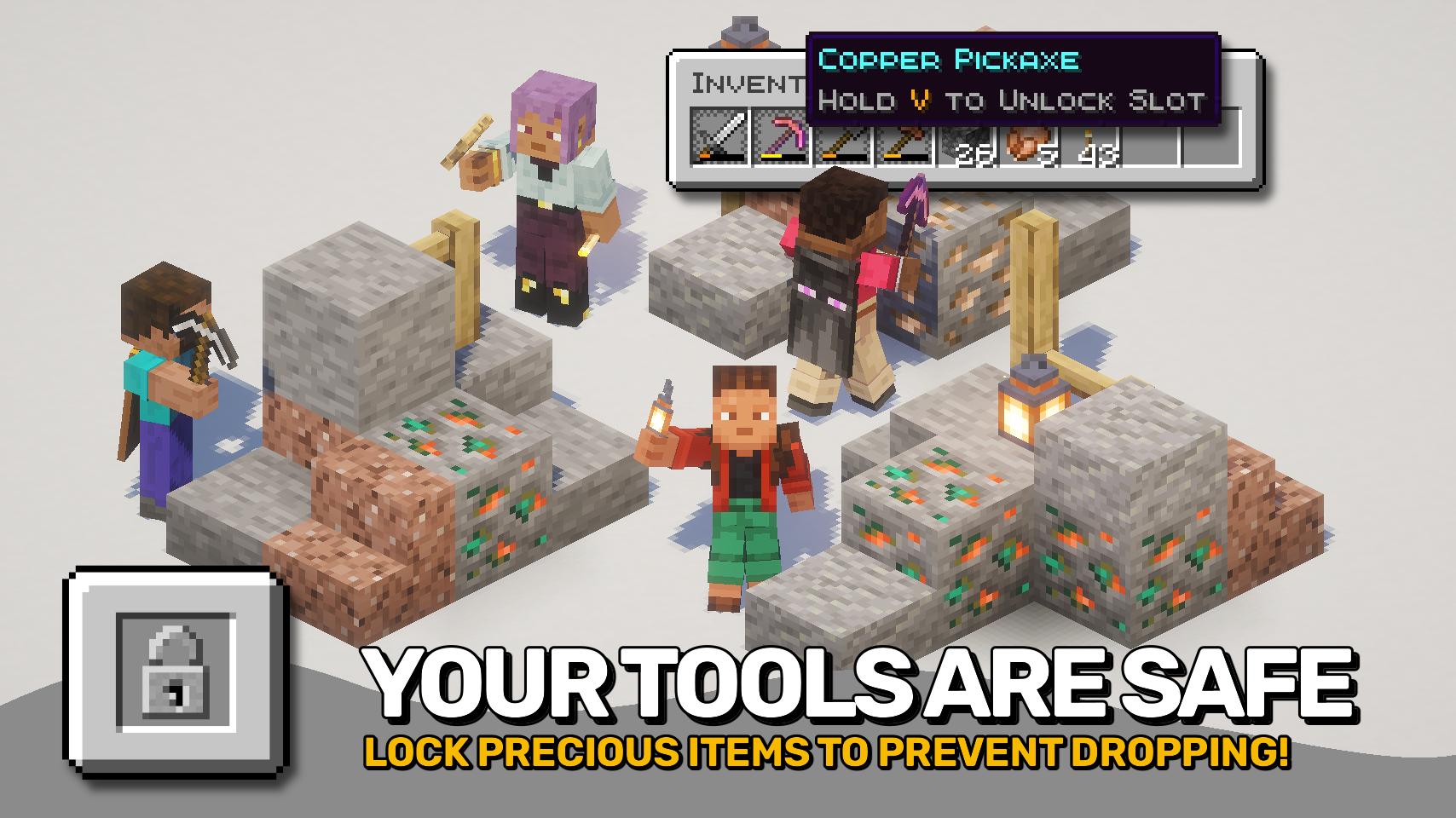
Locked In Slots helps protect your most important items from accidental inventory mistakes. 🔒 Simply hover a slot and press the lock key to toggle its locked state. Locked slots keep valuable tools, weapons, and other items safely in place until you decide otherwise.
No more accidentally dropping your pickaxe, moving your sword into a chest, or replacing an important hotbar slot during a hectic adventure. Once a slot is locked, its contents stay exactly where they belong. 🛡️
Best of all, the mod is fully client side and works in both singleplayer and on multiplayer servers. ✨

- 🔒 Quick Slot Locking: Lock or unlock inventory slots with a configurable key while hovering them.
- 🎯 Hotbar Support: Lock the selected hotbar slot even when no inventory screen is open.
- 🛡️ Prevent Item Pickup: Locked items cannot be picked up or moved out of their slot.
- 🚫 No Accidental Drops: Pressing Q will no longer drop items from locked slots.
- 🔄 Prevent Item Swapping: Locked slots cannot be replaced with other items.
- 📦 Allow Stack Growth: Stackable items can still receive additional matching items while remaining protected.
- 💡 Helpful Unlock Hints: Optional tooltips remind you how to unlock protected slots.
- ⚙️ Flexible Configuration: Customize lock timing, slot restrictions, supported slot types, and more.
- 🌍 Fully Client Side: Works seamlessly in singleplayer and on servers without requiring installation on the server.


⏩ INSTALLATION REQUIRED ON CLIENT
⏩ REQUIRES PUZZLES LIB TO BE INSTALLED (FABRIC & NEOFORGE)
⏩ REQUIRES FABRIC API TO BE INSTALLED (FABRIC)
⏩ REQUIRES FORGE CONFIG API PORT TO BE INSTALLED (FABRIC)

If available for a mod, configuration is possible directly from in-game using the mod menu (requires Mod Menu by Prospector to be installed on Fabric).
For manual configuration using an external text editor all files are found at .minecraft/config, named as MOD_ID-client.toml, MOD_ID-common.toml, or MOD_ID-server.toml, depending on the type of config. Not all types might exist for a mod, if any at all.

🌟 Big thanks to D4rkness_King and their SlotLock mod for inspiring this project.




Compatibility
Mod Loaders
Game Versions
Recommended Gear
AffiliateHardware and extras that pair well with this mod.
As an Amazon Associate I earn from qualifying purchases.
Screenshots
Similar Mods

Create:Egg Production
A method about egg production with create.

Aqua Munda
Immersive Craft addon that works around water and cooking

Fix Horizontal Camera Lag
Fixes the horizontal camera lag when riding an entity, fix for MC-259512

Timber Tales | Dynamic Tree System 🪓
Timber Tales’ physics and mechanics make tree cutting feel more alive in Minecraft, turning simple woodcutting into a dy...

More (Item/Painting) Frame Variants (MStV+)
Item Frames and Painting Frames for every kind of wood
Disable F5
This mod disables third-person view.


