
WhatI'mPressing
ModA mod have configurable keystrokes
Type
Mod
Modrinth Downloads
11,689
Modrinth ID
CFmrEe7b
Last Updated
Aug 29, 2026
Description
What I'm Pressing
This mod allows you to display the button you are currently clicking on the screen.
You also can customize it by the editor, and the editor can be accessed by clicking the shortcut key (default is "]").
By default, the mod displays the WASD four keys in the upper left corner of the screen.
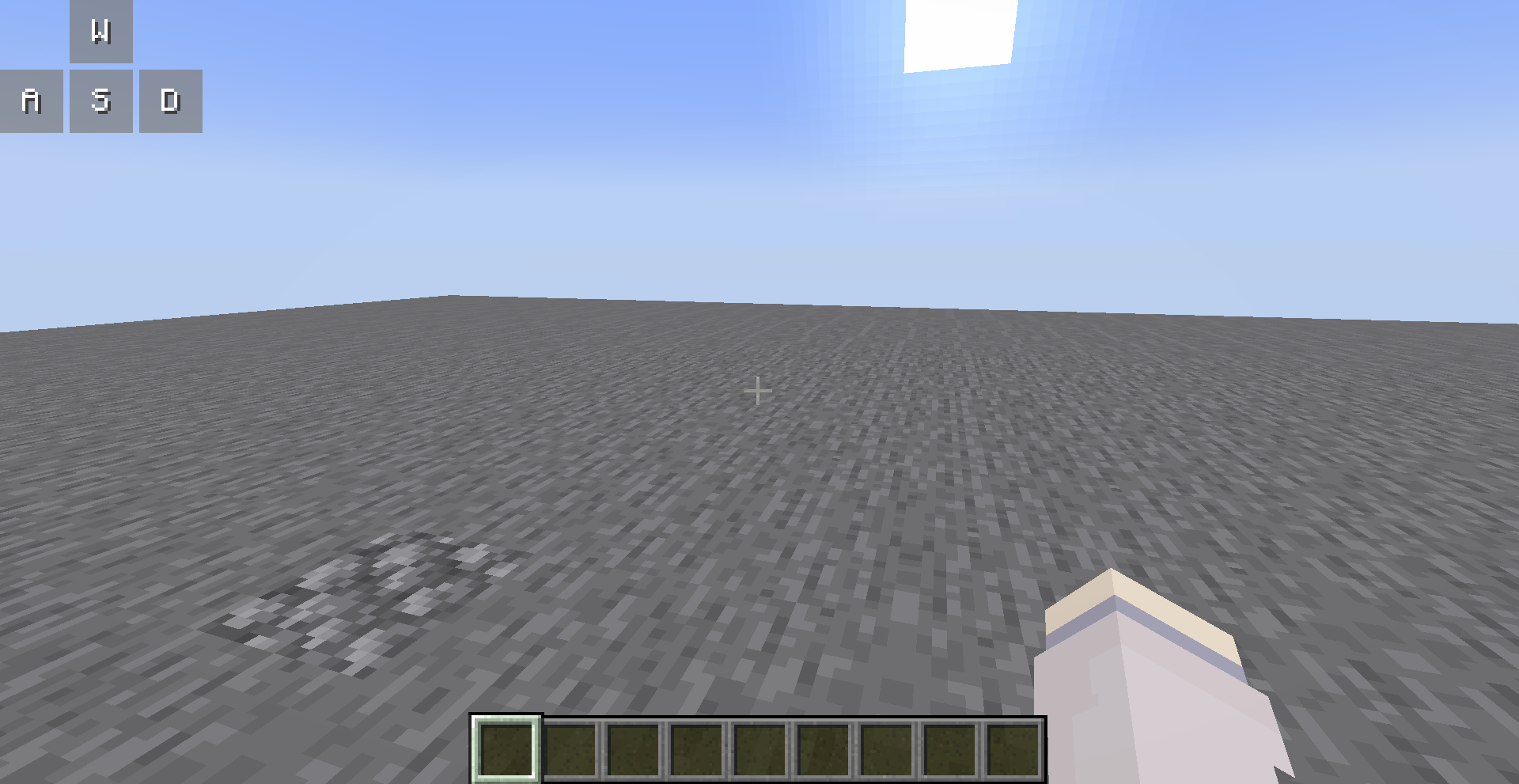
You can open the editor to customize them, all your changes are saved automatically.
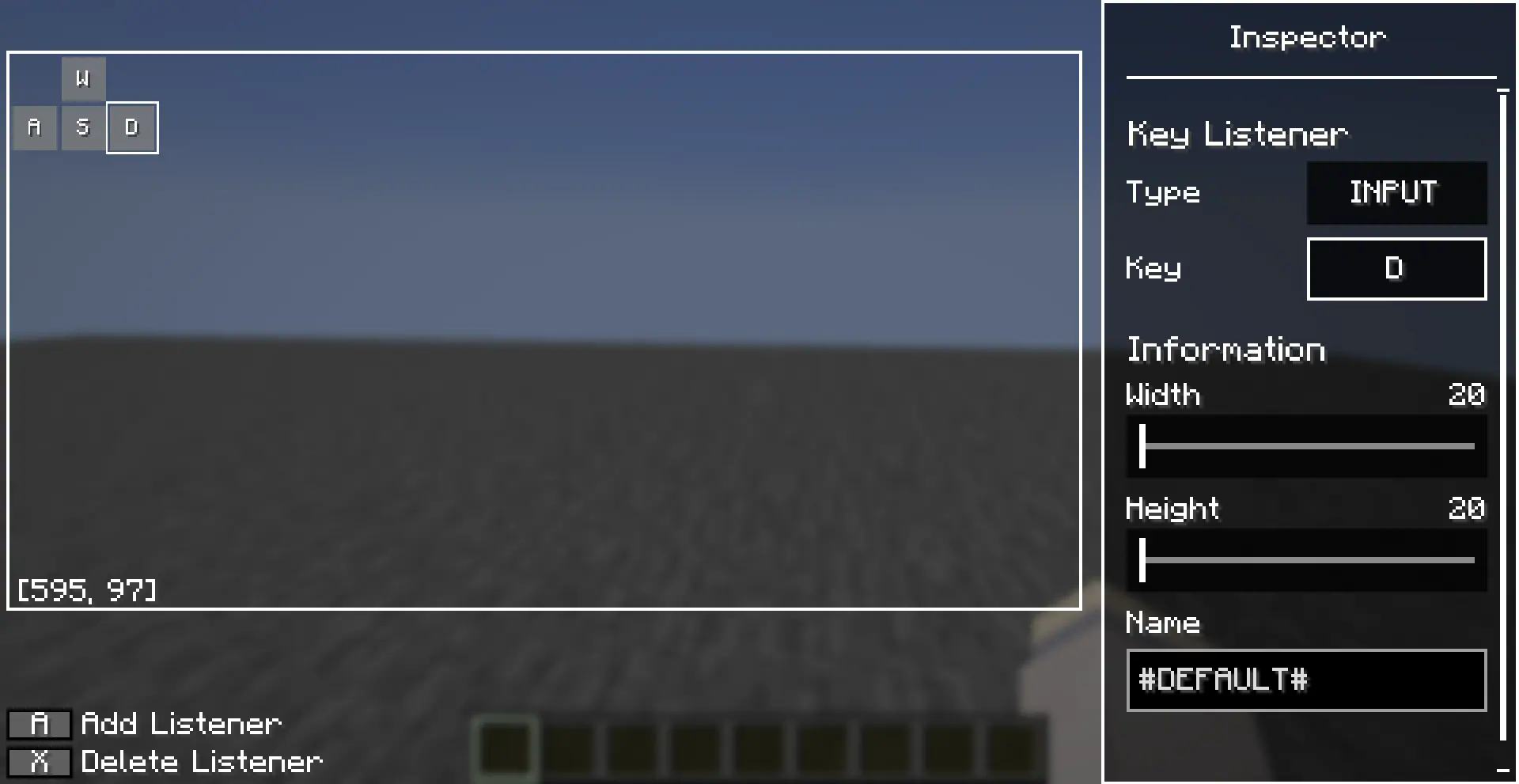
Editor Operations
You can use the left mouse button to select a key listener in the editor, and long press the left mouse button to drag it.
There are also many operations allowed in the editor, which you can perform with the following key combinations:
- [A]: Add a new key listener at the cursor
- : Deletes the selected key listener
- [Ctrl + C]: Copies the selected key listener
- [Ctrl + V]: Paste the copied key listener at the cursor, or paste the copied style onto the selected key listener
- [Ctrl + R]: Resets the style of the selected key listener
- [up/down/left/right]: Move selected key listener
Inspector also supports copy-paste operations, after you selected a entries (left clicked or right clicked), you can use [Ctrl + C] to copy it and [Ctrl + V] to paste it.
Compatibility
Mod Loaders
Game Versions
Recommended Gear
AffiliateHardware and extras that pair well with this mod.

As an Amazon Associate I earn from qualifying purchases.
Similar Mods
Just Trial Spawners
Backports Minecraft 1.21's Trial Chamber features to Forge 1.20.1. Trial spawners, vaults, breeze, bogged, wind charges,...
Gluttony (Oversaturation + Overeat)
Allows you to bypass saturation and food max level.

TradeAsteroid
Useless pack made for my specific pack. This mod is made with MCreator mod maker. If you want to make a mod too, check...

Cobblemarks+ (Cobblemon)
Adds additional marks to Cobblemon, and improves some already existing ones!

Health Bar Minus Name
Displays a health bar without the mobs name

Everlasting Abilities
Discover, share and conquer abilities that stick