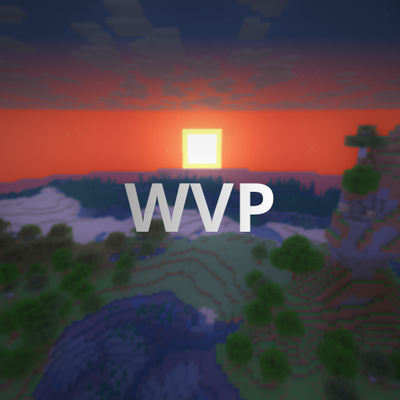
WVP Shader (Wozt Vanilla Plus Shader)
Shaderby woztgaming
Enhance your Minecraft with vibrant colors, warm lighting, and smooth performance. The ultimate Vanilla+ experience.
Type
Shader
CurseForge Downloads
21,674
CurseForge ID
1580541
Last Updated
Sep 26, 2026
Description
WVP SHADER (WOZT VANILLA PLUS SHADER)
Welcome to WVP Shader, a lightweight and performance-friendly Vanilla+ shader designed to enhance your Minecraft world with vibrant colors and cozy lighting while maintaining the classic vanilla aesthetic.
🚀 Perfect for low-end PCs and everyday gameplay!
✨ Features
- 🎨 Vibrant Colors & Cozy Lighting: Enhanced tonemapping for a warm, lively, and immersive atmosphere.
- ☁️ Custom Rounded 3D Clouds: Gorgeous, stylized 3D blocky clouds that fit the Minecraft grid perfectly.
- 🌊 Beautiful Clear Water: Improved underwater visibility and realistic waving water effects.
- 🍃 Waving Foliage: Subtle, natural waving animations for leaves and plants.
- 🚀 Performance First: Highly optimized code. Enjoy high FPS even on integrated graphics!
- 🎮 In-game Quality Profiles: Easily toggle between Potato, Medium, High, and Cinematic presets in the shader options.
🛠️ Installation
- Make sure you have Iris Shader Mod (recommended) or OptiFine installed.
- Download the WVP Shader zip file.
- Drop the zip file into your .minecraft/shaderpacks folder.
- Enable it in-game via Video Settings -> Shader Packs.
Recommended Gear
AffiliateHardware and extras that pair well with this shader.

As an Amazon Associate I earn from qualifying purchases.
Screenshots
Similar Shaders

Night Vision Shaders
A shaderpack that aims on giving brightness everywhere while keeping the game aesthetic.

Epoch
A vintage and Lo-Fi emulating shader.

Bloop Shaders - Official
A shader aimed at maximum speed while maintaining good visuals. Scalable from low to high end computers.
Vanilla Enhanced
A lightweight shader for realistic lighting & better visuals.
Zayko Shaders
Built for quality sometimes at playable performance + Built in PBR, Emissive Textures, and amazing adjustability.
![[BTB] Back To Basics](https://cdn.modrinth.com/data/jiOSfcba/52764a1e051f852a620ffe2fffefc0bcc814e9cb_96.webp)
[BTB] Back To Basics
BTB is a shader that emulates the looks of old retro PS1 3D games.