
Config Presets
ModConfig Presets lets you save and switch between full game configurations. Minecraft options, mod settings, and resource packs as one-click presets.
Description
This mod is the result of countless hours of work and is made possible by players like you. If you wish to express your gratitude for my efforts and support the continued development of Config Presets, consider donating to me.


 Save and switch between your Minecraft configurations instantly!
Tired of manually tweaking your settings every time you switch between recording, streaming, or casual play? Config Presets lets you save complete snapshots of your game settings and apply them with a single click.




🚧 THIS MOD IS HEAVILY UNDER DEVELOPMENT! SOME FEATURES MAY BE CHANGED, REMOVED, OR ADDED!
📦 What Can You Save?
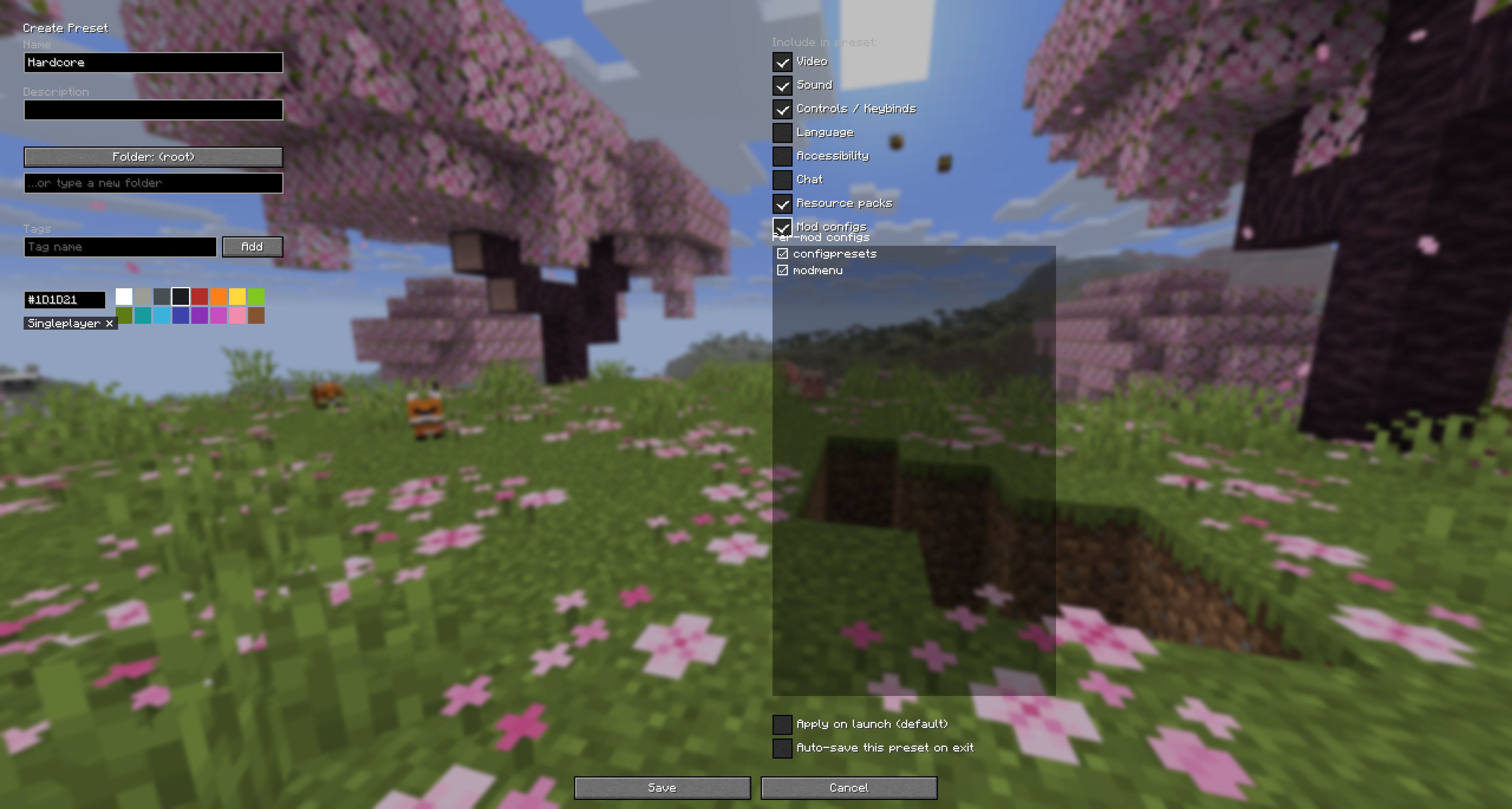
- Video Settings - Graphics quality, render distance, FOV, particles, and more
- Sound Settings - All volume levels and audio preferences
- Controls & Keybinds - Your complete control scheme
- Resource Packs - Enabled packs with load order preserved
- Accessibility & Chat - Language, narrator, chat settings, and more
- Mod Configurations - Third-party mod settings
🎯 Quick Access
- Keybind - Press P (customizable) to open the preset manager from anywhere
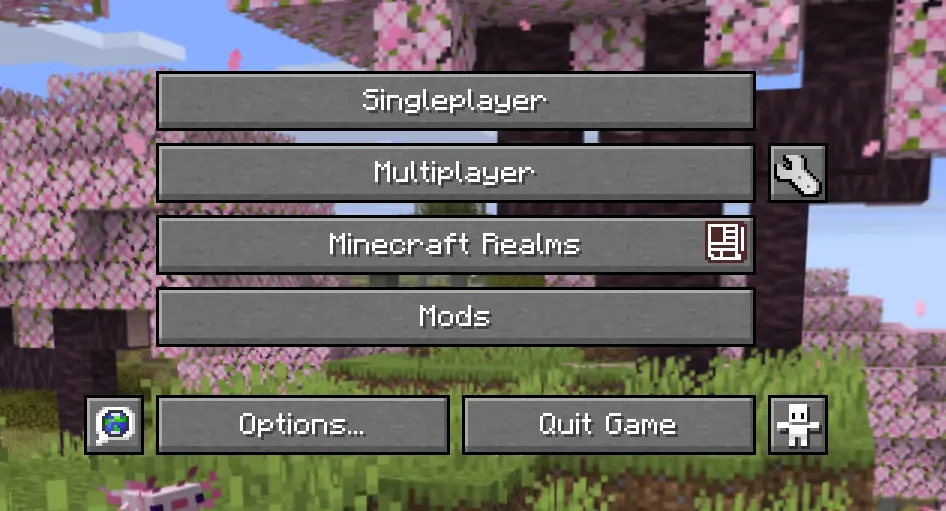
- Menu Buttons - Quick-access buttons on the title and pause screens
🏷️ Organization
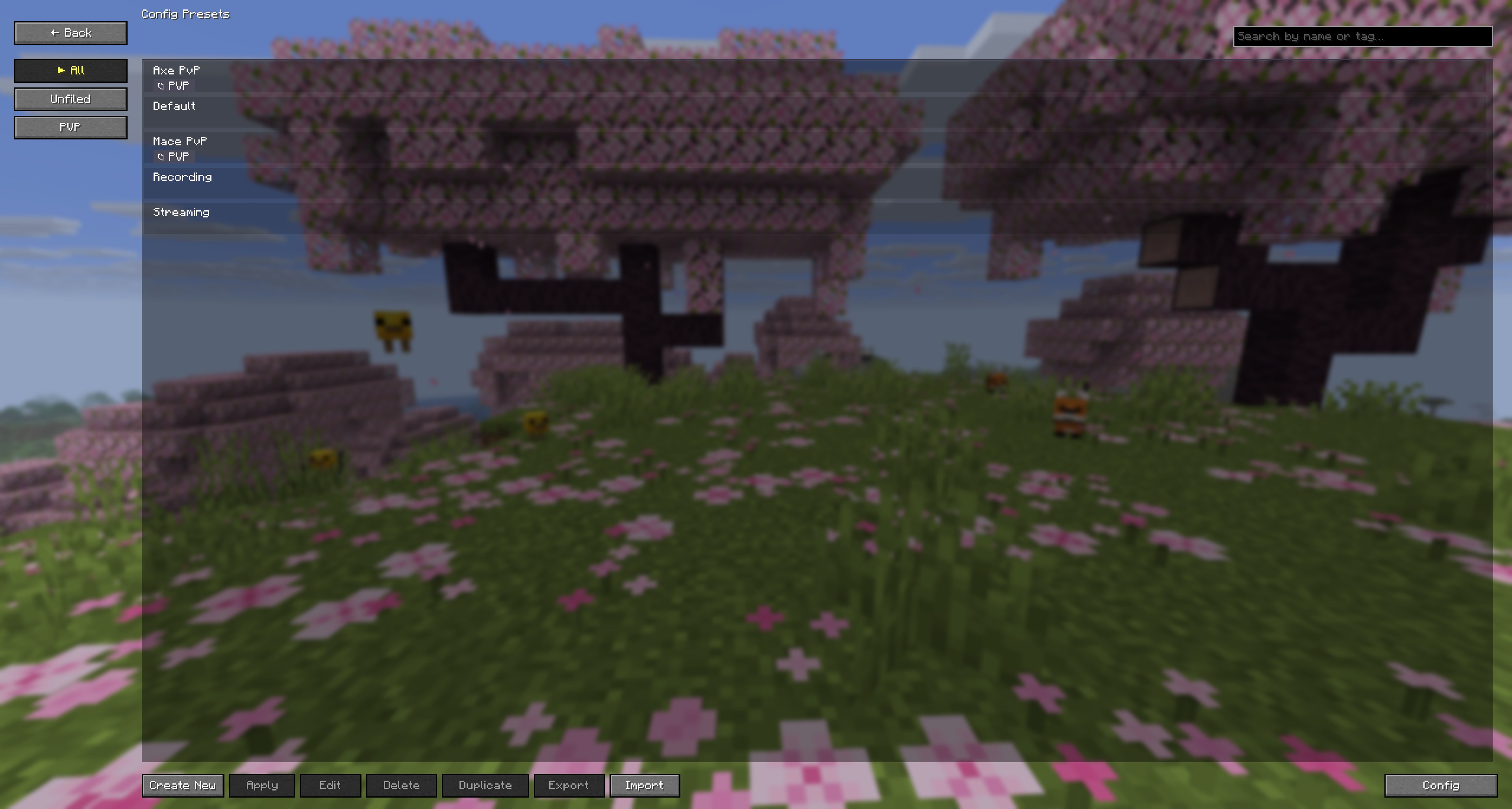
- Folders - Organize presets into categories
- Tags - Add colored tags for easy filtering
- Search - Find presets by name or tag instantly
💾 Import/Export
- Share Presets - Export as JSON files to share with friends
- Mod Lists - Optionally include a list of your installed mods
🚀 How to Use
- Install the mod and launch Minecraft
- Press P or click the wrench icon in the pause menu
- Click "Create New" and configure what to save:
- Toggle which categories to include (Video, Sound, Controls, etc.)
- Name your preset and optionally add tags/folders
- Click "Apply" on any preset to switch instantly!
🎨 Perfect For...
- Content Creators - Separate presets for recording vs. streaming
- Modpack Players - Save different configs for different packs
- Performance Tuning - Quickly switch between quality and performance
- Multiplayer - Different settings for servers vs. singleplayer
- Testing - Rapidly test different configurations
📋 Requirements
Fabric:
- Fabric Loader 0.19.2+
- Fabric API
- Cloth Config API
- Mod Menu (optional, for easy access to config)
NeoForge:
🔧 Compatibility
Works great with:
- Sodium, Sodium Extra, Reese's Sodium Options
- Iris Shaders
- Performance mods (Lithium, Cull Leaves, More Culling, etc.)
- Most Fabric mods with file-based configs
🐛 Found a Bug?
You can report bugs, crashes, and other issues on the Issue Tracker. Make sure you include information about the mods you are using, and attach any crash/log files you have.
📜 License
This mod is available under the MIT License.
❤️ Support
If you enjoy this mod, consider:
- ⭐ Starring the GitHub repository!
- ❤️ Leaving a heart on Modrinth!
- 🔨 Favorite and Follow on Curse Forge!
- 🐦 Sharing with friends!
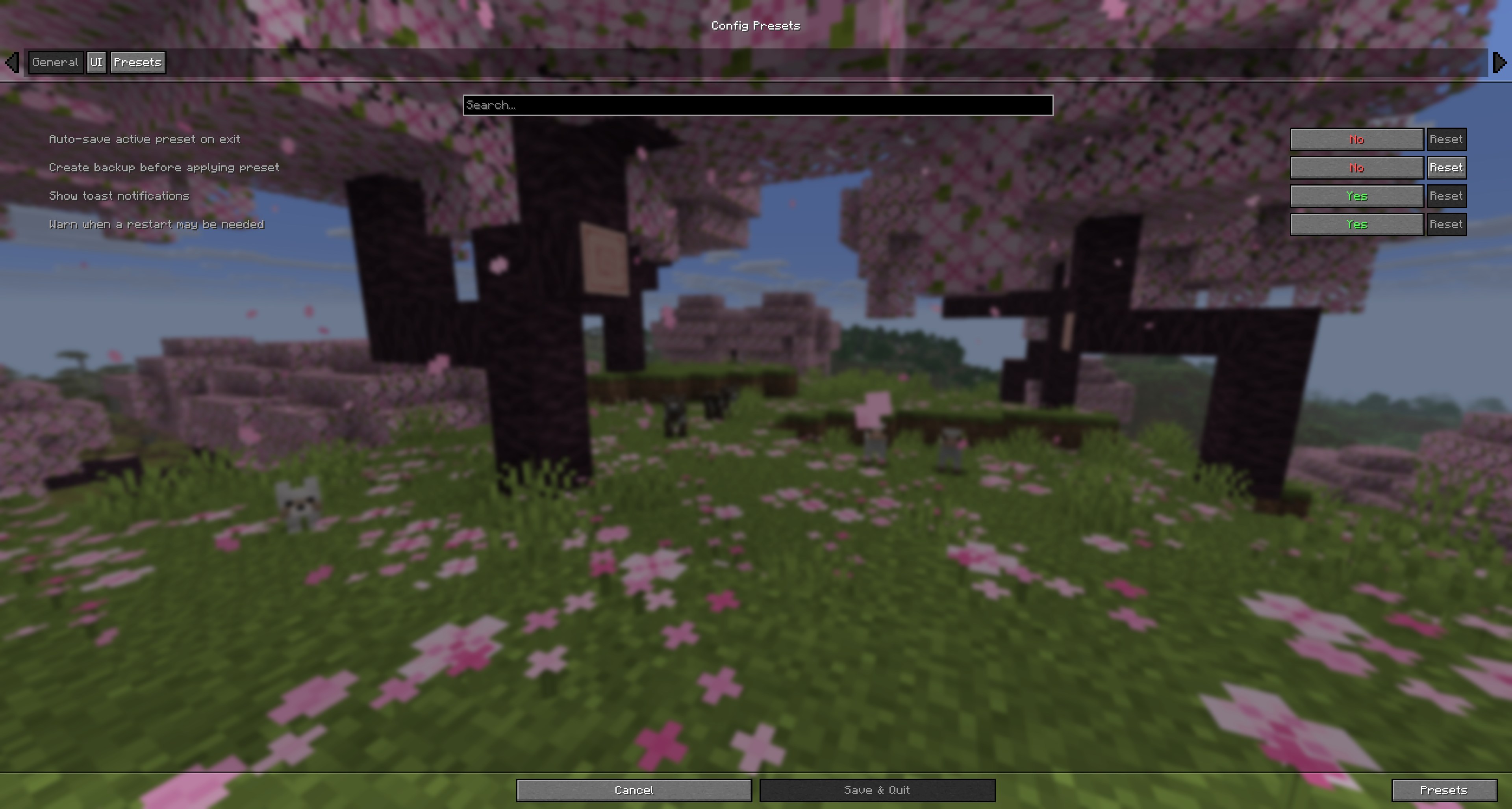
📸 Screenshots
Icon by Gedeon Maheux on FreeImages
Compatibility
Mod Loaders
Game Versions
Recommended Gear
AffiliateHardware and extras that pair well with this mod.

As an Amazon Associate I earn from qualifying purchases.
Screenshots
Similar Mods
Cobblemon Expeditions
Send your Pokémon on timed expeditions for rewards

Quick Leaf Decay
provides fast leaf decay and targets less dependencies, fast update.

Ice And Fire: Addon
An unofficial addon to the Ice And Fire mod, this addon includes the long-promised Dread Lands with the Kriona boss.
Bunkers, Machines & Nuclear Weapons
Adds nuclear tech to Minecraft!

Dungeons Weaponry
Adds weapons from Minecraft Dungeons.

Painted Egg Decorations
Adds 16 new painted egg decorations
