

No Fog Perfected
ModRemoves fog from Minecraft, perfected. No bad-looking horizon lines, completely customizable.
Type
Mod
Modrinth Downloads
27,992
Modrinth ID
KtwO5TWA
Last Updated
Sep 5, 2026
Description
No Fog Perfected
Removes fog from Minecraft, perfected. Works with both Fabric and NeoForge.
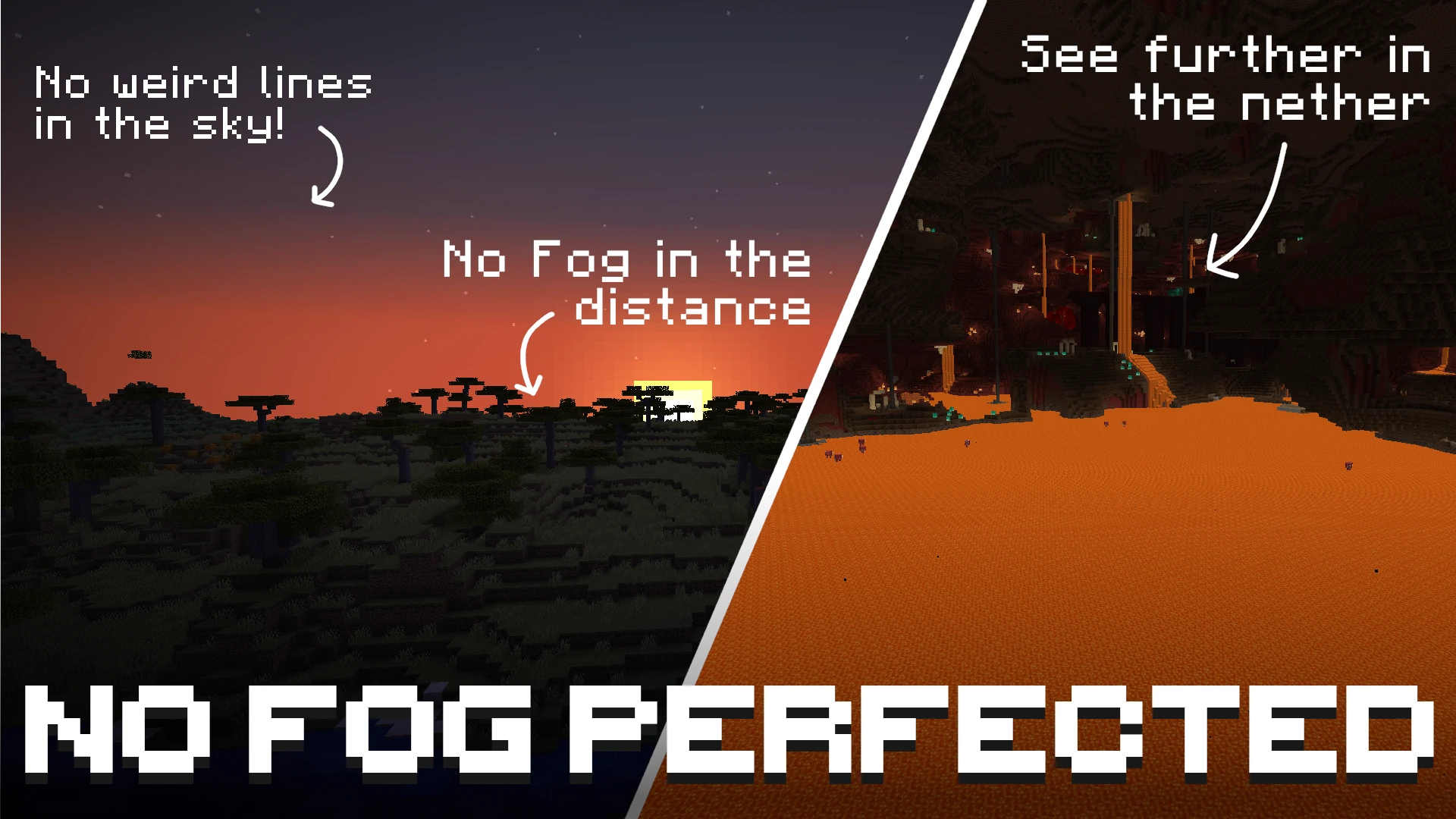
By default, the mod disables fog in the Overworld, the Nether, and the End. No Lava / Water Fog is removed by default, but you have the option to toggle all of them separately! Use with Sodium for a config menu!
Unlike other fog-removal mods, No Fog Perfected achieves a completely clean look with no hard lines or visible cut-offs in the sky. The horizon blends naturally, as if the fog was never there.
Beyond simply removing fog, the mod also lets you customize the fog behavior of fluids and status effects — underwater, lava, powder snow, blindness, and darkness fog can all be toggled and fine-tuned individually.
Offsets and multipliers
If you don't want to fully disable fog but instead want to push it further away so you can see more of the world, each fog type has an offset or multiplier slider ranging from 0% to 100%.
Important: the offset and multiplier only have an effect when the fog for that type is enabled. If fog is turned off, it will never be rendered — no matter what offset or multiplier value is configured.
Supported Versions
Minecraft Version Fabric NeoForge 1.21.11 ✓ ✓ 26.1.2 ✓ ✓ 26.2 ✓ ✓Configuration
With Sodium
If Sodium is installed, all settings are available directly inside Sodium's video settings screen under the No Fog Perfected category. No commands needed.
Without Sodium
When Sodium is not installed, the mod is configured exclusively through in-game chat commands. All settings are saved automatically to config/no-fog.json in your game directory.
Command reference
Command Description /nofog Show the current state of all fog settings /nofog <type> Query the current state of a single fog type /nofog <type> toggle Toggle that fog type on or off /nofog <type> set <0-100> Set the intensity/distance value (0 = vanilla, 100 = maximum)<type> is one of:
Type Value control What it does overworld Multiplier Multiplies how far away overworld fog starts. 0% = vanilla. nether Offset Pushes nether fog further away from you. 0% = vanilla. end Multiplier Multiplies how far away end fog starts. 0% = vanilla. water Offset Increases visibility range when submerged in water. 0% = vanilla. lava Offset Increases visibility range when submerged in lava. 0% = vanilla. powder_snow Offset Increases visibility range inside powder snow. 0% = vanilla. blindness — Toggle only. No distance control. darkness — Toggle only. No distance control.Examples
/nofog → show full config summary /nofog overworld → show overworld fog status and current multiplier /nofog overworld toggle → turn overworld fog on or off /nofog overworld set 50 → set overworld fog multiplier to 50% /nofog water set 75 → push water fog boundary to 75% /nofog blindness toggle → toggle blindness fogContact
If you have any questions about this mod you can ask them here:

License
This project is available under the MIT license.
Compatibility
Mod Loaders
Game Versions
Recommended Gear
AffiliateHardware and extras that pair well with this mod.

As an Amazon Associate I earn from qualifying purchases.
Screenshots
Similar Mods

CIT Resewn Continuation
Unofficial continuation of CIT Resewn for modern Minecraft versions

BetterNether Continuation
just a continuation of better nether rotn edition for 1.12.2

Midnight Nightmares
Bring dread to every bed in your horror modpack

Chocoraft's Delight
Chococraft's Delight is an addon mod for Farmer's Delight that adds compability between Chococraft 4 and Farmer's Deligh...

Philip's Biome Features
Mod that adds boulders, rocks, and features to Minecraft. Keeps vanilla biomes fresh with nature content.
![Pebble Generation [(Neo)FORGE]](https://media.forgecdn.net/avatars/1062/293/638594813191265892.png)
Pebble Generation [(Neo)FORGE]
This mod add the option to get an item by shift right-clicking on a block.
