

AutoDrop Manager
ModAutomatically drops selected items when they enter your inventory
Type
Mod
Modrinth Downloads
266
Modrinth ID
okcfLwHS
Last Updated
Oct 3, 2026
Description
📥 AutoDrop Manager [Fabric 1.21.1]
AutoDrop Manager is a lightweight, client-side mod designed to automatically keep your inventory clean from unwanted trash. Tired of cobbles, dirt, gravel, or diorite clogging up your slots while strip-mining or excavating? This mod does all the tedious inventory cleaning for you instantly!
📺 Video Showcase & Tutorial
Watch the mod in action and learn how to set it up in less than a minute!
✨ Features
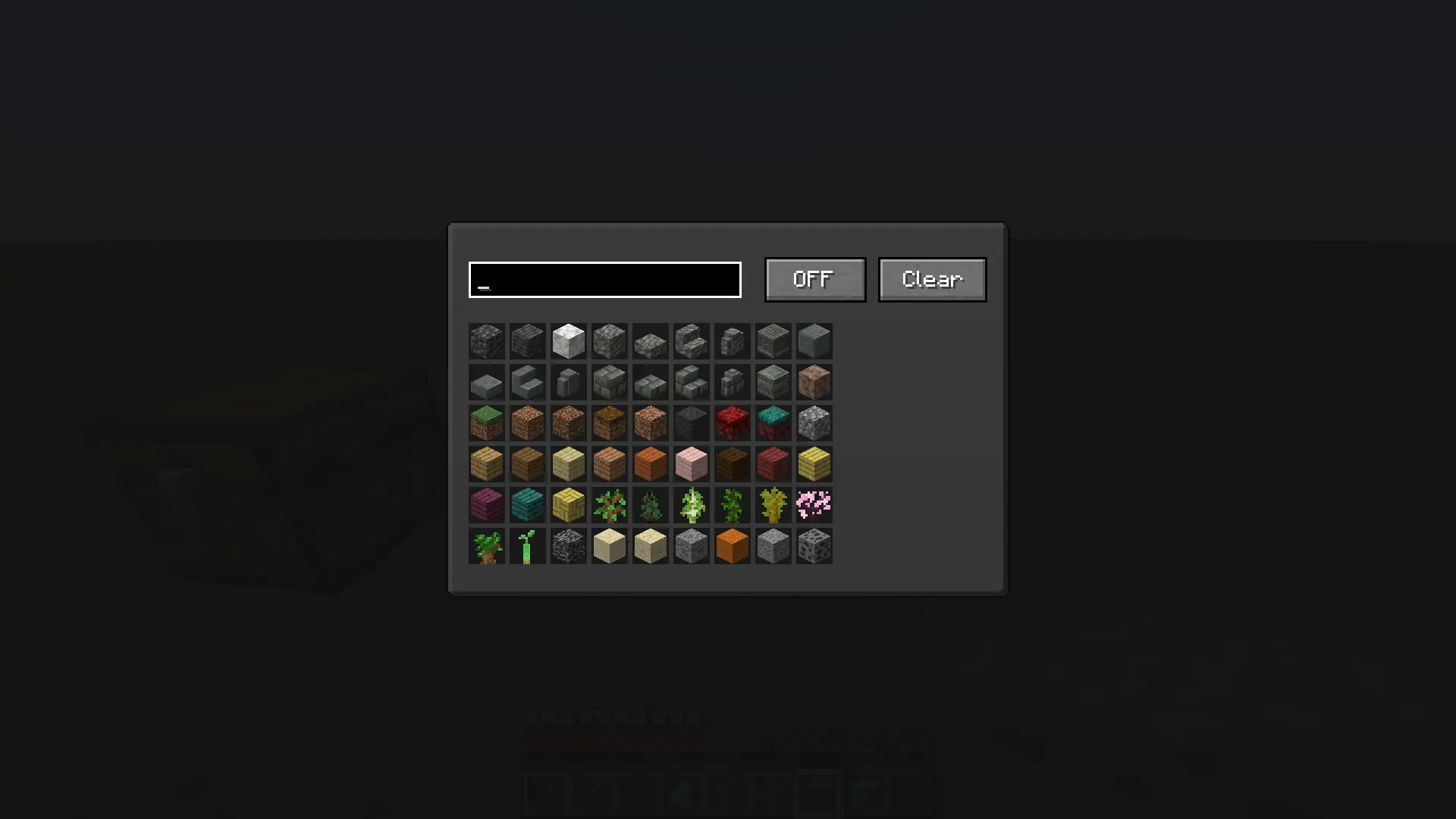
- Smart Item Filter: Easily select any block or item from the entire game using a clean grid layout.
- Instant Auto-Dropping: As soon as a blacklisted item enters your inventory, the mod drops it on the ground immediately.
- Responsive Search Bar: Quickly search for blocks and items by their localized names or technical IDs.
- Effortless Management: Features a global ON/OFF toggle switch and a Clear button to wipe your blacklist in one click.
- Full Keybind Support: Change the menu opening key to any button you prefer inside the standard Minecraft Controls menu.
🛠 How to Use
- Go to Minecraft Options -> Controls -> Key Binds and assign a comfortable key for "Open Mod Menu" (Default is O).
- Press the assigned key in-game to open the custom interface.
- Use the search text box to find the items you want to get rid of.
- Click on an item in the grid — a red highlight will appear. This means the item is now blacklisted.
- Make sure the toggle button at the top right is set to ON.
- That's it! The blacklisted trash will no longer stay in your inventory.
Compatibility
Mod Loaders
Game Versions
Recommended Gear
AffiliateHardware and extras that pair well with this mod.

As an Amazon Associate I earn from qualifying purchases.
Screenshots
Similar Mods

Wandering Trader DECORATIVE Microblocks
Datapack that allows you to purchase a variety of decorative microblocks from the wandering trader
Disable Elytra Boosting
Disables Elytra Boosting with Rockets
Sneak To Edit
Allows interaction with blocks behind item frames and signs. Client-side only.

Core Companion
An owner-bound AI companion that chats, remembers, builds a relationship, and runs survival tasks with Baritone path fin...

Hitbox Reveal
See enemy hitboxes the moment you punch them. Color-coded by distance and crit window. Fully configurable in-game — no e...

Custom Displayname
Rename yourself and others locally (client-side only).